Signs Your Phone Is About to Fail: What to Check and When to Act
Need this part? We stock tested replacement parts with same-day UK dispatch and a 12-month warranty.

Phones rarely die without warning. Rapid battery drain, heat, flaky charging, screen glitches, weak signal and random freezes are early signs of parts wearing out — not always a reason to bin the handset. Diagnose software versus hardware, fix the failing part early, and stop immediately if the battery is swollen or the device is wet.
Last updated:
Digi4u is a Cardiff-based UK supplier of batteries, screens, charging parts and tools for shops and DIY. This refresh keeps the original numbered warning-sign spine and adds a triage table (software vs hardware vs replace), official battery-performance context, and clearer stop rules so “phone about to fail” searches get actionable prevention instead of fear-only copy.
| Early sign | Try software / habits first | Likely hardware path | Stop / escalate |
|---|---|---|---|
| Fast drain or warmth in normal use | Check battery use by app; update OS; reduce rogue background apps | Ageing battery; charging-path fault | Swelling, smoke, or heat at idle → power down |
| Flicker, touch delay, lines | Restart; rule out case pressure | Display / digitizer / connector | Glass lifting from a swollen cell |
| Charges only at an angle | Known-good cable; remove lint carefully | Worn charging port flex | Liquid alert — dry before forcing charge |
| Sudden freezes / reboot loops | Free storage; safe mode / diagnose apps | Battery under load; storage wear; board | Boot loops after liquid or drop → pro bench |
1. Rapid battery drain or overheating
If percentage falls unusually fast or the phone runs warm during light use, treat it as a red flag. Lithium-ion cells lose capacity with cycles and heat; unstable charging behaviour often follows. Apple explains how chemically aged batteries affect performance in iPhone battery and performance. Android makers expose health or usage graphs that still need interpretation — see Digi4u’s Android battery health reporting.
Possible causes
- Ageing battery cells
- Faulty charging port or cable path
- Background software conflicts
- Internal power-management faults
Preventive actions
- Avoid trapping the phone in hot cars or under pillows while charging.
- Use undamaged cables and suitable chargers — shops stock labelled leads for a reason.
- Review battery usage screens before replacing parts.
- Plan a model-matched battery replacement when health is clearly degraded rather than waiting for shutdowns under load.
Early battery service is usually cheaper than board damage from prolonged heat. Related: phone overheating when idle.

2. Screen flickering, dead pixels or touch delay
Display faults rarely heal themselves. Flicker, dead zones, ghost touches or lines usually mean panel, digitizer or connector issues — sometimes worsened by impact or moisture. Do not confuse this with the separate problem of a phone that overheats while browsing; heat points back to power path or battery stress.
Possible causes
- Loose display connectors
- LCD/OLED panel degradation or impact damage
- Touch digitizer failure
- Prior liquid exposure
Preventive actions
- Use a tempered glass protector and avoid sitting on the phone in pockets.
- Keep liquids away; dry promptly after any spill.
- If the back glass is lifting, check for battery swelling before pressing the screen flat — see battery swelling guidance (same stop rule applies to phones).
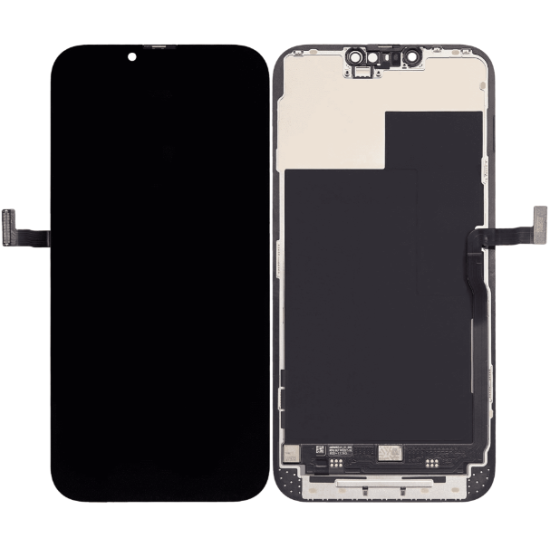
- Replace damaged screens with model-correct assemblies; delaying can lead to further flex or board stress. Digi4u’s screen lines and black spots guide helps triage.
3. Charging problems or loose connection
Charging only at certain angles, spontaneous disconnects or slow charge with a known-good cable often mean port wear or debris — an early step toward a no-power handset if ignored.
Possible causes
- Debris in the charging port
- Worn charging flex / dock
- Corroded contacts after moisture
Preventive actions
- Clean gently with non-metal tools; never force bent cables.
- Eliminate the lead first — see charging cable stock range.
- Replace worn ports early rather than stressing the board with intermittent power.
- If liquid alerts appear, follow iPhone liquid-detection warning guidance before more plug cycles.
4. Weak signal or dropped calls
Not every signal complaint is the network. After drops, case damage or liquid, antenna paths and connectors can fail while the rest of the phone looks fine.
Possible causes
- Damaged antenna module or lines
- Loose internal connectors
- SIM tray or contact damage
Preventive actions
- Reseat or replace a damaged SIM; test another network location.
- Avoid repeated unprotected drops.
- Repair antenna hardware promptly when software toggles (Airplane Mode) do not help.
5. Slower performance and random freezing
Lag after years of use can be storage pressure, an OS that outgrew the chipset, or a battery that collapses under CPU load. Random freezes deserve a structured check, not an immediate binning.
Possible causes
- Almost-full storage
- Heavy OS on older hardware
- Battery unable to sustain peak loads (see Apple’s battery-performance notes)
- Failing storage or deeper board faults
Preventive actions
- Free storage; update apps; restart on a schedule after major OS installs.
- Check battery health before replacing motherboards.
- If the phone will not power on cleanly, use phone no-power diagnosis.
Repair, replace or retire?
| Condition | Lean toward |
|---|---|
| One failed module (battery, screen, port) on a phone you still like | Repair with model-matched parts |
| Multiple unrelated faults after liquid or severe impact | Professional estimate; compare to replacement cost |
| No more security updates and rising risk apps refuse to run | Plan retirement; do not skip updates on a still-supported sister device |
| Swollen battery or active moisture inside | Stop use; professional handling — do not crush the case flat |
Digi4u supplies parts for UK DIY and trade repairs; confirm live stock on product pages and read the delivery policy for dispatch cut-offs rather than memorising every shipping cell.
FAQ
What are the earliest signs a phone is about to fail?
Fast battery drain with heat, unreliable charging, screen flicker or touch failure, worsening signal after drops, and freezes that survive a restart. Act on one clear fault early instead of waiting for a total blackout.
Can software problems look like a dying phone?
Yes. Full storage, runaway apps and post-update indexing mimic hardware failure. Rule those out, then check battery health and ports before replacing assemblies.
When should I replace the battery?
When health metrics are poor, runtime collapses, or the phone shuts down under load despite a clean software state. Match the exact model and stop if the cell is swollen.
Is a flickering screen dangerous to ignore?
It rarely improves alone and can worsen after further flexing or moisture. Protect the glass, back up data and plan a model-correct display repair.
Should I keep using a phone with a loose charging port?
Intermittent charging stresses the power path. Clean debris carefully, verify the cable, then replace a worn dock/flex rather than living on angle-charging.