

Why Does Your iPhone Keep Showing a Liquid Detection Warning While Charging?
Need this part? We stock tested replacement parts with same-day UK dispatch and a 12-month warranty.
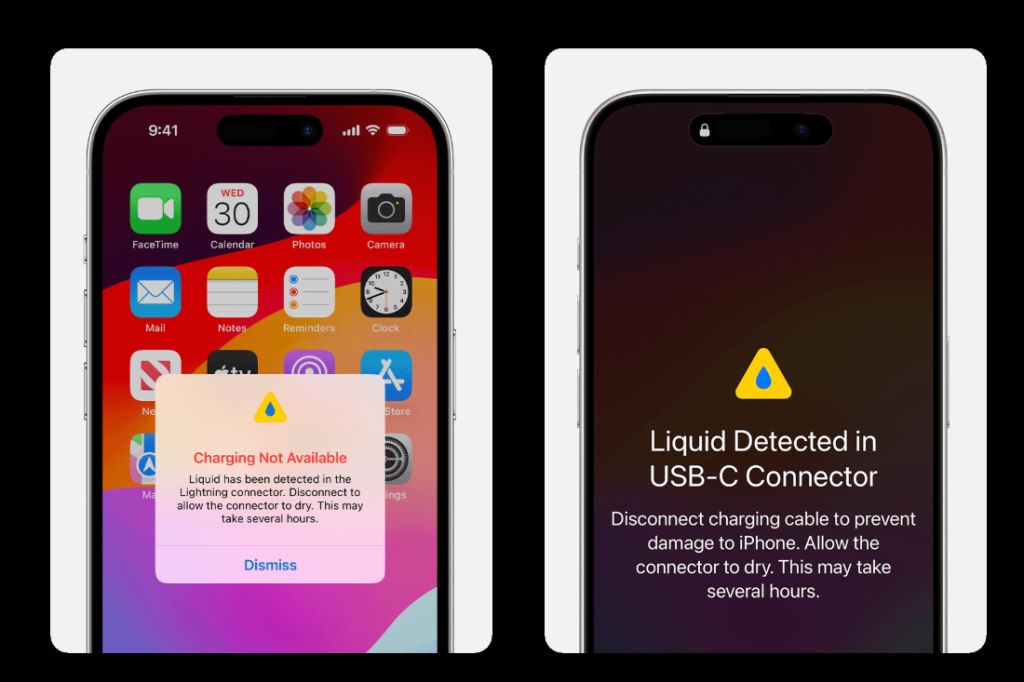
If your iPhone shows a liquid-detection warning while charging, unplug the cable and accessories immediately and let the connector dry — even when the phone looks dry. Apple’s sensors react to moisture or conductive debris in the Lightning or USB‑C port; forcing a charge can worsen corrosion. Wireless charging is usually safer while you wait, and a warning that returns every day often points to lint, corrosion or a damaged port flex rather than fresh spills alone.
Last updated:
Digi4u is a Cardiff-based UK supplier of charging-port flexes, cables and repair parts. This refresh keeps the original causes and safe-user-steps structure, aligns first actions with Apple’s liquid-detection alert guidance, and adds a dry-versus-fault triage table plus clearer “do not” rules that competitor how-tos emphasise for false alarms.
What is the iPhone liquid detection warning?
On iPhone XS, XS Max, XR and later, the phone can warn you when it detects liquid in the Lightning or USB‑C connector, or in a connected accessory. Apple’s support document describes alerts such as liquid detected messages and “Charging Not Available” style blocks. The point is protection: charging into a wet or contaminated connector risks shorting pins, the charging path and nearby board components.
The warning is therefore a safety interlock, not proof that the whole logic board is ruined. Many phones recover after drying; others need cleaning or a port repair when the alert never clears.
Apple’s first steps (follow these before DIY myths)
Summarised from Apple’s official alert article:
- Disconnect cables and accessories from the iPhone.
- Do not charge until the connector is dry.
- Tap the phone gently with the connector facing down to shake out liquid; leave it in a dry area with airflow.
- Avoid heat sources and do not insert cotton buds, paper or metal into the port.
- When both phone and accessory appear dry, try again; if the alert persists, keep waiting or try another cable/accessory.
- Wireless charging can be used while the connector dries, if your model supports it.
Apple also notes that you should not use the device if liquid may be inside the phone itself — that is a different, more serious path than a damp plug face.
| Situation | Do | Do not |
|---|---|---|
| Alert just appeared after rain, gym or bathroom steam | Unplug; dry with gravity + time; try wireless charge | Rice, hairdryers, ovens, compressed-air blasts into the port |
| Phone looks dry but alert returns on every cable | Inspect for lint; try a known-good Apple/MFi or quality USB‑C cable; wait longer | Emergency override as a daily habit |
| Charges only at an angle / green residue in port | Stop forcing cables; book port inspection | Scraping pins with metal; more third-party mystery leads |
| Alert only with one accessory | Dry or replace that cable/dongle | Assuming the iPhone port is fine forever |
Common reasons the warning keeps appearing
Real moisture inside the charging port
Sweat, rain, condensation after a steamy bathroom, damp pockets and humid weather leave enough conductivity to trip the sensor even when the glass looks dry. Moisture can sit deep on the contacts for hours.
Dirt and metal debris in the port
Pocket lint and fine metallic dust bridge pins and mimic a wet connector. Competitor guides (repair chains and accessory sites) repeatedly list debris as a top false-positive. Soft plastic picks or professional cleaning beat cotton fibres left behind in the receptacle.
Corrosion from earlier liquid exposure
A phone that “survived” a spill weeks ago can grow green or white residue on the dock. Resistance changes keep the alert alive. Related Digi4u reading: battery after water damage.
Damaged charging port flex assembly
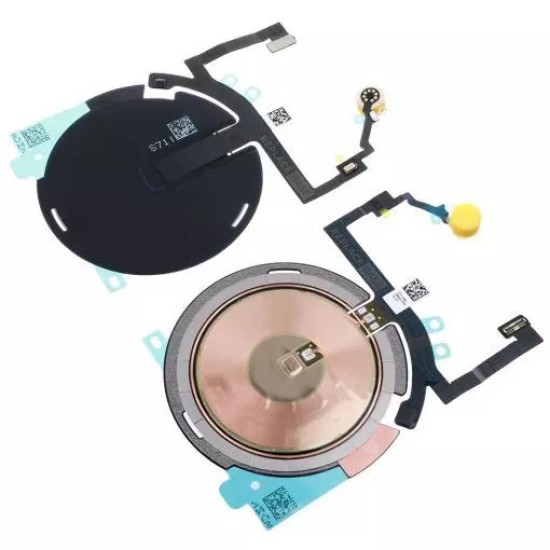
Bent pins, a lifted dock or a failing flex after drops cause intermittent detection. Angle-sensitive charging is a classic shop clue. Replacement flex assemblies exist per model — match the exact iPhone before ordering.
Faulty cable or charger
Wet or damaged cables trigger the same family of alerts. Swap to a known-good lead after drying. Digi4u’s charging cable stock range notes why shops keep labelled loaner leads for this test.
Charging IC or logic board fault
Less common, but persistent alerts with a clean, dry, OEM-quality cable and open port can point past the dock into charging-path diagnostics. That is professional board work, not a home override.
What you should do first (safe user steps)
- Stop wired charging as soon as the alert appears.
- Disconnect every Lightning/USB‑C accessory.
- Dry naturally — connector down, room-temperature airflow, patience measured in hours not minutes.
- Try wireless charging if available so the phone does not die while the port dries. MagSafe-style pads still need a dry phone exterior; see MagSafe not working if wireless also fails.
- Test another cable only after a drying window.
What not to do
- Do not pack the port with rice — starch dust adds debris (widely repeated in repair-industry advice).
- Do not use high heat or hairdryers into the connector.
- Do not probe with metal pins or needles.
- Do not treat Emergency Override / charge-anyway prompts as a commuting routine; Apple provides them for urgent needs, not daily charging into a wet port.
When the warning keeps returning daily
If alerts return every time you plug in despite overnight drying, move from “wait” to “inspect”:
- Bright-light visual check for lint or corrosion.
- Known-good cable and wall adapter only.
- Wireless charging as a bridge.
- Professional cleaning or dock/flex replacement if residue or mechanical damage is visible.
- Board-level diagnosis only after the port path is eliminated.
For no-power follow-ons after liquid events, use phone no-power diagnosis. Digi4u stocks port flexes and related parts for UK shops; courier and lithium rules stay on the delivery policy.
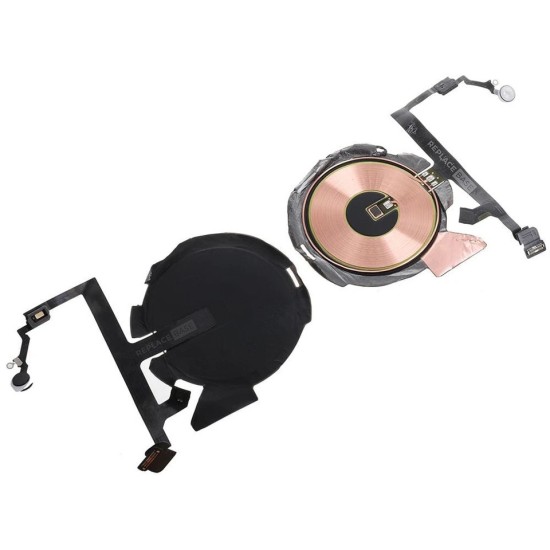
If the dock needs replacing, see iPhone charging port flex parts (UK).
If the dock needs replacing, see charging port replacement parts catalogue.
FAQ
What should I do first when iPhone says liquid detected while charging?
Unplug everything, keep the connector facing down to clear liquid, leave the phone in a dry place, and avoid wired charging until the alert clears. Wireless charging is acceptable on supported models while you wait.
Can the liquid warning appear when the phone looks dry?
Yes. Humidity, sweat, leftover condensation, lint or corrosion can all trip the sensor without a visible puddle.
How long should I wait before plugging in again?
Often several hours; stubborn cases need longer. If the alert returns immediately with multiple dry cables, inspect the port instead of rapid re-plugging.
Is rice safe for drying an iPhone port?
No. Rice does not reliably dry connectors and can leave debris. Use time, gravity and airflow instead.
When do I need a charging-port repair?
When drying and known-good cables fail, charging is angle-sensitive, or you can see corrosion or bent pins. Then a model-matched dock/flex service is safer than override charging.