


iPad Charging Port Repair: Models, Flexes and What It Costs
Need this part? We stock tested replacement parts with same-day UK dispatch and a 12-month warranty.

An iPad that will not charge is one of the more common tablet faults, and one of the more misdiagnosed. The customer has usually tried a different cable, decided the port is broken, and arrives expecting a quick swap.
Sometimes that is exactly what it is. Often the fault is the cable, the charger or debris in the connector, and the difference between those outcomes is a ninety-second test at the counter.
How do you diagnose an iPad charging fault?
Substitute the cable and charger before opening anything.
The sequence is the same as on a phone: a known-good cable and charger, then the customer’s cable, then the customer’s device with a known cable. Whichever swap restores charging identifies the faulty item without any dismantling.
That test is described for phones in diagnosing a charging fault before replacing the part, and it transfers directly to tablets. On an iPad it is even more valuable, because opening the device is a slower and riskier job than it is on a phone.
Which iPad models use a replaceable port flex?
Most of them, and the cellular versions differ from Wi-Fi.
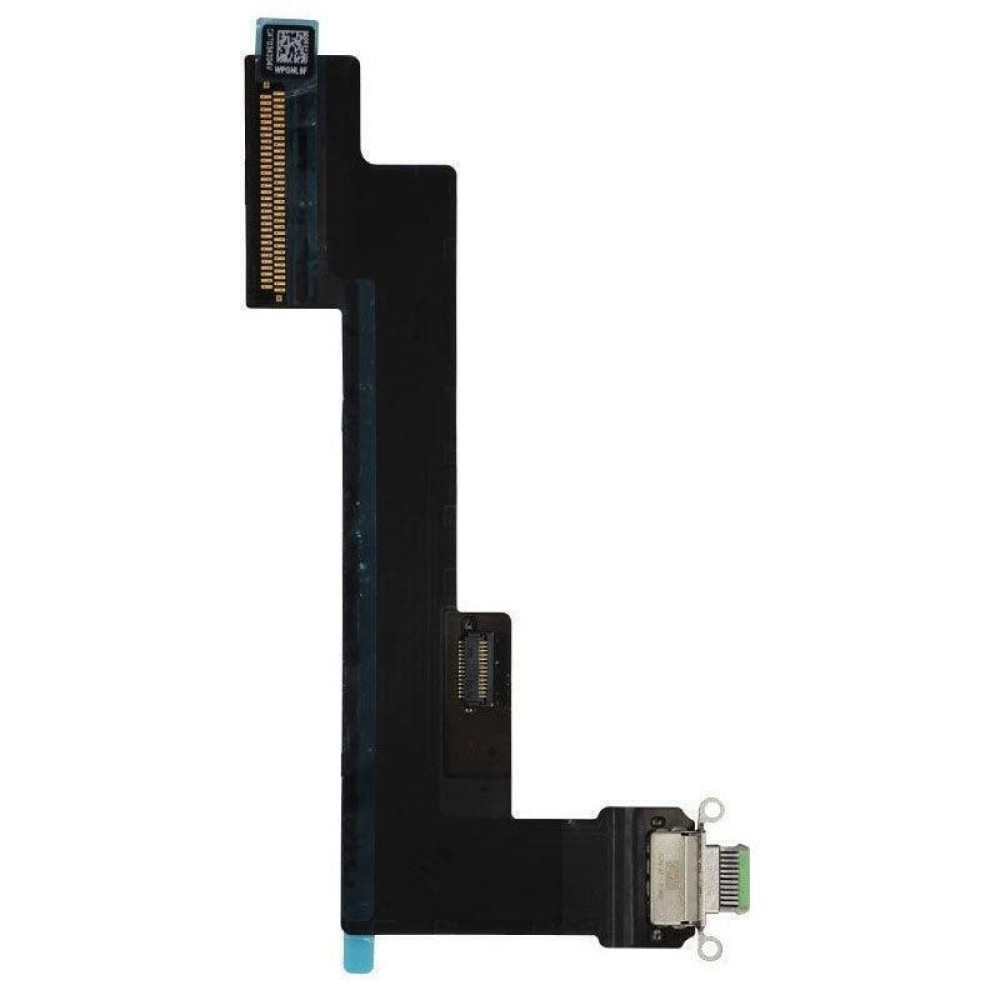
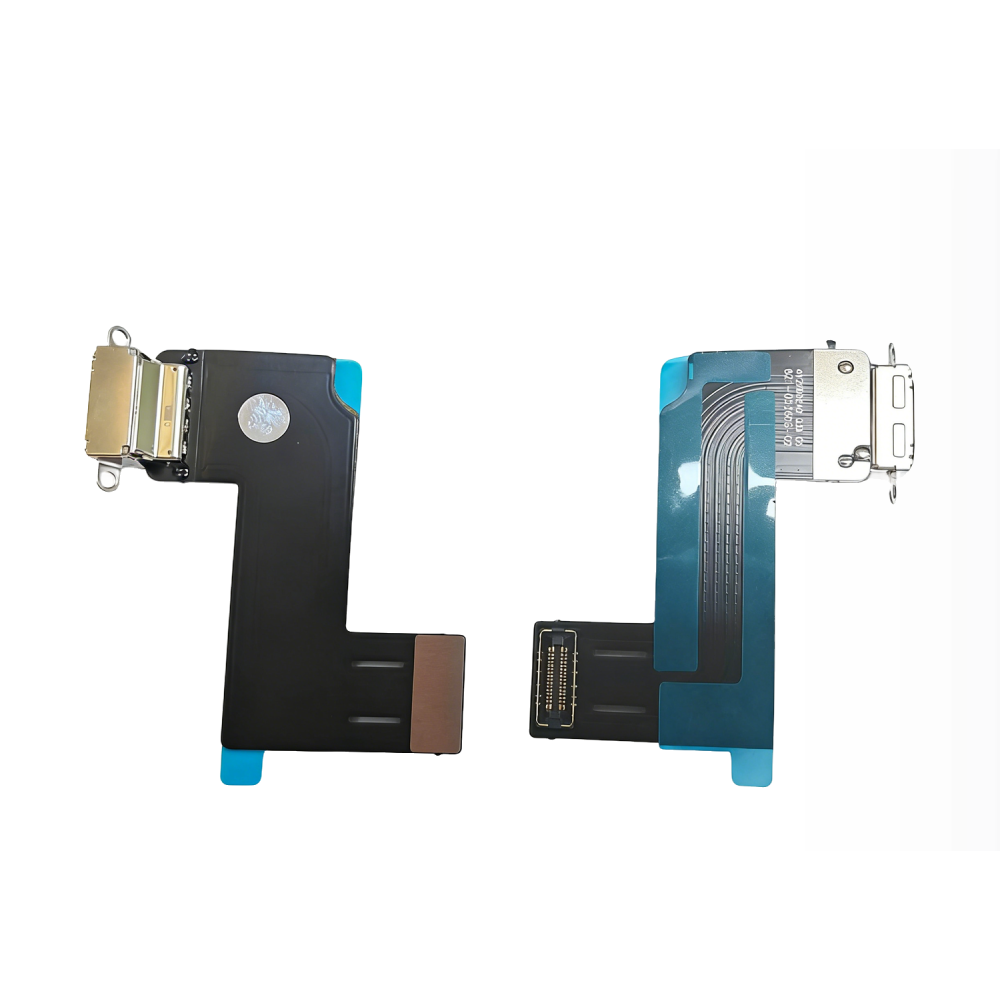
On the majority of iPads the charging port sits on a flex assembly that also carries the microphone or the antenna connections, and it is replaced as a unit. The Wi-Fi and cellular versions of the same model can use different assemblies, which is why the model code matters.
Matching the part to the device follows the same rule as any tablet component, described in matching iPad screens and batteries by model. The A-number on the back of the case is what a parts catalogue is indexed by.
What causes an iPad port to fail?
Wear, debris and impact, in roughly that order.
USB-C ports are shallow, so compacted lint interferes with contact pressure sooner than on older connectors. A cable that has been inserted thousands of times wears the tongue and the housing, and an impact with the cable attached can crack the port or lift it from its flex.
Liquid is the fourth cause and the one that changes the repair. Corrosion around the connector presents as an intermittent fault that worsens, and the assessment has to happen before the quote rather than after.
How do you clean an iPad charging port?
Plastic tools, dry air and no metal.
A plastic pick or a wooden scraper removes compacted debris from the cavity, and a burst of dry air clears the residue. Isopropyl alcohol on a swab handles sticky deposits, provided the device is powered down and the liquid evaporates before anything is plugged in.
The central tongue of a USB-C connector is the fragile part, and a metal tool applied to it turns a cleaning job into a port replacement. That single rule prevents most of the avoidable damage in this repair.
What does the replacement involve?
Opening the tablet and swapping the assembly.
Most iPads open from the front, which means the display has to be warmed and lifted before the port assembly can be reached. That makes the job a screen-removal job with a port replacement inside it, and it is the reason the repair takes longer than the equivalent on a phone.
The display then has to be resealed with fresh adhesive. A tablet closed with tired tape will lift at the corners within weeks, and the fault will be attributed to the port repair rather than to the seal.
How long does the repair take and what delays it?
A few hours of bench time, and the part is the usual delay.
Removing and resealing an iPad display is the slow part, and the assembly itself is a modest cost. Where the part is in stock the job can be same-day; where it has to be ordered, the realistic turnaround is a few working days.
The other delay is diagnosis. Where the fault turns out to be on the board rather than the flex, the repair changes completely, and the customer needs to hear that before the work rather than after.
Accessory advice is part of the repair, not an upsell. A worn cable or an under-rated charger is often what damaged the connector in the first place, and a customer who leaves with the same hardware will be back. Recommending a rated cable is a genuine service, and the reasoning behind cable ratings is the same one described in the charger guidance.
How do you quote an iPad port repair?
As a labour job with a small part cost.
The assembly is inexpensive relative to the work involved, so the price is essentially the time taken to open the tablet safely, replace the part and reseal it. Pricing from the part cost alone makes the job look trivial and undercharges the skill.
The structure that works is a diagnostic step credited against the repair, followed by a quote once the cause is known. That approach is described for phones in what a port replacement really costs, and the same logic applies on a tablet.
| Symptom | Likely cause | Next step |
|---|---|---|
| Charges only at an angle | Debris or worn port | Clean, then test with a known-good cable |
| Charges slowly | Cable, charger or port | Substitute cable and charger first |
| Charges but no data | Damaged data pins | Replace the port assembly |
| No charge at all | Port flex or board | Replace the flex, then retest |
| Intermittent, worsening | Liquid corrosion | Assess before quoting |
What should be tested after the repair?
Charging, fast charging, data and the microphone.
Charging confirms the connection and fast charging confirms the assembly is negotiating properly. Data confirms the port is fully functional rather than power-only, and where the assembly carries the microphone, a recording test confirms that too.
Then check the seal. The display should sit flush all the way round, with no light leak at the corners, because a tablet that is not sealed properly will return for a fault that has nothing to do with the port.
When should you decline the job?
When the board is corroded or the frame is distorted.
A device with corrosion across the charging circuit is a board-level job with an uncertain outcome, and a bent chassis will not seal afterwards. Both are conditions to identify at intake rather than during the work.
The third case is a tablet whose value is close to the repair cost, which is common on smaller budget models. Showing the customer both numbers is more useful than taking the job and letting them discover the arithmetic afterwards.
Where the fault is on the board rather than the flex, the conversation changes completely. A charging circuit fault produces the same symptoms as a dead port, and the port replacement does not fix it. Current draw on a bench supply is what separates the two before parts are ordered, which is another argument for charging a diagnostic step.
What should the customer be told before the repair?
That the tablet has to be opened, and what that means.
The honest version is that an iPad port repair requires the display to come off, which carries a small risk to the panel and ends the manufacturer’s seal. Customers accept that when it is explained, and object when it is discovered.
Retail customers keep their rights on the finished work under the Consumer Rights Act 2015, and Apple’s own service routing for tablets is published at Apple service and repair for iPad, which is useful context when a customer is comparing options.
Resealing is the part customers never see and the part that decides whether the repair lasts. The display gasket has to be replaced rather than reused, and the adhesive has to suit a tablet-sized panel rather than a phone. A tablet resealed with the wrong tape lifts at the corners within weeks, and the customer will reasonably attribute that to the port repair.
Turnaround deserves a sentence at the counter. An iPad port repair is a display-removal job performed on a device with a large bonded panel, so it is not a while-you-wait repair even when the part is in stock. Saying so when the job is booked prevents the call that arrives three hours later.
Why does an iPad stop recognising a charger?
Usually the cable, the port or the charging circuit.
A tablet that charges on one cable and not another is reporting a cable or port problem, while one that refuses every known-good charger is describing something further inside. That second case is often a board fault rather than a flex, and the diagnosis has to happen before parts are ordered.
Testing with a known-good charger and cable is what separates the two, and it takes less time than opening the device. Current draw on a bench supply then confirms whether the tablet is drawing power at all, which is the difference between a port repair and a board-level job.
What is the one habit that prevents unnecessary port repairs?
Test the cable and charger before opening the tablet.
Ninety seconds at the counter removes the most common cause of a charging complaint and, in a meaningful share of cases, turns a port repair into an accessory sale. The customer watches the test, so the diagnosis is theirs as well as the shop’s.
Around it sit the ordinary disciplines: clean before condemning, replace the gasket, test charging, data and the microphone before resealing, and record what was fitted. Replaced parts are waste under the Waste Electrical and Electronic Equipment Regulations 2013, the cable ratings involved are published by the USB Implementers Forum, and parts placed on the market fall to the Office for Product Safety and Standards.
FAQ
How much does an iPad charging port repair cost?
The port assembly is a small part cost, so the price is mostly the labour of opening the tablet, replacing the flex and resealing the display. Quote a diagnostic step first, then the repair once the cause is confirmed.
Why does my iPad only charge at a certain angle?
Usually compacted debris in the port or a worn connector. Clean the cavity with plastic tools and dry air first, then test with a cable and charger you know are good before concluding that the port assembly needs replacing.
Is the iPad charging port easy to replace?
Not on most models. The display has to be warmed and lifted to reach the assembly, which makes it a screen-removal job with a port replacement inside it, and the display then needs fresh adhesive to seal properly.
Will my iPad still charge fast after a port repair?
It should, provided the correct assembly is fitted and the charger and cable support the rate. Test normal charging, fast charging and data transfer before the tablet is resealed.
iPad port flexes matched by A-number. Digi4u carries charging assemblies for iPad models, with the Wi-Fi and cellular versions listed separately.
{
“@context”: “https://schema.org”,
“@type”: “FAQPage”,
“mainEntity”: [
{“@type”: “Question”, “name”: “How much does an iPad charging port repair cost?”,
“acceptedAnswer”: {“@type”: “Answer”, “text”: “The port assembly is a small part cost, so the price is mostly the labour of opening the tablet, replacing the flex and resealing the display. Quote a diagnostic step first, then the repair once the cause is confirmed.”}},
{“@type”: “Question”, “name”: “Why does my iPad only charge at a certain angle?”,
“acceptedAnswer”: {“@type”: “Answer”, “text”: “Usually compacted debris in the port or a worn connector. Clean the cavity with plastic tools and dry air first, then test with a cable and charger you know are good before concluding that the port assembly needs replacing.”}},
{“@type”: “Question”, “name”: “Is the iPad charging port easy to replace?”,
“acceptedAnswer”: {“@type”: “Answer”, “text”: “Not on most models. The display has to be warmed and lifted to reach the assembly, which makes it a screen-removal job with a port replacement inside it, and the display then needs fresh adhesive to seal properly.”}},
{“@type”: “Question”, “name”: “Will my iPad still charge fast after a port repair?”,
“acceptedAnswer”: {“@type”: “Answer”, “text”: “It should, provided the correct assembly is fitted and the charger and cable support the rate. Test normal charging, fast charging and data transfer before the tablet is resealed.”}}
]
}
