


iPhone Charging Port Not Working: Diagnose Before You Replace the Part
Need this part? We stock tested replacement parts with same-day UK dispatch and a 12-month warranty.

An iPhone that will not charge arrives as a port replacement job and is often something else. Software states, debris, a failing cable, a battery that will not accept charge and a board-level fault all present with the same customer sentence, and only one of them is fixed by fitting a new port flex.
For a repair shop the cost of getting this wrong is a part, the bench time and a return visit. The checks below take a few minutes and separate the causes before an order goes out.
Why an iPhone will not charge, and why the port is blamed first
Because the port is the visible part of the chain.
Charging depends on the cable, the port and its flex assembly, the charging circuit, the battery and the software that manages the whole process. A fault anywhere in that chain produces the same symptom from the customer’s side, and the port is the component they can see and point at.
The result is a diagnostic bias: the port gets replaced first because it is the obvious suspect, and when the device still does not charge, the shop has spent a part and a repair discovering that the fault was somewhere else.
What should you check before ordering a charging port flex?
Cable, debris, power-off behaviour, then load behaviour.
Test with a known-good cable and charger first, then inspect the port under magnification. Clear any debris and retest. Note whether the device charges when it is powered off as well as when it is on, because some software states present as a charging failure that clears with a restart or restore. Then check what the battery does under load rather than what it reports on the battery screen.
Those four answers narrow the fault to a specific part of the chain. Skipping them is why charging repairs generate more repeat visits than almost any other job.
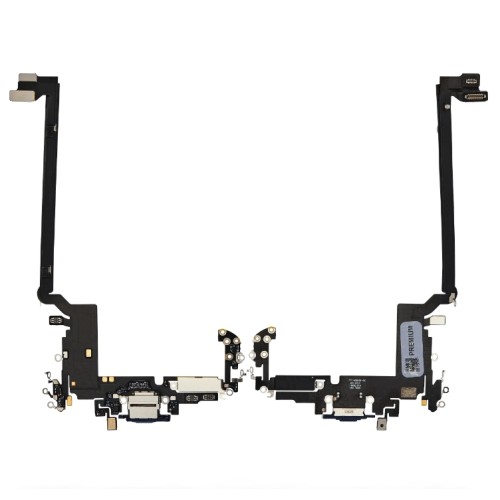
How do you tell a port fault from a battery or board fault?
By what the device does when it is powered from something other than its own battery.
A port or flex fault typically prevents charging altogether, or works only when the cable is held at a specific angle. A battery fault allows the device to charge but produces early shutdowns, fast drain or a charge level that drops sharply at the low end. A board or charging-circuit fault often shows as a device that draws current without reporting a charge, or that will not boot on a known-good battery.
Distinguishing them matters because a port replacement on a device with a battery fault produces a customer who comes back within a fortnight with the same complaint. Testing the device under load before the repair is what prevents that return.
| What you observe | Most likely area | What to do next |
|---|---|---|
| Charges only with the cable held at an angle | Connector or cable end | Inspect both under magnification before replacing the flex |
| Does not charge with any cable, debris removed | Port flex assembly | Replace the flex and retest on the bench |
| Charges but shuts down early under load | Battery | Treat as a battery job, not a port job |
| Draws current, reports no charge | Charging circuit or board | Board-level diagnosis before any part is ordered |
| Charges when powered off, not when on | Software or charging state | Restart and test again before opening the device |
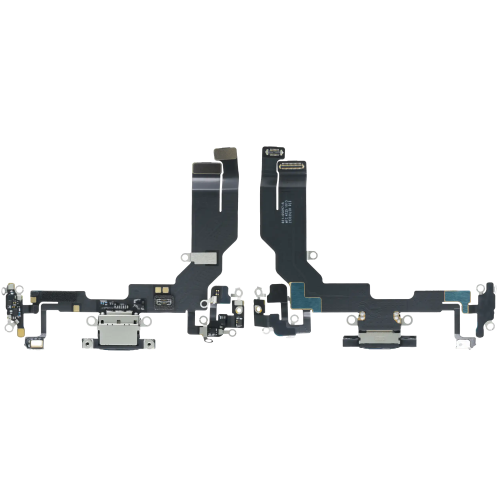
Why does debris cause so many charging faults?
Because the cable stops seating fully, which looks like a dead port.
Lint from pockets compacts into the back of the port and prevents the connector from travelling all the way in. The device then charges intermittently, or only when the cable is pressed, which reads to the customer as a broken port. Removing the debris restores full contact and costs nothing but bench time.
Inspect with the light angled into the port and magnification rather than straight on, because compacted lint is the same colour as the surrounding interior and easy to miss. If the debris has been there long enough to corrode the contacts, the fault becomes a genuine port replacement, which is why clearing ports early is worth doing on every service.
When does a charging fault need board-level work?
When a known-good port and battery still do not charge the device.
If a device with a replacement port flex and a battery known to be good still draws current without charging, the fault is on the board. Continuing to substitute parts at that point wastes both time and components, and the honest next step is board-level diagnosis rather than another flex.
The same logic applies to the power path itself, which is where the battery and board overlap. Our article on how a port-powered boot changes board diagnostics covers the test that separates a battery fault from a board fault on the current generation, and it is worth reading before you decide that a charging fault is a port fault.
What should you record on the job sheet?
The cable used, the port inspection, and the behaviour under load.
Record which cable and charger the device was tested with, what the port looked like under magnification, whether the device charged when powered off, and how the battery behaved under load. If the repair is a port replacement, note the part fitted and the charging current measured after the repair.
That record does two things. It makes a warranty claim against a port flex straightforward, because you can show the fault was in the part rather than in the device. And when a customer returns, it tells you immediately whether this is the same fault or a new one, which determines whether the repair is your responsibility.
How do you handle the customer conversation?
Quote the diagnosis and the likely part separately.
A charging fault is one of the few repairs where the parts cost is small and the diagnostic work is the real value. Telling the customer that the port may not be the fault, and that a cleaning or a cable test may resolve it at no parts cost, is more persuasive than a confident port-replacement quote that turns out to be wrong.
Where you sell to retail customers in the UK, the statutory rights you must honour sit on top of your own warranty, set by the Consumer Rights Act 2015, while obligations around the safety of goods you place on the market sit with the Office for Product Safety and Standards. Apple’s own guidance on what to do if your iPhone will not charge is the version many customers have already read, and it is useful to know what it says.
How long does a charging repair actually take?
Diagnosis is the variable, not the part.
The part swap itself is predictable once the model is known, because access is set by the chassis. What varies is the diagnostic time, and it varies widely. A port packed with lint is a ten-minute job with no parts cost. A device that draws current without charging can absorb an hour before you know whether the fault is a flex, a battery or the board.
That is why quoting a charging fault as a flat port-replacement price is inaccurate in both directions. Shops that handle this well quote a diagnostic fee plus the part, and they tell the customer before they start that the outcome may be a cleaning, a flex replacement, or a referral for board-level work.
It also means charging faults are one of the few repairs where a shop can genuinely compete on quality rather than price. The shop that finds the lint and charges for ten minutes earns more goodwill than the shop that replaces a port that was never faulty, and it avoids carrying the cost of the return visit.
Where the battery is part of the picture, the checks that separate a battery fault from a charging fault are covered in our guide to what the battery warning actually reports, and Apple’s guidance in About genuine iPhone batteries explains what the device will say about a replacement.
What should you tell the customer before you start?
That the port may not be the fault, and that you will know within the hour.
A charging fault is unusual because the honest opening is that the shop does not yet know what the fault is. Saying so is more persuasive than a confident quote, because the customer has usually already tried a second cable and found that it made no difference, which tells them the answer is not obvious.
A workable script covers three outcomes. The port may just need clearing, in which case the cost is diagnostic time only. The port flex may need replacing, in which case there is a part cost on top. Or the fault may be in the battery or the board, in which case the repair is different again and will be quoted separately once the diagnosis is complete. Giving all three up front means the final bill matches a conversation the customer already had in their head.
It also sets expectations for the timescale. A charging fault can be resolved in fifteen minutes or can take an afternoon, and a customer who was told that in advance does not read a longer repair as incompetence. What the device itself will report about any battery work is documented by Apple in iPhone Parts and Service History, which is useful context if the diagnosis moves from the port to the battery.
FAQ
How do I tell if my iPhone charging port is damaged?
Inspect the port under magnification with the light angled into it. A damaged port shows bent or discoloured pins, corrosion, or a compressed contact that no longer grips the cable. If the port is clean and the cable is known good, the fault is more likely in the flex assembly, the battery, or the charging circuit than in the connector itself.
Why is my iPhone charging port suddenly not working?
The most common cause is debris packed into the port, which stops the cable seating fully and can be cleared without replacing anything. Beyond that, look at whether the phone charges from a different cable or charger, whether it charges when powered off, and what the battery does under load. Those answers separate a port fault from a battery or board fault.
Can I fix an iPhone charging port myself?
Cleaning the port is a reasonable first step and often solves the problem. Replacing the port flex is more involved, because access varies considerably by model and on some generations the display or the battery has to be removed first. If you are not set up for that, the diagnostic part of the job is still worth doing before you hand it to a shop.
Why does my iPhone charge slowly or only with the cable held at an angle?
A cable that has to be held at an angle points at the connector or the cable end rather than the charging circuit, because a power-delivery fault would not respond to cable position. Inspect both the port and the cable end under magnification, and test with a second cable before concluding that the port needs replacing.
Charging faults are a diagnostic job that ends in a part order, not a part order that begins a diagnostic job. Cable, debris, power-off behaviour, load behaviour, then the part. Four checks that take a few minutes, and they are the difference between a one-visit repair and a customer who comes back with the same complaint.
Replacing port flexes regularly? Digi4u supplies charging port assemblies for iPhone models to UK repair shops, with trade pricing, same-day dispatch and up to 12 months warranty. Tell us the models you handle most and we will confirm stock.
