


USB-C Cable Ratings: 60W, 100W and 240W for Repair Shops
Need this part? We stock tested replacement parts with same-day UK dispatch and a 12-month warranty.

USB-C cable ratings are one of the few specifications a repair shop has to explain to customers every day. The connector looks identical across the range, and the difference between a cable that charges a phone and one that charges a laptop is invisible from the outside.
The number on the packaging refers to power delivery, not to charging speed in general. Understanding what it actually guarantees makes it much easier to stock the right range and to stop selling the wrong cable.
What do 60W, 100W and 240W mean?
The maximum power the cable is rated to carry.
A 60W cable is rated for 20 volts at 3 amps, a 100W cable for 20 volts at 5 amps, and a 240W cable for the higher current and voltage defined by the newer USB Power Delivery specification. The cable has to support the current, not just the connector shape.
Those ratings are ceilings, not promises. A 100W cable will happily charge a phone at 20W; it simply has headroom for a device that asks for more.
The rating also describes the cable’s conductors, not its connector. Two cables with identical plugs can differ by a factor of four in the copper inside, which is why the label matters more than the shape.
That is why a cable that works is not proof that the batch is good. One successful charge tests the device, not the specification.
Why does the cable matter more than the charger?
Because the charger cannot exceed the cable’s limit.
A 100W charger connected to a 60W cable will negotiate down to what the cable can carry. The device charges more slowly, and the customer concludes that the charger is faulty when the cable is the limit.
That is why a shop should ask what the cable is for before recommending one. A phone charger and a laptop charger look similar and have very different requirements, and the charger side of the same negotiation is described in fast chargers and GaN.
A customer who upgrades a phone but keeps an old cable will often find that fast charging no longer works. The charger and the phone are new, and the cable is the part that was left behind.
The same happens in reverse when a customer buys a new charger and keeps a cable from an old device. The charger gets the blame for a limit that sits in the cable.
What is an E-marker and why does it matter?
A chip that tells the charger what the cable can carry.
Above 3 amps, a USB-C cable needs an electronically marked chip so the charger knows the cable’s rating. Without it, the charger defaults to a lower current even if the cable is physically capable of more.
Cheap cables often omit the E-marker. They may work with a phone and fail to fast-charge a laptop, and the customer has no way to tell why.
An E-marker is not a guarantee of quality on its own, but its absence is a reliable warning. A cable that cannot identify itself cannot negotiate the higher current, whatever the packaging claims.
Which cables should a repair shop stock?
A small range across three ratings and two connectors.
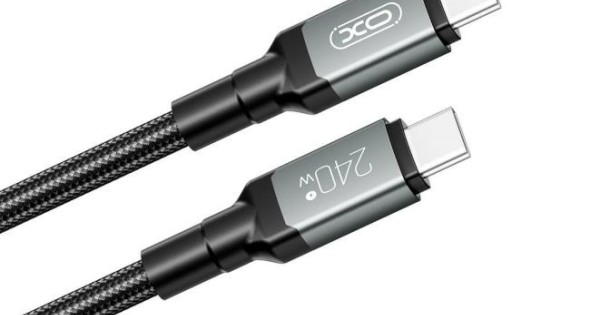
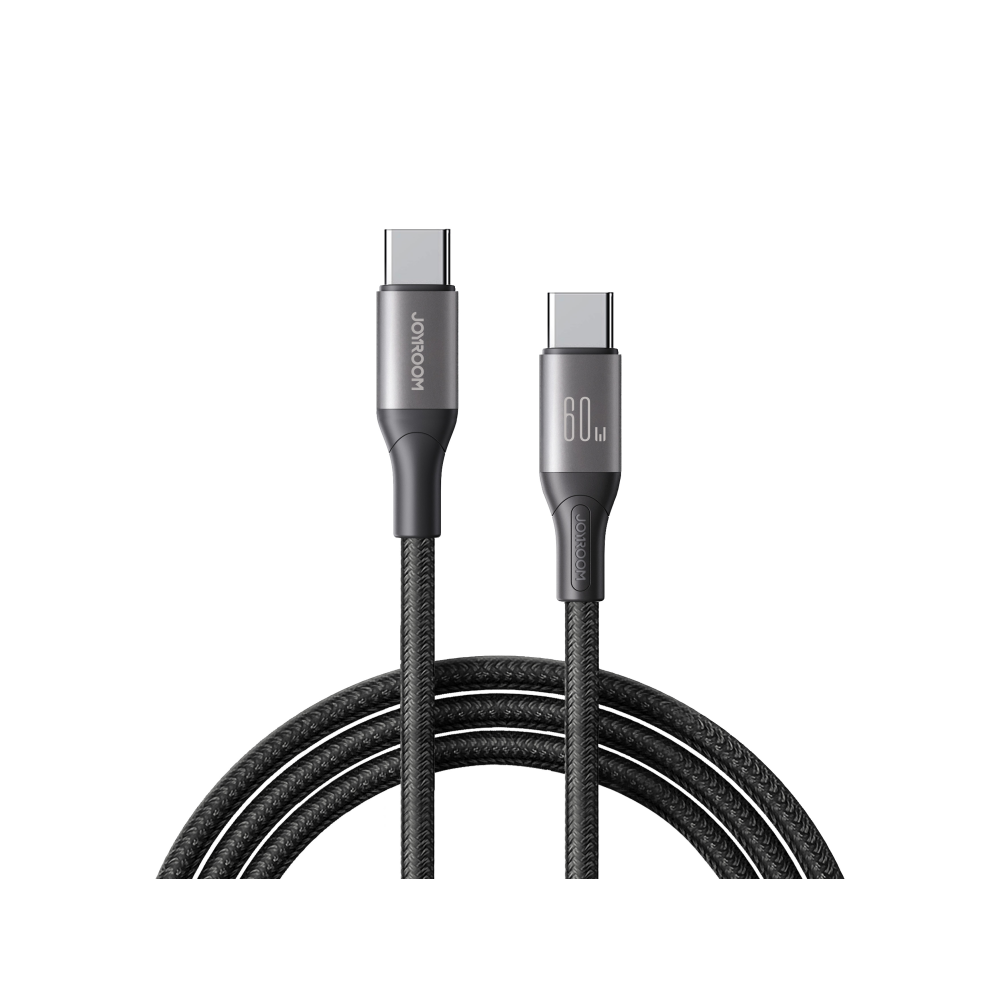
A 60W C-to-C cable covers most phones and tablets, a 100W cable covers laptops and higher-power devices, and a 240W cable covers the newest high-power laptops. A USB-A to C cable is still needed for older chargers and car sockets.
Stock length as well as rating. A one-metre cable suits a desk, a two-metre cable suits a sofa, and a customer who needs the longer one will buy it elsewhere if the shop only has the short one.
Keep the range visible rather than in a drawer. A customer who can see the ratings on the shelf is far more likely to choose the right cable than one who has to ask.
Label the shelf by device as well as by wattage. “Phone”, “tablet” and “laptop” are faster to understand than a number on its own.
How do you test a cable before selling it?
Charge a known device and check the negotiated rate.
A USB power meter shows the voltage and current the device actually draws. Testing a cable with a phone confirms basic function; testing it with a laptop confirms the higher rating.
Do it once per batch rather than per cable. A batch that fails is a supplier conversation, and a batch that passes gives the shop confidence in the line.
What about data speed?
It is a separate rating from power.
A cable can carry 240W and still transfer data at USB 2.0 speed. Power and data are different specifications, and a cable marketed on wattage alone may be slow for file transfer.
That matters for laptop customers who use the cable for a dock or an external drive. A cable that charges perfectly may be the wrong choice for the data side of the same setup.
For most repair shop sales, charging is the priority. Where a customer needs fast data, the cable should state the speed explicitly rather than leaving it to be assumed.
Why do cheap cables fail?
Thin conductors, poor strain relief and missing chips.
A cheap cable often uses thinner copper, which increases resistance and heat at high current. The strain relief at the connector is the first thing to fail, and the cable then works only at a certain angle.
The missing E-marker is the invisible failure. The cable looks fine, charges a phone, and refuses to fast-charge a laptop, and the customer blames the device.
The symptoms of a failing cable are covered in testing a charging cable, and they are usually intermittent before they become permanent.
What should you tell customers?
Match the cable to the device, not to the connector.
A customer replacing a laptop cable needs a 100W or 240W rated cable, not the cheapest C-to-C in the shop. A phone customer needs a 60W cable and a sensible length.
Explain the rating in one sentence: the cable has to be able to carry the power the charger can supply. That is enough for most customers and it prevents the wrong sale.
How do you display and price cables?
By rating, with the wattage on the label.
Cables displayed together with no rating are impossible for a customer to compare. Group them by wattage and put the figure on the shelf edge, so the choice is visible before the customer asks.
Price by rating rather than by brand alone. A 240W cable costs more to make than a 60W cable, and a price that ignores the difference makes the range look arbitrary.
A simple shelf card works better than a long explanation. Put the wattage, the length and the connector type on the card and let the customer compare without needing a member of staff.
What about Lightning and USB-A?
They are still needed, with their own limits.
Lightning cables top out at a lower power than USB-C, and a USB-A to C cable cannot deliver the same power as a C-to-C cable. The connector shape does not guarantee the rating.
Keep a small stock for older devices. The demand is declining, but a shop that cannot supply a Lightning cable loses the sale to a supermarket. The connector transition is described in choosing cable ratings by device.
What does a typical stock range look like?
Six lines, covering most of the demand.
A 60W C-to-C in one and two metres, a 100W C-to-C in one and two metres, a 240W C-to-C in one metre, and a USB-A to C in one metre. That covers phones, tablets, laptops and older chargers.
Add a Lightning cable if the shop still services older iPhones. The range stays small enough to manage and wide enough to answer most requests without a special order.
Review the mix when a new laptop standard arrives, and retire the cables nobody asks for. The shelf should follow that review rather than the supplier’s promotion.
When should you refuse to sell a cable?
When the rating does not match the device.
Selling a 60W cable to a customer who needs to charge a 100W laptop is a sale that comes back. The cable is not faulty; it is simply not rated for the job.
The same applies to a cable with no rating at all. If the packaging does not state the wattage, the shop cannot promise it will work, and the customer will blame the shop rather than the packaging.
What is the one rule for USB-C cables?
Stock by rating, and sell by device.
The connector is the same; the cable behind it is not. A range organised by wattage makes the right answer obvious and stops the shop selling a cable that cannot do the job.
Around it sit the ordinary disciplines: test a batch before stocking it, state the rating on the label, keep the lengths the customer asks for and explain the limit in one sentence. The USB Implementers Forum publishes connector and power specifications at USB.org, consumer sales sit under the Consumer Rights Act 2015, electrical safety guidance comes from the HSE at risk assessment at work, discarded cables are waste under the Waste Electrical and Electronic Equipment Regulations 2013, and product safety sits with the Office for Product Safety and Standards.
FAQ
What does a 100W USB-C cable actually mean?
It is rated to carry up to 100W, which is 20 volts at 5 amps. It will still charge a phone at a lower rate; the rating is a ceiling, not a fixed output.
Do I need an E-marked cable for fast charging?
Above 3 amps, yes. The E-marker tells the charger what the cable can carry, and without it the charger defaults to a lower current even if the cable is capable of more.
Can a 60W cable charge a laptop?
It can charge a low-power laptop slowly, but it will limit a 100W device. Match the cable rating to the device’s charger rather than to the connector shape.
Does a higher wattage cable charge a phone faster?
Not by itself. The device and charger negotiate the rate, and the cable only sets the ceiling. A 240W cable does not make a phone charge faster than its own limit.
Cables rated for the job, not just the connector. Digi4u stocks 60W, 100W and 240W USB-C cables with the rating stated.
