


Choose a USB-C cable whose power rating meets or exceeds the highest power your device and charger can use together. A 60W cable is enough when the charging system never needs more than 60W; equipment designed to draw above that level needs a suitable 5A cable, while charging above 100W requires a 240W Extended Power Range cable.
The number on the cable is a ceiling, not the power your phone or laptop will automatically receive. The charger, device and cable negotiate the actual result, and the least capable part limits the connection.
Choose by these four checks:
- Find the device’s supported USB-C charging input.
- Check the charger’s output for the port you will use.
- Select a cable rated for at least that negotiated power.
- Check data speed and video support separately.
What do 60W, 100W and 240W mean?
USB-IF’s cable power marking guidance uses 60W and 240W power logos. A standard 3A USB-C cable can carry up to 60W under the relevant USB Power Delivery range. Higher-power 5A cables are electronically marked so connected equipment can identify their capability.
You will still see 100W on many product listings because 20V at 5A was the earlier USB Power Delivery ceiling. A correctly specified 240W cable covers that use as well as newer Extended Power Range operation, but only compatible chargers and devices can request power above 100W.
| Cable label | When it is enough | What it does not prove |
|---|---|---|
| 60W | The device and charger negotiate no more than 60W | Fast data, video output or a particular proprietary charging mode |
| 100W | A verified 5A cable for systems operating within the older 100W ceiling | Support for charging above 100W |
| 240W | USB PD Extended Power Range systems and lower-power USB-C charging | That the charger or device supports 140W, 180W or 240W |
Match the cable to the complete charging chain
- Read the device manufacturer’s power-adapter specification. Do not use the battery capacity or the charger’s input rating.
- Read the output table on the charger for the exact USB-C port. Multiport chargers may reduce output when another device is connected.
- Confirm the cable’s stated wattage and, where more than 60W is needed, its 5A or electronically marked specification.
- Use the lowest confirmed value as the practical ceiling.
For example, a laptop that accepts 65W cannot receive the full 65W through a cable limited to 60W. A 240W cable connected to a 30W phone charger does not force extra power into the phone; the charger and phone still determine the negotiated level.
Does a higher wattage cable transfer data faster?
No. Power, data rate and display capability are separate. A 240W charging cable may offer only basic USB data, while another cable with a lower power rating may support a higher data rate. If the cable will connect an SSD, dock or monitor, require an explicit data-speed or video specification rather than inferring it from wattage.
Use the smallest rating that covers the real task
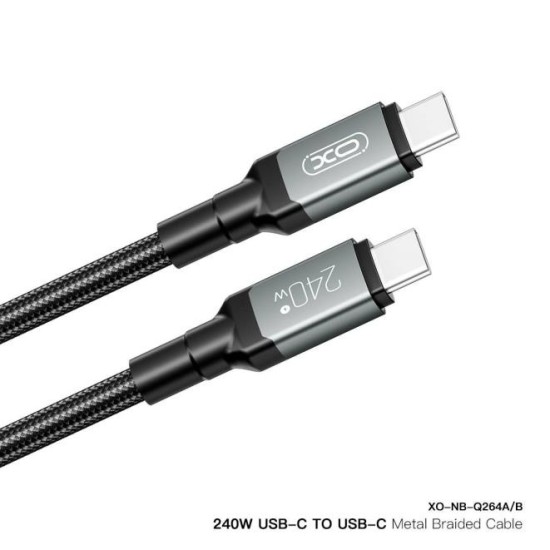
Choose 60W when every device in the intended setup remains within 60W. Choose a verified 5A cable when a supported device needs more. Prefer a properly specified 240W cable when the charger and laptop use Extended Power Range, or when one cable must cover several confirmed higher-power devices.
Before selecting from Digi4u’s USB-C cable range, write down the required connector, power, data and video capabilities. Do not pay for additional wattage as a substitute for a missing data or display specification.
Do you need a higher rating for a phone?
Most phones do not need a 240W cable for ordinary charging. Start with the phone manufacturer’s supported USB-C input and the charger you already use. Buy a higher-rated cable only when it solves a real requirement, such as sharing a cable with a compatible high-power laptop. A higher number alone does not improve battery health, network speed or charging speed beyond the phone and charger limits.
Power, data and video are three separate decisions
Do not treat cable wattage as a quality score. A 240W cable can have only basic USB data capability. Another cable with a lower power rating can be better suited to an external SSD, dock or display because it explicitly supports the required data rate or video mode. Identify the task before buying:
| Task | What the cable specification must state |
|---|---|
| Phone or laptop charging | Connector type and power rating appropriate to the confirmed charging chain |
| Phone-to-computer transfer | Data transfer support; wattage alone is not enough |
| External SSD or dock | A stated USB data rate that matches the devices and accessory |
| External monitor | Explicit video/display support, as well as the required connector and power path |
Choose a cable length you can use safely
Length is a practical requirement, not an afterthought. A short cable is useful at a desk or with a power bank, while a longer one may be needed beside a bed or workbench. Avoid choosing excess length solely for convenience if the cable will be pulled, bent sharply or left across a walkway. Route it so the connector is not supporting the weight of a charger or device.
When the cable is probably not the only problem
Test a known-working charger, cable and wall socket one at a time if charging is inconsistent. A cable that becomes unusually hot, has a loose plug, visible damage or needs to be held at an angle should be taken out of service. If several known-good cables behave the same way with one device, investigate the device port or charging system rather than repeatedly buying higher-wattage cables.
Make the purchase decision
Choose 60W for confirmed sub-60W charging. Choose a documented 5A cable for a confirmed requirement above 60W. Choose 240W when the charger and device can use Extended Power Range above 100W, or when a verified higher-power laptop is part of the same setup. Then separately match data, video, length and connector direction.
Common questions
Will a 240W cable damage a 60W phone?
No. The cable does not push its maximum rating into the phone. A compatible charger and device negotiate the power they support.
Can a 100W cable charge a 140W laptop at full speed?
Not if the laptop and charger require more than 100W through USB-C. Check the laptop’s power requirements, charger output and the need for Extended Power Range before deciding.
