


iPhone Wi-Fi Not Working After a Repair: Where the Fault Actually Is
Need this part? We stock tested replacement parts with same-day UK dispatch and a 12-month warranty.

Wi-Fi or signal failure after a repair is one of the least welcome callbacks, because the customer connects it directly to your work and the fault is often invisible from the outside. It is also one of the most recoverable, provided you investigate in the right order.
The pattern matters more than the symptom. Faults that appear immediately after a repair almost always come from a connection that was disturbed rather than from a component that failed.
Why Wi-Fi and signal faults cluster after repairs
Because the components that carry those signals sit underneath the parts you remove.
Wi-Fi, Bluetooth, mobile signal and the antennas that serve them route through the chassis and connect through flex cables that pass close to the display, the battery and the charging port assembly. Any repair in those areas brings the technician into contact with a system that has no moving parts and therefore no tolerance for a connector that is not fully seated.
That is why the fault appears after the repair rather than before it, and why the first question is not which part has failed but which connection was disturbed.
Why does Wi-Fi stop working after an iPhone repair?
Usually a disturbed antenna connection or a trapped flex.
Three causes account for most cases. An antenna or flex connector is not fully reseated when the device goes back together. A cable is trapped or creased under the display or the battery during reassembly. Or a flex was damaged during removal, which shows as a permanent fault rather than an intermittent one.
The first two are recoverable by reopening the device. The third is not, which is why the investigation starts with connections and only moves to parts when those have been ruled out.
Which components are actually involved?
Antennas, their flex cables, and the board connections they terminate in.
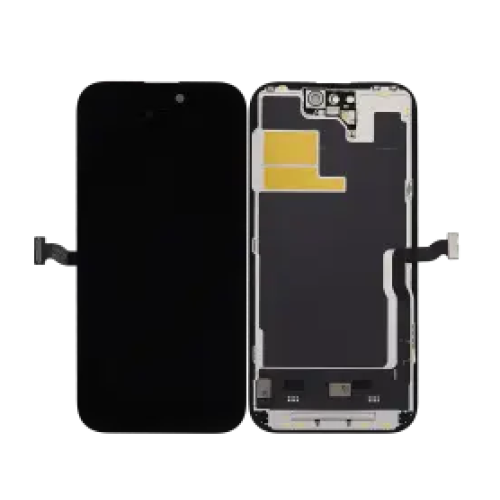
The antennas themselves are passive and rarely fail. The parts that give trouble are the connections between them and the board, and the flex cables that carry the signal through the chassis. On several generations the Wi-Fi antenna routes close to the rear camera area and the upper display edge, which places it directly in the path of a screen or back glass repair.
| What the customer reports | Most likely cause | First thing to check |
|---|---|---|
| Wi-Fi works but keeps dropping | Antenna connection partly seated | Reopen and reseat the antenna connectors |
| Wi-Fi option missing or greyed out | Connection fault or board-level damage | Connections first, then board diagnosis |
| Weak signal only when held a certain way | Antenna path disturbed or partly shielded | Check for a trapped or creased flex |
| Bluetooth also affected | Shared antenna path | Same connectors, same area |
| Mobile signal affected but Wi-Fi fine | Different antenna, same reassembly risk | Check each path separately |
What should you check before replacing anything?
Reopen the device and confirm every connector is seated, then test again.
Before ordering a part, open the device and check that every flex connector in the affected area is fully seated and that no cable is pinched under a panel. Test again with the device open, because a fault that disappears at that point was caused by reassembly rather than by a failed component.
If the fault persists with the device open, compare it against the behaviour before the repair, which is why recording the initial state matters. A device that arrived with a weak Wi-Fi signal is a different case from one that arrived working, and the two should not be handled the same way.
Why does the Wi-Fi option sometimes grey out entirely?
Because the device can no longer see the hardware, not because the signal is weak.
A greyed-out or missing Wi-Fi toggle is a different symptom from Wi-Fi that connects and drops. It indicates that the system cannot address the Wi-Fi hardware at all, which points at a connection or a board-level fault rather than an antenna problem. The visible symptom is more alarming, and the customer will often assume the worst.
That makes the order of investigation more important, not less. Check the connections first, because a reseat costs nothing and resolves a meaningful share of these cases. Only when the connections are confirmed and the symptom persists does board-level diagnosis become the right next step, and it should be quoted as a separate job rather than absorbed into the original repair.
How do you avoid causing this during a screen or back glass job?
Test the radios before and after, and keep the cables clear as the panel goes back on.
The protection is procedural and takes two minutes. Record Wi-Fi and mobile signal strength before the device is opened, keep antenna flexes clear of the panel as it is seated rather than letting them be pressed down, and confirm no cable is trapped before the last screws go in. Then retest with the device closed, and again after ten minutes of use.
A large share of these callbacks come from a cable that was fine when the device was open and pinched once it was closed. Testing in both states is what catches that before the customer does. Where the repair involved a bonded panel, the same care applies as on any other job, and our guide to why replacement panels lift covers the reassembly discipline that keeps joints and cables sound.
What is the difference between no Wi-Fi and no mobile signal?
They use different antennas but share the same reassembly risk.
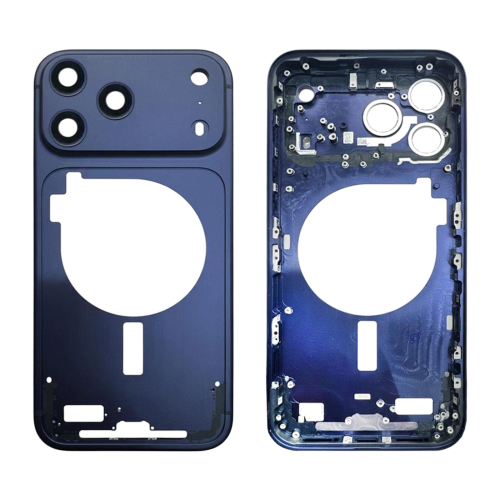
Wi-Fi, Bluetooth and mobile signal are served by different antennas and different board connections. A fault in one does not automatically mean the others are affected, so each should be tested separately rather than assumed to follow. What they do share is exposure to the same area of the device during a repair, which is why both are worth testing before a device leaves the bench.
Where liquid has been involved, the picture changes again. Corrosion can affect several of these paths at once, and the approach in our guide to assessing a liquid-damaged device applies before any part is ordered. Where the fault appeared after a screen swap on a Face ID model, the removal sequence in our guide to why Face ID fails after a screen replacement covers the same handling discipline.
What do you tell the customer?
Record the radio tests on arrival, and explain what the investigation found.
Note the Wi-Fi and mobile signal state at intake, including how the customer describes any intermittent behaviour. If a fault appears after the repair, explain what you found: a connector that needed reseating, a cable that was pinched, or a fault that persists and needs board-level attention. Each of those is a different conversation, and having the intake record makes all three shorter.
For retail customers in the UK, the statutory rights you must honour sit on top of your own warranty and are set by the Consumer Rights Act 2015, while obligations around the safety of goods you place on the market sit with the Office for Product Safety and Standards. What the device reports about its own parts is documented in iPhone Parts and Service History, and Apple’s own service route is published under Apple Service and Repair for iPhone.
Does a repair void the warranty on the radio hardware?
Not automatically, and the distinction is one worth understanding.
Independent repair does not by itself remove a customer’s statutory rights in the UK. What matters is causation: whether the fault was caused by the repair or was present before it. That is exactly why the intake record matters, because it is the evidence that separates the two outcomes.
A shop that recorded working Wi-Fi at intake, and can show a connection fault created during reassembly, is handling a repair of its own work. A shop that recorded weak Wi-Fi on arrival is handling a pre-existing fault that the customer may have forgotten about. Without the record, both cases look identical from the outside and the shop carries the cost either way.
It is also worth knowing what the device reports about its own components, since this is the first place a customer will look. Apple documents the history feature in iPhone Parts and Service History, and the checks in what to do when audio or connectivity behaves unexpectedly overlap with the radio tests described here.
Which models are most exposed?
The ones where the antenna path crosses the area you are working in.
Exposure is set by layout rather than by generation. Models where an antenna flex routes across the top of the chassis, close to the display edge, carry more reassembly risk than models where the routing stays clear of the panel. The same applies to back glass and housing work on chassis where the antennas sit against the panel you are bonding.
The practical response is not to memorise a list. It is to establish the routing on the device in front of you before the panel goes back on, and to note in the job record that the radios were tested. Two minutes of attention on the models that need it, and a record either way.
Where a shop handles a narrow range of models regularly, the pattern emerges quickly from its own callbacks. That internal record is more useful than any published list, because it reflects the specific tooling and technique in use on that bench rather than an average across the trade.
FAQ
Why is my iPhone Wi-Fi not working after a repair?
Most post-repair Wi-Fi faults come from a disturbed antenna connection, a damaged flex routed near the repair area, or a connector that was not reseated fully. The Wi-Fi function itself is rarely broken. Reopening and checking the connections resolves a large share of cases, which is why the investigation starts there rather than with parts.
Why is the Wi-Fi option greyed out on my iPhone?
A greyed-out Wi-Fi toggle usually means the device can no longer see the Wi-Fi hardware at all, which points at a connection or board-level fault rather than a weak signal. It is a different symptom from Wi-Fi that works but drops out, and the two have different causes. Check the antenna connections before assuming board damage.
Can a screen replacement cause Wi-Fi problems?
It can, because the display sits above the area where several antennas and their cables route. Damage usually happens during removal or when a cable is trapped under the display as it goes back on. Testing Wi-Fi before and after the repair is what establishes whether the work caused it.
How do I test Wi-Fi before returning a repaired iPhone?
Connect to a known network, check the signal strength reading rather than just the icon, and confirm that data actually transfers by loading a page. Then check mobile signal and Bluetooth in the same pass, because all three share antenna paths and a partial fault can leave Wi-Fi working while something else is not.
Post-repair radio faults are almost always a reassembly problem, and they are best managed by testing before and after rather than by diagnosing once the customer complains. Record the radios at intake, keep cable routing clear as panels go back on, and retest with the device closed. That sequence turns a disputed callback into a two-minute reseat.
Doing volume screen and housing work? Digi4u supplies screen assemblies, housings and internal flexes for iPhone models to UK repair shops, with trade pricing, same-day dispatch and up to 12 months warranty. Tell us the model and we will confirm stock.
