


MacBook Pro Battery Replacement Parts UK: Swell Checks, A-Numbers and DPD Rules
Need this part? We stock tested replacement parts with same-day UK dispatch and a 12-month warranty.

When sourcing macbook pro battery replacement parts uk for a professional workshop, the first step is confirming the exact chassis identifier, connector layout and any swell‑related safety flags before a cell is ordered.
Pro battery shapes and connector variants
MacBook Pro batteries differ by generation, screen size and internal layout, so a single part number never covers the whole range.
Each model family uses a distinct pouch shape, flex‑cable routing and connector pitch; mixing them risks trackpad lift or logic‑board damage.
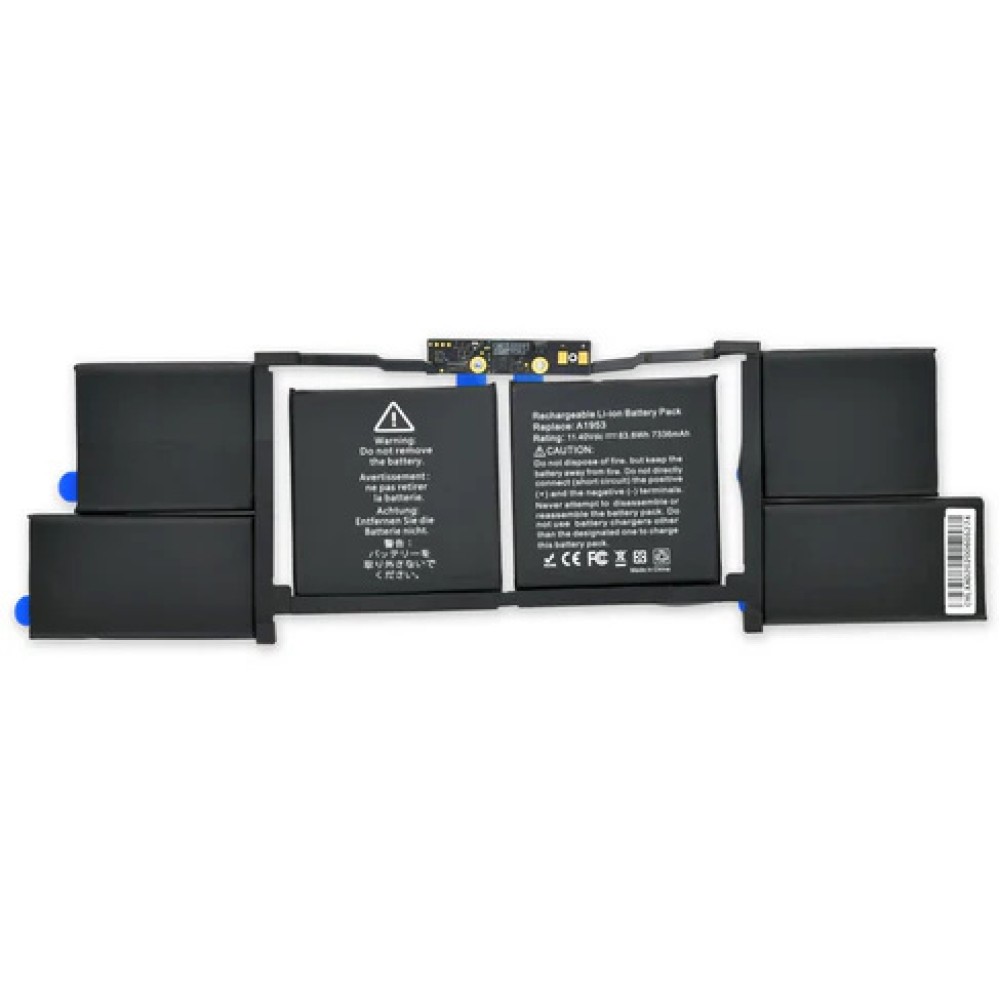
The 13‑inch families (A2159, A2289, A2338, A2171) share a rectangular pouch with a 10‑pin connector, while the 15‑inch A1990/A1953 units employ a larger, slightly curved pouch and a 12‑pin connector. Shops should verify the chassis A‑number printed on the bottom case and compare the connector photo on the product page before committing to a purchase.
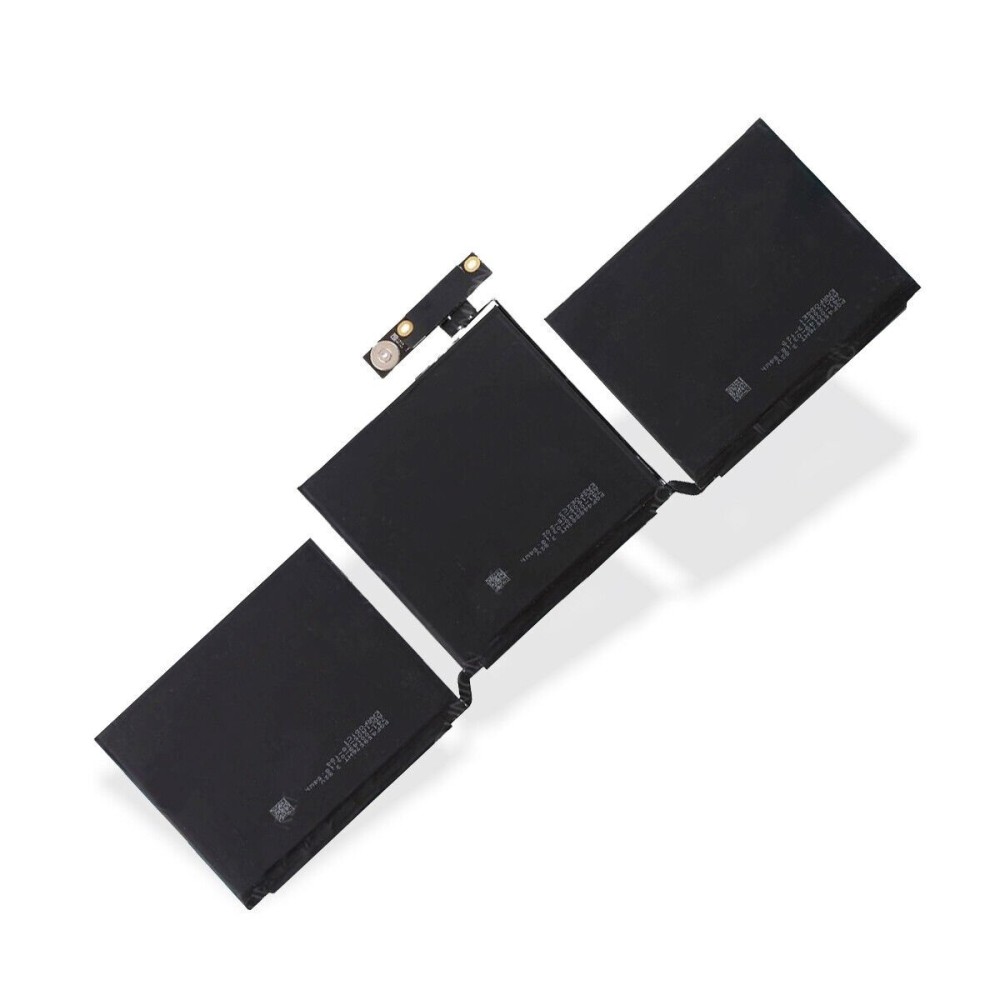
| Model family | Chassis A‑numbers | Connector pins | Pouch shape |
|---|---|---|---|
| 13‑inch (2016‑2020) | A2159, A2289, A2338, A2171 | 10 | Rectangular, flat |
| 15‑inch (2018‑2019) | A1990, A1953 | 12 | Larger, slight curve |
Cross‑reference the table above with the MacBook Pro series hub to confirm the exact part for each repair job.
Workshop tip: keep a printed copy of the A‑number table at the bench. When a device arrives, photograph the bottom‑case label and the battery connector before disassembly. This visual record speeds up part verification and reduces the chance of ordering a mismatched cell, which would otherwise incur return shipping costs and delay the repair.
Swell safety before you order cells
A swollen pack must be treated as a fire‑hazard before any replacement work begins.
If the trackpad is lifted, the bottom case bulges, or the cell feels soft, isolate the device, remove power sources and do not puncture or compress the pouch.
Do not ship a visibly swollen battery through standard courier channels; the DPD lithium‑only rule applies and the pack must be packaged to UN 3480 standards. For detailed handling steps, see the MacBook battery swelling safety guide and the UK government guidance on sending restricted goods.
Quick answer: a swollen MacBook Pro battery cannot travel by Royal Mail and must be shipped via DPD under UN 3480 packaging rules. In practice, place the cell in a rigid, non‑conductive container, tape the terminals, and affix the Class 9 hazard label. Document the condition with photos for your own records and for any insurance claim. This procedure protects couriers, your staff and the end customer while keeping the workshop compliant with UK dangerous‑goods regulations.
A-number matching checklist
Match the chassis A‑number, connector pin count and pouch dimensions before placing an order.
1. Locate the A‑number on the bottom case (e.g., A2159). 2. Count the connector pins on the existing battery. 3. Compare the pouch outline with product images. 4. Confirm the part URL contains the same A‑numbers.
Using the two verified listings as examples: the 13‑inch pack at A2338/A2171 battery lists A2338, A2171, A2159 and A2289 in its URL, while the 15‑inch pack at A1990/A1953 battery references A1990 and A1953. Treat these as reference points, not an exhaustive inventory.
Workshop tip: create a simple spreadsheet that logs each incoming MacBook Pro by serial number, chassis A‑number, connector pin count and the Digi4u SKU you intend to order. This log becomes a quick‑reference for repeat customers and helps you spot patterns — for example, a batch of A2159 units that consistently arrive with a slightly different flex‑cable length. Over time the data reduces mis‑orders and supports inventory planning.
UK DPD lithium shipping for standalone packs
Standalone MacBook batteries ship by DPD only; Royal Mail is not permitted for lithium cells.
Under Digi4u delivery policy, any order containing a loose battery is routed to DPD with the appropriate zone surcharge. The policy page details current rates and free‑shipping thresholds.
Because the courier classification is UN 3480, the shipper must declare the package as lithium‑ion batteries, use the correct hazard label and ensure the cell is protected against short‑circuit. Refer to the delivery policy for the latest zone‑based pricing and to the UK product‑safety guidance for regulatory context.
Quick answer: standalone MacBook Pro batteries must travel via DPD; Royal Mail is prohibited. The table below summarises the current Digi4u DPD rates for lithium‑ion cells.
| Service | Zone 1 | Zone 2 | Free‑shipping threshold |
|---|---|---|---|
| DPD Standard (battery) | £10 | £15 | Free over £100 |
| DPD Next Day (battery) | £10 | £15 | Free over £150 (Zone 1) / £200 (Zone 2, not guaranteed) |
| Royal Mail 48 (non‑battery) | £3 | £3 | Free over £100 |
Workshop tip: when you bundle a battery with other non‑hazardous parts, the whole consignment still follows the battery rule and must go DPD. To avoid unexpected surcharges, place battery‑only orders separately from accessory orders, or use the free‑shipping thresholds by consolidating battery purchases to meet the £100 or £150 minimums. Always print the DPD consignment note with the UN 3480 declaration and attach the Class 9 label before the driver arrives.
Adhesive pull strategy without punctures
Use a slow, steady pull with a plastic spudger and isopropyl alcohol to soften the adhesive.
Apply a few drops of 99 % IPA under the battery edge, wait 30‑60 seconds, then lift with a thin plastic card. Avoid metal tools and excessive force which can puncture the pouch.
If resistance remains, re‑apply IPA and repeat rather than forcing the cell. The goal is a clean separation that leaves the logic board and trackpad intact. For a visual walkthrough, the general MacBook battery replacement guide includes a high‑level adhesive section.
Quick answer: soften the adhesive with 99 % IPA, wait 30‑60 seconds, then lift slowly with a plastic spudger; never use metal tools. In a busy shop, allocate a dedicated “adhesive station” with a small IPA dispenser, lint‑free wipes and a set of thin plastic cards. This reduces the temptation to rush the pull and lowers the risk of a punctured cell, which would trigger a hazardous‑waste disposal process and potential downtime for the technician.
Post‑install SMC/cycle notes at high level
After fitting a new cell, reset the SMC and allow the battery to complete a full charge‑discharge cycle for accurate calibration.
On Apple silicon Macs the SMC reset is integrated into the power‑on sequence; on Intel models hold Shift‑Control‑Option‑Power for 10 seconds. Then charge to 100 %, run on battery until sleep, and recharge fully.
These steps improve the reported cycle count and health metrics but do not guarantee specific capacity figures. Apple’s own service documentation outlines the procedure; see Apple Mac repair service overview and Apple battery service and recycling for reference.
Quick answer: reset SMC (Intel: Shift‑Control‑Option‑Power 10 s; Apple silicon: power‑on), then do a full charge‑discharge cycle. Record the cycle count before and after the calibration in your job sheet. This data helps you demonstrate to the customer that the replacement cell is reporting correctly and can be useful if a warranty query arises later. Keep a copy of Apple’s official SMC reset instructions on the workshop noticeboard for quick reference.
Link to swelling safety article
For a deeper dive on handling swollen cells, consult the dedicated swelling safety article.
The guide covers identification, isolation, packaging for DPD transport and disposal routes that comply with UK hazardous‑waste regulations.
It also references the British Standards Institution guidance on lithium‑ion battery handling and the Trading Standards resources for business compliance.
Quick answer: the swelling safety article details identification, isolation, UN 3480 packaging and UK disposal routes. Bookmark the article on every workshop terminal and include a link in your standard operating procedure document. When a swollen pack arrives, the technician can follow the step‑by‑step checklist without searching for guidance, reducing the time the hazardous cell spends on the bench and ensuring consistent compliance across the team.
Conclusion
Accurate A‑number matching, swell assessment before ordering and adherence to DPD lithium‑only shipping keep a professional MacBook Pro repair workflow safe and compliant. By treating each chassis as a distinct part family and following the adhesive‑pull and post‑install calibration steps, shops reduce rework and protect both technicians and customers.
View Digi4u delivery policy for lithium shipping details
FAQ
Which A‑numbers cover the 13‑inch MacBook Pro battery?
The 13‑inch Pro battery listings reference A2159, A2289, A2338 and A2171. Always verify the chassis A‑number on the bottom case and the connector pin count before ordering.
Can a swollen MacBook Pro battery be shipped by Royal Mail?
No. Standalone lithium cells, including swollen packs, must travel via DPD under UN 3480 rules. Royal Mail does not accept lithium‑ion batteries in any condition.
What is the recommended adhesive removal method for Pro batteries?
Apply 99 % isopropyl alcohol under the battery edge, wait 30‑60 seconds, then lift slowly with a plastic spudger. Re‑apply if resistance persists; never use metal tools or excessive force.
Do I need to reset the SMC after installing a new Pro battery?
Yes. On Intel models hold Shift‑Control‑Option‑Power for 10 seconds; on Apple silicon the reset occurs on power‑on. Follow with a full charge‑discharge cycle for proper calibration.
Where can I find the current DPD lithium shipping rates?
The Digi4u delivery policy page lists zone‑based DPD rates, free‑shipping thresholds and the requirement that standalone batteries ship DPD only. Check the page for the latest figures.
