


MacBook Battery Replacement: Matching the Cell to the Chassis
Need this part? We stock tested replacement parts with same-day UK dispatch and a 12-month warranty.

A MacBook battery replacement looks like the simplest job on the bench and behaves like one of the more dangerous ones. The cell is glued into the chassis, the adhesive is strong, and the tool most people reach for is the one that punctures a lithium cell.
Done properly it is a straightforward, well-paid repair with a low return rate. Done quickly it is a fire risk and a bent chassis, which is why the method matters more here than on almost any other job a repair shop takes on.
Why is a MacBook battery harder than a phone battery?
Because it is glued in rather than tabbed in.
A phone battery sits under a pull tab and lifts out with a plastic card. A MacBook battery from the Retina generation onwards is bonded to the chassis with a strong adhesive that has to be softened and cut away across a much larger surface area, without levering against the cell itself.
That difference is the whole job. The electrical work is trivial, the mechanical work is delicate, and the failure mode when it goes wrong is not a failed repair but a damaged battery. A deformed cell can go into thermal runaway, which is why the technique is worth practising on a written-off machine before it is used on a customer’s laptop.
How do you match a MacBook battery to the machine?
By A-number first, then battery part number.
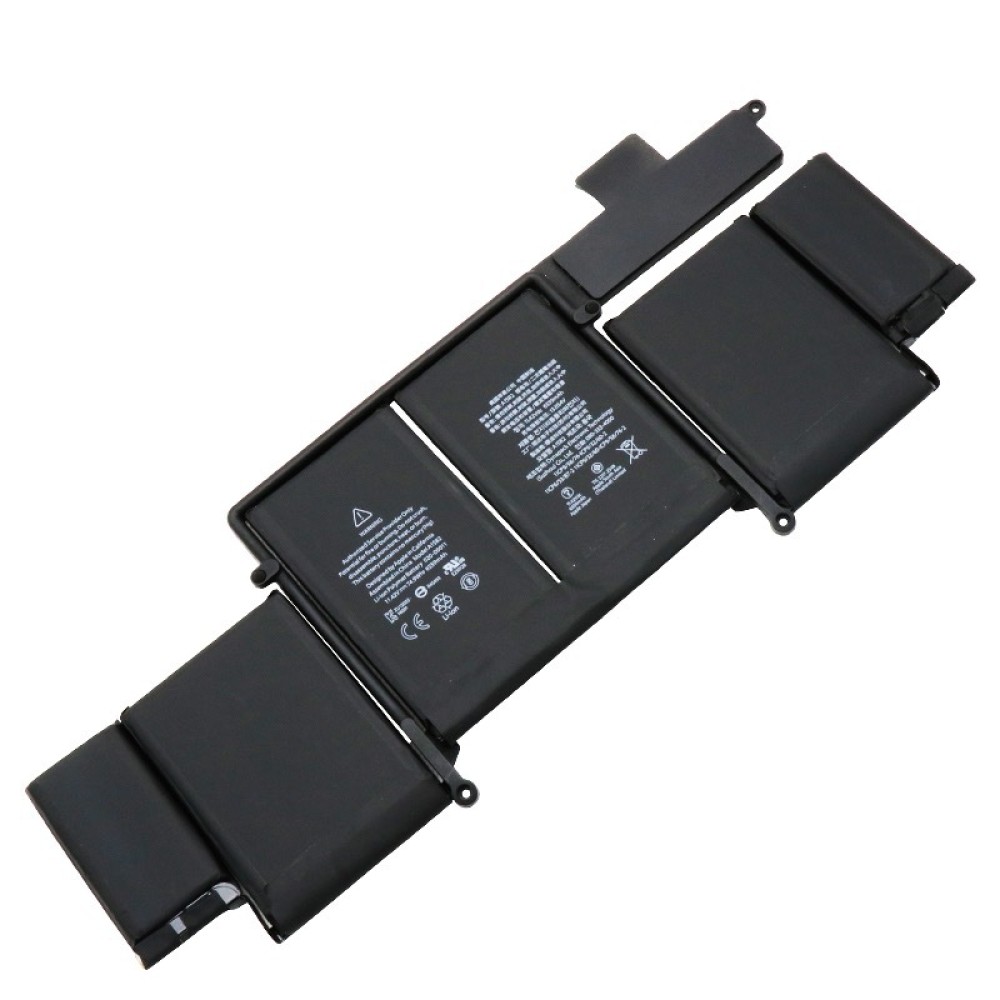
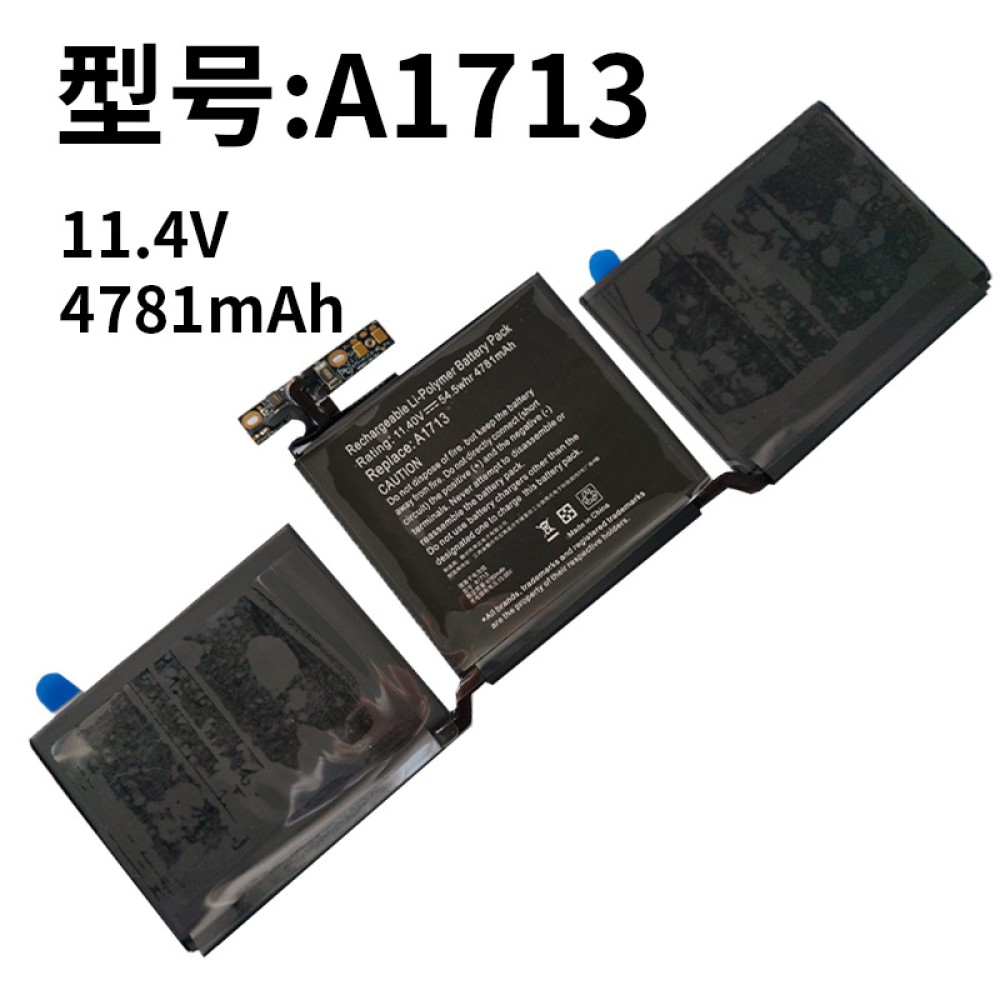
The A-number on the underside identifies the chassis and narrows the battery to a family. The battery itself then has its own number, such as A1417, A1493, A1582, A1618 or A1713, and the correct cell is the one that matches both the machine and the physical footprint.
Capacity and voltage differ between cells that look almost identical, and a battery that fits is not necessarily a battery that is right. Recording both numbers on the job sheet is the same discipline described in matching a MacBook part to the chassis, and on a glued-in part the cost of getting it wrong is a returned machine.
What does a MacBook battery replacement cost?
Usually a fraction of a repair quote on the same machine.
The battery is a modest part cost compared with a display assembly, but the labour is real: an hour or two of careful work, plus the consumables. That combination usually produces a quote that sits comfortably below the cost of replacing the laptop, which is what makes the repair easy to justify.
The comparison the customer will make is with the manufacturer’s own battery service. Knowing roughly what that costs means the shop can have the conversation without being caught out, and the worth of the repair is usually obvious once both numbers are on the table.
How do you know the battery actually needs replacing?
Because the machine is telling you, or behaving as if it is.
Shutdowns under load, a charge that collapses at the low end, a swollen trackpad that no longer clicks properly and a machine that will not start without mains power are all reliable indicators. A swelling battery is the urgent one, because the pressure it puts on the chassis is what damages the trackpad and the keyboard.
What is not an indicator is a low capacity figure on its own. Apple’s approach to battery condition reporting on iPhones is a useful parallel, and the way a capacity number relates to real behaviour is set out in what the battery health figure does and does not tell you. The same principle holds on a laptop: test the behaviour, then quote.
What does macOS report about battery condition?
Condition, cycle count and current capacity.
The system information panel shows the condition as normal or as recommending service, along with the cycle count and the full charge capacity. Reading it takes a minute and gives the shop a baseline it can quote against and compare afterwards.
After a replacement, the figure settles over the first few charge cycles, and the service recommendation clears once the machine recognises the new cell. Telling the customer that in advance prevents a conversation a week later about why the number has changed between visits.
Which MacBooks are worth a battery rather than a replacement?
Most of them, for as long as the machine is in use.
A battery repair extends the working life of a laptop that already has the customer’s software, files and settings on it, which is worth more than the arithmetic suggests. The exception is a machine that is failing for other reasons, or one whose chassis is already distorted by the swelling cell.
The second consideration is parts availability. Older cells disappear from supply before the machines do, so a shop asked to quote an eight-year-old MacBook should confirm the battery is obtainable before promising anything. That is a one-minute check and it prevents an awkward call.
What does the job involve on the bench?
Softening adhesive, cutting it away, and no levering.
The lower case comes off, the battery connector is isolated, and the adhesive under each cell is softened with a controlled amount of solvent applied at the edge rather than poured across the interior. The cell is then separated with plastic cards, working slowly, without twisting or lifting.
The rule that matters is not to apply force. Adhesive that resists means more solvent and more time, not more pressure, because the cell underneath is a soft pouch and the tool is the thing that pierces it. Plastic cards, plastic scrapers and patience are the whole toolkit, and none of it is expensive. What costs money is a metal tool that finds the cell through a moment of impatience.
Why is adhesive the hard part?
Because it is spread across the whole footprint.
Adhesive is applied across the entire underside of the cell rather than in strips, so separating it means progressing along the full length without cutting into the pouch. The strips that run under the trackpad and the keyboard cable add the second complication, because those are easy to catch with a card.
The correct order is to work one end at a time, keep the card flat against the chassis rather than angled into the cell, and stop as soon as resistance increases. Voice of experience beats speed here: the cells that get damaged are the ones where the job was going well and the pace increased.
What should be checked before the machine goes back?
Trackpad, keyboard, speakers, charging and the lid.
All five, before the lower case goes on. The trackpad and keyboard are the components a swollen battery damages and the ones a careless removal disturbs, and the speakers sit adjacent to the cell on several models. Charging confirms the connector is seated, and the lid check confirms the chassis is not distorted.
The battery itself should then be charged and discharged once before handover, which confirms that the machine is reading the new cell and that the connector is fully seated. That step takes time and should be included in the quote rather than rushed at the end of the day.
How should old batteries be stored and disposed of?
Taped, separated, cool and out of the way.
A removed lithium cell should have its connector taped over, be stored away from anything sharp and away from other metal, and be kept somewhere cool until it leaves the premises. Cells that have been deformed or punctured should be quarantined rather than stacked with the rest, and never charged or tested.
Disposal is not a bin job. Batteries and other replaced parts are waste electrical equipment and go through a registered route under the Waste Electrical and Electronic Equipment Regulations 2013, and the shipping rules for cells sent anywhere by post are covered in shipping lithium batteries for repair shops. The general safety expectations around a charging and storage area are set out by the HSE at electrical safety.
What should the customer be told before the repair?
That the data is safe and the chassis may be distorted.
The storage is not touched by a battery replacement, so the machine comes back with everything on it. Where the old cell has swollen, the customer should also know that any damage it has already done to the trackpad or keyboard may not be reversible without further work.
Retail customers keep the rights set by the Consumer Rights Act 2015 on the work, and the shop’s terms sit on top of those rather than replacing them. Where parts are placed on the market rather than fitted in house, the relevant regulator is the Office for Product Safety and Standards.
What is the one habit that makes MacBook battery work profitable?
Practise the removal before you sell it.
The technique is the whole risk in this repair, and it improves quickly with repetition on machines that are already written off. A shop that has removed three swollen cells on scrap laptops is ready to sell the job; one that has watched a video is not.
Around that sit the ordinary disciplines: confirm the A-number and the battery number, quote the labour honestly, include the charge and discharge test, and dispose of the old cell through the proper route. Apple’s own service routing for these machines is published at Apple service and repair for Mac laptops, which is a useful reference when a customer asks what the manufacturer would charge.
FAQ
How much does a MacBook battery replacement cost in the UK?
The battery is a modest part cost compared with a display assembly, but the labour is real because the cell is glued into the chassis. The total usually sits comfortably below the cost of replacing the laptop, which is what makes the repair easy to justify.
How do I find the right battery for my MacBook?
Read the A-number on the underside of the machine, which narrows the battery to a family, then match the battery’s own part number such as A1582 or A1713. Capacity and voltage differ between cells that look almost identical, so confirm both before ordering.
Is a swollen MacBook battery dangerous?
Yes. A swollen cell presses on the chassis and damages the trackpad and keyboard, and a deformed or punctured lithium pouch can go into thermal runaway. Store removed cells with the connector taped, away from sharp objects, and never charge or test a damaged one.
Does replacing a MacBook battery affect the data on it?
No. The storage is not touched by a battery replacement, and the machine comes back with the customer’s files and settings intact. That is a large part of why a battery repair is usually a better answer than a replacement laptop.
MacBook batteries, matched to the chassis. Digi4u lists cells by battery part number and A-number, alongside the consumables a clean removal needs.
