


iPhone Battery Replacement Warning: Parts Pairing Under iOS 26 and 27
Need this part? We stock tested replacement parts with same-day UK dispatch and a 12-month warranty.

A battery replacement warning does not mean the repair failed. It means the phone cannot confirm that the battery is a genuine Apple part, and the customer sees that message every time they open the battery settings. The repair can be physically perfect and the customer can still be upset, which makes this a quoting problem as much as a technical one.
This article covers what the warning reports, which components are tracked, how to check a device before you commit to a price, and how to have the conversation before the repair rather than after it.
What is a parts pairing warning?
A message that identifies a replaced component.
Parts pairing links a component to the specific device it was installed in at the factory. When iOS detects that a paired component has been replaced, it can report that in the device’s parts history, and in some cases show the user a notification. Apple documents the mechanism for batteries in About genuine iPhone batteries and the history feature itself in iPhone Parts and Service History.
What does a battery replacement warning actually say?
That the battery could not be verified as genuine.
The distinction that matters for a repair shop is between three outcomes rather than two. A replacement can produce no notice at all, a history entry visible only inside the settings, or a user-visible message. Only the third generates a phone call, and predicting which one applies is the difference between a quoted risk and a surprise.
The warning reports identification rather than health. A battery carrying the message can still hold charge and perform normally, and a battery with no message can still be failing. That is why the warning should never be presented to a customer as a fault, and why battery condition should be assessed by testing behaviour under load rather than by reading a message.
Which iPhone parts trigger a warning after replacement?
Batteries and displays most commonly, with cameras and sensor components tracked too.
The components iOS reports on have widened over several generations rather than staying fixed. Repairers describe the expansion across four groups: display assemblies, which are widely tracked and frequently produce both history entries and notices; batteries, which affect both health reporting and part history depending on the source; camera modules on models where the module carries identification; and biometric and sensor components, where replacement can affect function rather than only messaging.
The exact list varies by model and by iOS version, and it should be treated as something to verify on the device in front of you rather than something to memorise. Apple’s service documentation for the specific model and version is the authoritative source, and any list published elsewhere, including this one, is a starting point for knowing what to look for.
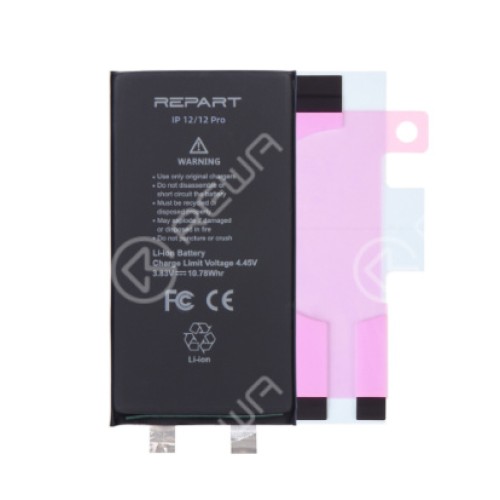
Why does a battery replacement produce a warning at all?
Because the battery carries identification the device expects to recognise.
The message is a verification result rather than a performance judgement. iOS compares what it can read from the battery against what it expects for that device, and when the two do not match it reports the difference. A genuine part pulled from another iPhone and a third-party part both fall outside the expected pairing, which is why the warning can appear even when the battery is a real Apple component.
That is also why the message is not a defect claim. It tells you the phone cannot confirm the part. Whether that matters is a commercial decision for the customer, and the shop’s job is to state the outcome clearly rather than to talk the customer out of caring about it.
What changed in iOS 26 and iOS 27?
The direction has been consistent, and the detail needs checking per version.
The trend across recent releases has been towards wider tracking rather than narrower. Repairers report more components producing notifications than in earlier versions, and some of those notices involving a check that depends on network connectivity rather than a purely local test. That change is what makes the behaviour harder to predict on the bench.
A network-dependent check introduces two variables a repair shop does not control: whether the device has connectivity and a signed-in state, and whether the check depends on server-side information that can change after the phone has left the shop. The practical consequence is that a device which passes a bench test can produce a notice later, when the customer signs in or updates.
How do you check a device before you quote the job?
Record the starting state, then test the combination you intend to fit.
Note the iOS version, whether the device is signed in, and whether the parts history already shows an entry. Existing entries give you a defensible baseline if a new notice appears later, and they also tell you whether you are dealing with a first repair or a device that has already been through the process. Then confirm how the specific part type behaves on that version before you commit to the price.
Finally, write the outcome into the job record while the device is still on the bench. Customer name, model, iOS version, part fitted, and the wording of anything you told them about a possible notice. That record is the difference between a conversation and an argument three weeks later.
How do you tell the customer before the repair?
State what the phone will show before you start work.
A workable script is short: the repair needs a replacement part, on this iOS version the phone may record that the part was replaced and show a notice about it, the hardware will work correctly, and you will show the customer the notice on the bench before they take the phone away. Three things make that work. Say it before the repair rather than after. Demonstrate the notice rather than only describing it. And put one line on the invoice stating the part fitted and any notice discussed.
The same principle applies to displays, where Apple sets out what it considers a genuine part in About genuine iPhone displays. A customer who was told in advance treats a notice as a known outcome. A customer who finds it themselves treats it as a fault, and no explanation afterwards repairs that.
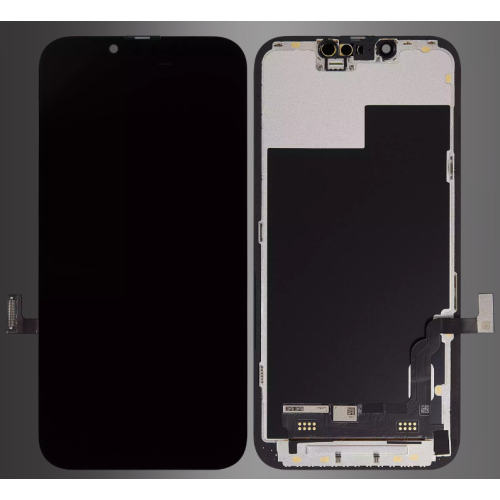
Can a parts pairing warning be cleared?
Sometimes, by changing the part rather than the software.
Because the message follows the pairing rather than the software, clearing it means satisfying the device’s expectation. Techniques that carry the original component information across exist and are used widely for displays, but their reliability varies by model and by iOS version, and any claim that a notice can always be cleared should be treated with caution. Test the specific combination on the bench before you promise it to a customer.
The commercial question underneath is straightforward. Is the customer willing to pay for a part that avoids the notice, or content with a functional repair at a lower price and a clear explanation? Both are legitimate answers. What is not legitimate is the shop discovering which one applies after the job has been completed.
How should you price the extra bench time?
As a named diagnostic line, not a hidden increase.
The work is real: checking the parts history before you start, confirming behaviour on the installed version, testing after assembly, and explaining the outcome. On a straightforward battery replacement that can add ten to fifteen minutes. Absorb it on high-value repairs where the margin covers it and treat it as part of why the customer chose you. Quote it explicitly on lower-value work, because customers accept a named charge far more readily than a price that quietly moved.
Keep the compliance context in view as well. Statutory rights for retail customers in the UK are set by the Consumer Rights Act 2015, and obligations around the safety of goods you place on the market sit with the Office for Product Safety and Standards. A written statement of the part fitted and the warranty attached to it protects both sides of that equation.

What should you record on the job sheet?
Five things, written down while the device is still open.
Record the model, the iOS version at the time of repair, the source or type of part fitted, the notice or message discussed with the customer, and the date. If the part is one that produces a history entry, note that too, so that a future reading of the settings screen does not look like a new problem.
That record does three jobs. It protects you if the customer disputes what they were told. It tells you, across a hundred jobs, which part types and versions actually produce notices in your own workload, which is far more reliable than a list published anywhere. And it makes a supplier conversation concrete, because you can say which batch produced which outcome rather than describing a general impression.
The habit matters most on high-volume models where a single version change can shift behaviour across an entire stock position. A shop that records version and part type notices the change within a week of a release. A shop that does not discovers it from customer complaints.
FAQ
Why is my iPhone showing a battery warning message?
The message means the device cannot verify the battery as a genuine Apple part, which usually follows a replacement fitted without carrying the original battery information across. Apple explains the message itself in About genuine iPhone batteries. The warning reports identification, not condition, so the battery may still perform normally.
Is 77% iPhone battery health bad?
It is below the point where most shops recommend replacement, and it will usually be accompanied by early shutdowns or fast drain under load. Treat the number as one input and test behaviour as well, because a battery that reports a workable figure and shuts down under load is still a battery that needs replacing.
How do I get rid of an unknown battery message on my iPhone?
The message follows the part, so it is resolved by the battery fitted rather than by anything done to the software. Techniques that carry the original battery information across exist, but their reliability varies by model and iOS version. Test the specific combination in front of you before promising a customer that no message will appear.
Is it safe to get an iPhone battery replaced?
Lithium cells are safe when handled and fitted correctly, and the risks come from puncturing a cell, using a swollen battery, or fitting a part that does not match the device. Check for swelling before you start, never force a cell into place, and dispose of removed batteries through a proper take-back route rather than general waste.
Pairing warnings are a quoting problem with a technical cause, and the shops that handle them well are the ones that raise the possibility before the repair and demonstrate the result on the bench. Record the starting state, verify the behaviour on the version in front of you, put the part fitted and anything discussed on the invoice, and the message stops being a complaint and becomes part of the service.
Quoting battery work on current iOS versions? Digi4u supplies batteries, displays and small parts to UK repair shops, with trade pricing, same-day dispatch and up to 12 months warranty. Tell us the models you repair most and we will confirm stock.
