


How to Tell If an iPhone Has Been Repaired
Need this part? We stock tested replacement parts with same-day UK dispatch and a 12-month warranty.

You do not need to know whether a used iPhone has been repaired. You need to know which parts were replaced, because that is the answer that changes your offer and your warranty exposure. A replaced battery on a three-year-old handset is a positive. A replaced screen with no True Tone is a negotiating point. A housing that does not carry the device’s own IMEI is a reason to hand it back.
Cosmetic refurbishment is good enough now that appearance tells you almost nothing. The checks that still work are structural, and they take about eight minutes once you have run them a few times.
Why appearance is the weakest signal
Work on a simple assumption: if a phone is more than about 18 months old, treat “something has been replaced” as the baseline rather than the exception. Wholesale Grade C stock, insurance replacements and buy-back devices all pass through refurbishment at some point, and a device with a new screen, battery and back glass can look indistinguishable from an untouched one under shop lighting.
What survives refurbishment is the evidence around the work: adhesive that did not close perfectly, gaps that are not quite even, seals that were not restored, and tooling marks on fasteners. None of those is conclusive alone. Together they tell you what happened.
How to tell if an iPhone has been repaired
Run the seal test, the IMEI comparison, the back glass seam and the tap test.
Do them in that order and stop early when something fails. A device that fails the seal test has been opened, a housing that disagrees with the software IMEI has had a frame or back fitted, and an uneven back glass seam points to a replacement panel. The tap test confirms a weak bond, and the settings screen tells you what the device itself records about its parts.
What does the phone itself record about repairs?
More than most buyers expect, and less than most assume.
Apple documents what a device reports about replaced components in iPhone Parts and Service History, and what it considers a genuine display in About genuine iPhone displays. Depending on the model and the iOS version, the about screen reports what the phone knows about the battery, display and cameras.
Two cautions matter more than the feature. Menu naming and wording change between versions, so read what the device tells you rather than looking for a fixed layout. And a clean record does not prove a device is untouched, because parts moved from a donor device and some service carried out through other channels do not present in the same way. Use the record as one input, not as a verdict.
How do you check the water-resistance seal?
With a pressure or vacuum chamber, not with a visual inspection.
A chamber test measures how quickly pressure escapes from a sealed handset, and a device that fails immediately has been opened. This is the fastest single indicator of a repaired unit, and it is the reason trade-in operations run a bench tester rather than relying on the seller’s word. Restoring the factory gasket correctly is a specific step, and plenty of repairs skip it.
The second signal costs nothing. Inside the SIM tray slot there is a liquid contact indicator that turns red on contact with liquid. Read it, but treat it carefully: it reports water, not repair, and a refurbisher can replace a triggered indicator. A red indicator with no corrosion means a device that got wet and was dried out properly. A red indicator with corrosion on the board is a device to decline.
| What you find | What it suggests | What to do |
|---|---|---|
| Seal test passes | Housing likely original, or properly resealed | Continue to the other checks |
| Seal test fails immediately | Device has been opened | Assume an internal repair and inspect further |
| Indicator red, no corrosion | Liquid contact at some point | Deduct a small amount and note it |
| Indicator red with corrosion | Board exposure | Decline |
| Indicator replaced or missing | Someone has been in the SIM slot area | Treat the repair history as unreliable |
Why does the IMEI catch a frame swap?
Because a replacement housing carries a different number.
Read the IMEI from the software and from the physical markings. On screen it is in the about menu or via the IMEI shortcode, and on many models it is also printed on the SIM tray or etched into the housing. If the number shown in software does not match the one on the housing, the frame or back has been replaced with a donor part.
A mismatch is not automatically fraud, and it is common on otherwise legitimate refurbishment. It does mean the device is no longer original housing, which is a pricing fact rather than a moral one. While you are in the settings, confirm two things before money changes hands: that Activation Lock is off, and that the IMEI status is clean. A device still locked to someone else’s account is a liability rather than stock, and a blocked IMEI cannot be fixed by any repair.
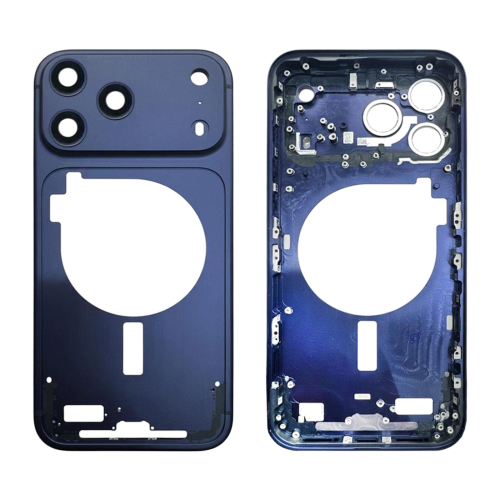
How do you inspect the back glass and frame seam?
Run a fingernail slowly around the entire perimeter.
On a factory-finished device the transition from glass to frame is uniform all the way round: same height, same gap, same feel. On a replaced panel you are looking for a step where the glass sits proud of the frame, a thin uneven line of adhesive squeeze-out, trapped dust or fibres under the edge, or a colour and texture mismatch that is most obvious on titanium and matte finishes.
Laser-cut back glass panels on the Pro models are where this check pays best, because the replacement is bonded into an existing frame rather than supplied as a complete housing. That bonding step is exactly where a rushed repair leaves a trace you can feel with a fingernail in fifteen seconds.
What does the tap test tell you?
Whether the panel is properly bonded, once you have calibrated your ear.
Tap the back glass lightly with a fingernail in several positions: centre, each corner, and along the edges. A properly bonded panel sounds dull and consistent. A poorly bonded replacement sounds hollow, and the tone changes as you move around the panel. On a bad job you may hear a faint rattle. Do the same around the edges of the front glass, where a screen refitted with inadequate adhesive often sounds different at one corner than the others.
The catch is that this is a relative test. It only means something if you have a known-original device of the same model on the bench to compare against, so keep one clean example of the models you handle most.
Which checks belong on the screen?
True Tone, the fit, and the brightness ramp.
True Tone depends on data tied to the original display, so a missing toggle on a model that should have it means the display has almost certainly been replaced without carrying the original information across. That single check is the fastest way to confirm a screen swap without opening anything. Then check whether the display is flush on all four sides, whether there is light bleed at any edge at full brightness, and whether the brightness ramps smoothly when you drag the slider.
An uneven fit combined with missing True Tone is close to conclusive. It is also the point where a customer will compare your offer against Apple’s own route, and Apple sets out its process and pricing in Apple Service and Repair for iPhone Screens. Knowing that number helps you explain a deduction without it sounding arbitrary.
What about the battery?
Test behaviour, not just the health number.
Two patterns point to a replacement: an old handset reporting unusually high battery health, and a battery that reports no health percentage at all or shows an unrecognised part notice. Neither is conclusive on its own.
Then test behaviour. Run the device down and watch whether it drops sharply at low percentages, and put it under load to see whether it shuts down early. A battery that reports fine on the settings screen and fails under load is still a battery you will be replacing before you can resell the device, and that belongs in your offer rather than in your margin.
How do you price the risk into an offer?
Score the findings and let the total set the price.
Gut feel on a trade-in is how shops end up holding stock they cannot sell. Score each finding, weight the structural ones heavily, and let the total decide the offer band rather than the seller’s description or your impression of how the device looks.
| Finding | Signal strength | Effect on the offer |
|---|---|---|
| Seal test passes | Strong | Full value band |
| IMEI mismatch between software and housing | Strong | Deduct heavily, or decline |
| Activation Lock cannot be cleared | Strong | Decline |
| IMEI status not clean | Strong | Decline |
| True Tone missing | Strong | Assume the display was replaced |
| Uneven back glass seam | Medium | Assume the back glass was replaced |
| Hollow or inconsistent tap tone | Medium | Budget for rework |
| High battery health on an old device | Medium | Assume the battery was replaced |
What should you record for each device?
The findings, the date and the price you paid.
Keep the scoring sheet with the device record. If you later sell the handset and the buyer raises a query, a dated note showing which checks you ran, what you found and how the price reflected it is worth more than any recollection. It also tells you, after fifty devices, which checks were the ones that actually predicted rework.
If you sell to consumers, remember what sits on top of your own resale terms. Statutory rights for retail customers are set by the Consumer Rights Act 2015, and obligations around the safety of goods you place on the market sit with the Office for Product Safety and Standards. A device bought in without a seal test is a device whose condition you cannot state with confidence, and that is the exposure the eight minutes removes.
FAQ
Can I run a diagnostic check on my iPhone to see if it has been repaired?
The closest thing to a diagnostic check is the parts and service history inside iOS, which reports what the device knows about its battery, display and cameras. It is a useful starting point but not a full answer, because a clean record does not prove a device is untouched. Pair it with the physical checks: the seal test, the IMEI comparison and the back glass seam.
How can I check the repair status of an iPhone before buying it?
Check four things in order. Confirm Activation Lock is off and the IMEI status is clean, compare the software IMEI against the marking on the housing, look for True Tone in the display settings, and run the seal test if you have a chamber. Those four checks separate a genuine second-hand device from one with an unknown repair history.
How to check if a phone has been repaired without opening it?
Run a fingernail around the back glass seam, tap the panel in several places and listen for an inconsistent tone, press the display edges to feel for movement, and check the settings for True Tone and parts history. None of those requires opening the device, and together they will flag most cosmetic and screen-level repairs before you commit to a price.
Does a repaired iPhone always lose its water resistance?
Not always, but it is the exception rather than the rule. Restoring the factory gasket correctly is a specific step that many repairs skip, and a chamber test will show whether the seal survived. If you are buying in for resale, treat an untested device as having no water resistance regardless of what the listing claims.
Eight minutes of checks is what separates a trade-in that resells from one that comes back. Run the seal, compare the IMEI, feel the seam, listen to the panels, and read what the device says about its own parts. Score what you find, record the result, and price from the score rather than from the description in the listing.
Refurbishing trade-ins at volume? Digi4u supplies back glass, housing frames, batteries and screens to UK repair shops, with trade pricing, same-day dispatch and up to 12 months warranty. Tell us the models you buy in most and we will confirm stock.
