


How to Fix “Unknown Part” Warning After Screen Replacement by IC Chip Transfer
Need this part? We stock tested replacement parts with same-day UK dispatch and a 12-month warranty.

An “Unknown Part” or Important Display Message after an iPhone screen replacement means iOS could not verify the display as a genuine, linked Apple part — not that the phone is automatically unusable. Everyday touch and image often still work; True Tone and calibration can be lost, and Parts and Service History will keep showing Unknown until a verified repair path is completed. Independent shops that need the warning cleared commonly use display IC chip transfer on compatible panels; that is advanced microsoldering, not a beginner DIY step.
Last updated:
Digi4u supplies replacement screens and tools to UK owners and repair businesses from Cardiff. This refresh keeps the original IC-transfer focus, aligns the warning language with Apple’s public Parts and Service History guidance, and clarifies Genuine / Finish Repair versus shop IC transfer so ranking intent is protected rather than rewritten from scratch.
1. Why does the “Unknown Part” message appear?
On modern iPhones, certain parts — including the display — are tied into Apple’s parts-pairing and calibration process. Settings → General → About → Parts and Service History (iPhone 11 and later, with model exclusions noted by Apple) can show status labels after a repair.
Apple’s public guidance states you will see an Unknown message if the display:
- isn’t a genuine Apple part
- isn’t functioning as expected
- hasn’t been verified and linked to the iPhone after the repair was completed
- has been modified or is otherwise unable to be verified
Source: Apple Support — About genuine iPhone displays and iPhone Parts and Service History. On iOS 15.1 or earlier, owners may see an Important Display Message instead of the Unknown label.
Each original display carries identification and calibration data. Fitting a replacement screen without completing Apple’s genuine-part linking process — or without transferring compatible identification hardware on a shop workflow — leaves a mismatch the system reports in Settings and, briefly, after unlock.
| Parts & Service History label | What Apple documents | Practical note for shops |
|---|---|---|
| Genuine | Repair used genuine Apple parts and processes | Target outcome for Apple / AASP / IRP genuine paths |
| Unknown | Non-genuine, faulty, unverified link, or modified part | Common after aftermarket screen swaps without pairing |
| Used | Part already used or installed in another iPhone (iPhone 15+ / iOS 18+ contexts) | Different from Unknown; still a documented history flag |
| Finish Repair | New Apple display installed; Repair Assistant not finished | Complete calibration / Repair Assistant steps before releasing the phone |
2. Does this affect functionality?
Apple states that these messages do not stop you using the iPhone. That matches what most customers experience after an aftermarket display swap.
What usually still works: touch, basic display output, calls and everyday apps — when the replacement panel itself is healthy.
What may be affected:
- True Tone (often disabled)
- Display colour / brightness calibration behaviour
- Ambient-light related dimming behaviour on some non-genuine setups
- Trade-in value — Apple notes an Unknown part might affect trade-in value
- Multi-Touch or brightness quirks if the part is poor quality or failing (Apple documents several non-genuine display risks)
So the warning is a trust and calibration signal. It is not the same as a dead screen — and it is also not proof that the panel is “fine forever” if touch or sensors misbehave.
3. Why Apple uses this system
From Apple’s published position, genuine displays are engineered with iOS for Multi-Touch, brightness, colour and features such as True Tone. Pairing and calibration are meant to keep performance, safety and service records consistent. Independent repair shops and DIY users still need aftermarket options; the honest brief to the customer is: image can look excellent while Settings continues to show Unknown unless a verified path is used.
4. The professional solution: IC chip transfer
When a shop needs to clear the Unknown Part message on a compatible aftermarket or donor workflow, technicians may transfer the original display’s identification IC (and related data handling) onto the replacement screen. This is commonly called IC chip transfer or IC transplantation.
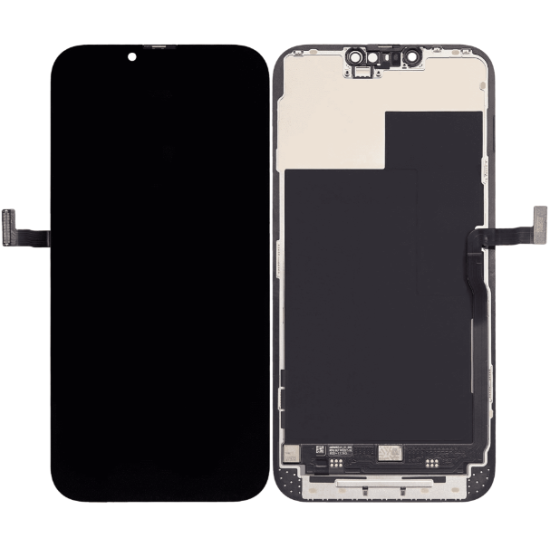
What IC transfer is: removing the identification / calibration-related IC from the original screen flex and soldering it onto a replacement panel that has a compatible pad layout, then testing True Tone and warning status.
What IC transfer is not: a substitute for Apple’s genuine-part Repair Assistant path, a guarantee on every model year, or a beginner phone-opening skill. Apple’s documented route to a Genuine display label is genuine Apple parts plus completed verification processes — including Self Service Repair / Independent Repair Provider channels where available (Apple Self Service Repair).
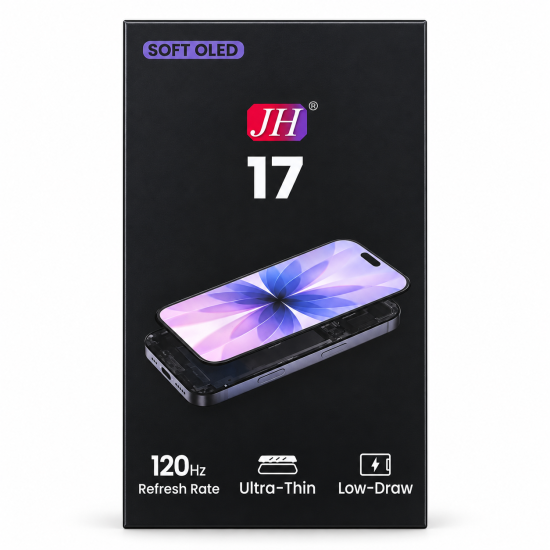
5. Step-by-step overview of IC transfer
Warning: this is an advanced microsoldering process for trained technicians with proper extraction gear. It is not a home “swap the glass” tutorial.
- Remove the original screen using a model-specific guide; disconnect the battery at the correct step.
- Locate the display IC on the original flex — the chip that holds identification / calibration-related data for that assembly.
- Desolder the IC with controlled hot-air practice under a microscope; avoid lifting pads.
- Prepare the new screen — confirm the replacement has a compatible IC landing pattern; not every cheap panel supports transfer.
- Solder the IC with correct alignment, flux and inspection.
- Test and calibrate — confirm image, touch, sensors, True Tone behaviour and whether the Unknown warning has cleared before final adhesive.
6. Tools required for IC transfer
Essential: stereo microscope, hot-air rework station, fine-tip iron, suitable flux/solder paste, ESD-safe handling, and a known-compatible replacement panel.
Often required by model: screen programmer / EEPROM tools, preheater, IC stencil or positioning jig.
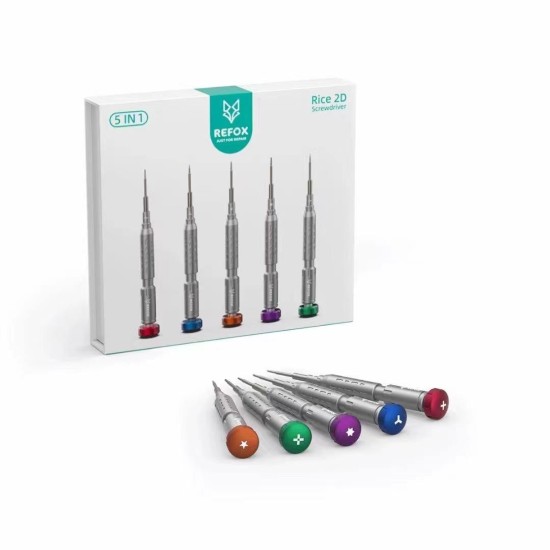
Standard opening tools still matter for the swap itself — precision drivers, picks and suction — but they do not replace the rework station. Digi4u stocks workshop drivers such as the REFOX RS2 2D screwdriver set alongside iPhone screens; IC rework gear is a separate capital purchase for the bench.
7. Risks and challenges
- IC damage during removal
- Pad damage on the donor or destination flex
- Misalignment causing touch or image failure
- Overheating nearby multilayer flex traces
- Panels advertised as “IC transferable” that are not
- Customer expectation that every iOS version will behave identically after transfer
Because of those risks, IC transfer is not recommended for beginners. If the phone still shows Unknown after a careful transfer, re-check solder joints, panel compatibility and iOS messaging before promising a second attempt.
8. DIY vs professional repair: honest advice
| Goal | Practical route |
|---|---|
| Working image and touch; accept Settings warning | Standard screen replacement with a quality aftermarket / compatible panel |
| Genuine label via Apple’s process | Genuine Apple display + completed Repair Assistant / authorised process |
| Clear Unknown on a compatible aftermarket workflow | Experienced shop IC transfer (or equivalent programming workflow where valid for that model) |
| First phone opening ever | Do not start with IC transfer — see our DIY diagnose-first guide |
9. Business opportunity for repair shops
Offering a documented “warning cleared / True Tone restored where supported” tier lets shops separate commodity screen swaps from premium work. Quote the IC-transfer labour and panel compatibility check separately, photograph the original IC and final Settings page, and explain trade-in implications up front. Digi4u’s screen catalogue is built for that parts side of the ticket — match the exact model before promising transferability.
10. Frequently asked questions (FAQ)
1. Why does my iPhone show an “Unknown Part” after screen replacement?
Because the replacement display was not verified as a genuine, linked Apple part (or is not functioning / has been modified). Apple lists those Unknown reasons in Parts and Service History documentation.
2. Can I still use my phone normally with this warning?
Yes in most cases — Apple says the messages do not affect your ability to use the iPhone. True Tone and some calibration behaviours may still be missing, and poor-quality panels can add real touch or brightness faults.
3. Is IC chip transfer the only way to remove the warning?
No. Completing a genuine Apple display repair with the required verification / Repair Assistant process is Apple’s documented path to a Genuine status. IC transfer is the common independent-shop method when using compatible non-Apple panels. Software “hide the banner” tricks are not the same as restoring Genuine pairing.
4. Is IC transfer safe?
It can be reliable in experienced hands with microscope rework and a compatible panel. It is unsafe as a first DIY project: pad lift or a killed IC leaves you with a warning and a dead donor chip.
5. Should I choose a normal screen replacement or IC transfer?
Choose normal replacement when cost and uptime matter more than Settings cosmetics. Choose IC transfer (or a genuine Apple path) when the customer requires no Unknown banner and True Tone restoration where supported.
6. Can all replacement screens support IC transfer?
No. The destination flex must accept the IC. Confirm transfer support with your parts supplier before quoting.
7. What tools are required for IC chip transfer?
Microscope, hot-air station, fine soldering tools, flux, and usually model-specific programmers or jigs — plus standard opening tools for the swap.
8. Is IC transfer worth it for repair businesses?
Yes when you can quote it as a premium line, document results, and keep failure rates low with compatible stock.
9. Do you recommend DIY users attempt IC transfer?
No. DIY users who accept the warning can fit a quality screen carefully; clearing Unknown belongs on a microsoldering bench.
10. How do I check the part status myself?
On supported iPhones with a recent iOS build: Settings → General → About → Parts and Service History. Look for Genuine, Unknown, Used or Finish Repair next to Display.
11. Final thoughts
Unknown Part after a screen replacement is usually a pairing / verification outcome, not a mysterious software virus. Decide with the customer whether they need a Genuine Apple path, an accepted aftermarket warning, or a shop IC-transfer job on a compatible panel. Digi4u can supply the screens and bench tools for the parts side; the soldering skill and customer briefing remain the shop’s craft.
Related reading: phone screen lines, black spots or no display and the UK delivery policy for dispatch timing on parts orders.
Unknown Part messages are one outcome of grade choice; shops deciding OEM-refurb versus Soft OLED should also read OEM vs aftermarket iPhone screens for UK repair shops.
Unknown Part and Important Display Message are related but not identical customer conversations; True Tone expectations are covered in iPhone True Tone after screen swap.
Model-specific stocking for 15-series: iPhone 15 screen replacement parts (UK stock).
