


iPhone True Tone and Important Display Message After Screen Swap
Need this part? We stock tested replacement parts with same-day UK dispatch and a 12-month warranty.

Aftermarket glass can look perfect and still fail the customer conversation. UK iPhone benches lose trust when iphone true tone after screen replacement behaviour and Important Display Message notices are explained only after adhesive is set. Digi4u, trading as digi4u Limited from Cardiff since 2011, supplies replacement screens (LCD / OLED / FOG), batteries, tools and accessories to professional repair businesses and individual customers across the UK — this technical guide pairs parts CTAs with honest aftermarket messaging, not with invented programmer brand claims or authorised Apple status.
What does True Tone need from the original panel data?
True Tone needs the panel’s calibration data.
Apple’s True Tone feature adapts white balance using display calibration information associated with the panel path; when that data is missing, mismatched or unverified after a swap, True Tone may disappear or behave incorrectly even if pixels look fine.
Technicians should treat True Tone as a data-dependent feature, not as a simple on/off gift that every aftermarket assembly restores by default. Ambient light sensing, colour calibration and related display behaviours sit in the same honesty bucket: a bright, sharp panel can still fail customer expectations if Night Shift or True Tone no longer matches the pre-job demo. Apple’s own overview of genuine displays states that nongenuine parts can affect True Tone, colour accuracy, brightness uniformity and related behaviours — see About genuine iPhone displays on Apple Support.
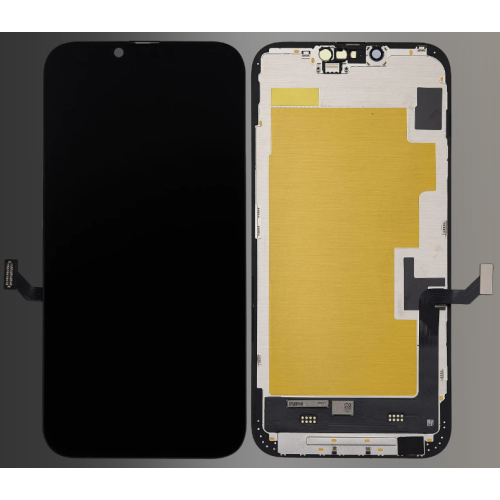
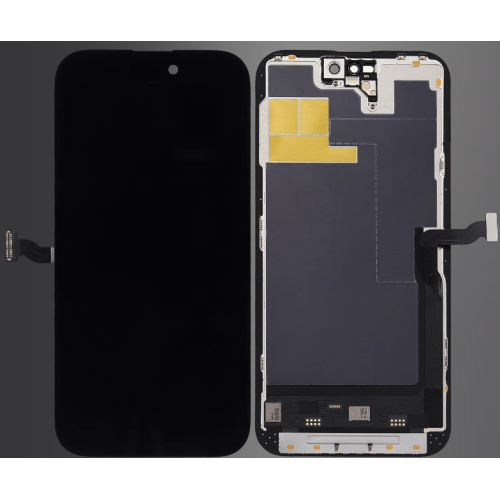
Digi4u lists iPhone display assemblies under the iPhone screen hub, including soft OLED and other grade wordings in listing titles. Buyers should read those titles against the exact model on the ticket rather than assuming every OLED restores factory calibration features. Company positioning since 2011 is on the about us page; Digi4u does not claim authorised Apple status there or elsewhere in Digi4u’s public materials.
What does Important Display Message mean after a screen swap?
It is a parts-history notice.
Important Display Message (and later Unknown / related Parts and Service History labels) tells the user Apple could not verify the display as expected; it is not, by itself, proof that touch or image quality has failed.
Apple documents Parts and Service History behaviour for supported models in iPhone Parts and Service History. Labels such as Genuine, Unknown and Used appear depending on part type, verification and iOS generation. Older iOS builds used Important Display Message wording in place of the later Unknown display status. Shops should quote the customer’s actual on-screen string, not a memorised 2019 script.
Commercially, the message is a briefing problem before it is an optical problem. Customers who were promised “exactly like original” will treat any notification as a failed job even when Multi-Touch passes. Digi4u aftermarket screens should be sold with that software reality attached: the part can restore a usable display while Apple’s software still flags verification state. Independent teardown and guide material such as iFixit’s iPhone device hub helps train fastener maps; it does not override Apple’s parts-history wording.
How do soft OLED and programmer workflows fit at a high level?
Programmers copy data; they are not magic.
High-level soft OLED workflows sometimes use a programmer to read calibration data from the original panel path and write it to a compatible aftermarket assembly, but success still depends on model, iOS build, connector health and honest QC — Digi4u does not publish a named programmer brand or restore guarantee.
Keep the bench story modular. First choose the correct soft OLED or other grade listing from Digi4u’s catalogue for the exact iPhone model. Second, decide whether your shop’s calibrated process includes a programmer step for that generation. Third, verify True Tone, brightness, touch and Face ID-adjacent sensors that travel with the assembly before promising handback. Skipping the third step is how “programmer fixed it” folklore becomes a refund.
This article deliberately stays high level: no invented tool SKUs, no claimed success percentages, no suggestion that Digi4u bundles a programmer with every soft OLED. Shops that need fastener sequences can consult a live guide such as iFixit’s iPhone 14 screen replacement guide for mechanical orientation only. Product-safety expectations for goods on the UK market remain summarised in GOV.UK product safety guidance for businesses.
| Stage | Shop action | Honesty rule |
|---|---|---|
| Pre-job | Photo Settings → About / Parts and Service History; demo True Tone on/off | Capture baseline before glass leaves the chassis |
| Parts pick | Match Digi4u listing title to model; note soft OLED / grade wording | No authorised-Apple claim unless Digi4u states it (it does not) |
| Optional data step | Shop’s own programmer workflow if used for that generation | Do not invent Digi4u-branded programmer guarantees |
| Post-job | Retest True Tone, touch, brightness, sensors; photo new status | Show the customer the same screens you will hand back |
What should customers be told before an aftermarket screen job?
Brief software messages before adhesive.
Tell the customer in plain British English that an aftermarket or unverified display may show Important Display Message / Unknown (or related labels), and that True Tone might not return, even when the new glass looks sharp.
Write the brief on the ticket, not only in spoken sales energy. Cover four points: (1) Digi4u is a Cardiff parts supplier since 2011, not an authorised Apple channel; (2) optical QC will still be done before adhesive; (3) Parts and Service History may change; (4) True Tone is a calibration-dependent feature that aftermarket paths do not guarantee. Customers who accept those four lines rarely escalate a cosmetic notification into a chargeback.
Standards and consumer-research context for UK benches includes BSI Group for standards orientation and Which? for general consumer repair expectations. Use them for staff awareness. Local enforcement orientation sits with Trading Standards. None of those links are Digi4u certifications.
When is the display message cosmetic versus functional?
Message first; then test function.
A parts-history notification can be cosmetic relative to image quality, but shops must still run touch, brightness, sensor and True Tone checks before calling the job done — cosmetic labels do not excuse skipped QC.
Function fails are the tickets that matter: dead zones, ghost touch, uneven brightness, severe colour shift, proximity failures on calls, or a True Tone toggle that was promised restored and is absent. A clean Unknown / Important Display Message with passing functional tests is a briefing outcome, not an automatic DOA. Conversely, a Genuine label is irrelevant if Multi-Touch fails.
Train juniors to separate the two columns on every ticket: Software status (photo) versus Functional status (checklist). Digi4u order numbers belong on both columns when a genuine DOA is claimed. Never invent Digi4u warranty percentages to fill the gap.
Where does Digi4u’s screen grade guide fit?
Grade selection lives on the grade guide.
LCD versus OLED versus soft OLED purchasing detail belongs on Digi4u’s iPhone screen grade articles; this page owns True Tone briefing, Important Display Message meaning and post-install QC.
Send buyers who need grade economics to iPhone screen replacement parts UK: OLED / LCD grades and comparative framing such as OEM vs aftermarket iPhone screens UK. Shops chasing IC-transfer messaging already documented on Digi4u’s blog can open that separate unknown-part guide without this article re-teaching the same procedure. Model hubs such as iPhone 15 remain the SKU landing points for replenishment.
What belongs on a post-install QC checklist for True Tone?
Toggle True Tone; photograph the result.
After install, power on with temporary securing, swipe all edges, check white/black fields, confirm sensors that travel with the assembly, toggle True Tone on and off in Display settings, then photograph Parts and Service History before adhesive is final if your process allows a redo window.
A practical UK counter checklist:
- Photo pre-job Parts and Service History and True Tone state.
- Confirm Digi4u listing model string matches the chassis.
- Temporary power-on test before irreversible adhesive when the process allows.
- Full-screen white/black/grey fields; look for lines, burn and haze.
- Edge-to-edge Multi-Touch and palm rejection sanity checks.
- True Tone toggle demo under the same lighting you will use with the customer.
- Photo post-job software status and record the Digi4u order number on the ticket.
Dispatch planning for glass replenishment still follows Digi4u’s public rules: same-day dispatch aim for orders before 4:00 PM Monday to Friday; weekend and after-Friday-4:00 PM orders go next working day; Royal Mail 48 Tracked and DPD are the stated couriers; free shipping thresholds are method and zone dependent on the delivery policy. If the same basket adds standalone lithium cells, remember those ship DPD only.
Operational reality for UK counters is that customers often learn about Important Display Message or an Unknown label from a friend’s handset before they learn it from the ticket. That social proof makes a late briefing feel like concealment. The cheapest reputation fix is still the earliest one: show the Parts and Service History screen during intake, toggle True Tone once under shop lighting, and write the customer’s acceptance of possible software labels onto the job sheet before the old glass is heated. Digi4u parts CTAs then sit cleanly beside that honesty rather than fighting it after adhesive cures.
Conclusion
iPhone True Tone after screen replacement is a calibration-data and customer-briefing problem as much as a glass problem. Digi4u’s Cardiff screen catalogue since 2011 gives shops soft OLED and other grade options on the iPhone screen hub, but Digi4u does not claim authorised Apple status or a guaranteed True Tone restore. Explain Important Display Message / Unknown labels before adhesive, keep programmer talk high level, run a True Tone toggle in QC, and point grade selection to Digi4u’s dedicated screen guides.
FAQ
Has my iPhone screen been replaced?
On supported models and iOS versions, open Settings → General → About and look for Parts and Service History. Apple documents that Genuine, Unknown, Used or related labels can appear depending on the part and process. Digi4u is a UK aftermarket parts supplier and does not claim authorised Apple status — treat on-device messages as Apple software behaviour, then brief the customer with the same wording before adhesive is committed.
How do I get True Tone back after a screen replacement?
True Tone depends on display calibration data tied to the original panel path. Aftermarket or unverified assemblies may leave True Tone missing or unreliable even when the image looks fine. Some soft OLED workflows use programmers to copy or write calibration data at a high level; Digi4u does not publish a named programmer brand or guaranteed restore rate, so shops should demo the True Tone toggle before handback and set expectations in writing.
What does Important Display Message mean on an iPhone?
On older iOS builds, Apple used Important Display Message wording in place of the later Unknown display status when a display could not be verified as expected. Functionally it is a parts-history notice, not proof that touch is broken. Always check current Apple Support wording for the customer’s iOS version, because labels evolve while the honesty requirement on the ticket stays the same.
Do Digi4u soft OLED screens restore True Tone automatically?
No automatic restore is stated in Digi4u’s public company materials. Soft OLED and other aftermarket grades are sold as replacement parts; whether True Tone appears after install depends on the device, iOS build, panel data handling and any programmer workflow the shop uses. Photograph the pre-job display status, test True Tone after install, and keep grade talk aligned with Digi4u’s screen grade guides.
Does Digi4u offer same-day dispatch on iPhone screens?
Digi4u aims at same-day dispatch for orders placed before 4:00 PM, Monday to Friday. Weekend orders and orders after 4:00 PM Friday go out the next working day. Couriers include Royal Mail 48 Tracked and DPD; free shipping thresholds are method and zone dependent. Standalone lithium batteries remain DPD only if a basket also adds spare cells — re-check the live delivery policy.
