


Samsung Galaxy Tab Screen Replacement: Matching the Model and the Panel
Need this part? We stock tested replacement parts with same-day UK dispatch and a 12-month warranty.

Tablet repairs are the quiet profit centre of a phone shop. Less competition, higher ticket values and customers who would rather repair a device they use daily than replace it, and the technical barrier is no higher than on a phone.
What stops shops is the ordering. Samsung has sold an enormous number of Galaxy Tab variants under a handful of names, and the model code is the only reliable way to know which panel, which battery and which small parts a device needs.
Why are Samsung tablet screens worth repairing?
Because the ticket is larger and the competition is thinner.
A tablet screen is a bigger part with a bigger price, and the device is usually worth repairing because the alternative is a new tablet. Fewer shops take the work on, which means less price pressure than on the phone side.
The labour is also different in kind rather than simply longer. Tablets present a larger bonded surface, more adhesive and a display that is far less tolerant of being levered, which is why the shops that do them well can charge for the skill.
Which Galaxy Tab models come in most often?
The A-series, and the older S-series devices.
Models like the Tab A7, A7 Lite, A8 and A9 were sold in large numbers at prices that made them household devices, and they are the ones that now arrive with cracked glass. Older Tab S models appear as well, particularly the S6 Lite and the S7 FE.
The pattern is the same as on phones: volume comes from the models that sold well three to five years ago rather than from the current flagship. The stock decision that follows from that is the one described in planning stock by the numbers.
How do you match a Tab screen to the right model?
From the model code, not the screen size.
Samsung uses codes such as SM-T220 for the Wi-Fi version of the Tab A7 Lite and SM-T225 for the cellular one, and those two models take different parts in places. The code is in Settings, About tablet, and on the label on the back or in the SIM tray on cellular models.
The matching discipline is the same as on the phone side, described in matching a Samsung panel to the model. Where a device has been bought second-hand, the code is the only thing worth trusting.
What is different about a tablet screen job?
The back comes off first, and the bond is larger.
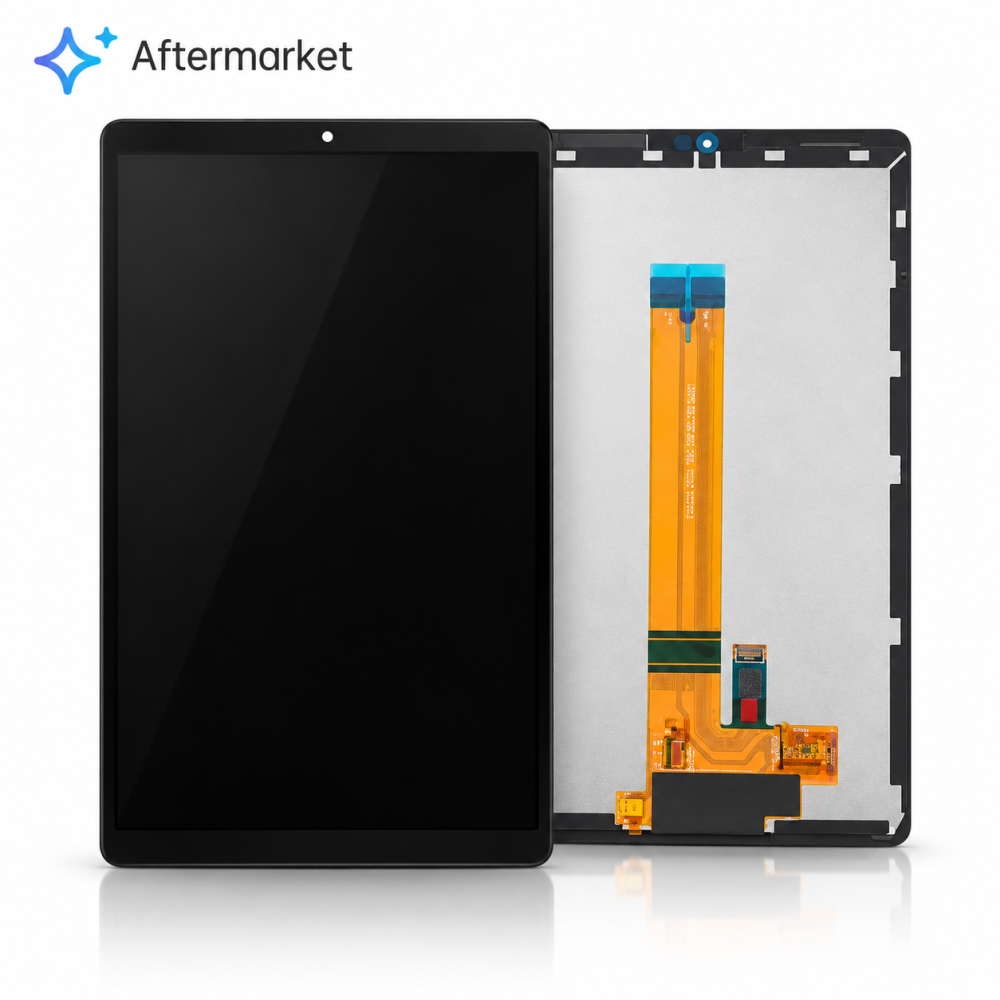
On most Samsung tablets the rear cover is the removable panel, and the battery and board sit underneath it. The display is bonded to the front of the frame, which means the screen repair is a bonded-surface job rather than an access job.
That changes the order of work. Battery replacements on tablets are usually reached from the back, while screen replacements need heat across a much larger area. Knowing which repair needs which approach is what stops a shop from dismantling the wrong side of the device.
What does the job involve on the bench?
Even heat, a slow perimeter lift, and a clean frame.
The display has to be warmed across its whole surface rather than locally, because a tablet panel is large enough that a cold corner will crack while the rest releases. The tool then follows the perimeter, working slowly and reheating as resistance increases.
Once the panel is off, the frame has to be cleaned of every trace of old adhesive before the new assembly goes down. A tablet with residue left on the frame will not sit flat, and the failure mode is the same one described in what to check when a replacement screen will not fit.
Why do Tab repairs take longer than phone repairs?
Because there is more surface and less tolerance.
The bonded area is several times larger, the adhesive is stronger, and the panel is thin relative to its size, which makes it easy to flex and crack. Nothing about the process is different; everything about it is slower.
The other reason is the test cycle. A tablet has more functions to confirm after a screen swap, including the digitiser across a much larger area, and the margins are where touch faults hide. Allowing the time in the quote is what keeps the job profitable.
How do you quote a tablet screen?
From the part, the time, and the value of the device.
The part is the largest number, and it varies enormously across the range, so the quote has to start from a real price rather than an estimate. Then add the labour at the shop’s rate with the extra time the job takes, and a returns allowance.
Finally, compare the total with what the device is worth. On a large premium tablet the repair is usually obvious; on a small budget one it may not be, and saying so is better than taking a job the customer will regret.
| Family | Typical code | Screen type | Ordering note |
|---|---|---|---|
| Tab A7 Lite 8.7 | SM-T220 / T225 | LCD with frame | Wi-Fi and LTE versions differ |
| Tab A7 10.4 | SM-T500 / T505 | LCD with frame | Confirm the size before ordering |
| Tab A8 10.5 | SM-X200 / X205 | LCD with frame | Frame-based assembly preferred |
| Tab A9 8.7 | SM-X110 / X115 | LCD with frame | Newer, higher part cost |
| Tab S6 Lite | SM-P610 / P615 | LCD with frame | S Pen layer matters for the fit |
There is also a practical limit to what a quote can cover. Where a tablet has been repaired before, the old adhesive may have been replaced with something weaker or stronger than the original, and that changes how the panel releases. Mentioning it in the quote protects the shop from a surprise.
What are the common returns on Tab screens?
Dust under the glass, touch edge faults and lifting corners.
Dust is the first problem because the surface area is large and the adhesive is exposed for longer. Touch faults at the margins follow the same cause as on phones and are harder to find on a bigger panel. Lifting corners follow a frame that was not cleaned properly.
All three are process faults rather than part faults, which means they are within the shop’s control. Testing the whole digitiser and inspecting the seam before the customer collects is what prevents them.
Should the battery be replaced at the same time?
Sometimes, and it is reached from the back.
A tablet battery is usually accessible by removing the rear cover, which is a separate job from the screen and does not require the display to come off. Where the device is old and the customer already reports poor battery life, quoting both in one visit is sensible.
What should not happen is a battery replacement attempted through the front because the shop is already working on the screen. The correct access route matters, and the same principle applies to the parts themselves.
What should the customer be told before the repair?
Which panel, the price, and the seal.
A tablet that has been opened is no longer sealed to the manufacturer’s standard, and the honest position is to describe the repair rather than promise water resistance. The panel grade should be named as well, because original and aftermarket assemblies differ in brightness and colour.
Retail customers keep their rights on the finished work under the Consumer Rights Act 2015, and Samsung’s own service routing and pricing are published at Samsung UK support, which is useful context when a customer is comparing options.
Cleaning the frame properly is the last step most shops rush. Adhesive residue left around the edge is what lifts a corner three weeks later, and a tablet gives the customer far more seam to inspect than a phone does, which makes the mistake more visible as well as more likely.
When should you decline the job?
When the part approaches the value of the device.
Small budget tablets are the clearest case, because a complete assembly can cost as much as a used replacement. The other two are a bent chassis, which will not let a new panel sit flat, and liquid damage, which makes the diagnosis open-ended.
The frame question is the same one that applies to phones and is set out in with-frame versus bare panel. Where a Tab has a distorted frame, a frame-based assembly is the only option, and if none exists the honest answer is to decline.
-500x500.jpg)
Storage is the other consideration. Tablets are large, awkward objects to keep on a shelf, and a shop holding three of them overnight needs somewhere they will not be knocked. A dedicated shelf away from the bench traffic is worth more than it sounds.
What is the one habit that makes tablet work profitable?
Read the model code before quoting anything.
The code determines the part, the price and often whether the job is worth doing at all. One line on the intake sheet, taken from the device rather than from the customer, removes the largest source of wasted time in the category.
Around it sit the same disciplines that apply to any large bonded panel: heat evenly, clean the frame completely, fit a fresh gasket, test before sealing and record what was fitted. Replaced panels and cells are waste under the Waste Electrical and Electronic Equipment Regulations 2013, parts placed on the market fall to the Office for Product Safety and Standards, and the safety expectations around heat-based glass work are set out by the HSE at electrical safety.
FAQ
How much does a Samsung tablet screen replacement cost?
It depends mostly on the model, because tablet assemblies vary enormously in price across the range. The quote should start from a real part price, add the longer labour time and a returns allowance, then compare the total with what the device is worth.
How do I find the right screen for a Galaxy Tab?
Use the model code rather than the screen size. Samsung codes such as SM-T220 and SM-T225 identify the Wi-Fi and cellular versions of the same tablet, and they do not always take the same parts.
Is a tablet screen repair different from a phone screen repair?
Yes. On most Samsung tablets the rear cover comes off first and the battery is reached from behind, while the display is bonded to the front of the frame. The bonded area is several times larger, so the job is slower and less tolerant.
Why does dust appear under a replacement tablet screen?
Because the panel is large and the adhesive is exposed for longer during fitting. Dust is a process fault rather than a part fault, which is why working cleanly and inspecting the seam before the customer collects matters so much on tablets.
Tablet panels matched to the model code. Digi4u carries Samsung Galaxy Tab screens, batteries and small parts by SM- code, on trade terms.
{
“@context”: “https://schema.org”,
“@type”: “FAQPage”,
“mainEntity”: [
{“@type”: “Question”, “name”: “How much does a Samsung tablet screen replacement cost?”,
“acceptedAnswer”: {“@type”: “Answer”, “text”: “It depends mostly on the model, because tablet assemblies vary enormously in price across the range. The quote should start from a real part price, add the longer labour time and a returns allowance, then compare the total with what the device is worth.”}},
{“@type”: “Question”, “name”: “How do I find the right screen for a Galaxy Tab?”,
“acceptedAnswer”: {“@type”: “Answer”, “text”: “Use the model code rather than the screen size. Samsung codes such as SM-T220 and SM-T225 identify the Wi-Fi and cellular versions of the same tablet, and they do not always take the same parts.”}},
{“@type”: “Question”, “name”: “Is a tablet screen repair different from a phone screen repair?”,
“acceptedAnswer”: {“@type”: “Answer”, “text”: “Yes. On most Samsung tablets the rear cover comes off first and the battery is reached from behind, while the display is bonded to the front of the frame. The bonded area is several times larger, so the job is slower and less tolerant.”}},
{“@type”: “Question”, “name”: “Why does dust appear under a replacement tablet screen?”,
“acceptedAnswer”: {“@type”: “Answer”, “text”: “Because the panel is large and the adhesive is exposed for longer during fitting. Dust is a process fault rather than a part fault, which is why working cleanly and inspecting the seam before the customer collects matters so much on tablets.”}}
]
}
