

iPhone Proximity Sensor Flex Parts UK: 16 and 17 Series Stock After Screen Jobs
Need this part? We stock tested replacement parts with same-day UK dispatch and a 12-month warranty.
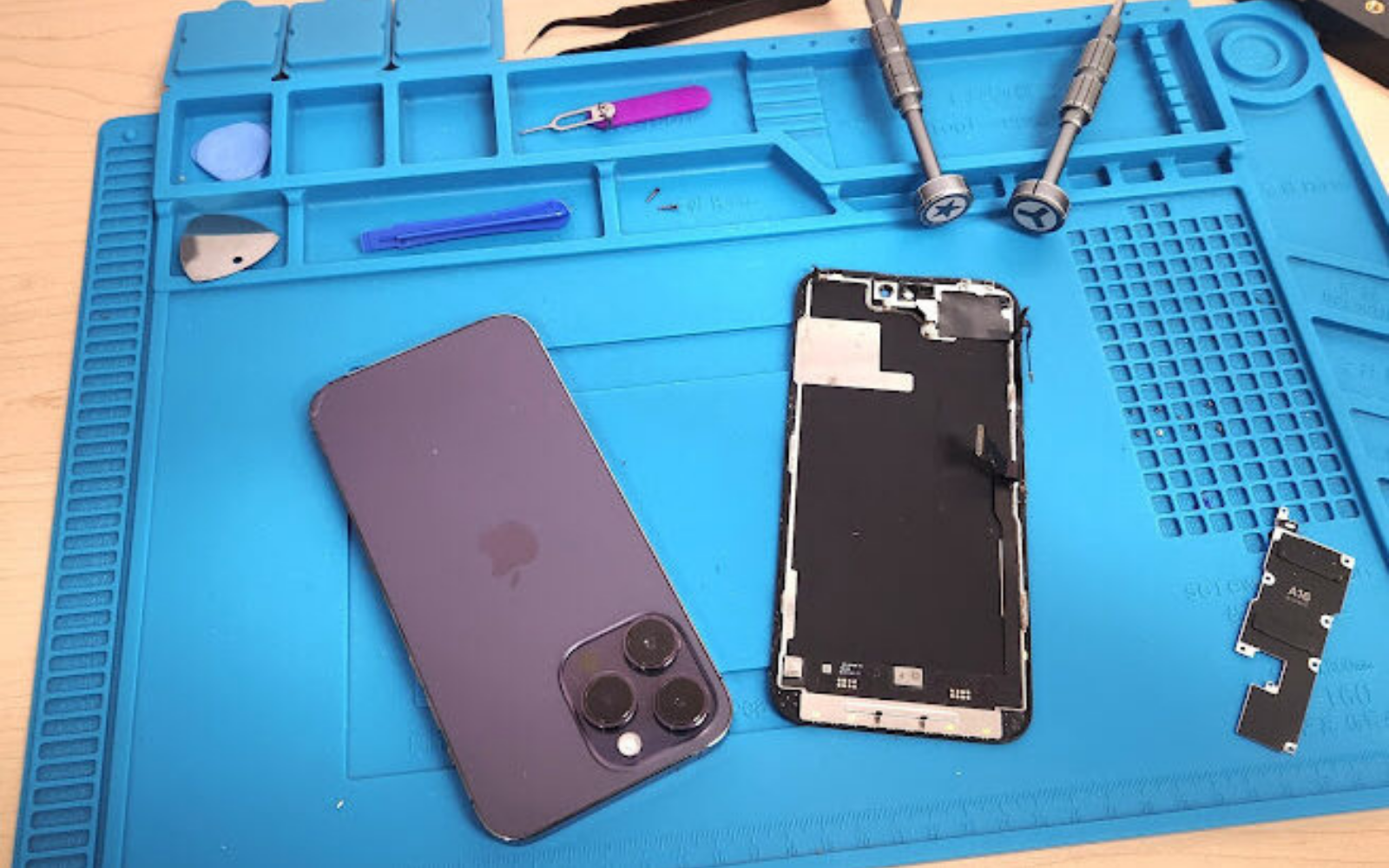
UK repair shops sourcing iPhone proximity-sensor flexes for the 16 and 17 families need a clear view of which dedicated flexes exist, how they differ from earlier earpiece‑sensor assemblies, and what stock levels look like on the day of ordering.
When is a dark screen on a call a flex, and when is it the display?
A dark screen during a call usually points to the proximity flex, not the display panel. If the screen stays black only while the handset is held to the ear, the proximity sensor is likely at fault; a permanently dead panel suggests display damage. Technicians should first verify that the ambient‑light sensor and earpiece speaker function, because those share the same flex on many pre‑16 models. On the iPhone 16 and 17 series the proximity sensor sits on a dedicated cable, so a dark‑screen symptom isolates more cleanly to that part. A quick test: cover the top‑edge cut‑out during a call; if the screen wakes, the flex is working. If it remains dark, swap the proximity flex before assuming the OLED is dead. This approach saves unnecessary screen replacements and reduces turnaround time. For a deeper diagnostic flow, see the existing proximity sensor after screen replacement guide. Apple’s official support pages also outline the symptom hierarchy for reference here.
During intake, ask the customer whether the screen blacks out only during calls or also when the phone is idle; note the answer on the job sheet. Label the incoming device with a bin tag that records the symptom and the model, so the bench technician can prioritise the proximity flex test. When quoting, pull the live listing price for the exact flex, add your labour rate, and confirm the total with the client before work begins. A quick comeback check after reassembly — repeat the call‑blanking test — catches any missed connector seating.
What changed on the 16 and 17 dedicated proximity flexes?
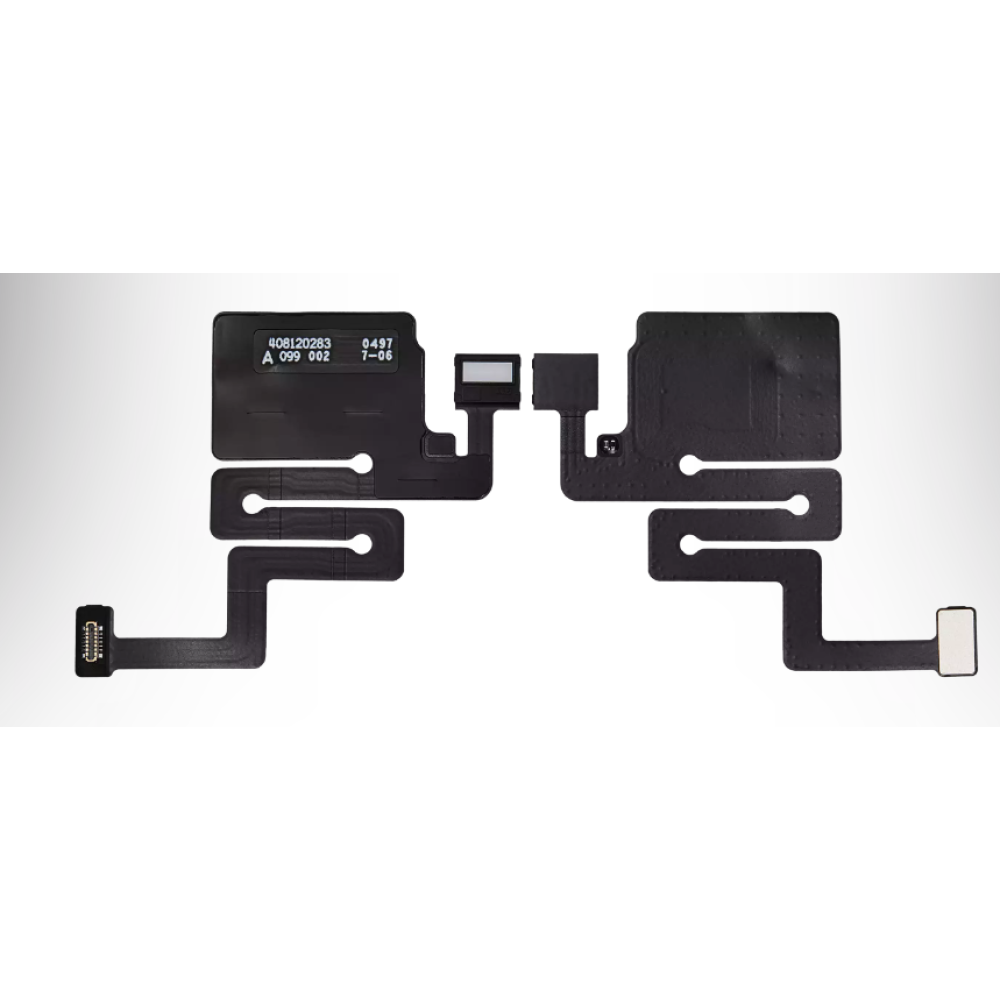
The 16 and 17 series use a standalone proximity‑sensor cable, separate from the earpiece or front‑camera flex. Earlier generations routed the proximity path through the earpiece/sensor assembly or the display flex; the new design isolates the sensor for easier replacement. Apple moved the infrared emitter and receiver onto a thin ribbon that plugs directly into the logic board, removing the need to transfer a sensor from a donor screen. This change means a shop can order a single part instead of harvesting a sensor from a broken display. The cable length, connector pitch, and mounting brackets differ between the 16 and 17 families, so a 16 flex will not fit a 17 device. The 16‑series flexes also carry a small alignment tab that matches the revised chassis cut‑out. Shops should verify the exact model heading on the product page — the 17 Air listing, for example, reads “For iPhone Air” — before placing an order. The dedicated design also reduces the risk of damaging the front‑camera module during a screen job.
At intake, confirm the exact model heading — “For iPhone Air” for the 17 Air or “iPhone 16 E” for the 16 E — and write it on the bin label. When building the quote, open the live product page, copy the current price for that specific flex, then add your shop’s labour charge; present the combined figure to the customer for approval. After the repair, run the call‑blanking test twice and log the result on the job sheet to guard against comeback claims.
Why a 16 flex is not a 16 Pro or 16 E flex
Each 16‑series variant has a unique proximity‑flex part number and mounting geometry. The 16, 16 Plus, 16 Pro, 16 Pro Max and 16 E each require their own cable; cross‑fitting causes misalignment or connector mismatch. The 16 Pro and 16 Pro Max use a slightly longer ribbon to accommodate the larger camera bump and a different bracket screw pattern. The 16 E follows the “iPhone 16 E” heading on the live listing and shares the base‑model length but has a distinct connector keying. Attempting to use a standard 16 flex on a 16 Pro will leave the sensor floating, leading to intermittent proximity detection. Shops should treat each SKU as non‑interchangeable and order the exact variant listed. The product pages for the 16 Pro, 16 Pro Max and 16 E are separate entries; confirm the heading matches the device in hand before committing to a repair quote.
During check‑in, ask the owner which exact 16 variant they have and record the model on the bin tag; this prevents a technician from grabbing the wrong flex. When quoting, reference the live listing for that variant, add your labour rate, and write the total on the estimate sheet. After fitting, perform the call‑blanking test, then a second test after a short warm‑up period; note both outcomes on the job sheet to demonstrate due diligence if the customer returns.
How to QC proximity after a screen or flex job
Run a call test and cover the top sensor cut‑out; the screen should sleep and wake reliably. After reassembly, place a test call, bring the handset to the ear, and verify the display blanks; then pull away and confirm it lights up. Use a known‑good SIM or a second handset to initiate a call, then observe the screen behaviour. If the screen fails to sleep, re‑seat the flex connector and inspect for bent pins. A quick continuity check with a multimeter on the flex’s two signal lines can reveal an open circuit before the device is closed. Document the result in the job sheet; this creates a traceable QC step for warranty claims. Shops may use their own bench process; a simple call‑blanking test is sufficient and does not require a proprietary test jig. Remember that the proximity sensor does not control Face ID or True Tone; those functions rely on separate modules.
At intake, ask whether the device has ever had a screen replacement; note the answer on the bin label. When quoting, pull the live flex price, add your labour, and confirm the total with the client. After reassembly, run the call‑blanking test, then a quick multimeter continuity check on the two signal lines; record both results on the job sheet. A documented QC trail protects the shop if the customer later reports intermittent blanking.
What not to promise about Face ID or ambient light
A proximity‑flex swap restores only call‑screen blanking; it does not fix Face ID or True Tone. Face ID uses the dot‑projector and infrared camera on the front‑camera assembly; ambient‑light sensing for True Tone sits on the display flex. Shops must set clear expectations: replacing the proximity cable will not revive a failed Face ID module, nor will it recalibrate True Tone. If a customer reports both a dark screen on calls and Face ID failure, the diagnosis should cover the front‑camera flex and the display assembly separately. The front‑camera/Face ID flex parts post outlines the relevant components. Over‑promising leads to repeat visits and erodes trust. Always quote the proximity flex as a distinct line item and note any additional parts that may be required after a full diagnostic. Consumer‑rights guidance on what can be promised is available from GOV.UK.
How to stock 16 and 17 flexes in a UK shop
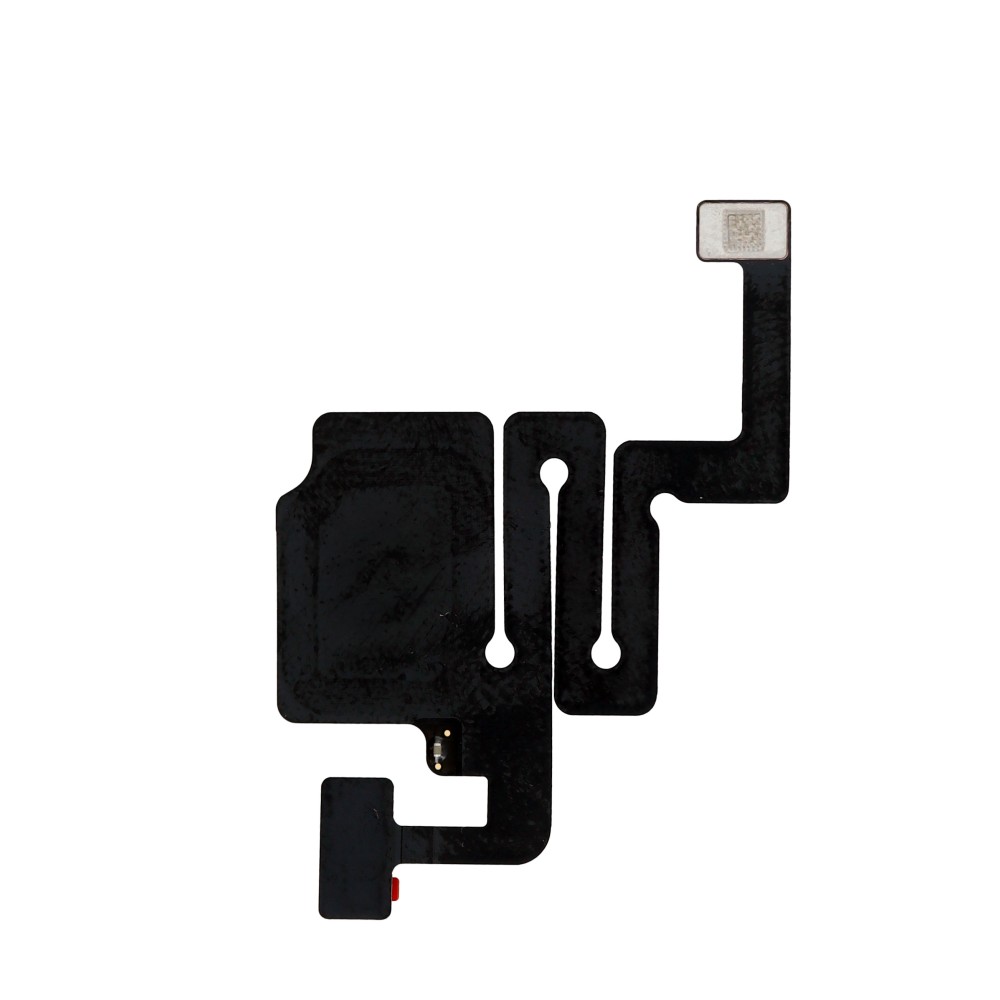
Treat each variant as a separate line item and verify live availability before quoting. As of the last check on 23 November 2026 the iPhone 16 and 17 base‑model flexes were in stock; 17 Pro and 17 Pro Max were out of stock and may require lead time. Availability can change daily, so open the product page at quote time and confirm current status. A practical stocking matrix for a mid‑size shop:
| Model | Dedicated flex listing | Stock status (23 Nov 2026) |
|---|---|---|
| iPhone 16 | Replacement Original Proximity Sensor Flex For iPhone 16 | In stock |
| iPhone 16 Plus | Separate listing | Check live page |
| iPhone 16 Pro | Separate listing | Check live page |
| iPhone 16 Pro Max | Separate listing | Check live page |
| iPhone 16 E | Separate listing (heading “iPhone 16 E”) | Check live page |
| iPhone 17 | O Replacement Proximity Sensor Flex For iPhone 17 | In stock |
| iPhone 17 Air | Separate listing (heading “For iPhone Air”) | Check live page |
| iPhone 17 Pro | Separate listing | Out of stock |
| iPhone 17 Pro Max | Separate listing | Out of stock |
Use the live product pages to verify current availability before promising a same‑day or next‑day repair. Digi4u’s delivery policy offers same‑day dispatch for orders placed before 16:00 Monday‑Friday, with Royal Mail 48 Tracked for non‑battery items and DPD for any order containing a loose cell. Mixed baskets that include a battery ship entirely via DPD. Shops should factor the courier choice into their turnaround commitments.
When a new order arrives, verify the live listing for each variant before placing the part on the shelf; write the model heading on the bin label so the bench can spot mismatches instantly. During quoting, open the product page, copy the current price, add your labour rate, and present the combined figure to the customer. After any repair, run the call‑blanking test twice and log the outcome on the job sheet to create a comeback‑proof record.
Related front‑camera, earpiece and diagnosis posts
The original proximity sensor after screen replacement post covers diagnostic steps for 12‑15 series where the sensor shares a flex. Linking this guide in your knowledge base helps technicians diagnose older models quickly.
Keep a single internal knowledge‑base entry that links the proximity‑sensor guide, the front‑camera/Face ID flex article, and the delivery policy; this lets technicians jump to the right spec without searching. At intake, note any additional front‑end symptoms on the bin label so the bench can order the correct combination of parts in one go. When quoting, add each part’s live price plus your labour, then confirm the total with the client before work starts.
Conclusion
The iPhone 16 and 17 families introduce dedicated proximity‑sensor flexes that simplify screen‑job repairs but demand precise model‑matching. Shops that verify live availability for each variant, set clear customer expectations on Face ID and True Tone, and follow a repeatable call‑blanking QC routine will reduce repeat visits and improve margin. Use the diagnostic flow, QC checklist, and stocking matrix above as a practical reference for daily workshop operations.
Adopt a repeatable intake‑to‑QC workflow: capture the symptom, label the bin, quote from the live listing plus your labour, and log every test result. This discipline cuts repeat visits, protects margins, and builds trust with customers who see a transparent, documented process and reduces the chance of costly comeback disputes.
FAQ
Does the iPhone 16 proximity flex fit the 16 Pro or 16 E?
No. Each 16‑series variant — 16, 16 Plus, 16 Pro, 16 Pro Max and 16 E — uses a distinct flex with its own length, connector keying and mounting brackets. Cross‑fitting creates misalignment and intermittent proximity detection. Shops should confirm the exact model heading on the live product page before ordering, quote the part as a separate line item together with their own labour rate, and record the check on the job sheet to prevent comeback disputes.
Can a proximity‑flex replacement restore Face ID or True Tone?
A proximity flex only controls call‑screen blanking. Face ID relies on the front‑camera module and dot‑projector; True Tone uses the ambient‑light sensor on the display flex. Those functions need separate parts and calibration, and a proximity‑flex swap will not restore them. Technicians must set clear expectations with customers, note any additional diagnostics on the job sheet, and quote any extra parts separately to avoid repeat visits and document the limitation in the repair summary for future reference.
Are iPhone 17 Pro and 17 Pro Max proximity flexes currently available?
As of the last check on 23 November 2026 both 17 Pro and 17 Pro Max dedicated flexes showed out of stock on the live listings. Availability can change daily, so shops should open the product page at quote time and confirm current status before promising a same‑week repair. If the part is unavailable, advise the customer of the lead time, offer an alternative appointment, and record the stock check on the job sheet.
What courier does Digi4u use for orders containing a loose battery cell?
Any order that includes a standalone lithium battery or power bank ships via DPD only; Royal Mail does not carry loose cells. Mixed baskets that contain a battery also travel entirely by DPD, while non‑battery orders use Royal Mail 48 Tracked. The dispatch cut‑off is 16:00 Monday‑Friday; orders after that time or at weekends leave the next working day. Shops should factor the courier choice into their turnaround commitments and note the shipping method on the invoice.
Where can I find the diagnostic steps for 12‑15 series proximity issues?
The existing article “Proximity sensor after screen replacement” covers the shared earpiece/sensor flex used on iPhone 12‑15 and explains how to test and transfer the sensor when a dedicated flex is not available. It also outlines intake checks, bin labelling and a call‑blanking QC routine that shops can adopt without special tooling. Linking this guide in your knowledge base helps technicians diagnose older models quickly and reduces repeat visits effectively.