

iPad Touch ID Home Button Flex Parts UK: Colour-Matched Stock After Screen Jobs
Need this part? We stock tested replacement parts with same-day UK dispatch and a 12-month warranty.
UK repair shops sourcing iPad Touch ID home-button flexes need colour‑matched stock that matches the original bezel and a clear understanding of what a replacement flex can and cannot restore. This guide covers flex compatibility, colour pitfalls, customer communication, QC steps and a practical shelf list.
When is a dead Home button the flex, and when is it the sensor?
A dead button is usually the flex, not the sensor. During intake, ask the customer whether the button feels mushy, fails to return, or produces no click at all. A torn ribbon shows up as a loose or non‑returning press, while the Touch ID sensor IC on the logic board remains intact unless the board has suffered impact or liquid damage. Technicians should first inspect the flex for visible tears, creases, or connector corrosion before assuming a board‑level fault. If the flex looks intact but the button still fails, a board‑level diagnostic (checking the sensor’s I²C lines with a multimeter or a dedicated test fixture) is the next step. Remember that a replacement flex restores the mechanical click in most cases, but the fingerprint enrolment path stays paired to the original logic board. For a deeper explanation of the pairing limitation, see the Digi4u article on what happens to Touch ID after a home‑button replacement. Document the diagnostic outcome on the job sheet; this protects the shop if the customer later claims the repair did not “fix Touch ID”.
Which iPads share a flex, and which do not?
iPad 7, 8 and 9 share one flex; Air 2 uses a different one. The 7/8/9 flex fits all three models in black or white; Air 2, Air 3 and the 2013 iPad each have distinct assemblies, so cross‑fit is not possible. Digi4u’s home‑button hub lists eleven iPad flexes as of the last check. The shared 7/8/9 flex appears in both black and white variants. Air 2 has its own black and white flexes. Air 3 (2019) listings are titled “Touch ID Home Button Flex” for both colours, so they carry the Touch ID label. The 2013 iPad (often called iPad 4) is listed without the “Touch ID” label because the sensor moved to the top button on later models. The Mini 3 white flex is present; the Mini 3 black card reuses an Air 3 photograph, so the live heading is the reliable identifier. Pro 9.7 (2016) URLs return HTTP 200 but were not among the eleven hub cards – shops should confirm current availability before ordering. For model identification, start with Apple’s support site and the identify your iPad page.
Why does black versus white matter, and why can the thumbnail mislead?
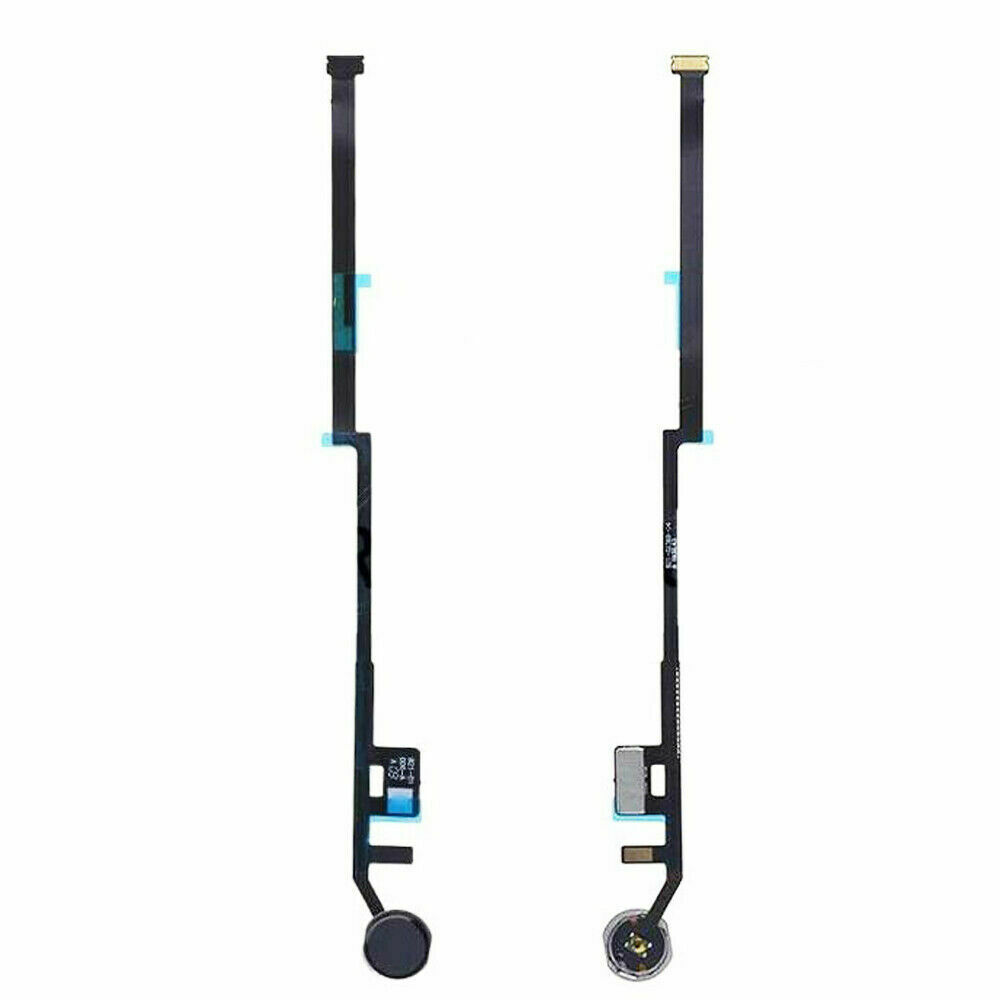
Colour must match the original bezel; thumbnails sometimes reuse images. A white flex on a black bezel shows a visible seam, and the Mini 3 black card reuses an Air 3 photo, so always verify the live heading before ordering. When a screen is replaced, the home‑button bezel colour stays with the device chassis. Supplying a mismatched flex creates an obvious cosmetic defect that the customer will notice immediately. Digi4u’s listings show separate black and white SKUs for each compatible model. The Mini 3 black hub card reuses the Air 3 black photograph; the live heading reads “Mini 3 – Black” but the image is not a Mini 3 part. Shops must trust the textual heading, not the thumbnail, and order the correct colour from the product page. The same caution applies to any future listings where stock photography may be shared across models. Label your bin locations with both the model and the colour (e.g. “iPad 7/8/9 – Black”) to avoid picking errors during a busy shift.
What should you tell the customer about Touch ID before the job?
A replacement flex restores the click but rarely restores fingerprint enrolment. Explain that the sensor is paired to the logic board; a generic flex will often restore a mechanical home button, but Touch ID often stays disabled, and independent shops should not promise that Apple or an authorised service provider will re‑pair a given aftermarket button. Set expectations early: the home‑button click and “return to Home” function usually return, but the fingerprint sensor remains cryptographically bound to the original secure enclave. Apple documents Touch ID as tied to the original sensor; a generic flex does not provide a re‑pair process, and independent shops should not promise that an authorised Apple process will re‑pair a new button. Communicate this in writing on the repair order and verbally at hand‑over. The UK consumer‑rights framework (consumer protection rights) requires that the service description matches what is delivered, so documenting the limitation protects both parties. Link the customer to the Digi4u blog post on Touch ID outcomes for a transparent reference. This upfront honesty reduces comeback rates and builds trust for future work.
How do you QC a button after a screen or flex swap?
Press the button, check click feel, verify home‑screen return, then test Touch ID enrolment. A good QC routine: tactile click, screen wake, home‑screen navigation, and a fingerprint enrol attempt; log any failure for the customer. After re‑assembly, power the iPad and press the home button five times. The click should be crisp and the button should return to its resting position without sticking. Verify that a single press wakes the screen and a long press invokes Siri (if enabled). Navigate to Settings → Touch ID & Passcode and attempt to add a fingerprint; the enrolment screen will appear but will fail to complete on a generic flex. Record the result in the job sheet. If the click is absent or the button feels loose, re‑inspect the flex alignment and connector seating. A consistent QC checklist reduces repeat visits and provides evidence for any warranty discussion. Some shops also run a quick “button‑press” script via a USB‑connected test jig to log actuation force; this extra step can catch marginal flexes before the device leaves the bench.
What should you keep on a UK iPad home‑button shelf?
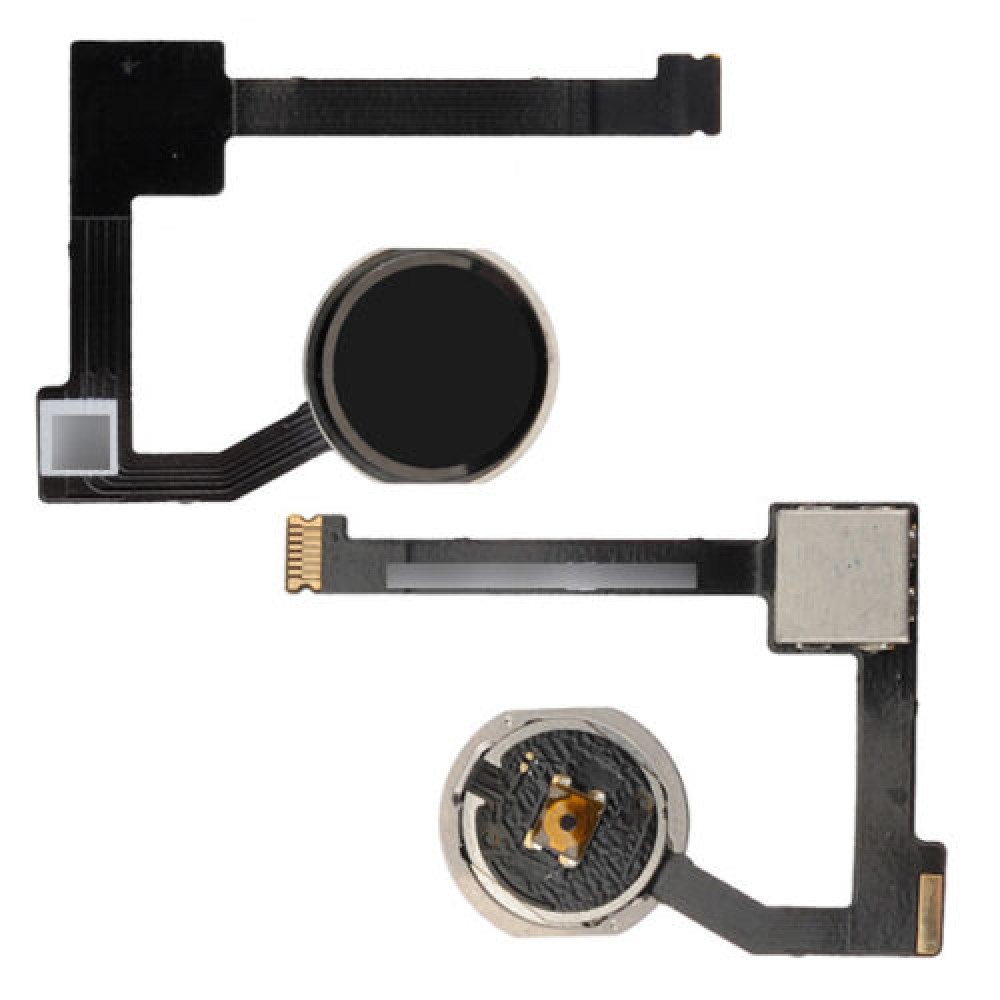
Stock black and white 7/8/9 flexes, black Air 2 flex, and white Air 2 flex. Those five SKUs cover the majority of UK repairs; add the iPad 4 flex and Mini 3 white for legacy jobs, and confirm Pro 9.7 availability before ordering. A practical minimum shelf for a busy UK shop includes: iPad 7/8/9 Touch ID flex (black), iPad 7/8/9 Touch ID flex (white), iPad Air 2 Touch ID flex (black), iPad Air 2 Touch ID flex (white), iPad 4 (2013) home‑button flex (non‑Touch ID), Mini 3 home‑button flex (white). The Air 3 and 2013 iPad flexes are listed without Touch ID branding because the sensor moved to the top button on later models; keep them if you service those devices. Pro 9.7 (2016) parts are not currently shown on the hub – verify with Digi4u before committing stock. All listed parts are available for same‑day dispatch when ordered before 4 PM on a working day; see the delivery policy for zone‑based rates and free‑shipping thresholds. Organise the shelf by model family and colour, and keep a printed copy of the compatibility table (below) at the picking station.
| Model | Flex (Black) | Flex (White) | Touch ID label |
|---|---|---|---|
| iPad 7 / 8 / 9 | Yes | Yes | Touch ID |
| iPad Air 2 | Yes | Yes | Touch ID |
| iPad Air 3 (2019) | Yes | Yes | Touch ID |
| iPad Air 2013 | Yes | Yes | Not labelled Touch ID |
| iPad 4 (2013) | Yes | No | No |
| iPad Mini 3 | Heading only | Yes | No |
What are the related iPad screen and battery paths?
Screen and battery replacements often accompany home‑button work; keep compatible digitizers and batteries on hand. When a screen is swapped, the home‑button flex is exposed, so stock the matching digitizer and the correct battery for each model to avoid repeat visits. Digi4u’s iPad screen and digitizer guide lists the current digitizer SKUs for the same model range covered by the home‑button flexes. Pairing a screen job with the correct battery reduces the chance of a second appointment; the iPad Air and Mini battery guide shows the battery part numbers for Air 2, Air 3, Mini 3 and the 7/8/9 series. Keeping these three categories – flex, digitizer, battery – aligned on the shelf lets technicians complete a full front‑panel refurbishment in one visit. Quote the customer from the live Digi4u listing plus your own labour rate, and note the part numbers on the repair order so there is no ambiguity if a comeback occurs.
Conclusion
Colour‑matched home‑button flex stock, clear customer communication about Touch ID limits, and a disciplined QC routine form the backbone of reliable iPad front‑panel repairs. By limiting the shelf to the five core flex SKUs plus the two legacy items, shops cover the vast majority of UK demand without over‑stocking. Always verify the live product heading before ordering, especially for Mini 3 black where the thumbnail is misleading. Use the Digi4u hub and blog resources as reference points, and apply the same‑day dispatch window to keep turnaround tight.
View the current iPad home‑button range on Digi4u
FAQ
Does a replacement home‑button flex restore Touch ID on iPad 7, 8 or 9?
A replacement flex usually restores the mechanical click and the Home-screen return, but it does not automatically restore Touch ID. On many iPads with a physical fingerprint sensor, that sensor stays associated with the original device, so enrolment often fails on a generic flex. Independent shops should not promise that an authorised Apple process will re-pair a new button. Explain the limit in writing at intake, and point the customer to the existing Digi4u Touch ID article before the job starts so the quote matches the likely outcome.
Can I use the iPad 7/8/9 flex on an iPad Air 2?
No. The Air 2 uses a distinct Touch ID home-button flex, with its own black and white listings on the Digi4u home-button hub. The shared iPad 7/8/9 flex is a different assembly and should not be treated as a drop-in for Air 2, Air 3 or Air 2013. Confirm the iPad model on the back or in Settings, then open the exact heading on the hub before you order. A wrong flex wastes bench time and can leave the shop holding an open tablet.
Why does the Mini 3 black listing show an Air 3 photograph?
On the 2026-11-23 catalogue check, the Mini 3 black card on the home-button hub reused the Air 3 black product photograph. The live heading is still the Mini 3 black flex, so shops must order from the heading rather than from the thumbnail. The Mini 3 white listing has its own photographs and is a safer visual check if you need to confirm you are looking at a Mini 3 part. Do not bin Mini 3 and Air 3 flexes together because a thumbnail looks similar.
What is the dispatch cut‑off for same‑day shipping on these parts?
Orders placed before 4:00 PM, Monday to Friday, are sent the same day. Orders placed after 4:00 PM on Friday, or at the weekend, go out on the next working day. Home-button flexes are not standalone lithium cells, but a mixed basket that also contains a loose battery ships entirely by DPD under the live policy. For rates, zones and free-shipping thresholds, use the current delivery-policy page rather than a figure remembered from an older quote.
Where can I find the current delivery rates and free‑shipping thresholds?
The live figures sit on Digi4u’s delivery-policy page, which is the right place to check rates, Zone 1 and Zone 2 rules, and free-shipping thresholds at the time you order. Those cells can change, so this article does not freeze a price table. The same page also explains that standalone lithium batteries travel by DPD only, while a fitted device or a parts-only basket follows the method shown on the policy.