


iPhone Front Camera and Face ID Flex Parts: When Blurry Selfies Need More Than a Bracket
Need this part? We stock tested replacement parts with same-day UK dispatch and a 12-month warranty.

For an iPhone repair shop, iphone front camera flex replacement uk is not simply a parts-search phrase. It describes a decision at the bench: is a blurry selfie caused by a displaced bracket or contamination, or does the phone need a correctly matched front-camera or TrueDepth flex assembly? That distinction affects quoting, customer consent, testing and what your team can honestly promise after a screen repair.
A shop may need to stage several compatible front-camera flex options while keeping the diagnostic path separate from the part-selection path. The camera assembly, proximity sensor, earpiece area, display bracket and Face ID hardware are related by location, but they are not interchangeable repair categories.
Bracket and installation issues versus a failed front-camera flex
Start with the installation path when the camera became blurry immediately after a screen job.
Check alignment, protective films, dust, seals and the camera window before ordering a replacement flex.
A front camera that looks soft after a screen replacement may have an obstructed camera well, a shifted bracket, adhesive residue or a display film left in place. These are usually bench-installation questions rather than evidence that the camera flex itself has failed. Your team should compare the symptom with the original repair condition, inspect the front-camera opening under suitable light and confirm that the sensor area is not being pressed or partly covered.
The useful buying distinction is whether the camera module is physically affected. If the connector is damaged, the flex is torn, the assembly has visible corrosion or the camera remains defective after a clean, correctly aligned installation, a replacement front-camera flex becomes a reasonable parts route. Digi4u’s existing guide on blurry front cameras after screen replacement covers the consumer-facing diagnostic issue; this article focuses on what a professional shop should stage and communicate next.
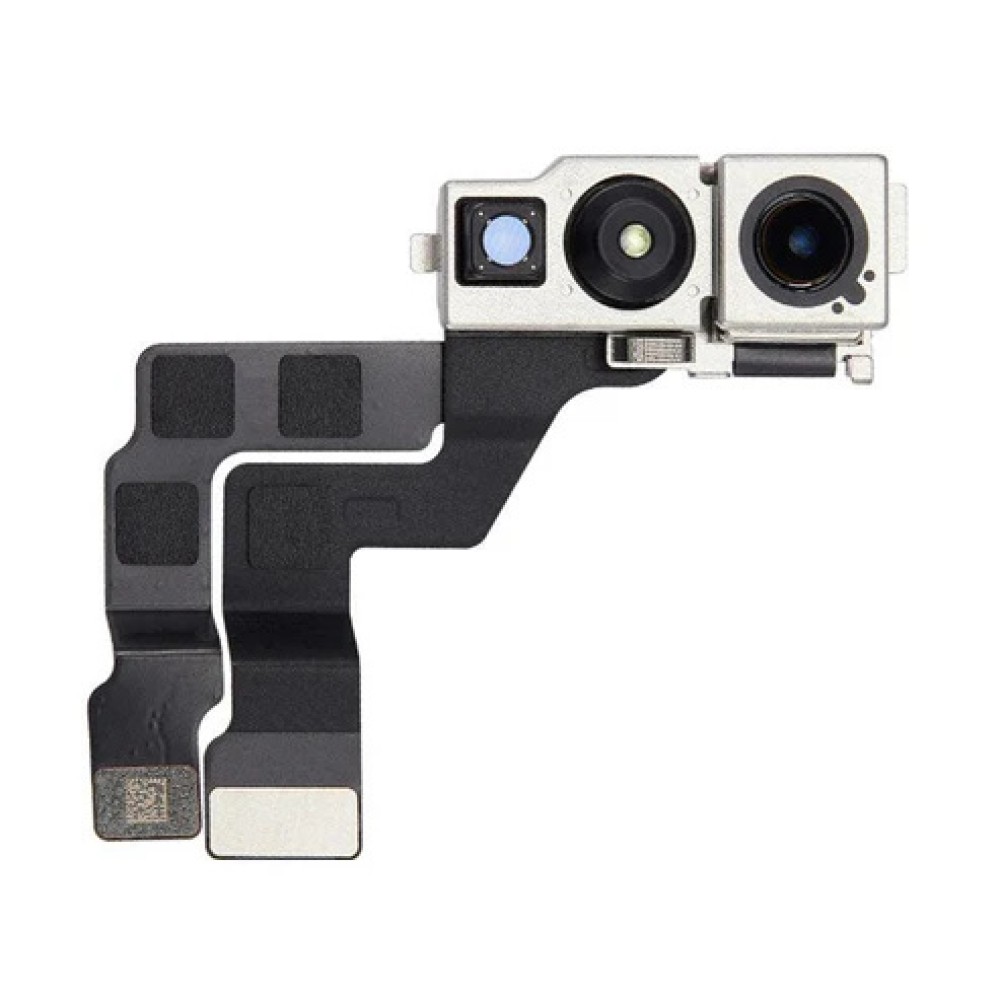
Which Face ID flex assemblies may a repair shop stage?
Stage front-camera and Face ID-related flexes by exact iPhone model and repair scope, not by the broad label “selfie camera”.
A front-camera flex may address camera-path faults, but it does not guarantee Face ID restoration.
Listings such as an iPhone 14 Pro front camera flex and an iPhone 16 Pro front camera flex represent model-specific purchasing decisions. Before ordering, confirm the model identifier, the reported symptom, the connector and the assembly description. The term “Face ID flex part” can refer to different hardware contexts, so the listing must be read as a component description rather than a promise of system recovery.
A sensible bench-stock plan separates likely screen-job incidents from specialist work:
| Part route | Typical reason to consider it | Customer-facing limit |
|---|---|---|
| Front-camera flex | Blurry, failed or intermittent front-camera function after installation checks | Camera function may be the target; Face ID outcome remains model- and repair-dependent |
| Proximity sensor flex | Call-screen, proximity or related sensor symptoms | Do not describe it as a universal front-camera or Face ID solution |
| TrueDepth-related assembly | Damage involving the Face ID sensor group | Replacement may leave Face ID unavailable or require further completion |
| Bracket or installation correction | Obstruction, misalignment, adhesive or pressure around the camera window | No replacement part may be needed |
For model coverage, use the Digi4u front-camera parts category alongside the individual listing. The separate iPhone screen category is useful when the camera symptom is part of a wider screen-repair job rather than an isolated camera fault.
Honest limits: what aftermarket or unfinished TrueDepth work cannot restore
Replacement hardware should be sold as a repair component, not as a guaranteed route back to every original biometric function.
Apple documents that front-camera repairs on recent iPhones may require completing the repair or restoring the device.
Face ID depends on a tightly integrated TrueDepth system. A front-camera flex swap may improve or restore camera-related behaviour, but it does not allow a shop to promise that Face ID will return. Aftermarket, pulled or unfinished assemblies can have different functional limits, and damage to paired or security-sensitive components may remain after the visible part has been replaced.
Apple’s guidance on genuine iPhone front cameras explains that repair completion may be required on supported models. Its Parts and Service History guidance also shows why a customer may see repair information in Settings after work. Your team should therefore quote the hardware task separately from software completion, calibration or biometric recovery. “Face ID parts after screen swap” is a useful internal search phrase, but it should not become a promise in the customer’s estimate.
For product handling and customer-safety processes, shops can also refer to the UK guidance on product safety for businesses, placing manufactured goods on the GB market and the wider information provided by Trading Standards.
What should your pre-job customer script say about Face ID risk?
Explain that the camera repair and Face ID outcome are related but separate results.
Record current Face ID status before opening the phone and obtain consent for an uncertain biometric outcome.
A practical script should establish the starting condition: “We will test the front camera, proximity sensor and Face ID before work. If Face ID is already unavailable, we will record that. If the screen or front-sensor area has been previously repaired, the outcome may depend on the condition and compatibility of those components.” This gives the customer a clear baseline without suggesting that a new flex guarantees recovery.
For a phone where Face ID currently works, say that the team will take care around the original sensor assembly, but that accidental damage or a pre-existing fault can change the result. For a phone where Face ID does not work, explain that the shop can assess and replace the relevant part where appropriate, while further specialist work may still be required. A written inspection note should include the model, pre-repair test results, visible damage and whether the requested job is a screen, camera, sensor-flex or diagnostic repair.
Which QC checks should follow a front-camera flex replacement?
Use a repeatable post-repair sequence covering selfie image quality, proximity behaviour and Face ID enrolment.
Test the camera, calls, proximity response and Face ID setup separately, then record any on-screen repair message.
First inspect the camera image for haze, focus behaviour, dust, colour and framing. Test both the front camera and any relevant video mode, because a still image alone may not expose every fault. Place a test call and confirm that the display responds correctly when the phone approaches the face. Then check Face ID in Settings without implying that enrolment success is guaranteed by the replacement part.
Where the device presents a repair-completion prompt or a part-history message, record it for the customer. Confirm that the earpiece, microphone and display touch function remain unaffected by the work. A concise QC record helps separate a part issue from an installation issue and gives your team evidence if the customer returns with a different symptom.
- Front-camera stills and video: clarity, focus, colour and framing.
- Proximity sensor: screen response during a test call.
- Face ID: existing status, enrolment attempt and unlock test where available.
- Settings: repair-completion prompts and Parts and Service History.
- Physical inspection: bracket position, camera window and connector seating.
Link the camera decision to screen grade and True Tone guidance
A camera-path repair should sit within the wider screen-repair workflow, particularly when the original complaint followed a display replacement.
Your internal job notes should link the front-camera assessment to the selected screen grade, transfer of relevant components and the customer’s expectations for True Tone. Digi4u’s guide to iPhone True Tone after screen replacement can support that conversation. The separate article on Face ID not working after screen replacement is also useful when the customer’s complaint is biometric rather than optical.
Keep the categories distinct in estimates. “Screen replacement”, “front camera flex replacement”, “proximity sensor flex” and “Face ID diagnosis” describe different work paths. This avoids turning a screen quote into an unqualified promise about cameras or biometric features.
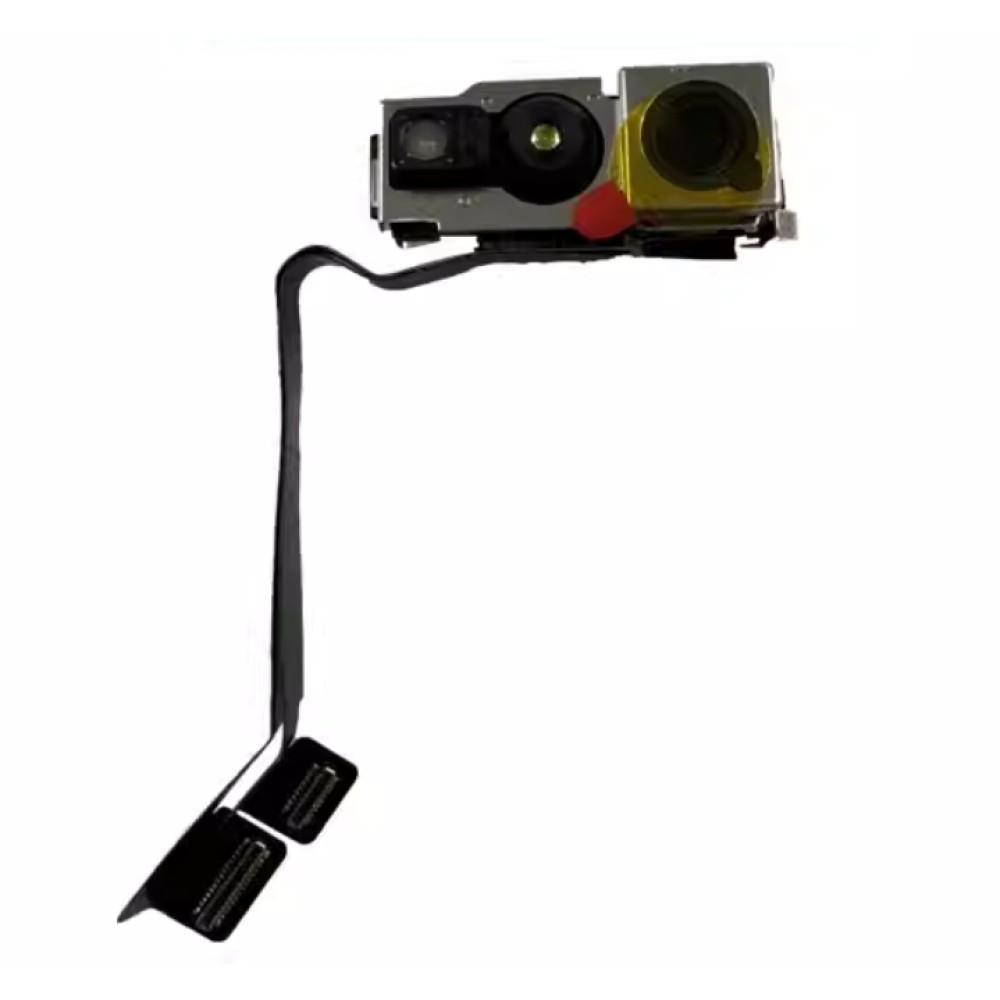
When should a repair shop stop and refer the device for microsoldering?
Stop when the evidence points beyond a replaceable flex or safe installation correction.
Refer when board damage, torn pads, liquid damage or paired-component faults make a parts swap uncertain.
Microsoldering referral is appropriate when the connector or board has damaged pads, when a known-good compatible assembly does not resolve the fault, or when liquid damage and corrosion extend beyond the flex. It is also sensible when the required work involves security-sensitive TrueDepth components and your team cannot verify the likely outcome or safely complete the repair.
Do not infer a successful repair from a clean camera image alone. If Face ID remains unavailable, the shop should report that outcome clearly and avoid repeated part swaps without a diagnostic reason. The same discipline helps distinguish this work from an iPhone rear-camera module requirement or an iPhone charging-port flex job: those are different flex families, with different connectors, symptoms and buying decisions.
Conclusion
For iPhone techs, the right front-camera purchase follows a documented diagnosis. Check the bracket and installation first, match the front-camera or TrueDepth-related flex to the exact model, test camera and proximity functions, and explain Face ID limits before work begins. A disciplined stock and consent process protects the customer relationship while helping your team order the part that the bench evidence actually supports.
For model-specific front-camera parts and delivery information, review Digi4u’s front-camera range and delivery policy.
FAQ
Can a front-camera flex replacement restore Face ID?
It may address a front-camera or related flex fault, but it cannot guarantee Face ID restoration. Face ID depends on the wider TrueDepth system, component condition and, on some recent iPhones, completion or restoration steps. Your team should test Face ID before and after the repair, record any repair message and explain that biometric recovery may require further specialist work.
What should a shop check before buying an iPhone front camera flex?
Confirm the exact iPhone model, the reported symptom, the connector and the assembly description. Check for bracket misalignment, dust, protective film, adhesive and visible connector damage first. If the camera remains faulty after those checks, a correctly matched front-camera flex may be appropriate. Do not use a general “Face ID flex” label as proof that every biometric function will return.
Is a proximity sensor flex the same as a front-camera flex?
No. They can occupy a related area and may be discussed together after a screen repair, but they are different repair categories. A proximity sensor flex relates to call-screen behaviour and associated sensors, while a front-camera flex relates to the camera path. Confirm the model and symptom before ordering, then test both functions separately after installation.
When should an iPhone camera repair be referred for microsoldering?
Refer the device when there are damaged board pads, connector damage, corrosion, liquid damage or a persistent fault after a known-good compatible assembly has been fitted. Referral is also sensible when the required TrueDepth work is security-sensitive or outside the shop’s verified capability. Avoid repeated part swaps without a diagnostic reason, especially when Face ID remains unavailable.
Buying parts for a UK repair shop? Open a Digi4u trade account to order screens, batteries, tools and accessories for your shop, with same-day dispatch from Cardiff and free UK shipping on orders over £100.
