


iPhone 13 Battery Replacement: What Changes After Four Years
Need this part? We stock tested replacement parts with same-day UK dispatch and a 12-month warranty.

The iPhone 13 is now in the age band where battery replacement becomes a normal repair rather than a warranty case. The devices are out of Apple’s early-life coverage, still valuable enough to repair, and old enough that capacity loss is visible.
The job is not difficult, but it has two features that catch shops: a display that must be opened carefully, and a parts warning that may appear after the swap. Both are manageable once the sequence is understood.
Which battery does the iPhone 13 use?
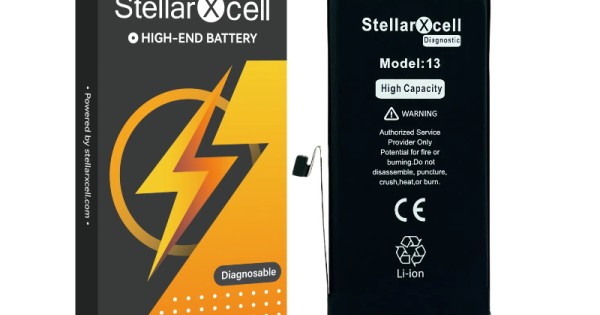
A model-specific cell, not a shared family part.
The iPhone 13, 13 mini, 13 Pro and 13 Pro Max each use a different battery. The 13 and 13 Pro look similar from the outside but the cells are not interchangeable, and the connector and capacity differ.
Match by the model number rather than the marketing name. A2633 is the standard iPhone 13, and it is the code that should appear on the order and the job sheet. The full identification method is set out in checking the model before ordering a part.
The family names are close enough to cause real mistakes. A customer describing a “13” may have a 13 Pro, and the Pro cell is a different size and shape. The model number resolves the question in seconds.
What capacity should a replacement have?
The original rating, or very close to it.
The iPhone 13 cell is rated at 3,227 mAh. A replacement that claims a much higher figure in the same physical size is usually quoting a laboratory maximum rather than a usable capacity, and the device’s charging behaviour is built around the original specification.
Check the connector and the flex as well as the label. A cell that matches on paper but has a different connector orientation will not seat properly, and forcing it damages the board.
Compare the weight and the pouch dimensions as a second check. A cell that is materially lighter or thinner than the original is usually a lower-capacity part in a similar wrapper, and it will not deliver the runtime the customer is paying for.
Why do iPhone 13 batteries fail now?
Charge cycles, heat and time, in combination.
A device charged daily for four years has been through roughly 1,400 cycles. Even a well-managed cell loses capacity over that period, and the loss becomes noticeable when the device is asked to deliver current for a demanding task.
Heat accelerates it. Wireless charging, gaming and navigation all keep the cell warmer than a slow overnight charge, and a device used that way reaches the same state in less time.
The fourth factor is how the device is stored. A phone left on a charger in a warm room, or kept in a case that traps heat, ages faster than one charged on a desk. That history explains why two identical phones from the same year behave differently.
How do you read iPhone battery health?
As an estimate, alongside behaviour.
The health figure in Settings is derived from voltage behaviour rather than measured directly. It is useful for context and for the customer conversation, but it does not describe whether the cell can deliver current under load.
That is why a device reporting 85 per cent can still shut down at 30 per cent. The explanation is set out in what the battery health percentage does and does not tell you.
Read the peak capability indicator as well. When it drops, the device limits performance to avoid shutdowns, which the customer experiences as a phone that has become slow rather than a battery that has failed.
What does the parts pairing warning mean?
That the device cannot verify the cell as an Apple part.
iOS can display a service message when a battery is replaced with a part it cannot authenticate, and it may also stop reporting battery health. The message does not usually stop the device working, but the customer will see it in Settings.
Explain it before the repair rather than after. A customer who is told that the warning may appear, and why, treats it as information; one who discovers it afterwards treats it as a fault. The behaviour is described in the parts pairing warning after a battery replacement.
The warning also changes what the shop should promise. Do not guarantee that battery health will return, because on a paired device it may not. Promise the behaviour instead: no shutdowns, a full day of use and a device that charges normally.
What does the replacement involve?
Open the display, disconnect the cell, lift the adhesive.
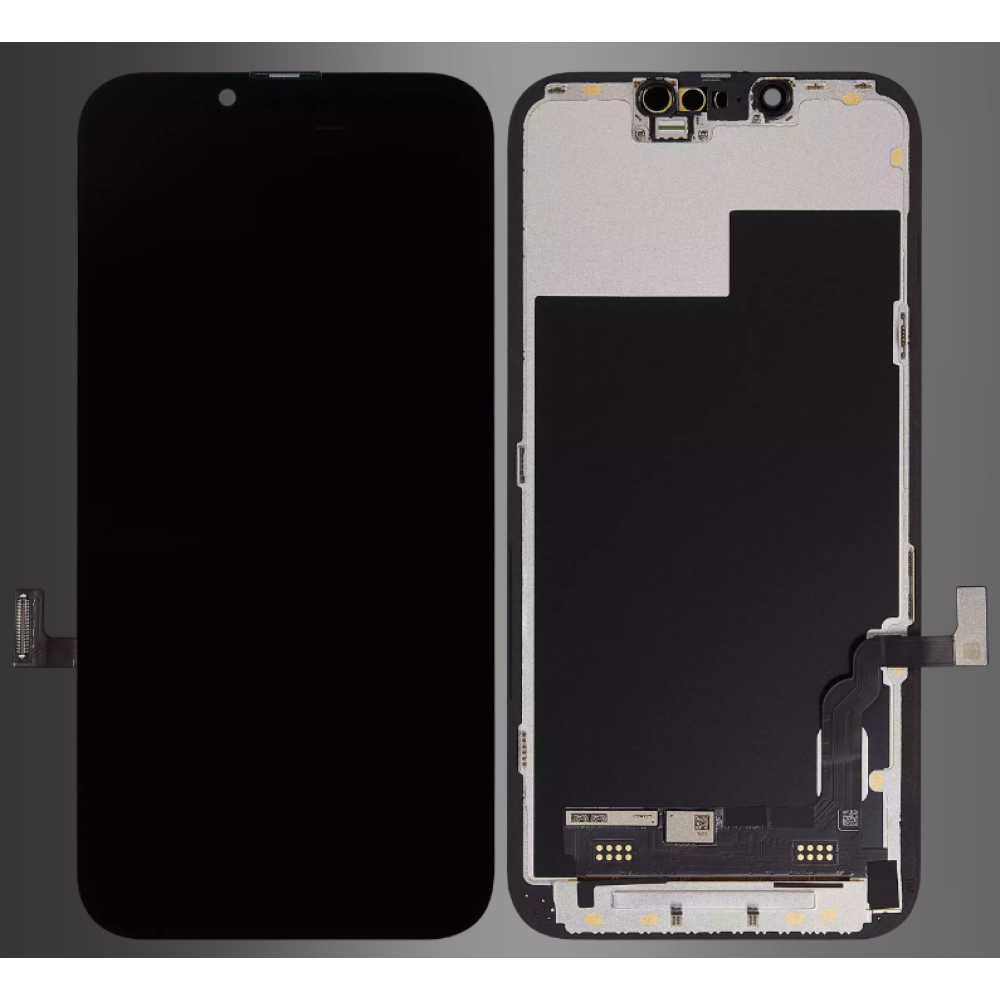
The iPhone 13 opens from the display side, so the first step is heat around the perimeter and a careful lift. Once the display is free, the battery connector is accessible and the cell is held by pull-tabs that need to be drawn out slowly.
The pull-tabs are the part most likely to break. If they snap, the cell has to be eased out with a plastic tool and isopropyl alcohol, working away from the board and never near the connector.
Clean the old adhesive from the frame before fitting the new cell. A stray strip under the new battery can hold it off the chassis, and a cell that is not seated flat puts stress on the connector every time the device is charged.
How do you avoid damaging the display flex?
Open like a book, and never past ninety degrees.
The display flexes run along the right-hand side and are short. Lifting the panel vertically, or opening it flat, puts tension on them and can tear a flex that worked perfectly before the repair.
Support the display while working and disconnect the battery before anything else. A screen that is damaged during a battery job is an expensive mistake, and the panel options if it happens are described in iPhone 13 screen replacement.
Keep the panel on a clean, soft surface while it is open. Dust and grit on the bench transfer to the adhesive gasket, and the device then fails to reseal properly even though the battery job itself was clean.
How do you calibrate after fitting?
Charge to full, then run it down once.
A full cycle lets the device relearn the cell’s range. It does not change the health figure, and on a paired battery it may not restore reporting at all, but it gives the customer a device that behaves predictably from the first day.
Record the before and after behaviour on the job sheet. If the shutdowns continue after a new cell and a calibration cycle, the fault is somewhere else and should be diagnosed before the device is returned.
Give the customer a simple test they can run themselves: a normal day of use without a shutdown. It is more meaningful than a percentage in a menu, and it gives the shop a clear answer if the device comes back.
How should you store iPhone 13 batteries?
Cool, dry, in the packaging, away from metal.
A lithium pouch should sit at room temperature with its connector protected. Heat and moisture shorten its life, and loose screws or blades in the same drawer can pierce the wrapper before the cell is ever used.
Keep the cells labelled with the part number and the date received. That lets the oldest stock go first and makes a batch problem traceable, which is the difference between a supplier conversation and a guess.
Quarantine anything that has been dropped, swollen or stored badly. A damaged pouch is a fire risk rather than a warranty item, and it should never be fitted to a customer’s device.
When is the fault not the battery?
When it charges slowly, runs hot or drains while off.
A charging port with debris, a worn cable or a failing charging circuit can all produce symptoms the customer attributes to the battery. A device that drains while switched off is usually a board fault rather than a cell fault.
Test the charging path and the standby drain before ordering a cell. Replacing a battery in those cases changes the part without changing the complaint, and the customer returns with the same problem.
What should the job be priced at?
Part, labour, adhesive and a returns allowance.
The cell is only part of the cost. Opening the display, cleaning the frame, fitting a new gasket and running a charge test all take time, and a quote that ignores them turns a routine job into unpaid work.
Include a small allowance for the occasional claim. Even a well-fitted cell can fail, and a price built on the assumption that none ever will is a price that loses money on the first return.
Keep the quote consistent with the rest of the range. A battery job on a 13 should not be priced very differently from the same job on a 14 without a reason the customer can understand.
What is the one rule for iPhone 13 batteries?
Match A2633, then explain the warning before you open it.
The model code protects the part choice; the conversation protects the repair. Both take less than a minute and prevent the two failures that turn a routine job into a return.
Around it sit the ordinary disciplines: disconnect the cell first, support the display, replace the adhesive gasket and record what was fitted. Apple documents its own battery information at about genuine iPhone batteries and its parts history at iPhone parts and service history, while replaced cells are waste under the Waste Electrical and Electronic Equipment Regulations 2013, handling falls under risk assessment at work, and retail customers keep their rights under the Consumer Rights Act 2015.
FAQ
Which battery fits the iPhone 13?
The standard iPhone 13 uses its own cell, rated at 3,227 mAh, and it is not interchangeable with the 13 Pro or 13 mini. Match the model code A2633 before ordering.
Will a new iPhone 13 battery show a warning?
It may show a service message and stop reporting health if the device cannot authenticate the part. The message usually does not stop the phone working, but the customer should be told before the repair.
Does an iPhone 13 battery replacement restore battery health?
Not necessarily. A paired battery may keep the old reporting behaviour even when the new cell performs correctly. Judge the repair by shutdowns and runtime rather than by the percentage.
How long does the job take?
About forty-five minutes to an hour for an experienced technician, including opening the display, transferring the adhesive gasket and running an initial charge test.
Cells that match the model, not the family. Digi4u supplies iPhone batteries with the model confirmed before dispatch, on trade terms.
