


Screen Brightness and Colour Differences: When to Reject a Panel
Need this part? We stock tested replacement parts with same-day UK dispatch and a 12-month warranty.

Every aftermarket panel is slightly different from the one it replaces, and most of that difference is invisible. The problem is the smaller number of panels whose difference is visible, and deciding which is which before the adhesive goes down.
The judgement takes about a minute with the device powered on and the panel not yet bonded. What it needs is a clear idea of what counts as normal variance and what counts as a fault.
How much brightness difference is normal?
A little at the top of the range, and none at the bottom.
Aftermarket panels commonly reach a lower peak brightness than an original, and that is a difference a customer may notice outdoors on a bright day. What is not normal is a panel that cannot reach a usable brightness at all, or one whose output varies across the surface.
The practical test is comparative and simple. Put the new panel at maximum brightness next to a known-good device of the same model, then take both down to minimum and check for flicker or a visible step. A panel that is dimmer at the top but smooth at the bottom is within expectation; one that flickers at low brightness is not.
Why does a replacement screen look bluer or warmer?
Because white point varies between panel sources.
Colour temperature is a property of the panel and its calibration, and two panels of the same nominal specification from different production lines can sit slightly differently. A small shift is normal and usually invisible unless the devices are side by side.
What is not normal is a pronounced tint, a colour cast in one corner, or a shift that changes with viewing angle in a way the original did not. Those indicate a panel problem rather than variance, and they are the cases worth rejecting.
What is the difference between a copy panel and a failed panel?
One is a different product; the other is a defective one.
A copy panel is dimmer, may have a different glass, and holds contrast differently at an angle. It is a legitimate product with a legitimate price, provided the customer was told. A failed panel is one that has a line, a dead zone, uneven backlighting, a haze from poor lamination or a pixel fault.
The distinction matters because the remedies differ. A copy panel is a conversation with the customer; a failed panel is a conversation with the supplier, and the two should not be confused on the job sheet.
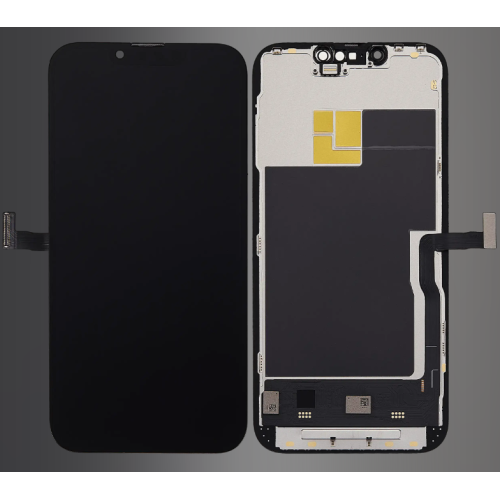
How do you test brightness and colour on the bench?
Four screens and a known-good comparison.
Display a full white image, a full black image, a mid-grey and a colour ramp. White reveals uneven backlighting and tint, black reveals light bleed and haze, mid-grey reveals banding, and the colour ramp shows a panel that cannot reproduce a full range.
Do all four at maximum brightness and again at minimum, with the panel connected but not bonded. It takes under a minute, and it catches almost every fault that would otherwise become a return.
A dark room matters more than a bright one for some of those checks. Light bleed and haze are far easier to see in dim conditions, and a shop that tests panels in a brightly lit workshop will pass parts it should have rejected.
| What you see | Normal variance | Reject the panel |
|---|---|---|
| Slightly dimmer at full brightness | Common on copies | Only if unusable outdoors |
| Small white point shift | Common | Pronounced tint or corner cast |
| Contrast loss at an angle | Expected on in-cell copies | Only if worse than the grade sold |
| Flicker at low brightness | Occasionally on cheap panels | Yes, every time |
| Lines, dead zones, haze | Never | Yes, every time |
When should you reject a panel?
When a customer would notice without being told.
That is the working test, and it is more reliable than a specification. Faults that a reasonable customer would spot on first use are rejections; differences they would only see next to another device are expectations, provided they were described.
Rejections go back to the supplier with the batch reference and a photograph. Expectations go into the conversation at the counter, which is why the grade of the part has to be agreed before the repair rather than explained after it.
What about True Tone and automatic brightness?
Both depend on the panel, and both should be tested.
True Tone needs a panel the device can work with properly, and automatic brightness depends on the ambient sensor path, which on many models runs through the display assembly. A panel that displays perfectly but has lost either function is not a completed repair.
Testing both before sealing is standard, and the wider routine is described in testing a replacement screen before sealing it. Where a function is missing and the panel fits and displays, the cause is usually the assembly rather than the fitting.
Does an aftermarket screen affect battery life?
Possibly, through brightness behaviour, not the panel.
A panel that cannot reach the same brightness may lead the device to hold higher backlight settings for longer, which draws more power. Where automatic brightness is affected, the device may also run brighter than it should in dim conditions.
The effect is usually small, but it is worth mentioning to a customer who reports worse battery life after a screen repair. It is a behaviour difference rather than a fault, and it is far easier to explain at the time than to diagnose later. The setting that most affects it is automatic brightness: where that behaves normally, the device manages its own power as it did before, and the customer is far less likely to notice anything at all.
How do you explain the difference to a customer?
By naming the part before the repair.
“This is an aftermarket panel; it is slightly dimmer at full brightness and the colour is very slightly different” is a sentence that prevents a complaint. The same sentence after the repair is an excuse, and customers hear the difference.
That is the whole reason grade matters commercially. The comparison criteria used across the trade, including how a refurbished original differs from a copy, are set out in comparing screen brands.
It also helps to show rather than to describe. Comparing the new panel with the customer’s original, or with a known-good device, in front of them turns a vague statement about grades into something they can see and decide on.

What should be recorded when you fit a copy panel?
The grade, the batch and the test result.
Recording the grade protects the shop if the customer later claims they were sold an original. Recording the batch makes a supplier claim possible. Recording the test result shows that the panel was checked before it was bonded.
Those three fields take a moment and settle the arguments that this category generates. They also feed the buying decision, because a supplier whose panels are consistently within expectation is a supplier worth consolidating with.
How do you handle a panel the customer rejects?
Show the test, then offer the options.
Most rejections are about expectation rather than defects, so the first step is to demonstrate what the panel does and compare it with what was agreed. Where the panel is genuinely faulty, it is a warranty matter and the replacement is straightforward.
Where the customer simply prefers the original appearance, the honest options are a higher grade at a higher price, or returning to the original panel if it is still usable. Retail customers keep their rights on the finished work under the Consumer Rights Act 2015, and the shop’s terms sit on top of that position.
What does a good supplier do about variance?
Describes the grade, and holds a consistent line.
The variance between two panels of the same grade is what a supplier’s quality control is for. A supplier who can describe their grades in terms of what was replaced, and whose panels match that description repeatedly, removes the guesswork from the shop’s side of the counter.
Where a batch arrives outside expectation, the useful response is a supplier conversation with photographs and batch references rather than a decision to stop ordering. Keeping one known-good panel of the same grade as a reference makes every comparison objective, which turns a judgement into a measurement. A panel that fits but behaves like a different grade is a version or grading problem, and the checks that catch it before fitting are described in checking flex cable versions before a screen swap.
None of this requires expensive equipment. A white image, a black image, a grey image and a colour ramp, viewed in a dim room on an unbonded panel, will tell a technician more about a replacement screen than any specification sheet. What it needs is the habit of running the test before the adhesive is applied, every time, on every model.
What is the one test that decides accept or reject?
White, black and grey, at both brightness extremes.
Three images and two settings, on an unbonded panel, before any adhesive is applied. It catches the faults that matter and separates them from the differences that are simply what a copy panel is.
Everything else is expectation management. Apple’s documentation on genuine iPhone displays and on iPhone parts and service history explains what a device reports about a replacement panel, replaced screens are waste under the Waste Electrical and Electronic Equipment Regulations 2013, and parts placed on the market fall to the Office for Product Safety and Standards.
FAQ
Is it normal for a replacement screen to be dimmer?
Slightly, at the top of the brightness range. Aftermarket panels commonly reach a lower peak brightness than an original. A panel that is unusable outdoors, or one that flickers at low brightness, is a fault rather than normal variance.
Why does my new screen look a different colour?
White point varies between panel sources, so a small shift is normal and usually invisible unless two devices are side by side. A pronounced tint, a colour cast in one corner, or a change with viewing angle indicates a panel problem.
When should I reject a replacement screen?
When a customer would notice the difference without being told. Lines, dead zones, haze, flicker at low brightness and severe tint are rejections. Small brightness and colour differences are expectations, provided they were described before the repair.
Does an aftermarket screen affect battery life?
It can, indirectly. A panel that cannot reach the same brightness may lead the device to hold higher backlight settings for longer, and automatic brightness behaviour can change. The effect is usually small and worth mentioning rather than investigating.
Grades described, so the customer can choose. Digi4u lists original, refurbished original and aftermarket panels with the difference stated on the listing.
{
“@context”: “https://schema.org”,
“@type”: “FAQPage”,
“mainEntity”: [
{“@type”: “Question”, “name”: “Is it normal for a replacement screen to be dimmer?”,
“acceptedAnswer”: {“@type”: “Answer”, “text”: “Slightly, at the top of the brightness range. Aftermarket panels commonly reach a lower peak brightness than an original. A panel that is unusable outdoors, or one that flickers at low brightness, is a fault rather than normal variance.”}},
{“@type”: “Question”, “name”: “Why does my new screen look a different colour?”,
“acceptedAnswer”: {“@type”: “Answer”, “text”: “White point varies between panel sources, so a small shift is normal and usually invisible unless two devices are side by side. A pronounced tint, a colour cast in one corner, or a change with viewing angle indicates a panel problem.”}},
{“@type”: “Question”, “name”: “When should I reject a replacement screen?”,
“acceptedAnswer”: {“@type”: “Answer”, “text”: “When a customer would notice the difference without being told. Lines, dead zones, haze, flicker at low brightness and severe tint are rejections. Small brightness and colour differences are expectations, provided they were described before the repair.”}},
{“@type”: “Question”, “name”: “Does an aftermarket screen affect battery life?”,
“acceptedAnswer”: {“@type”: “Answer”, “text”: “It can, indirectly. A panel that cannot reach the same brightness may lead the device to hold higher backlight settings for longer, and automatic brightness behaviour can change. The effect is usually small and worth mentioning rather than investigating.”}}
]
}
