


iPhone Microphone Not Working: Which Mic the Customer Means and Which Part to Order
Need this part? We stock tested replacement parts with same-day UK dispatch and a 12-month warranty.

“My microphone is not working” covers four different faults. An iPhone carries several microphones, each serving a different function, and they are not on the same part. Ordering on the customer’s description rather than on a test is how a shop ends up fitting a component that was never faulty.
The repair is straightforward once you know which one is affected. The work is in the test that establishes it.
Why the microphone fault is usually misidentified
Because each microphone serves a different function and they fail independently.
A modern iPhone uses several microphones: one for calls at the bottom, one at the top for noise cancellation and video, one for the rear camera, and one that serves speakerphone and video recording. The customer experiences one function failing and describes it as the microphone, while the part involved may be anywhere on the device.
That is why the first action is a functional test rather than an inspection. Once you know which of the four functions is affected, the part is usually obvious.
How do you identify which microphone is faulty?
Test calls, voice memos, video and speakerphone separately.
Make a call and ask the other party what they hear. Record a voice memo and listen back. Shoot a short video and check the audio in playback. Then make the same call on speakerphone. Each of those routes through a different microphone on most models, and the pattern of which ones fail identifies the culprit.
Do the whole set in one pass and write the result down. It takes three minutes and it removes the guesswork entirely, which matters because these parts sit in different places and some are considerably harder to reach than others.
Which functions map to which microphone?
The pattern of failures is the diagnostic.
The mapping varies by generation, but the pattern is consistent enough to work from. A fault that only affects calls points at the microphone used for voice. A fault that only affects video points at the camera or top microphone. A fault that affects everything points at a shared connection or at software rather than at a single microphone.
| Symptom | Function affected | Where to look first |
|---|---|---|
| Callers cannot hear you, recordings are fine | Voice call microphone | The microphone on the assembly that serves calls |
| Voice memos are silent, calls work | Recording microphone | Whichever microphone this model uses for recording |
| Video audio is silent or muffled | Camera-adjacent microphone | The microphone that serves video on this generation |
| Everything is muffled, nothing is silent | Blocked mesh or debris | Clean the openings before ordering anything |
| Every function is silent | Shared connection or software | Connectors and settings before parts |
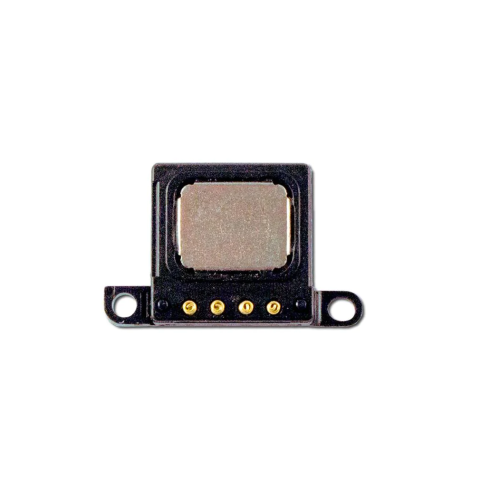
Which parts carry a microphone?
More than one, and on some models the microphone travels with the charging port.
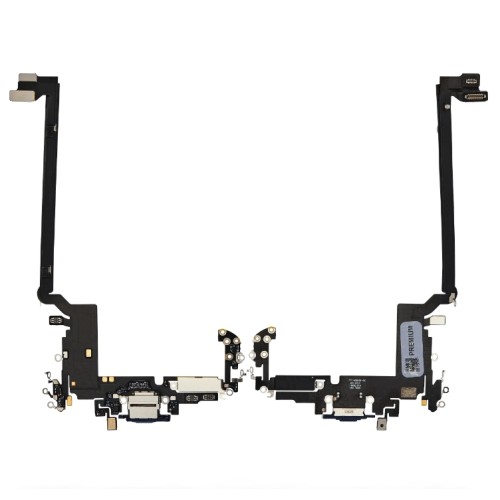
The components that carry a microphone vary by generation, but they commonly include the charging port assembly and the ear speaker assembly. That has two consequences for a repair shop. The first is that a microphone fault can mean replacing a larger assembly than expected. The second is that these parts are also involved in charging faults, which is why the diagnostic order in our guide to diagnosing a charging fault looks at the same area.
Confirm the part for the specific model before ordering. A microphone that is part of a charging port assembly is not the same product as a standalone microphone, and the two are not interchangeable even when the symptom seems identical.
Can a blocked microphone mesh be cleaned?
Yes, and it should be tried before anything is ordered.
Debris and compacted pocket lint over a microphone opening produce the same muffled result as a failing component. It is the most common cause of a sudden change in call quality, and it costs nothing to check. Clean gently with a soft brush with the opening facing downward so debris falls away rather than into the device, and retest each function afterwards.
Where the mesh itself is damaged rather than blocked, the part that carries it has to be replaced. That is a different job, and the cleaning attempt is what tells the two apart before a part is ordered.
Does water damage affect the microphone?
It does, and it changes how the job should be quoted.
Residue left over a microphone mesh muffles it, and corrosion at the connector cuts it out entirely. Because the same liquid usually reached more than one component, treating a microphone fault on a wet device as a part swap is how a shop ends up replacing three parts and still having a complaint.
The assessment approach in our guide to assessing a liquid-damaged device applies first. Establish what the liquid reached, clean what can be cleaned, and quote the parts separately from the assessment rather than folding them into a single figure.
What should you test before the device leaves the bench?
All four functions again, in the same order.
Repeat the call, voice memo, video and speakerphone tests after the repair. It takes the same three minutes and it catches the case where a connector was reseated but not fully, or where a different microphone was disturbed during the work. Audio faults are quiet in both senses: the device appears to work, and the customer only discovers the fault on their next call.
Comparing the before and after results also tells you whether the fault you set out to fix has actually changed. On a fault that turns out to be software rather than hardware, the test result will be identical after a part replacement, which is the signal to stop and look elsewhere.
What should you record on the job sheet?
Which functions were tested, and what each one did.
Record the four function results before and after the repair, the model, and the part fitted. Where the fault turned out to be debris rather than a component, note that as well, because it explains why the invoice has a diagnostic charge and no parts line.
For retail customers in the UK, the statutory rights you must honour sit on top of your own warranty and are set by the Consumer Rights Act 2015, while obligations around the safety of goods you place on the market sit with the Office for Product Safety and Standards. Apple’s own checks for this fault are published in If the microphones on your iPhone are not working, and the audio checks in If you cannot hear sound from your iPhone are worth running in the same pass.
How do you price a fault that turns out to be nothing?
As a diagnostic charge, stated before the work starts.
Microphone faults are one of the few repairs where the most likely outcome is no part at all. Debris over a mesh, an audio route set incorrectly, or software restoring a default are all resolved by test and clean rather than by replacement, and the customer should know that before they hand the device over.
The workable framing is a diagnostic fee that covers the four-function test, cleaning and a recommendation. If a part is needed it is quoted on top, and if it is not the customer pays only the diagnostic. Shops that quote a part replacement up front end up either replacing a component that was fine, or explaining a bill for no visible work.
The alternative is worse. Fitting a charging port assembly to fix a microphone that was muffled by lint costs the shop a part and the customer’s confidence, and the fault comes back the moment the new part picks up the same debris. Testing first is not just cheaper, it is the only route to a correct outcome.
It is also worth checking what the device reports about parts it can identify, since that is where a customer will look if audio behaviour changes after a repair. Apple documents this in iPhone Parts and Service History, and the battery-related reporting covered in About genuine iPhone batteries follows the same principles.
Which models carry the microphone on the port assembly?
Several, which is why the part has to be confirmed per model.
On a number of generations the primary microphone sits on the charging port assembly rather than on a separate flex, which means a voice-call fault can require replacing that whole assembly. On others the microphone is a separate component, and the job is smaller. The two are not interchangeable, and a listing that carries the model name without stating the assembly type is worth checking before the order goes out.
That has a practical consequence for stock as well. Shops that hold charging port assemblies for the models they see most already hold the part that fixes a share of voice-call faults, which is worth knowing when the fault is first described on the counter.
For anyone building out a stock position, the same logic that applies to screen selection applies here: work from the models that actually come through the door rather than from a general list, and confirm the assembly type against the chassis before committing.
What is the one habit that prevents a wrong microphone part?
Write the four test results down before you price the job.
Calls, voice memo, video and speakerphone, each recorded as working or not, with the date and the device. That single line on the job sheet tells you which microphone is involved, whether the fault is hardware at all, and whether it was present when the device arrived. It also gives you something concrete to show the customer when the fix turns out to be a cleaning rather than a component, which is a conversation that is much easier with a recorded test result in front of you.
FAQ
Why can’t people hear me on my iPhone?
If callers cannot hear you but recordings and voice notes sound normal, the fault is usually the microphone that serves calls rather than the whole audio system. The first step is to identify which microphone the customer means, because different microphones serve calls, video, voice memos and speakerphone. Replacing the wrong one achieves nothing.
How do I know which microphone is faulty?
Test each function separately. Make a call, record a voice memo, shoot a video and use speakerphone, then compare which of the four is affected. The pattern identifies the microphone, because each function routes through a different one on most models.
Can a blocked microphone mesh be cleaned?
Yes, and it is worth trying before ordering anything. Debris and compacted pocket lint over the mesh produce the same muffled symptom as a failing microphone. Clean gently with a soft brush while the opening faces downward, and retest before concluding that the part needs replacing.
Does water damage affect the microphone?
It can, because residue left over a microphone mesh muffles it and corrosion at the connector can cut it out entirely. Where liquid has been involved, treat the device as an assessment rather than a part swap, because the same corrosion is usually affecting more than one component.
Microphone faults are simple once the function mapping is clear and confusing when it is not. Test all four functions, clean before you order, confirm which assembly carries the microphone on that model, and repeat the tests before the device goes back. The three minutes of testing is what stops a part being fitted to a device that never needed it.
Stocking audio and port parts? Digi4u supplies charging port assemblies, ear speakers, microphones and flexes for iPhone models to UK repair shops, with trade pricing, same-day dispatch and up to 12 months warranty. Send us the model and we will confirm stock.
