


How to Determine Whether an iPhone Battery Can Still Be Used or Needs Replacement
Need this part? We stock tested replacement parts with same-day UK dispatch and a 12-month warranty.
Posted on by digi4u
Introduction
Battery replacement is one of the most common repairs performed on iPhones. However, not every battery with reduced health needs immediate replacement, and not every battery showing normal health is necessarily safe to continue using.
For repair technicians, accurately assessing battery condition before and during a repair is essential. A proper diagnosis can help prevent unnecessary replacements, avoid safety risks, and improve customer satisfaction.
This guide explains how to evaluate an iPhone battery’s condition using both physical inspection and diagnostic tools, how to avoid damaging batteries during repairs, and how to manage customer expectations regarding Apple’s battery health system after replacement.
When Can an iPhone Battery Continue to Be Used?
Before recommending a replacement battery, technicians should evaluate the battery from three perspectives:
Physical Condition
A battery should generally be replaced immediately if any of the following conditions are found:
- Swelling or expansion
- Visible punctures
- Tears in the battery pouch
- Corrosion around battery connectors
- Evidence of liquid damage
- Burn marks or overheating damage
- Strong chemical odor
Even if battery health appears normal in software, physical damage is a safety concern and replacement is strongly recommended.
Battery Health Percentage
Apple’s Battery Health feature provides an estimate of remaining battery capacity compared to when the battery was new.
General industry guidelines:
| Maximum Capacity | Recommendation |
| 90% – 100% | Usually safe to continue using |
| 85% – 89% | Monitor performance and runtime |
| 80% – 84% | Consider replacement depending on user experience |
| Below 80% | Replacement recommended |
| Below 75% | Strongly recommended |
Battery health alone should never be the only factor used to determine replacement.
Real-World Performance Symptoms
Even batteries reporting over 80% health may require replacement if users experience:
- Random shutdowns
- Rapid battery drain
- Unexpected restarts
- Excessive heat generation
- Charging instability
- Significant voltage drops under load
These symptoms often indicate increased internal resistance and battery aging that may not be fully reflected in Apple’s health percentage.
Professional Diagnostic Methods
Experienced technicians rely on more than Battery Health percentage.
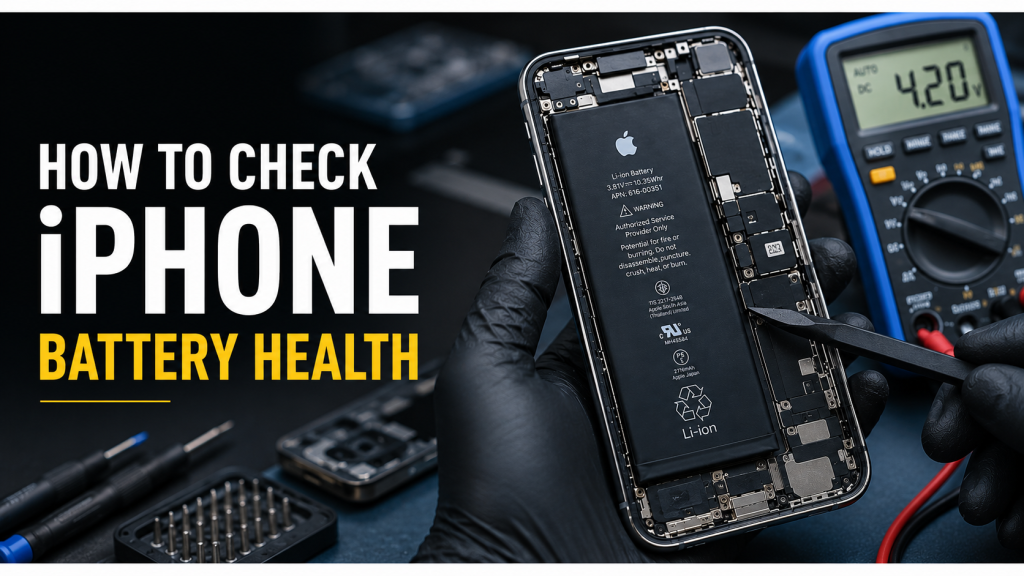
Battery Voltage Testing
Battery voltage provides important information about cell condition.
Typical lithium-ion voltage ranges:
| Voltage | Status |
| 4.35V | Fully charged |
| 4.20V – 4.30V | Healthy operating range |
| 3.70V – 4.10V | Normal discharge range |
| Below 3.50V | Deep discharge warning |
| Below 3.00V | Potential battery damage |
Signs of concern:
- Voltage drops rapidly under load
- Voltage instability during charging
- Large fluctuations during current draw
Cycle Count Analysis
Cycle count measures how many full charge/discharge cycles a battery has completed.
Apple typically rates iPhone batteries for approximately:
- 500 cycles (older models)
- 1000 cycles (newer models)
General guideline:
| Cycle Count | Assessment |
| Under 300 | Excellent |
| 300-500 | Normal wear |
| 500-800 | Aging battery |
| Over 800 | Replacement often recommended |
Internal Resistance Testing
Internal resistance is one of the most reliable indicators of battery aging.
As batteries age:
- Internal resistance increases
- Voltage sag becomes more severe
- Heat generation increases
- Peak performance decreases
Symptoms of high resistance include:
- Sudden shutdowns at 20-40%
- Performance throttling
- Slow charging
- Overheating
Professional Diagnostic Tools
Common tools used by repair technicians include:
3uTools
Useful for:
- Battery cycle count
- Design capacity
- Actual capacity
- Charge history
- Battery serial information
iCopy / QianLi Battery Programmers
Used for:
- Reading battery data
- Writing battery information
- Battery tag-on repair workflows
- Maintaining original battery information
JCID Repair Tools
Commonly used for:
- Battery diagnostics
- Flex transfer operations
- Battery health restoration workflows
- Reading battery parameters
Apple Diagnostics
When available, Apple’s diagnostic system provides:
- Battery condition reports
- Charging system status
- Thermal management information
How to Avoid Damaging Batteries During Repairs
Battery damage often occurs during screen replacements and housing repairs.
Follow these best practices:
Disconnect the Battery First
Always disconnect the battery before:
- Removing screens
- Disconnecting display flex cables
- Replacing charging ports
- Replacing cameras
This reduces the risk of short circuits.
Use Controlled Heat
Excessive heat can permanently damage battery cells.
Recommended practices:
- Apply heat only where necessary
- Avoid direct heat concentration on the battery
- Use moderate temperatures suitable for adhesive removal
Avoid Metal Prying Near the Battery
Never force metal tools beneath the battery.
Use:
- Plastic pry tools
- Battery removal cards
- Adhesive release methods
Monitor Swollen Batteries
If swelling is discovered after opening the device:
- Stop the repair immediately
- Do not continue normal disassembly
- Replace the battery before proceeding
Swollen batteries present a significant safety risk.
Step-by-Step Battery Replacement Decision Process
A practical workflow for repair shops:
Step 1
Inspect for:
- Swelling
- Physical damage
- Liquid exposure
If present → Replace battery.
Step 2
Check:
- Battery Health percentage
- Cycle count
- Voltage readings
Step 3
Ask the customer about:
- Battery life
- Shutdown issues
- Charging performance
- Device overheating
Step 4
Run diagnostic tools such as:
- 3uTools
- JCID
- QianLi
- Apple Diagnostics
Step 5
Compare software data with real-world symptoms.
If diagnostic readings and customer complaints both indicate degradation, replacement is recommended.
Understanding Apple’s Battery Health System After Repair
Many customers are concerned when battery-related messages appear after repair.
Technicians should explain these situations clearly.
Maximum Capacity
Located in:
Settings → Battery → Battery Health & Charging
This percentage estimates remaining capacity relative to a new battery.
After third-party battery replacement, this value may:
- Display normally
- Display incorrectly
- Become unavailable
Depending on the model and repair method.
Peak Performance Capability
This feature monitors whether the battery can deliver sufficient power under heavy loads.
A degraded battery may trigger:
“Performance management has been applied.”
This indicates the battery can no longer consistently support peak power demands.
Important Battery Message
Common message:
“Unable to verify this iPhone has a genuine Apple battery.”
This warning appears on many newer iPhone models after battery replacement.
Important points:
- The battery may function normally.
- Charging may remain normal.
- Battery life may remain normal.
- The warning does not automatically indicate a defective battery.
The message is primarily related to Apple’s parts authentication system.
Battery Health Not Available
Some replacement scenarios may cause:
“Battery Health information not available.”
This depends on:
- Device model
- Battery replacement method
- Data transfer procedure
- Battery authentication status
Recommended Customer Communication
After battery replacement, technicians should explain:
- Battery health percentage may not always display normally.
- Important Battery Messages can appear on newer devices.
- Device functionality is usually unaffected.
- Battery performance should be evaluated through actual usage rather than warning messages alone.
Transparent communication helps reduce unnecessary warranty claims and customer confusion.
Frequently Asked Questions (FAQ)
Is Apple’s Battery Health percentage enough to determine whether a battery needs replacement?
Not always.
Battery Health only estimates the remaining capacity compared to a new battery. A battery may still show over 80% health while experiencing rapid drain, overheating, or unexpected shutdowns.
Professional diagnosis should include battery voltage, cycle count, internal resistance, and real-world performance.
What Battery Health percentage should trigger a replacement recommendation?
Apple generally recommends service when the maximum capacity drops below 80%.
However, technicians should also consider:
- Battery cycle count
- Internal resistance
- Charging performance
- User experience
Some batteries above 80% health may still require replacement due to aging cells.
Can an iPhone battery be reused after a screen replacement?
Yes, if the battery:
- Is not swollen
- Has no physical damage
- Maintains stable voltage
- Shows acceptable diagnostic readings
- Performs normally during testing
A healthy battery can often continue to provide reliable service after repair.
What is considered a high battery cycle count?
As a general guideline:
- Under 300 cycles: Excellent
- 300–500 cycles: Normal
- 500–800 cycles: Aging
- Above 800 cycles: Consider replacement
Cycle count alone should not determine battery condition, but it is an important diagnostic reference.
Why does my iPhone show “Unable to Verify Genuine Apple Battery” after replacement?
This message is related to Apple’s parts authentication system.
It does not necessarily indicate a defective battery.
In many cases:
- Charging works normally
- Battery life remains normal
- Device performance is unaffected
The message simply indicates that Apple cannot verify the installed battery through its authentication process.
Why is Battery Health information unavailable after battery replacement?
This can happen on certain iPhone models when:
- A replacement battery is installed
- Battery authentication data is missing
- The original battery data was not transferred
The battery may still function normally despite the warning.
Can a swollen battery still be used temporarily?
No.
A swollen battery should be replaced as soon as possible.
Continuing to use a swollen battery may result in:
- Display damage
- Housing deformation
- Internal component damage
- Safety risks
Repair technicians should prioritize battery replacement before performing other repairs.
Need Reliable iPhone Replacement Batteries?
Whether you’re a repair shop, refurbisher, wholesaler, or DIY technician, using a quality battery is just as important as proper diagnosis.
At Digi4u, we supply tested replacement batteries and mobile repair parts designed to help technicians deliver reliable repairs with confidence.
Why Choose Digi4u?
✔ Quality-tested batteries
✔ Professional repair-shop supply
✔ UK stock and fast dispatch
✔ Compatible with a wide range of iPhone models
✔ Trusted by repair technicians and mobile phone businesses
Browse Our Battery Range
🔋 Find the right replacement battery for your next repair:
Looking for More Repair Guides?
Visit our blog for professional repair tips, troubleshooting guides, and mobile device repair knowledge to help you diagnose issues faster and improve repair success rates.
Digi4u – Reliable Mobile Parts for Professional Repairs.



