

Summer Heat Warning: Why Your iPhone Gets Hot and How to Prevent It
Need this part? We stock tested replacement parts with same-day UK dispatch and a 12-month warranty.
Last updated:
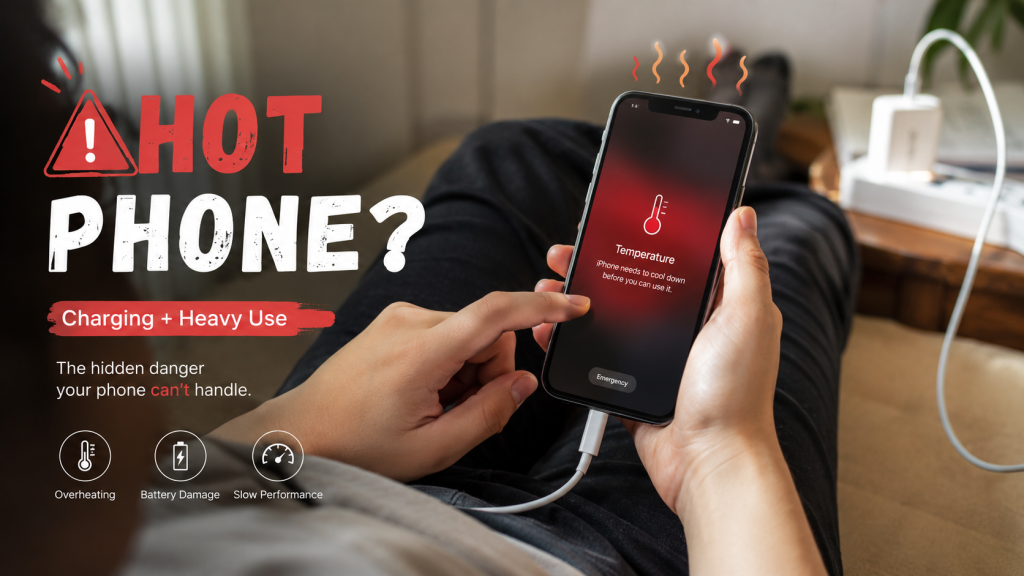
A full temperature warning screen is not the same as the normal warmth you feel during charging or heavy use.
Understanding How an iPhone Generates Heat
- The application processor (CPU)
- Graphics processor (GPU)
- Battery
- Charging circuitry
- Display panel
- Wireless communication modules
Why iPhones Overheat More Easily in Summer
- Faster battery aging
- Reduced battery capacity
- Increased internal resistance
- Higher operating temperatures
- Shortened overall battery lifespan
Common Causes of iPhone Overheating
Direct Sunlight Exposure
- Leaving the phone inside a parked car
- Using the device at the beach
- Placing it on a dashboard
- Leaving it near a window
Fast Charging in Hot Environments
Gaming and Intensive Applications
- Mobile gaming
- 4K video recording
- Video editing
- Live streaming
- AI applications
Weak Mobile Signal
Aging Batteries
Can a Phone Case Make Overheating Worse?
- Thick silicone cases
- Heavy-duty protective cases
- Multi-layer rugged cases
- Wallet-style cases
How Heat Affects Battery Lifespan
- Permanent capacity loss
- Faster battery health decline
- Reduced charging efficiency
- Increased swelling risk
- Accelerated chemical degradation
Replacement Batteries and Heat Management
- Battery health dropping unusually fast
- Device becoming hot during light usage
- Excessive heat while charging
- Sudden battery percentage fluctuations
- Unexpected shutdowns
- Reduced battery runtime
The Safety Risks of Severe Overheating
- Reduce screen brightness
- Slow processor performance
- Disable charging temporarily
- Display temperature warnings
- Shut down automatically
- Rapid swelling
- Smoke generation
- Fire
- Battery rupture
Warning Signs That It May Be Time for a Battery Replacement
- Battery health below 80%
- Significant battery drain throughout the day
- Device overheating during basic tasks
- Slow charging performance
- Unexpected shutdowns
- Battery swelling
- Reduced overall performance
If a temperature warning screen appears
When the display shows “Temperature: iPhone needs to cool down” the device has entered a protective state that is distinct from the “Charging On Hold” message, which only pauses charging. The warning screen may still allow emergency calls, but normal operation is suspended until the handset returns to a safe temperature.
Apple recommends the following three steps, as set out in its guidance on an iPhone or iPad that feels hot:
- Turn off your device.
- Move it to a cooler environment away from direct sunlight.
- Allow it to cool down.
If the warning clears after the phone has cooled in a normal room and does not reappear, treat the episode as environmental heat. Should the warning return after the device has cooled, or appear shortly after a screen, battery or board repair, further bench diagnosis is required – see our iPhone high temperature warning diagnosis article for shop-floor checks.
Professional Recommendations for Summer
Keep Devices Out of Direct Sunlight
Avoid Leaving Phones Inside Vehicles
Remove Thick Cases During Fast Charging
Avoid Gaming While Charging
Reduce Screen Brightness Outdoors
Close Unnecessary Background Applications
Use High-Quality Chargers and Cables
Replace Aging Batteries Before They Become Problematic
Final Thoughts
Visit our Official Website: digi4u.co.uk for more high-quality replacement parts.
Match your device model and fix your battery issues instantly.