


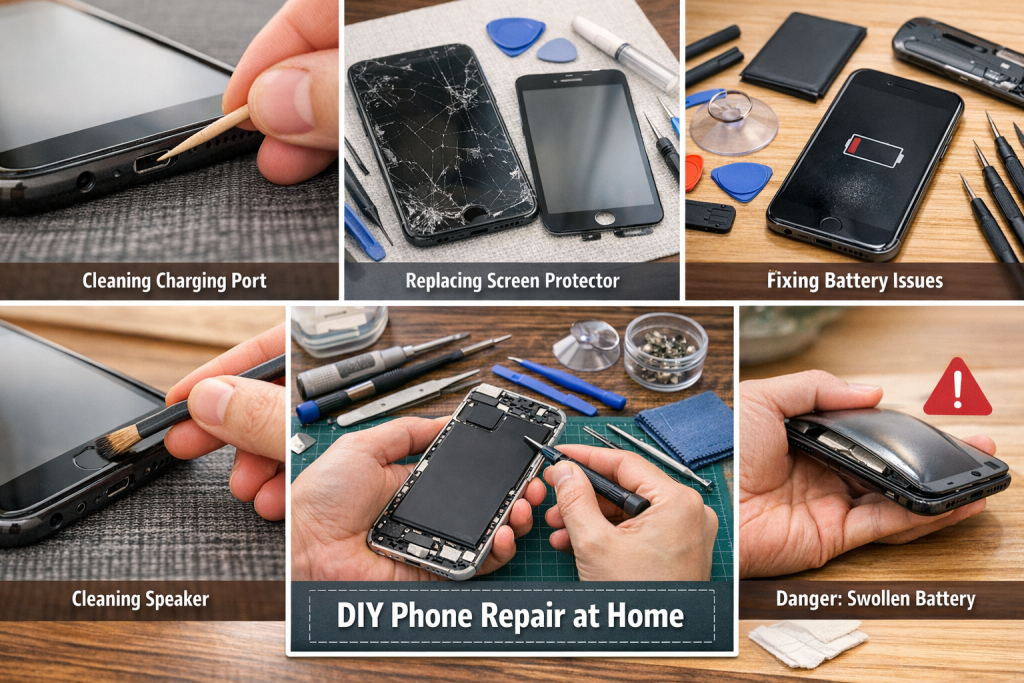
Smartphones are essential tools in our daily lives. From communication and work to entertainment and payments, we rely on them more than ever. But accidents happen—drops, water exposure, battery wear, and gradual performance issues can all affect your device.
The good news? Not every phone problem requires a trip to a repair shop.
In this guide, you’ll learn:
- How to judge the severity of phone damage
- Which issues are safe to fix at home
- Which problems require professional repair
- Basic tools every beginner should have
- Simple troubleshooting techniques
By the end, you’ll be more confident handling minor phone issues—and maybe even become the “tech fixer” in your family.
1. Visual Inspection: What Your Phone Is Telling You
Start with a simple external check. Your phone often gives clear clues.
1.1 Screen Condition
What to look for:
- Hairline cracks → usually cosmetic
- Deep cracks → risk of spreading
- Black spots or lines → internal display damage
- Flickering → possible connector or screen failure
Rule of thumb:
- If the display still works fine → DIY possible
- If the display is distorted → repair shop is needed
1.2 Frame and Body
Check for:
- Bent frame
- Gaps between the screen and the body
- Loose back cover
These signs may indicate internal stress or damage.
1.3 Charging Port
Common issues:
- The cable doesn’t fit tightly
- Charging only works at certain angles
- Slow charging
Often caused by:
- Dust buildup
- Worn-out port
1.4 Buttons and Speakers
Test:
- Power button response
- Volume buttons
- Speaker sound clarity
- Microphone quality
If they feel “mushy” or inconsistent, internal flex cables may be worn.
2. Common Phone Problems You Can Fix at Home
Let’s go through practical fixes you can try.
2.1 Dirty Charging Port (Very Common)
Symptoms:
- Charging not stable
- The cable feels loose
Solution:
- Turn off the phone
- Use a wooden toothpick or soft brush
- Gently remove lint and dust
⚠️ Avoid metal tools to prevent short circuits.
2.2 Screen Protector or Minor Cracks
If your screen looks damaged, first check:
Is it just the screen protector?
Fix:
- Replace the protector
- Clean the screen properly
If cracks are shallow and don’t affect touch:
You can continue using the existing protector or apply a new one to stabilize it.
2.3 Battery Drain Issues
Symptoms:
- Phone dies quickly
- Battery percentage jumps
Try this first:
- Reduce screen brightness
- Close background apps
- Update software
- Reset battery settings
If still bad:
Battery replacement may be needed (moderate DIY level)
2.4 Speaker or Microphone Issues
Symptoms:
- Low volume
- Muffled sound
Fix:
- Clean speaker grills with a soft brush
- Use compressed air lightly
2.5 Overheating (Mild)
Causes:
- Heavy apps
- Charging while using
- Poor ventilation
Fix:
- Remove phone case
- Close background apps
- Let the device cool
3. Problems That Require Professional Repair
Some issues are too risky to handle at home.
3.1 Water Damage
Even if your phone still works after water exposure:
Internal corrosion may already be happening.
Signs:
- Foggy camera
- Screen flickering
- Random shutdowns
⚠️ Avoid:
- Turning it on repeatedly
- Charging immediately
Take it to a repair shop ASAP.
3.2 Swollen Battery (Dangerous)
Signs:
- Screen lifting
- Back cover bulging
⚠️ This is a fire hazard.
Do NOT attempt DIY repair.
3.3 No Power / Dead Phone
Possible causes:
- Motherboard damage
- Power IC failure
- Charging circuit issues
Requires professional diagnosis.
3.4 Severe Screen Failure
If you see:
- Black screen
- Lines or color bleeding
- No touch response
Screen replacement needed (complex repair)
4. Essential Tools for Beginner Repairs
If you want to try basic repairs, start with the right tools.
4.1 Basic Toolkit
- Precision screwdriver set
- Plastic pry tools
- Tweezers
- Suction cup
- SIM eject tool
4.2 Cleaning Tools
- Soft brush
- Microfiber cloth
- Isopropyl alcohol (90%+)
4.3 Optional Tools
- Heat gun or hair dryer (for opening devices)
- Magnetic mat for screws
- Anti-static wrist strap
5. Safety Tips Before DIY Repair
Before opening your phone:
✔ Power off the device
✔ Remove SIM card
✔ Work on a clean surface
✔ Keep screws organized
✔ Avoid static electricity
⚠️ Most importantly:
👉 If you feel unsure, stop.
6. Cost vs Risk: Should You DIY or Not?
Ask yourself these questions:
6.1 Value of the Phone
- Old phone → DIY is worth trying
- Expensive phone → better to repair professionally
6.2 Cost of Parts
- Cheap parts → low risk
- Expensive OLED screens → high risk
6.3 Your Skill Level
- First time? Start with simple tasks
- Experienced? Try moderate repairs
7. Preventing Future Damage
Prevention is always cheaper than repair.
7.1 Use Protection
- Quality case
- Tempered glass screen protector
7.2 Avoid Water Exposure
Even “water-resistant” phones:
They are not waterproof in the long term
7.3 Proper Charging Habits
- Avoid cheap chargers
- Don’t overcharge overnight frequently
- Replace worn cables
7.4 Regular Cleaning
- Clean the charging port monthly
- Keep speakers dust-free
8. When to Visit a Repair Shop (Quick Checklist)
Go to a professional if:
- Phone won’t turn on
- The battery is swollen
- The screen is completely broken
- Water damage occurred
- Internal components affected
9. Final Thoughts: Becoming Your Family’s Go-To Fixer
Learning basic phone repair is not just about saving money—it’s about understanding your device better.
Start small:
- Clean ports
- Replace screen protectors
- Diagnose simple issues
Over time, you’ll build confidence.
But remember:
Not every problem should be fixed at home.
Knowing when NOT to repair is just as important as knowing how.
Bonus Tip
If you plan to repair phones regularly:
Invest in quality replacement parts from reliable suppliers.
Good parts = better performance + fewer repeat issues.
Need Replacement Parts? Digi4u’ve Got You Covered
Whether you’re fixing a cracked screen or replacing a faulty battery, using the right parts is key.
Digi4u offers a wide range of high-quality mobile repair parts trusted by repair shops across the UK.
👉https://www.digi4u.co.uk/ Sign up now to unlock exclusive wholesale pricing and fast UK delivery.



