


iPhone Earpiece and Loudspeaker Parts UK: Flex Assemblies Shops Should Stock
Need this part? We stock tested replacement parts with same-day UK dispatch and a 12-month warranty.

For UK repair businesses, selecting iPhone earpiece loudspeaker replacement parts UK stock starts with separating the quiet call speaker at the top from the bottom loudspeaker or buzzer assembly. A distorted call, poor media volume and a rattle after a drop can look similar at intake, yet they call for different checks and different parts. This guide helps technicians buy and hold model-specific flex assemblies without confusing them with microphone, screen or mesh faults.
How do earpiece and loudspeaker failure patterns differ?
The earpiece handles calls; the bottom loudspeaker handles media.
Test the call receiver and bottom speaker separately before ordering, because symptoms, access routes and replacement assemblies are different.
The earpiece speaker sits at the top of the display area and is primarily heard during a normal phone call when the handset is held to the ear. A low, muffled or intermittent call receiver can therefore point to the ear speaker, its flex arrangement, debris at the mesh, or a related connection issue. The bottom loudspeaker is used for ringtone, speakerphone, alerts and media. A customer reporting no music volume, weak speakerphone or a loudspeaker rattle after a drop should be assessed from that route instead.
Technicians should not use the word “speaker” alone on a job card. Record whether the affected output is the earpiece or bottom loudspeaker, what test produced the symptom, and whether it changes at different volumes. Apple’s own support guidance distinguishes between sound checks and receiver/call checks, which is a useful starting point for a consistent intake process.
For parts selection, browse the Digi4u iPhone parts hub and confirm the current listing against the precise model. An iPhone 13 earpiece speaker requirement is not automatically equivalent to an iPhone 13 mini, and an earpiece flex should not be substituted for a lower buzzer assembly.
| Reported symptom | Likely circuit to isolate | First workshop check |
|---|---|---|
| Caller is difficult to hear with phone at ear | Top earpiece receiver, mesh or related flex | Place a normal call and compare with speakerphone |
| Ringtone and media are quiet or absent | Bottom loudspeaker / buzzer assembly | Play local audio, alert tone and speakerphone audio |
| Buzzing or rattle after impact | Bottom loudspeaker, loose component or housing damage | Test at low and higher volume before opening |
| Muffled output only | Contaminated mesh, liquid residue or obstruction | Inspect the acoustic path under magnification |
Which mesh and gasket checks can prevent returns?
Inspect the acoustic path before blaming the speaker.
A sound component cannot overcome blocked mesh, a displaced gasket or contamination trapped between the display and receiver channel.
Mesh and gasket work is often a workmanship and inspection issue rather than a reason to assume a complete speaker assembly has failed. Before fitting a replacement, inspect the mesh for compacted debris, corrosion, tears and lifting at its edges. Check that any gasket or sealing surface is seated cleanly and that adhesive residue is not narrowing the sound outlet. A mesh that looks intact can still be blocked enough to make a healthy earpiece sound muted.
Where a screen has previously been opened, the receiver channel deserves particular attention. Pressure, excess adhesive, poorly aligned mesh or fragments from an earlier repair can all affect perceived volume. Shops should replace damaged mesh through their approved process, confirm the channel is clear and run an audio test before final closure. They should not represent a mesh-only kit as available unless they have checked the current catalogue listing.
This distinction also makes customer communication cleaner: explain whether the repair concerns the acoustic path, the speaker assembly, or both. For product safety context, repair businesses can consult GOV.UK product safety guidance for businesses.
Should a shop buy a flex or a complete speaker assembly?
Buy the assembly that matches the diagnosed position and model.
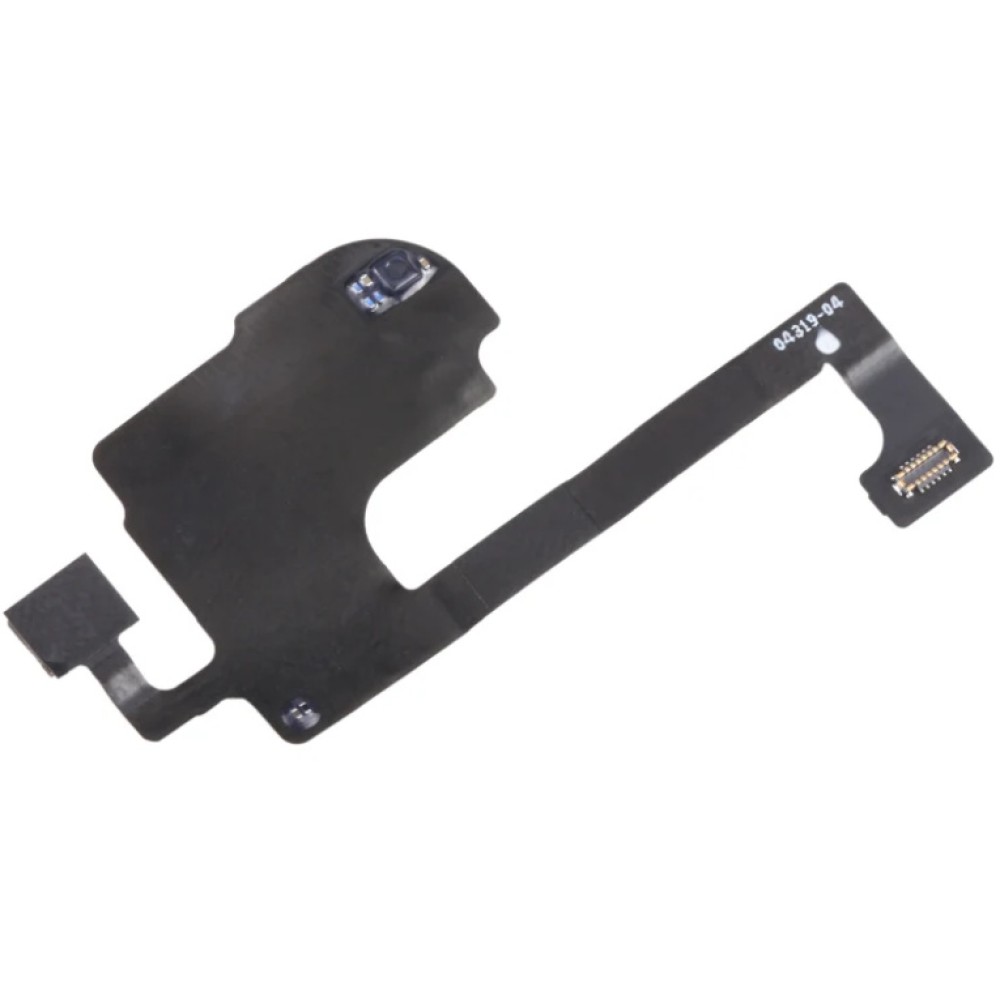
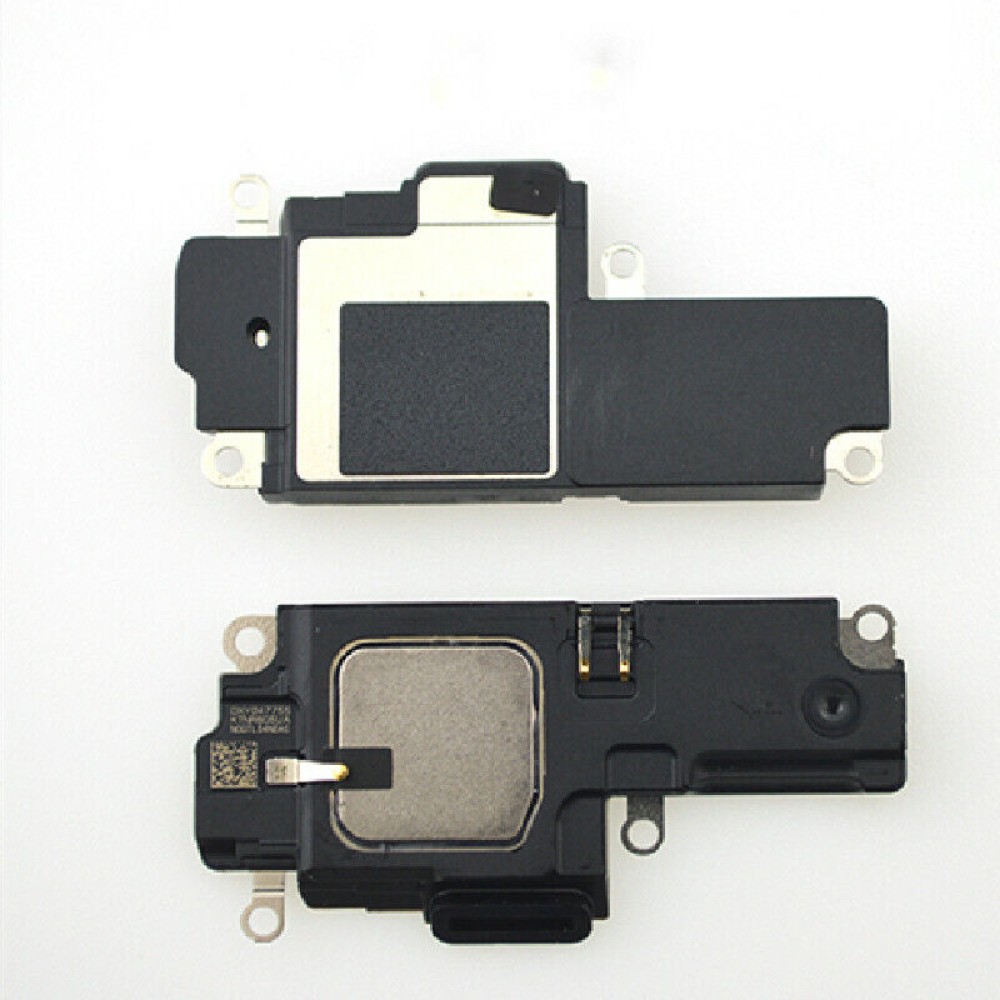
Use the live listing description and product image to confirm whether the required item is an ear-speaker flex or a bottom buzzer/loudspeaker flex.
Parts naming is a common source of ordering errors. In the live catalogue, top receiver items may be described as ear-speaker flexes, while lower audio units may be described as buzzer or loud speaker flexes. That naming reflects position and assembly type, not a universal interchangeable iPhone speaker. The safest purchasing rule is to match three details before adding a part to a buying list: exact iPhone model, top versus bottom position, and the observed failure pattern.
For example, model-specific ear-speaker flex listings are available across selected iPhone families, including iPhone 15 variants and iPhone 13 mini, as well as older 6, 7 and 8 families. Bottom loudspeaker listings include buzzer/loud speaker flexes for models such as iPhone 11, iPhone 12 and iPhone 12 Pro, plus older families. That does not establish availability for every model at every time, so buyers should confirm the current earpiece or buzzer listing before quoting.
For a buy iPhone earpiece UK workflow, the ear-speaker category is the focused starting point. Keep the part decision separate from microphone diagnosis: the iPhone microphone guide covers identifying which microphone a customer means.
What QC call and speaker tests should happen before closure?
Test both audio paths before sealing the handset.
A short, repeatable call and media test catches wrong-position parts, blocked meshes and intermittent contact before collection.
After reassembly but before final closure, make a normal call and check the top earpiece at a sensible call volume. Then switch to speakerphone and play a known audio clip or alert to exercise the bottom loudspeaker. Listen for distortion, vibration, rattling and imbalance. If a customer reported an intermittent fault, repeat the test after gently changing orientation rather than relying on a single clean playback.
Document whether the handset passed receiver audio, loudspeaker audio, microphone recording and charging checks. This prevents a separate fault being misattributed to the newly installed part. When sound behaviour is unclear, Apple’s iPhone speaker support guidance and iPhone call-audio support guidance provide useful user-facing test references, although workshop diagnosis still needs to consider physical condition and repair history.
For routine bench work, hold appropriate inspection and opening equipment from the Digi4u tools range. Good lighting, magnification and controlled cleaning matter as much as the final audio check.
Why can water history waste a new speaker?
Liquid damage can remain outside the speaker itself.
A new earpiece or loudspeaker may fail quickly if corrosion, residue or a wet board connection has not been identified first.
Water history changes the order of diagnosis. Moisture can leave conductive residue in connectors, around acoustic openings or on the board, and corrosion may continue after the customer believes the handset has dried. Fitting a new speaker into that environment can produce an apparently successful bench test followed by a return when the underlying connection degrades. A blocked mesh can also hide residue that affects output without proving that the old speaker alone caused the issue.
Before fitting a replacement, inspect for corrosion indicators, residue, damaged contacts and evidence of liquid around the relevant assembly. Explain to the customer that a liquid-affected device may have more than one fault and that a speaker repair is not proof that every downstream issue has been resolved. The related battery after water damage guide can help teams frame broader water-damage assessment without confusing this page’s speaker-parts focus.
Businesses placing or supplying manufactured goods should also remain familiar with applicable responsibilities in GOV.UK guidance on goods placed on the Great Britain market.
How should UK shops stock by model velocity?
Stock proven demand, then verify the exact current listing.
Use completed repair tickets to decide which models justify held parts and which are safer to order against confirmed diagnosis.
There is no useful universal speaker stock list because a shop’s local intake, screen-repair mix and customer device age profile determine demand. Start with a review of recent tickets: record model, top versus bottom speaker failure, water involvement, repeat repair rate and whether a screen job was performed at the same visit. This distinguishes genuine parts velocity from one-off incidents.
Hold only the assemblies your own volume supports, keeping top ear-speaker flexes distinct from lower buzzer/loudspeaker flexes in storage and labelling. Recheck the precise catalogue entry at purchase time, particularly for newer variants and closely named models. For replenishment timing and courier conditions, use the live Digi4u delivery policy rather than relying on a static note. Digi4u is a UK supplier of replacement parts, repair tools and tech accessories, serving individual customers and professional repair businesses across the UK.
When reviewing a supplier process, published material from BSI and Trading Standards can support wider quality and compliance awareness.
How do screen jobs disturb earpiece mesh?
Screen removal can affect the top acoustic channel.
Whenever a display is opened, inspect the earpiece mesh and receiver area before treating a later call-audio complaint as a new fault.
The earpiece area sits close to work commonly performed during display replacement. Adhesive removal, transferred components, pressure on the top assembly and imperfect alignment can all affect the mesh or channel. This does not mean every screen repair causes an audio fault; it means the receiver area needs a defined inspection point before the device is returned. A pre-repair audio check and a post-repair call test provide a clear record.
For display selection and grade decisions, use the separate iPhone screen replacement parts guide. Keeping that topic separate prevents this speaker-parts guide from becoming a duplicate screen article. In practical terms, a screen job that disturbs the mesh may require cleaning, alignment or a fresh inspection before a technician orders an iphone earpiece flex part.
Conclusion
Reliable iPhone speaker repairs begin with correct fault separation: the earpiece receiver is not the bottom loudspeaker, and neither should be ordered solely because a customer says sound is poor. Match the device model and speaker position, inspect mesh and water history, then complete call and media tests before closure. This approach supports cleaner purchasing decisions and fewer avoidable repeat visits.
For current model-specific options, review the Digi4u iPhone parts hub before preparing your repair quote.
FAQ
Where is the earpiece speaker on an iPhone?
The earpiece speaker is the small call receiver at the top of the iPhone display area, used when a customer holds the handset to their ear during a normal call. It is different from the bottom loudspeaker used for media, alerts and speakerphone. For ordering, a repair shop should confirm the exact model and check whether the listing is for an ear-speaker flex or another assembly before fitting a part.
Is my iPhone speaker broken if the sound is muffled?
Not necessarily. Muffled sound can result from blocked or damaged mesh, adhesive residue, water-related contamination, a displaced gasket or a speaker assembly fault. A shop should isolate whether the issue occurs on normal call audio, speakerphone and media playback, then inspect the relevant acoustic path. Testing before opening and again before final closure helps establish whether the problem is at the top earpiece, the bottom loudspeaker or elsewhere in the device.
How much does it cost to replace a speaker on an iPhone?
The cost depends on the iPhone model, whether the earpiece or bottom loudspeaker is at fault, the condition of surrounding components and the repair shop’s labour charge. A water-affected device or damaged mesh can also change the work required. Shops should quote from their own labour plus the current part cost after confirming the correct live earpiece or buzzer listing, rather than applying one price to every iPhone speaker repair.
What is an iPhone loudspeaker replacement listed as?
A bottom iPhone loudspeaker may be listed as a buzzer flex or loud speaker flex, depending on the catalogue wording and model. It should not be confused with an ear-speaker flex for call audio at the top of the handset. Before buying, technicians should match the exact iPhone model, confirm the lower speaker position and compare the listing details with their diagnosis. This is especially important where several similar model names appear in one product family.
