


Start with the device and charger you need to connect, then verify the cable’s connector at both ends, charging and data functions, length, and any certification claim. For a third-party Lightning cable, Apple recommends an accessory carrying the MFi badge; an unverified marketplace claim or a similar-looking connector is not enough evidence by itself.
Before buying:
- Confirm that the device actually has a Lightning port.
- Choose USB-C to Lightning or USB-A to Lightning to match the charger.
- Verify charging and sync/data support.
- Check an MFi claim against packaging and identifiable product information.
Which connector does your charger use?
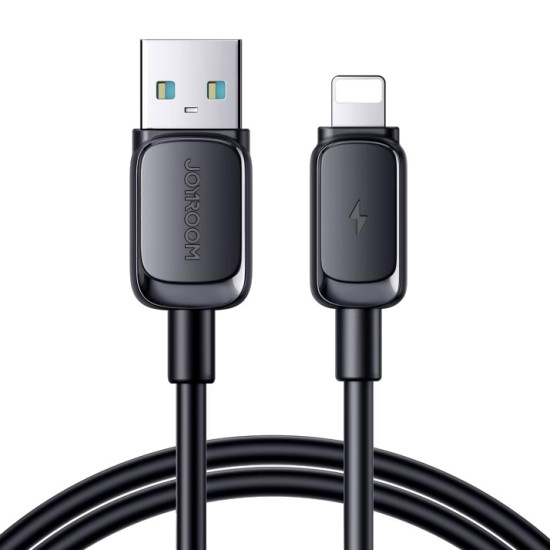
Lightning describes the end that enters a compatible Apple device. The charger end may be USB-A or USB-C, and those cables are not interchangeable at the wall adapter. Look at the charger port rather than relying on the age of the phone.
| Your setup | Cable to look for | Check before ordering |
|---|---|---|
| USB-A charger or computer | USB-A to Lightning | Charging and data/sync support |
| USB-C Power Delivery charger | USB-C to Lightning | Device model, charger support and stated charging specification |
| Recent USB-C iPhone or iPad | Usually USB-C, not Lightning | Identify the exact model; do not buy by brand name alone |
What does MFi certification tell you?
MFi means the accessory participates in Apple’s Made for iPhone/iPad accessory programme for the relevant technology. Apple recommends certified Lightning accessories carrying the MFi badge and warns that counterfeit or uncertified accessories may fail to sync or charge, fit poorly, become hot or be damaged easily.
The badge is evidence only when it belongs to the specific product and packaging. A retailer’s category, brand familiarity or the fact that a cable currently charges a phone does not independently prove certification. If certification matters to the purchase, ask for the manufacturer, exact model and packaging evidence before ordering.
Inspect the listing and the cable separately
- Read the full product title and specification for both connector ends.
- Look for a clear statement of charging and data support; do not assume “charging cable” also syncs.
- Check the stated length against where the cable will be used.
- If MFi is claimed, confirm that the claim applies to that exact model.
- On receipt, compare the packaging and finish with Apple’s published identification guidance before first use.
Apple’s guide shows details used to inspect Apple-branded cables, including cable text and connector construction. These visual clues can reveal a suspicious cable, but appearance alone cannot authenticate every third-party product.
Stop using a damaged or overheating cable
Do not continue using a cable with exposed conductors, a loose connector, scorching, unusual heat or a plug that must be held at an angle. Test another known-working cable and charger before deciding the device port has failed. If the port is visibly damaged or remains unreliable with known-good accessories, arrange inspection rather than forcing the connector.
Choose the replacement by evidence
Digi4u’s Lightning cable collection contains different connector directions, lengths and stated charging capabilities. Open the individual listing and confirm every required field. If an essential specification or certification claim is missing, choose another documented product instead of filling the gap with an assumption.
Charging speed depends on more than the cable
A cable is one part of a charging chain. The device limits its own input, the charger may divide output between ports, and the cable must be suitable for the intended connection. Replacing a damaged cable can solve an intermittent fault, but a new cable does not automatically make an older charger or device charge faster.
If you are diagnosing a slow-charge problem, test a known-good charger and cable at the same wall socket before deciding which part to replace. Note whether the problem occurs with more than one cable and whether the device displays a liquid, temperature or accessory warning.
Inspect a cable already in your hand
Before first use, inspect the insulation, strain relief, connector shells and pins. Do not use a cable with exposed conductors, discoloration, scorching, a loose connector or a plug that only works at one angle. Apple’s identification guidance can help flag a suspicious Apple-branded cable, but visual inspection cannot authenticate every third-party cable.
Keep the connector free of lint and insert it straight. Do not use a metal object to scrape a powered device port. If a known-good cable still fits loosely or disconnects on the same device, the port may need inspection.
Pick a length for the job
| Use case | Useful selection check |
|---|---|
| Desk, car or power bank | A shorter cable can reduce slack and connector strain if it reaches comfortably. |
| Bedside or shared charging point | Choose enough reach without routing the cable where it can be pulled or trapped. |
| Computer sync or backup | Prioritise reliable data support and connector direction before extra length. |
| Travel spare | Choose a documented cable that matches the chargers and devices you actually carry. |
What listing language is not enough?
“Fast charging”, “iPhone compatible” or a product image alone does not tell you whether a cable can sync data, whether it has the connector direction you need, or whether a certification claim belongs to that exact product. Require a named maker and model, both connector types, a stated data function where needed, and clear MFi evidence if certification affects the purchase decision.
Common questions
Can a Lightning cable charge a phone without syncing data?
Yes. Charging and data transfer are different capabilities. Require an explicit data/sync statement if you connect to a computer or need file transfer.
Can I use a USB-C to Lightning cable with any USB-C charger?
The plugs may fit, but charging behaviour depends on the charger, cable and Apple device. Check the charger output and use a documented cable.
