


Samsung Galaxy A56 5G Screen Refurbishment Guide
Need this part? We stock tested replacement parts with same-day UK dispatch and a 12-month warranty.
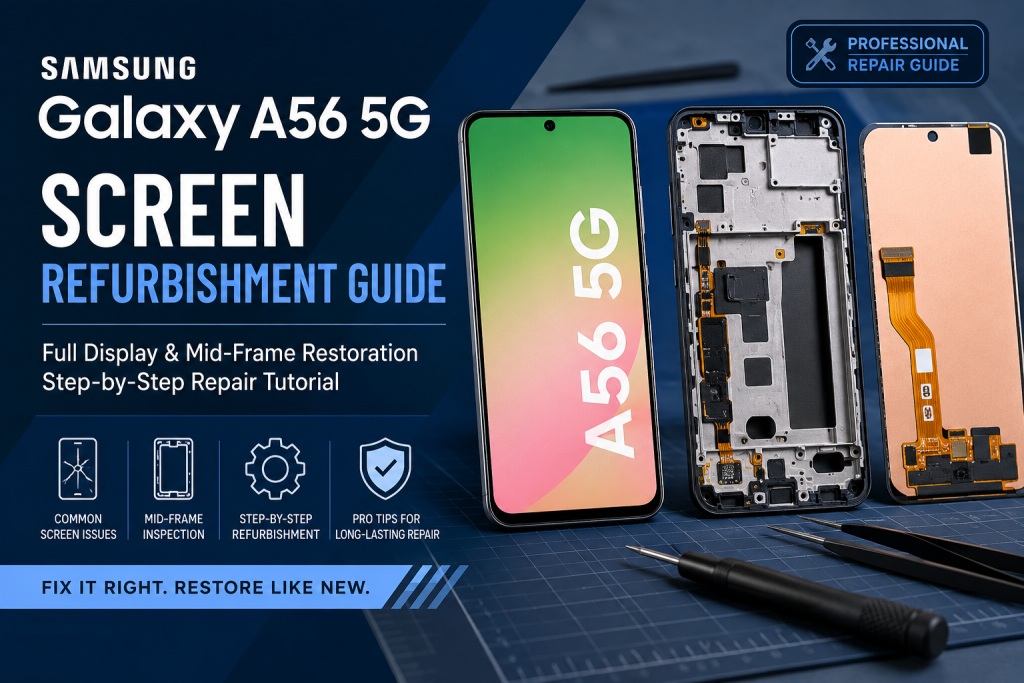
Posted on by digi4u
Introduction: Understanding Samsung A56 5G Display Structure
The Samsung Galaxy A56 5G features a laminated AMOLED display assembly integrated tightly with the mid-frame structure. Unlike older modular designs, modern Samsung devices rely heavily on frame integrity to maintain display performance.
This means most screen failures are not purely caused by the panel itself, but are often the result of impact stress, internal layer separation, or mid-frame deformation.
For professional repair technicians, accurate diagnosis is essential before performing any screen replacement.
Common Samsung A56 5G Screen Failure Symptoms
Understanding failure patterns is the first step in efficient refurbishment.
1.1 Green Line / Vertical Line Display Failure
Symptoms:
- Vertical green, white, or pink lines on display
- Lines appear after drop or pressure impact
- Flickering when brightness changes
- Partial or full display failure over time
Root Causes:
- AMOLED driver IC damage
- Micro-crack in display flex cable
- Internal OLED layer separation due to frame stress
This issue is typically not resolved by glass-only repair and requires full OLED replacement.
1.2 Ghost Touch / Touch Malfunction
Symptoms:
- Screen registers random touches
- Touch input delay or freezing
- Inconsistent touch response on edges
- Self-activating screen behavior
Root Causes:
- Digitizer layer failure
- Moisture or liquid exposure affecting touch IC
- Frame pressure causing touch sensor misalignment
In many cases, ghost touch issues are incorrectly diagnosed as software problems, while the actual cause is hardware-related.
1.3 AMOLED Black Spots and Pressure Damage
Symptoms:
- Expanding black or purple spots
- Uneven brightness areas
- Permanent screen discoloration
- Gradual spreading of display damage
Root Causes:
- OLED pixel layer damage
- Internal pressure from bent mid-frame
- Drop impact causing irreversible display layer failure
Once AMOLED layers are damaged, repair is not possible — full screen replacement is required.
1.4 Screen Lifting or Edge Separation
Symptoms:
- Display lifting from frame edges
- Visible gaps between screen and housing
- Dust entering under display glass
- Weak adhesive bonding
Root Causes:
- Mid-frame deformation after impact
- Battery swelling pushing display outward
- Degraded factory adhesive
Battery condition must always be checked first when screen lifting is observed.
Mid-Frame Damage: The Hidden Root Cause of Screen Failure
In Samsung A-series repairs, mid-frame condition is often underestimated. However, it is one of the most critical structural components affecting display integrity.
Common Mid-Frame Issues:
- Frame bending after drop impact
- Uneven pressure distribution across the display
- Misaligned screw mounts
- Internal stress points causing OLED distortion
- Adhesive residue affecting screen seating
Even 0.3mm of frame distortion can create enough pressure to damage OLED layers over time.
Repair Strategy: Screen Replacement vs Full Refurbishment
When Screen-Only Replacement Is Suitable:
- Frame is structurally straight
- No visible bending or deformation
- No recurring display failure
- No pressure marks or internal OLED damage
Screen-only replacement is efficient in minor drop cases with no structural impact.
When Full Refurbishment Is Required:
- Device has experienced strong drop impact
- Mid-frame is bent or uneven
- Screen failure repeats after replacement
- Ghost touch persists after screen change
- Display pressure marks are visible
In professional repair workflows, this is referred to as a frame-first diagnostic approach.
Professional Screen Refurbishment Process Overview
A complete Samsung A56 5G refurbishment includes both display and structural correction.
Step 1: Controlled Disassembly
- Heat back cover evenly to soften adhesive
- Carefully open device using suction and pry tools
- Disconnect battery before any display work
Step 2: Display Removal
- Remove damaged AMOLED assembly
- Inspect flex cables for micro-cracks
- Avoid applying pressure to bent frame areas
Step 3: Mid-Frame Inspection
- Check for bending or uneven surface alignment
- Inspect screw mounts and internal brackets
- Clean adhesive residue and debris
Step 4: Frame Correction & Preparation
- Realign minor frame deformation
- Clean surface using isopropyl alcohol
- Apply OEM-grade adhesive for resealing
Step 5: New Screen Installation
- Align OLED assembly precisely with frame
- Reconnect all flex cables securely
- Perform full function test before sealing
Post-Repair Testing Checklist
A professional repair should always include full diagnostic verification:
- Full touchscreen responsiveness
- AMOLED brightness uniformity
- No flickering or ghost touch
- No dead pixels or pressure marks
- Proper frame sealing and alignment
- Sensor and proximity function testing
Conclusion: Why Diagnosis Matters More Than Replacement
Samsung Galaxy A56 5G screen refurbishment is not simply a screen swap process. It requires a complete understanding of display structure behavior, mid-frame stress impact, and OLED failure patterns.
Most repeat repair cases occur due to missed frame deformation or incorrect diagnosis of underlying structural issues.
For repair professionals, improving diagnostic accuracy significantly reduces return rates and increases repair success consistency.



