
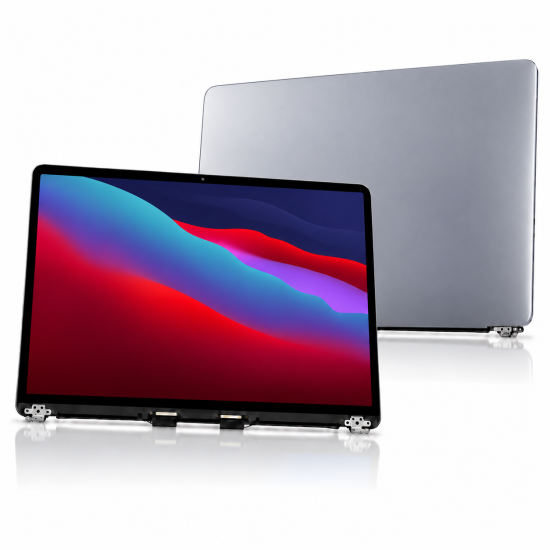
Replacement LCD Screen for MacBook Pro 13-inch A2338 (2020 M1) – Grey
£209.99
Inc Tax: £251.99
Replacement LCD Screen for MacBook Pro 13-inch A2338 (2020 M1) – Grey
This product qualifies for free shipping
This block is set to appear automatically on products above a certain price, which may qualify for free shipping or other perks.
- Stock: In Stock
- SKU: php-lcd-macbook-a2338-2021-gy
- UPC: 506106050429
 Shipped from our UK distribution centre
Product Description:
This LCD display assembly is specifically designed for the Macbook Pro 2021 in grey. It offers near-OEM visual performance with accurate colour reproduction, brightness, and clarity. Ideal for replacing cracked, damaged, non-responsive, flickering, or black screens, this assembly ensures a seamless restoration of the original Retina display experience.
| Technical Specifications | |
|---|---|
| Model Compatibility | Macbook Pro 2021 A2338 |
| Resolution | 2560 x 1600 pixels (Retina Display) |
| Pixel Density (PPI) | 227 |
| Brightness | Up to 400 nits |
| Colour Range | Wide colour gamut (P3) with True Tone support |
| Contrast Ratio | 1400:1 |
| Display Technology | LED-backlit, IPS panel |
| Top Case Colour | Grey |
Is this screen compatible with the MacBook Pro A2338 M1?
Yes. It is designed for the 13-inch MacBook Pro A2338 with Apple M1 processor, introduced in 2020. We recommend checking both the A2338 number and the processor generation before ordering.
Is every A2338 MacBook Pro the same?
No. This is particularly important. Apple used the A2338 chassis/model number for both the 2020 M1 MacBook Pro and the later 2022 M2 version. Do not select a replacement screen based only on “A2338”; confirm the year, chip and screen specification as well.
Can this screen repair lines, flickering or a black display?
Yes, if the fault is caused by damage to the LCD or complete display assembly. Similar symptoms can also be caused by display connectors, cables or logic-board faults, so professional diagnosis is recommended before ordering.
Does an A2338 screen require programming after replacement?
MacBook display replacement can involve display-related calibration or sensor considerations depending on the replacement assembly and repair method. For professional repairs where maintaining all original functions is important, we recommend checking the replacement part and original assembly carefully before installation.
What should I check before installation?
Confirm that your MacBook is A2338, 13-inch and M1 2020, check the colour and compare the connectors with the original display. Disconnect the battery before installation and test the replacement screen before completing full reassembly.
-250x250h.jpg "iPad 7 / iPad 8 / iPad 9 | Replacement Touch ID Home Button Flex | White")
-250x250.jpg "iPad 7 / iPad 8 / iPad 9 | Replacement Touch ID Home Button Flex | Black")
-250x250.jpg "Replacement Original Charger Port Flex for Samsung tab A 9.7 T550")
