


Water-Damaged Screen Replacement: When the Display Is the Symptom
Need this part? We stock tested replacement parts with same-day UK dispatch and a 12-month warranty.

A phone that has been in liquid often arrives with a screen that is dark, patchy or unresponsive. The display looks like the fault, and it may be, but the liquid has usually reached further. Replacing the screen without dealing with the moisture and corrosion produces a device that works for a day and fails again. The order of the work matters more than the part.
When does a water-damaged phone need a screen?
When the panel itself has failed, not just the connection. Liquid can damage the display’s flex, the connector or the panel layers. A screen that shows lines, patches or no image after drying may need replacing. A screen that is black but shows an image under a torch has a backlight or board issue rather than a dead panel. The assessment comes before the part, as it does with any liquid repair.
What should you check before replacing it?
The board, the connectors and the charging path. Open the device, disconnect the battery and inspect for corrosion around the display connector and under the shields. Check the charging port and the battery connector as well, because liquid often affects several areas at once. A screen replacement on a corroded board is a temporary repair.
Why does liquid damage the display?
It attacks the flex, the connector and the panel layers. Water carries ions that corrode the fine traces in the display flex. It can also leave residue between the panel layers, producing patches that do not clean off. The connector is the most common failure point, because it is exposed and carries many small pins. That is why cleaning and drying matter before a new panel is fitted.
How do you dry the device first?
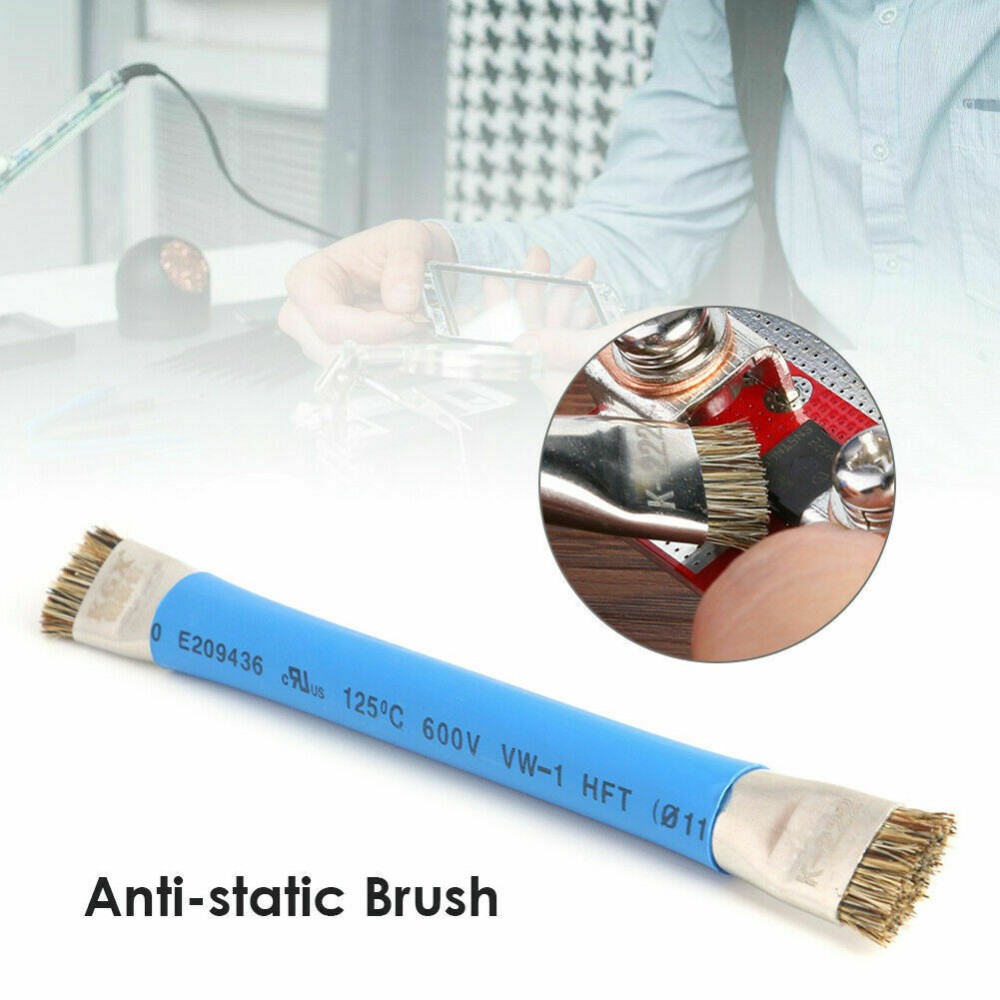
Disassemble, clean and dry before any power. Remove the battery, the display and the shields where the contamination is underneath. Clean the affected areas with a brush and a suitable electronics cleaner. Dry the board completely, including under the shields and inside the connectors, before testing. The full protocol is described in water damage treatment.
What about corrosion behind the screen?
It has to be removed, not covered. Corrosion around the display connector will attack the new panel’s flex as soon as it is fitted. Clean the connector and replace it if the pins are damaged. Look under the shield near the top of the board, where liquid often sits. A new screen over corrosion is a return waiting to happen.
How do you choose the replacement panel?
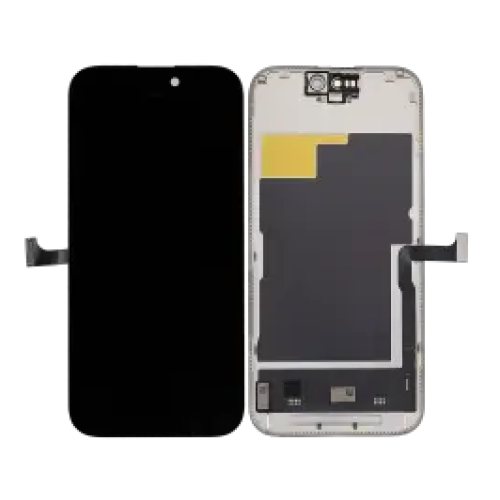
Match the model and choose a grade that suits the job. A liquid-damaged device is often an older phone, so a soft OLED or a good aftermarket panel may be the sensible choice. A premium original is harder to justify on a device with other risks. Disclose the grade and the uncertainty about the rest of the device. The panel choice is secondary to the board condition.
| Symptom | Likely cause | Action |
|---|---|---|
| Black, image under torch | Backlight or board | Diagnose board |
| Lines or patches | Panel or flex | Clean, then replace |
| No touch | Connector or digitiser | Reseat and test |
| Works then fails | Corrosion | Clean and dry |
| Green tint at edge | Liquid in panel | Replace panel |
What does the job involve?
Cleaning, drying, then fitting the panel. The device is opened and the battery removed. The board is cleaned and dried, and the display connector is inspected. The new panel is connected and tested before the adhesive goes down. Only then is the device reassembled and the seal renewed.
How do you avoid trapping moisture?
Dry longer than feels necessary. Moisture under a shield can survive a short warm-air pass and reappear when the device heats up. Leave the board in a warm, dry place for the full drying period before fitting the new panel. Test the current draw before powering the device fully.
What should you test after fitting?
Display, touch, sensors and charging. Check the image on white and grey, run a touch test and confirm the proximity sensor and Face ID. Test the charging port and the battery, because liquid often affects them too. A device that passes the screen test but fails charging is not finished.
When should you decline?
When the board damage is beyond the repair. Corrosion across several areas, a shorted rail or a board that will not draw current normally is a reason to stop. The customer should be told before a new panel is ordered. Declining is cheaper than fitting a screen to a board that will fail.
What do you tell the customer?
That the screen is one part of a liquid repair. Explain that the device may have further faults and that the repair cannot be guaranteed. Give a realistic outcome rather than a promise. The assessment method is described in assessing a liquid-damaged device.
What should you record?
The liquid, the timeline, the cleaning and the tests. Note what was cleaned, how long it was dried and what the current draw showed. Record the panel grade and the batch. That record explains the outcome if the device returns. A liquid repair also changes the value calculation for the customer. The screen may be one of several faults, and the total cost can exceed what the device is worth. Quote the screen and the board work separately, so the customer can see where the money goes. If the board repair is uncertain, say so before the panel is ordered. That structure avoids the worst outcome: a new screen fitted to a device that fails a week later. Keep the old panel until the job is signed off, in case the fault turns out to be the board. A known-good test panel is useful here too, because it separates the display from the rest of the device. If the test panel works and the new one does not, the new part is the problem. If neither works, the board is. That comparison is the quickest diagnosis in a liquid repair. Record the result on the job sheet, with the panel batch and the cleaning steps. It is the evidence that the shop did the work in the right order. It also helps the next repair on a similar device. Most liquid jobs repeat, and the notes are what make the second one faster.
| Test | What it shows | Record |
|---|---|---|
| Torch test | Image without backlight | Yes or no |
| Current draw | Board state | Normal or not |
| Known panel | Panel or board | Result |
| Touch test | Digitiser | Dead zones |
| Charging test | Port and circuit | Rate |
| Sensor test | Proximity and Face ID | Pass or fail |
The tests are cheap and the information is valuable. They also show the customer that the repair was assessed rather than guessed. Keep the results with the job sheet, even when the device is declined. That record protects the shop if the customer later asks why. It also builds a picture of which liquid repairs are worth taking. A liquid repair should also include a check of the charging port and the battery connector. Both are exposed to the same liquid and often fail at the same time as the display. Cleaning them during the same strip-down costs little and prevents a second visit. Record the condition of each connector. If a connector is corroded beyond cleaning, replace it before fitting the new panel. That is the same principle as the board: fix the cause before the part. It is also the difference between a repair that lasts and one that returns.
A final check of the seal is part of the job as well. Press around the edge and confirm the panel sits flush. A device that has been through liquid may have a distorted frame, and the new adhesive will not hold on a bent edge. That check takes a minute and prevents a lifted screen. A liquid repair should also be photographed before and after. The before image shows the corrosion and the condition; the after image shows what was done. Those photographs are useful if the customer later claims the device was damaged in the shop. Keep the files with the job, not on a personal phone. They are part of the repair record. A written outcome for the customer is useful as well: what was cleaned, what was replaced and what remains uncertain. That note sets expectations before the device goes home. Keep the wording simple and avoid promising an outcome the board may not support. That is the honest position for any liquid repair, and it is the one the customer will respect.
What is the one rule for water-damaged screens?
Fix the board before you fit the panel. A new screen on a wet or corroded board is a part that will fail and a customer who will not return. Around it sit the ordinary disciplines: disconnect the battery, clean the connectors, dry completely and test under load. Ultrasonic cleaning is described in when ultrasonic cleaning helps, consumer contracts under the Consumer Rights Act 2015, disposal under the Waste Electrical and Electronic Equipment Regulations 2013, product safety with the Office for Product Safety and Standards, bench safety under risk assessment at work, and customer records under ICO guidance for organisations.
| Stage | Action | Check |
|---|---|---|
| Intake | Photograph and power off | No charging |
| Strip | Battery and display out | Corrosion map |
| Clean | Brush and cleaner | Connectors clear |
| Dry | Warm dry place | Fully dry |
| Test | Current draw | Normal |
| Fit | New panel | Display and touch |
FAQ
Does a water-damaged phone always need a new screen?
No. Some screens recover after cleaning and drying. A panel with lines, patches or a failed touch layer needs replacing.
Can I replace the screen before drying the board?
No. Fitting a panel over moisture or corrosion produces a repair that fails again. Clean and dry first.
How long should a liquid-damaged device dry?
Long enough for the board to be dry under the shields and inside the connectors. That is usually hours, not minutes.
What should I tell the customer?
That the screen is one part of a liquid repair and the device may have further faults. Give a realistic outcome rather than a guarantee.
Water damage needs the right panel afterwards. Digi4u supplies screens and cleaning supplies on one account.
