


Samsung Super Fast Charging depends on the complete setup: the exact Galaxy model must support the mode, the charger must provide the required USB Power Delivery profile with PPS, and the cable must carry the required current. A charger labelled 45W is not sufficient evidence on its own.
For the fastest supported Samsung mode:
- Check the phone¡¯s model-specific charging limit.
- Require USB PD with PPS on the charger output.
- For Samsung¡¯s 45W route, use the specified 5A USB-C cable.
- Expect the phone to reduce power as temperature and battery state change.
Which Super Fast Charging mode does the phone support?
Start with Samsung¡¯s support table or the manual for the exact model. Similar-looking Galaxy phones can support different wired charging levels. A 45W charger cannot make a phone designed for a lower input charge at 45W.
Samsung UK distinguishes Fast Charging, Super Fast Charging and Super Fast Charging 2.0. Its current guidance states that the 45W route requires a 45W travel adapter and a 5A cable, while devices without the required PD 3.0 support charge more slowly.
Why does PPS matter?
PPS stands for Programmable Power Supply, a feature within USB Power Delivery that allows the power source to adjust its output within supported ranges during charging. USB-IF identifies PPS as part of its certified fast-charger initiative. For Samsung compatibility, look for an explicit PPS output specification, not USB-C, GaN, PD or total wattage alone.
| Label or feature | What it establishes | What still needs checking |
|---|---|---|
| USB-C | Connector type | PD/PPS profiles and available power |
| 45W total | Advertised charger ceiling | Whether one USB-C port supplies a suitable PPS profile |
| PD | USB Power Delivery support | PPS support and output range |
| 5A cable | Required current capability when correctly specified | Phone and charger compatibility |
Check the charger output, not the front label
Read the small output table on the charger or its manufacturer specification. Confirm that the relevant USB-C port lists PPS and that its voltage/current range meets Samsung¡¯s requirement for the phone. On a multiport charger, check both the single-port output and the shared output when another device is connected.
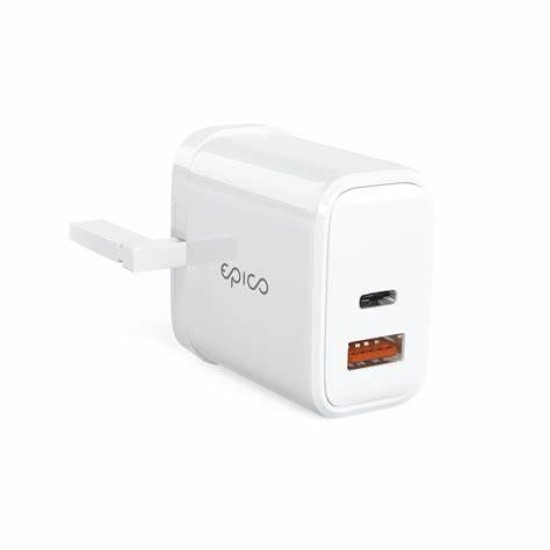
Run a controlled slow-charging check
- Enable the relevant fast-charging option in the phone¡¯s battery settings if the model exposes one.
- Connect the phone directly to the charger with a verified cable, without a hub.
- Test with only one charger port occupied.
- Check the charging message shortly after connection, then allow for the display wording to change.
- If the expected mode does not appear, substitute one known-compatible component at a time: cable, charger, then device.
High battery level, heat, active screen use and background workload can reduce charging power. A lower instantaneous reading does not by itself prove the charger is defective. Stop using any charger or cable that is damaged, smells unusual, sparks or becomes abnormally hot.
Choose a charger only when its PPS data is visible
For a Samsung phone that supports 45W Super Fast Charging 2.0, require a suitable PPS charger and the cable Samsung specifies for that route. For a lower-power model, extra charger wattage may add flexibility for other devices but will not raise the phone¡¯s own limit.
When reviewing Digi4u chargers, open the individual product page and look beyond ¡°45W¡± or ¡°GaN¡±. If the PPS output range is not stated or otherwise verified, do not buy that product specifically on the promise of Samsung Super Fast Charging 2.0.
Common Samsung charging questions
Is every 45W USB-C charger suitable?
No. The port must provide the compatible PD/PPS output, and the phone and cable must also support the intended mode.
Will a 100W cable make a 25W phone charge faster?
No. A higher cable ceiling cannot raise the phone¡¯s supported charging input or create a missing charger protocol.
