


iPhone Haptic Feedback Not Working: Settings, Connection or Engine
Need this part? We stock tested replacement parts with same-day UK dispatch and a 12-month warranty.
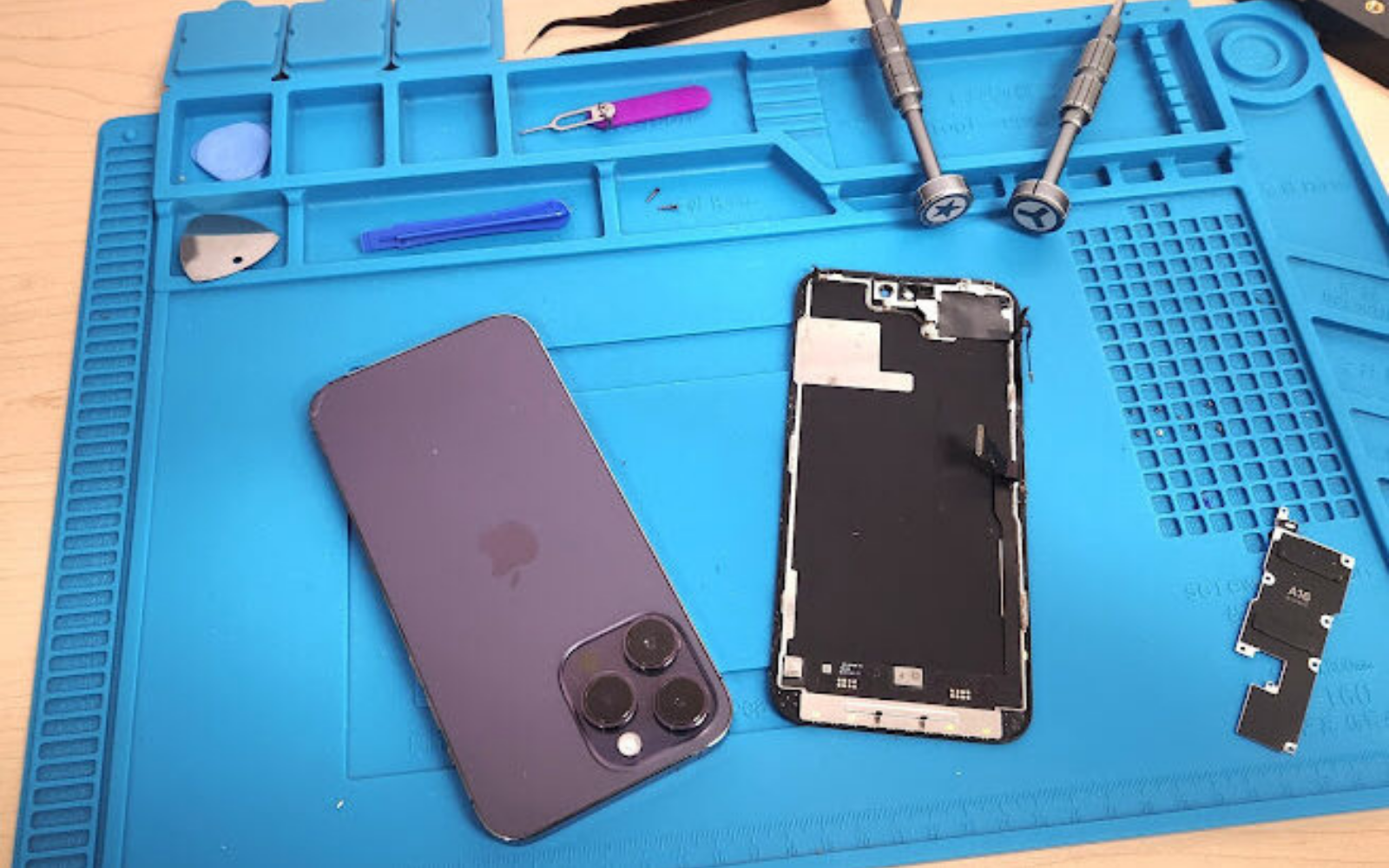
If iPhone haptic feedback is not working, start with Sounds & Haptics and Accessibility vibration settings, then prove whether a system vibration still fires. When settings are correct and the phone stays silent under your finger, treat it as a Taptic Engine, flex or connector fault — not a mysterious software bug.
Last updated:
Digi4u is a Cardiff-based UK supplier of iPhone parts, tools and accessories for repair shops and wholesale buyers. This refresh keeps the original shop triage spine (settings vs connection vs engine) and adds an Apple-aligned settings checklist plus a clear hardware decision path so high-impression “iphone haptic feedback not working” searches get a usable bench answer without throwing away ranking structure.
Quick triage: settings, connection or Taptic Engine?
Haptic faults feel identical to the customer whether a toggle is off or the engine is dead. Separate those paths in two minutes before you open the phone.
| What you observe | Likely cause | First action | Escalate when… |
|---|---|---|---|
| No vibration in Silent Mode only | Haptics set to not play in Silent Mode; Focus / Do Not Disturb active | Settings → Sounds & Haptics → Haptics → Play in Silent Mode; clear Focus | Silent Mode vibration still absent with Focus off → continue hardware checks |
| No system haptics / Control Centre feel dead, keyboard haptic off | System Haptics or Keyboard Feedback disabled; Accessibility Vibration off | Enable System Haptics; Keyboard Feedback → Haptic; Accessibility → Touch → Vibration | Settings correct, still no feel on known-good ringtone haptic → hardware |
| Intermittent buzz, weak buzz, or buzz after a drop / liquid event | Disturbed flex, debris on contacts, water corrosion, failing engine | Inspect lower flex path; reseat connector with battery disconnected | Reseat on a second known-good board still fails → replace engine |
| Dead after charging-port, speaker or display job | Connector not seated; shield / screw path wrong; pinched flex | Rework lower assembly; confirm connector fully seated and shields returned | Correct reassembly still silent → swap Taptic Engine for that exact model |
Apple-aligned settings checklist (do this before opening the phone)
Apple’s own guidance for Silent Mode vibration and keyboard haptics maps cleanly onto shop intake. Run this checklist and record pass/fail on the job sheet:
- Settings → Sounds & Haptics → turn System Haptics on.
- Sounds & Haptics → Haptics → choose Play in Silent Mode if the complaint is “silent switch on, no buzz”.
- Sounds & Haptics → Keyboard Feedback → enable Haptic if keyboard taps feel dead (and confirm Accessibility → Touch → Vibration is on).
- Control Centre → Focus: turn off Do Not Disturb / Focus profiles that suppress alerts.
- Restart the phone once after settings changes, then trigger a known system haptic (ringtone with haptic, or a keyboard tap with haptic enabled).
Official references for these paths: Apple Support “If your iPhone doesn’t vibrate in Silent Mode”, “Change iPhone sounds and vibrations”, and “Change iPhone keyboard sounds or haptics”.
Why a vibration fault is easy to misdiagnose
Settings produce the same symptom as hardware failure. Vibration can be turned off globally, limited to ring mode, disabled for keyboard feedback, or suppressed by Focus — and the customer still reports “haptics not working”. Hardware faults sit underneath that noise: a Taptic Engine that no longer moves, a flex that lost continuity, or a connector that looks seated but is not.
Shops that skip the settings pass waste parts. Shops that stop at settings when the engine is dead create callbacks. The triage table above is the gate between those two errors.
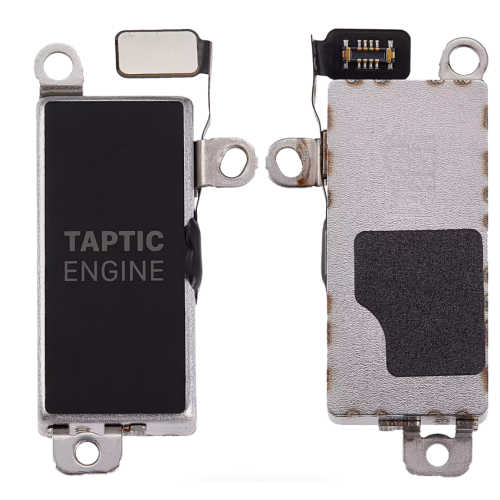
How do you tell a setting from a hardware fault?
Use a system-level haptic that does not depend on one app. If System Haptics is on, Silent Mode play is correct, Accessibility Vibration is on, and a ringtone haptic or keyboard haptic still produces nothing you can feel, move to hardware. Partial or intermittent feedback after liquid, a drop, or recent lower-chassis work also points to connection or engine failure rather than a toggle.
Where does the Taptic Engine sit, and why does that matter?
On most iPhone models the Taptic Engine sits low in the frame, near the charging port and loudspeaker assemblies. That neighbourhood is busy during port replacements, speaker work and display cable routing. A flex that looked fine at intake can be lifted, folded or left without its shield after a rushed close-up.
Geography explains the common callback: a phone that “lost vibration after a screen” often lost a lower connector or shield path, not True Tone logic.

Hardware decision path: reseat, swap donor, replace
- Power down and disconnect the battery before any connector work.
- Inspect and reseat the Taptic Engine flex and neighbouring lower connectors; restore shields and correct screw lengths.
- Retest system haptics before glue or full reassembly.
- If still dead, test the engine on a known-good board (or a known-good engine in this board) to separate board-side drive from the part.
- Replace with the correct model-specific Taptic Engine when the part fails the donor test. Do not borrow a “close enough” donor across incompatible chassis.
How do you test the engine itself?
After settings are proven, a short system haptic is enough for intake. On the bench, confirm the connector faces are clean, the flex is not creased through the conductor, and the engine body is not flooded or mechanically jammed. A part that clicks weakly or only after pressure on the connector is a connection or flex problem until proven otherwise.
Can a Taptic Engine be replaced?
Yes. It is a standard service part on modern iPhones when ordered to the exact model. Stock the common chassis you repair most often so you are not waiting on a courier for a simple haptic job. Digi4u stocks model-matched vibration / Taptic Engine flexes for shop and wholesale orders.
How does water damage change the picture?
Liquid under the lower shields corrodes contacts and can seize the engine. Even when the phone dries, oxide on the connector mimics a dead part. Clean and inspect before condemning the engine; replace when corrosion has eaten the flex or the motor no longer responds on a clean, known-good connector.
What should you test after a repair?
- System Haptics feel in ring and Silent Mode
- Keyboard haptic (if enabled)
- A short call / notification vibration with Focus off
- No new buzz artefacts (grinding, one-shot thump, only-when-squeezed)
What should you tell the customer?
Explain the three buckets in plain language: a setting, a disturbed connection after another repair, or a failed Taptic Engine. Promise the settings check first. If hardware is confirmed, quote the model-specific part and labour, and note that recent port or display work can disturb the same area.
What should you record on the job sheet?
Settings pass/fail, Focus state, Silent Mode haptic result, whether the fault started after another repair, liquid/drop history, reseat result, donor test result, and the exact Taptic Engine part ordered.
What is the one habit that prevents a vibration callback?
Re-test system haptics after every lower-chassis or display job before final adhesive. Catching an unseated flex on the bench is cheaper than a return visit for “iphone haptic feedback not working”.
UK parts dispatch follows Digi4u’s live delivery policy: same-day dispatch aim for orders placed before 4:00 PM Monday–Friday (next working day after that / weekends).
How does a vibration fault interact with other repairs?
Charging-port, loudspeaker, battery and display jobs all traffic the lower chassis. Any of them can leave the Taptic Engine flex unseated, shielded incorrectly or creased. When a customer returns with “haptics died after you fixed X”, reopen the lower stack before arguing about software. Likewise, after you replace a Taptic Engine, re-check the neighbouring connectors you disturbed — a fixed haptic that kills the microphone is still a failed job.
Shop stocking note
Keep the Taptic Engine / vibration flexes for the chassis you repair weekly on the shelf. Model mismatches are a common parts delay; the flex geometry and connector are not interchangeable across generations even when the symptom is identical.
Once the fault is isolated to a Taptic or vibration-motor flex, the live parts and stocking notes are in iPhone vibration motor and Taptic Engine flex parts UK.
FAQ
Why is my iPhone not vibrating even though it is turned on?
The usual causes are a failed or disconnected Taptic Engine, or a setting that disables vibration. Confirm System Haptics and Play in Silent Mode first, then test a system vibration. If settings are correct and there is still no haptic response, treat it as a hardware or connection fault.
Where do I enable System Haptics and Silent Mode vibration?
Open Settings → Sounds & Haptics. Turn System Haptics on, open Haptics and select Play in Silent Mode if you need vibration with the ring/silent switch muted, and check Keyboard Feedback → Haptic if keyboard taps feel dead. Also confirm Settings → Accessibility → Touch → Vibration is on.
Where is the Taptic Engine on an iPhone?
It sits low in the chassis, close to the charging-port / loudspeaker area on most models. That is why vibration faults often appear after port work, speaker work or a lower-frame reassembly that disturbs the flex.
Can a Taptic Engine be replaced?
Yes. On most models it is a serviceable, model-specific part. Replacement restores haptic feedback when the engine or its flex has failed, provided the connector, grounding and shields are restored correctly.
Does a screen replacement affect vibration?
It can. Cable routing and pressure around the lower chassis can disturb the Taptic Engine connection. Always re-test system haptics after a display job before sealing the phone.