


iPhone Back Glass Replacement: Methods, Part Matching and What to Check
Need this part? We stock tested replacement parts with same-day UK dispatch and a 12-month warranty.
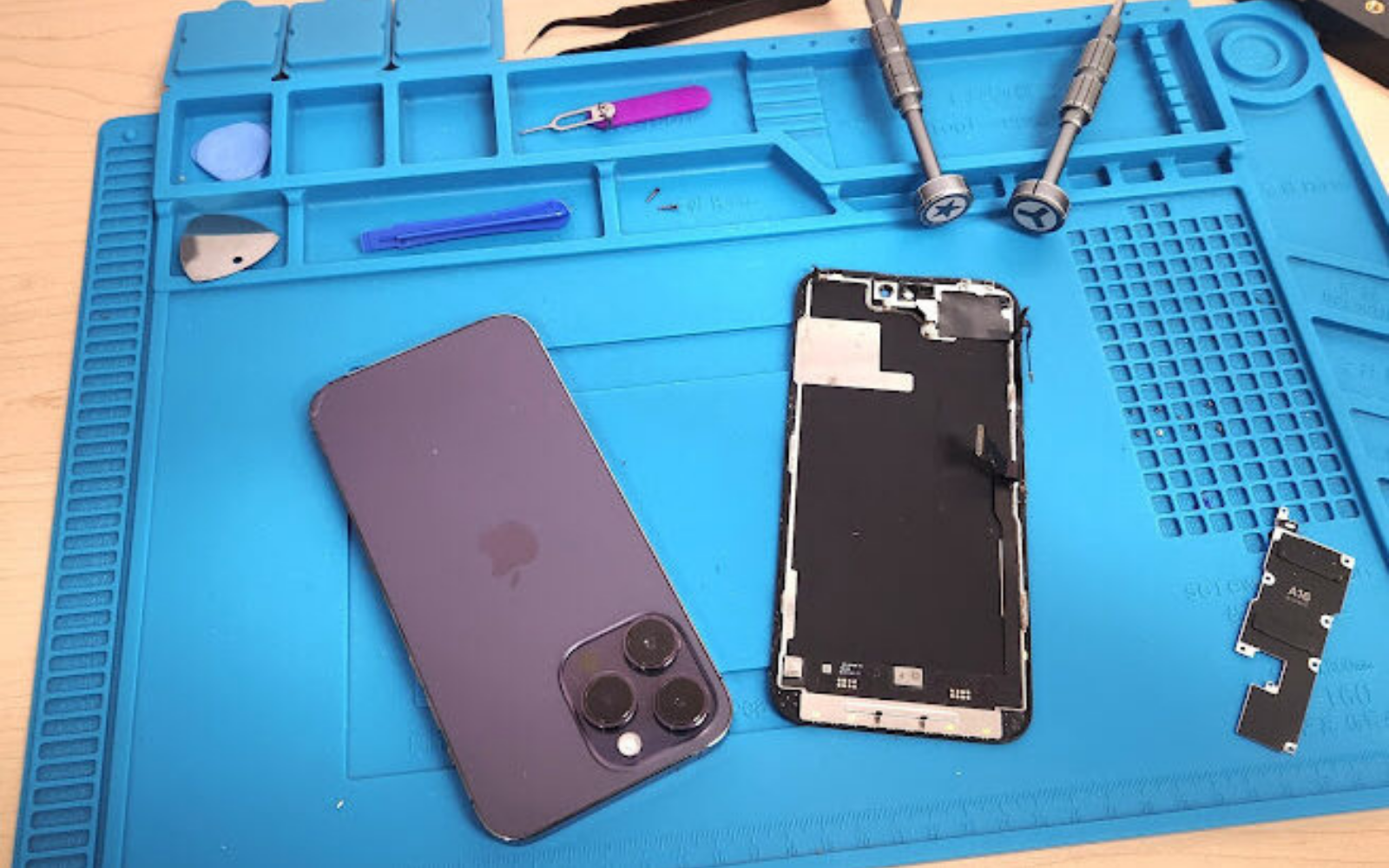
UK repair shops handling iPhone back‑glass jobs need a clear decision framework: the panel is bonded across its entire surface, sits over the charging coil and MagSafe array, and the finish must match the frame. This guide covers intake checks, method choice by model, housing‑number verification, hand‑over QC and when to switch from a glass‑only repair to a full housing swap.
Last updated:
The official Digi4u clip below is a shop-floor reminder not to start a shattered back-glass job until the method, housing match and intake checks are agreed.
@digi4u Your iPhone back glass shattered? DON’T fix it until you watch this.
Why back glass is a different repair from any other panel
The rear panel is structural as well as cosmetic. Unlike a display that sits in a frame and is secured by a narrow perimeter of adhesive, the back glass is bonded across its whole area. Beneath it lie the wireless‑charging coil, the antenna flexes, the rear camera module and the mid‑frame itself. Removing the glass means working directly above components that were never designed to be exposed to heat or prying forces. That is why the removal method matters, and why the quality of the re‑bond matters even more. A panel that sits a fraction proud, or adhesive that does not spread evenly, affects wireless charging and gives the repair away at a glance.
How do you replace iPhone back glass?
Every method follows the same three stages: separate the panel from the frame, clean the frame back to a flat surface, then bond the replacement glass with even coverage across the entire area. The method changes how the first stage is done and it changes the risk to the components underneath. The re‑bond is where most poor results originate. A panel that is not fully seated, or adhesive that leaves a high spot, produces an uneven seam visible in raking light and can interfere with the charging coil directly beneath it. The NFC flex that ships with many replacement panels must sit correctly before the panel is bonded down.
Which method should you use for which model?
Heat‑and‑blade separation works on generations where the adhesive is accessible and the glass can be worked free in sections. It costs less in equipment and more in technician time, and it carries a higher risk of marking the frame on a job done quickly. Laser separation removes the glass without a blade passing close to the frame, making it the practical choice on current models where the finish shows every mark. Neither method is universally better; the sensible rule is to choose by model and by finish, and to be honest about which one your shop can do well rather than offering the cheaper method on a device that punishes it. For tool-level detail on heat, laser and hand-tool removal, see the back glass removal methods guide.
| Method | Best suited to | Main risk | Frame condition | Coil/MagSafe risk | Labour time | Finish/identity outcome | When to move to housing swap |
|---|---|---|---|---|---|---|---|
| Heat and blade | Older models, cost‑sensitive jobs | Marking or bending the frame | Straight, undamaged mid‑frame | Moderate – heat must be kept away from coil | High – manual sectioning | Good if adhesive spread evenly; colour match critical | Frame bent, camera hill crushed, or adhesive residue prevents flat bond |
| Laser separation | Current models, painted and matte finishes | Equipment cost, heat management around coil | Straight, undamaged mid‑frame | Low – laser ablates glass, but coil still needs thermal protection | Medium – machine cycle plus clean‑up | Excellent – minimal frame contact, factory‑like seam | Frame geometry too far gone for a flat panel to sit flush |
| Complete housing swap | Bent frames or damage around camera area | Full internal transfer; new housing identifiers | Any – replaces the entire rear structure | None – coil and MagSafe array move with housing | High – full teardown and rebuild | Factory‑original appearance, new housing numbers | Default when glass‑only cannot guarantee flat bond or wireless performance |
For the iPhone 16 series the part configuration changes – MagSafe magnets and NFC flex are integrated into the glass panel. The iPhone 16 back glass and housing parts guide details the big-hole versus small-hole options and the colour-match points for that generation.
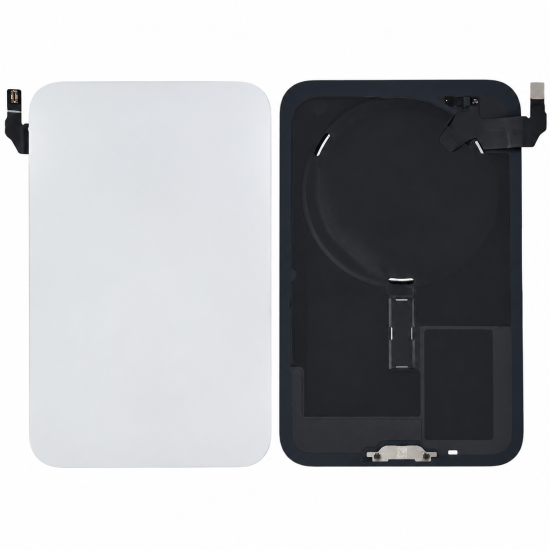
Why does the housing number matter when you order?
Back panels are cut for the camera layout, flash position and finish of a specific generation. The colour has to match the frame it is bonded to. Ordering against a marketing name rather than the exact model produces a panel that is the right size and the wrong everything else, and by then the customer’s phone is already open. Where the shop is fitting a complete housing rather than a panel, the same advice applies as for trade‑in inspection: a new housing carries its own markings, and the device will no longer match the number it left the factory with. That is worth explaining to the customer before the job rather than after it, and the checks in the guide to what a housing swap does to a device’s identity cover what it means for resale value.
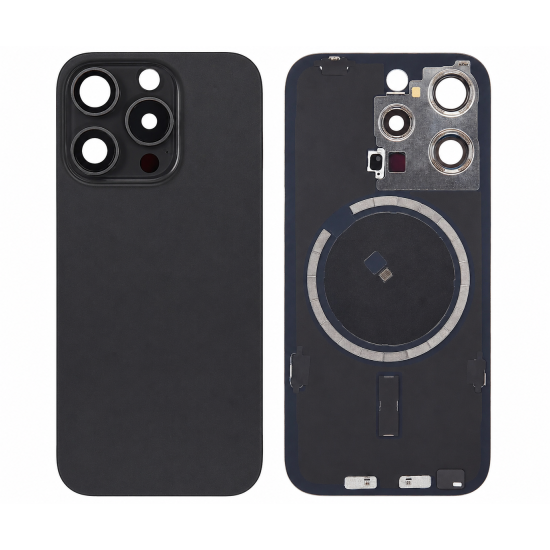
When you need to choose what to stock or order, the iPhone back glass housing parts overview explains the big-hole versus small-hole distinction, NFC flex inclusion and colour-code mapping for the current range.
What does the customer see after each method?
A correctly bonded replacement panel is difficult to identify by eye, and that is the standard to work to. A panel that sits proud at one edge, adhesive that has squeezed out, or a colour that is slightly off against the frame all read as a repaired phone to anyone who looks closely, including a buyer if the device is later traded in. It is worth showing the customer the finished seam before they leave. Shops that do this find two things: fewer disputes, because the customer has seen the result, and a useful quality check on their own work, because a proud edge is easier to spot when someone else is looking at it.
What should you check before you accept the job?
Check whether the frame is straight, because a bent frame makes a panel‑only repair pointless and changes the job into a housing swap. Inspect the camera area for damage, since impact that cracked the glass usually reaches the camera module or its ring. Confirm wireless charging works before you start, so that a fault present on arrival is not attributed to your work afterwards. Those three checks take a minute and they determine which of the three jobs you are actually quoting. Skipping them is how a panel replacement quote becomes a housing swap at the same price.
How do you protect the internals during removal?
Heat is the tool and the risk at the same time: enough to release the adhesive, not so much that it softens what is underneath. The coil, the battery and the display are all within range of a panel being heated, and the display in particular is sensitive to heat applied from the back. Laser methods manage this differently by removing glass without a blade passing over the frame, but the heat still has to be managed around the coil. Whichever method you use, the discipline is the same: keep the tool within the bond line and stop when the panel releases rather than when it looks loose.
What should you record and what should you tell the customer?
Record the exact model, the method used, the condition of the frame and the camera area on arrival, and the result of a wireless‑charging test before and after. Where a complete housing was fitted, note that on the invoice, because it changes the device’s identifying numbers. Apple’s own service route for this repair is set out in Apple iPhone repair, and what the device reports about a replacement is documented in Repair Assistant. Apple also publishes a Self Service Repair programme that gives experienced technicians access to genuine parts, tools and manuals for out‑of‑warranty work. Where the repair is a panel-only job, check the bond line from a side angle before the panel is seated, because a high spot or a gap will show once the adhesive has set.
What about the colour match?
Order by the finish, not by the colour name. Colour names are reused across generations, and the same name can refer to a noticeably different finish on two different chassis. A panel that carries the right colour name but belongs to the wrong generation will look close in a photograph and wrong on the bench, particularly on painted and matte finishes where the texture is as visible as the shade. The practical approach is to order against the model number and the finish together, and to compare the replacement panel against the customer’s frame under raking light before anything is bonded down. On titanium and matte finishes that comparison takes seconds and catches the mismatch while it is still returnable. Where the customer’s frame is itself marked or faded, show them the comparison rather than deciding for them. A new panel against an aged frame will always differ slightly, and a customer who has seen that with their own eyes accepts it as the nature of the repair rather than as a fault in it. What the device reports about the work is worth knowing too, since a customer may look it up afterwards. Apple documents the history feature in iPhone Parts and Service History and sets out what it considers a genuine display in About genuine iPhone displays.
How does back glass work fit into your week?
Back glass replacement is one of the few repairs where the bench time is genuinely elastic. Heat‑and‑blade work needs the area clear and the technician’s attention for the whole removal, and laser work needs the machine free and the operator watching it. Neither is a job to start in the last hour of a Saturday. Shops that handle back glass well book it, and they tell the customer at intake that the device will be with them for a defined period rather than promising same‑day. That is a better experience than a rushed job with a marked frame, and it makes the workshop schedule predictable, which matters more than most shops expect once back glass becomes a regular line rather than an occasional favour. Same‑day dispatch applies to qualifying orders placed before 4:00 PM Monday–Friday; see our delivery policy for details.
Handover QC checklist
- Camera alignment and lens/bezel seat – verify the module sits flush and the bezel clicks home.
- Flash window seal – confirm the flash aperture is clear and the seal is intact.
- Wireless charging and MagSafe (where fitted) – place the device on a known-good wireless charger and confirm it charges, and that the magnet ring holds where MagSafe is fitted.
- NFC function (where the part includes an NFC flex) – test with a contactless terminal or tag.
- Glass sitting flush – run a straight edge across the seam; no proud edges or rocking.
- Heat behaviour on a charging pad – after a short wireless-charge test, the rear should not run unusually hot.
Run every check before the customer collects; a missed item is the most common cause of a comeback.
Refuse and re‑quote rules for damaged housings
- Crushed camera hill – the camera module cannot be reseated reliably; photograph the deformation from two angles.
- Mid‑frame crack or bend – a flat panel will not bond evenly; capture the frame geometry with a ruler in the shot.
- Geometry too far gone to bond a flat panel – if the frame is visibly out of true and a flat panel will not sit flush, quote a housing swap.
- Missing or unreadable housing number when the part cannot otherwise be identified – note the absence and explain that the correct panel cannot be guaranteed.
- Customer insists on glass‑only pricing for a rebuild – show the photos, explain the risk to wireless charging and cosmetic outcome, and present the housing‑swap quote as the safe option.
Attach the photographs to the job ticket and have the customer sign the revised quote before proceeding.
Frequently asked questions
Can you replace the glass back of an iPhone?
Yes. The back glass is a separate panel bonded to the frame, so it can be removed and replaced without changing the whole chassis. The method depends on the model: some are separated with heat and a blade, others with a laser. The result depends more on the bonding job at the end than on the removal method.
Is a full housing swap better than replacing only the back glass?
A housing swap is the better choice when the frame is bent, the camera area is damaged, or the geometry prevents a flat panel from seating correctly. It restores factory‑original alignment and moves the coil and MagSafe array with the new housing, eliminating bond‑quality risk. For a straight, undamaged frame a panel‑only repair is faster and keeps the original housing numbers.
Does replacing iPhone back glass affect wireless charging or MagSafe?
The glass covers the charging coil and, on MagSafe models, the magnet ring. A replacement must sit flat and be bonded evenly for wireless charging to work at full efficiency. Panels that sit proud, or adhesive that is uneven, can reduce performance or cause the phone to overheat on a charging pad. Test wireless charging before the device leaves the shop.
Why does the housing or part number matter when you order back glass?
Back panels are cut for a specific camera layout, flash position and finish. The colour must match the frame it bonds to. Ordering by marketing name alone often yields a panel that fits the outline but mismatches the camera hole, NFC flex location or surface texture, leading to a visible seam or functional issue.
When should a shop refuse a shattered back‑glass job?
Refuse or re‑quote when the frame is crushed or bent beyond a flat bond, the camera hill is deformed, the housing number is missing and the correct part cannot be identified, or the customer will only pay for a glass‑only repair on a device that needs a housing swap. Document the damage with photos and explain the safety and cosmetic risks before declining.
For trade supply of back-glass panels and housing frames, see our back-cover range and trade account page.