


iPhone Wi-Fi Antenna Flex Parts UK: Fixing Signal Drops After Housing Work
Need this part? We stock tested replacement parts with same-day UK dispatch and a 12-month warranty.
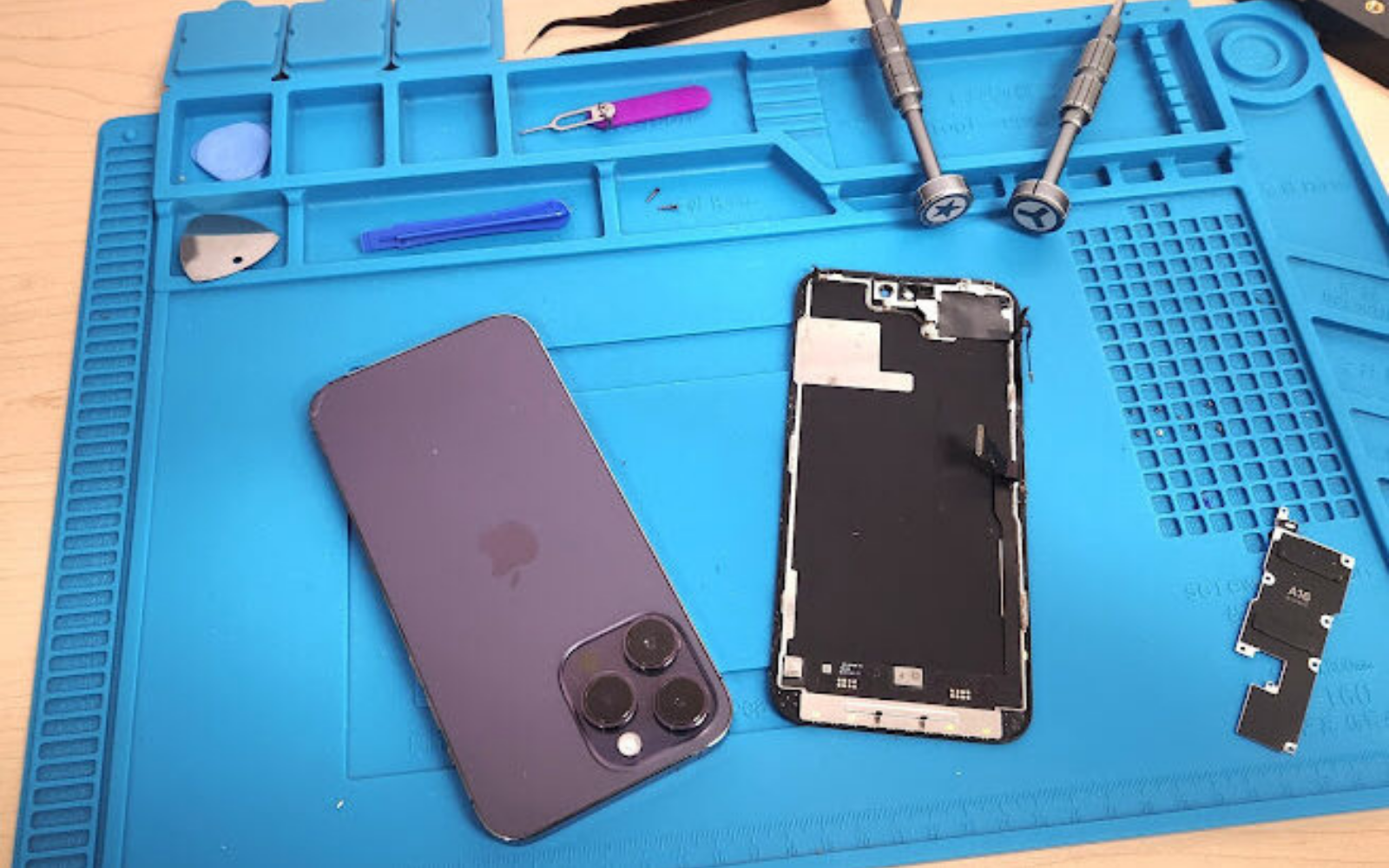
When a shop sees an iPhone Wi‑Fi antenna flex replacement UK request after a back‑glass or housing swap, the fault is often a missed grounding clip or a damaged flex rather than a logic‑board issue. This guide walks through symptoms, model‑specific flex locations, bench tests and stocking decisions so your team can resolve signal drops quickly and keep comeback rates low.
What symptoms point to an antenna flex versus a logic‑board fault?
Intermittent Wi‑Fi, Bluetooth drop‑outs and a greyed‑out Wi‑Fi icon after housing work usually indicate a flex or grounding problem.
If the device shows no Wi‑Fi networks, Bluetooth fails to pair, yet cellular data works, the antenna flex or its grounding path is the most likely cause. A logic‑board fault typically affects multiple radios including cellular, so a working cellular modem is a strong pointer toward the flex assembly.
After a back‑glass or frame replacement, the first check is whether the Wi‑Fi antenna flex cable is seated fully in its connector and whether all grounding clips and gaskets are reinstalled. A loose or torn flex will give the same “Wi‑Fi greyed out after repair” symptom as a baseband fault, but the latter typically also shows cellular issues or a persistent “No Service” flag. Shops should run a quick 2.4 GHz/5 GHz scan and a Bluetooth pairing test before assuming a board‑level defect. If both radios are dead while the cellular modem remains active, the flex path is the prime suspect. Document the symptom pattern in the job ticket; it speeds up parts ordering and reduces unnecessary board swaps. For official diagnostic steps, Apple’s support article on Wi‑Fi and Bluetooth issues provides a useful reference here.
Where are the flexes located on each model year after a back‑glass job?
Flex routing changes between generations; the iPhone 12‑16 families each have a distinct antenna‑flex path near the upper‑right frame.
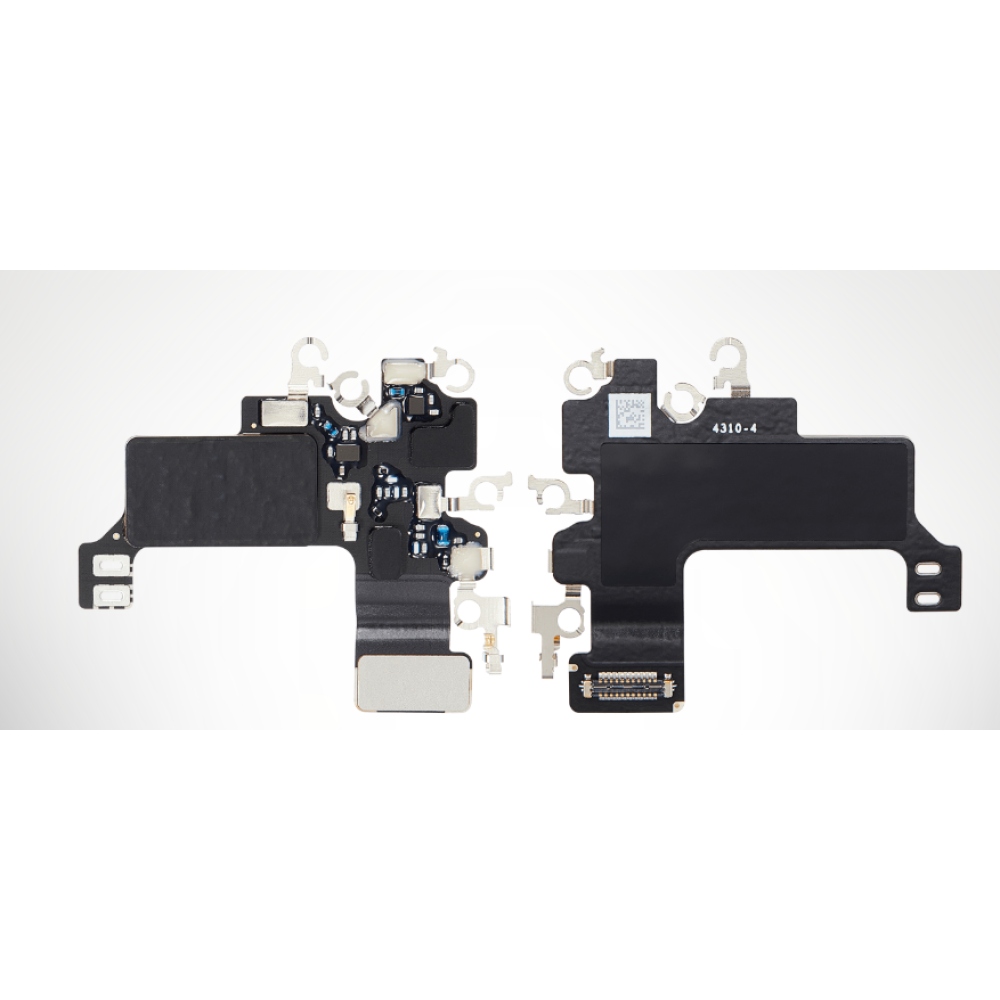
On iPhone 12/13 the flex runs along the top‑right edge under the logic‑board shield; on iPhone 14 it moves slightly lower; iPhone 15 and 16 Pro place the flex behind the rear‑camera module bracket. Knowing the exact routing prevents accidental tears when the housing is lifted. The table below summarises the typical flex entry point for each series. Shops should verify the current catalogue on the Wi‑Fi antenna category before ordering, because part numbers differ between Pro and non‑Pro models. Apple’s model identification guide can also help confirm the exact generation here.
| Model series | Flex entry region | Key grounding clips |
|---|---|---|
| iPhone 12 / 12 Pro | Top‑right, under board shield | Two clips near SIM tray |
| iPhone 13 / 13 Pro | Top‑right, under board shield | Two clips near SIM tray |
| iPhone 14 / 14 Pro | Upper‑right, just below camera bracket | Three clips, one on frame rail |
| iPhone 15 / 15 Pro | Behind rear‑camera bracket | Two clips on frame, one on antenna cover |
| iPhone 16 / 16 Pro | Behind rear‑camera bracket | Two clips on frame, one on antenna cover |
Which grounding clips and gaskets do shops forget to refit?
Missing the small metal grounding clips on the frame rail and the antenna‑cover gasket is the most common cause of post‑repair Wi‑Fi loss.
When the housing is removed, three to four tiny clips and a thin conductive gasket sit between the flex and the chassis; omitting any of them breaks the RF ground path. Technicians often focus on the flex connector and overlook the clips that sit on the inner frame rail near the SIM tray and the gasket that sits under the antenna cover. The clips are usually stainless‑steel and the gasket is a conductive foam strip. Both are inexpensive but critical; a missing clip can raise the antenna’s return loss enough to drop 5 GHz performance while 2.4 GHz appears marginally functional. During reassembly, place the clips in their exact orientation before seating the flex, then press the gasket into its groove. A quick visual check against the service manual diagram (available from Apple’s support site) prevents comebacks. Stock a small assortment of these clips and gaskets alongside the flexes; they are low‑cost, high‑impact parts that keep the shop’s first‑time‑fix rate high. For electrical safety guidance on grounding in small electronics, the HSE provides relevant information here.
What bench tests confirm 2.4 GHz, 5 GHz, Bluetooth and Continuity?
Run a dual‑band Wi‑Fi scan, pair a Bluetooth headset, and test AirDrop/Continuity to verify full radio function.
After reassembly, connect the iPhone to a known‑good 2.4 GHz and 5 GHz network, then pair a Bluetooth device and send a file via AirDrop to a Mac or iPad. A structured QC routine catches marginal flex damage that a single‑band test would miss. Start with a Wi‑Fi analyser app (or the built‑in network list) and confirm the device sees both bands with signal strengths within 5 dB of a reference unit. Next, pair a Bluetooth headset or speaker; verify audio streams without drop‑outs for at least 30 seconds. Finally, enable AirDrop and send a photo to a nearby Mac or iPad; successful transfer proves the Wi‑Fi direct and Bluetooth low‑energy paths are intact. If any step fails, re‑inspect the flex connector, grounding clips and gasket before assuming a board fault. Document the test results on the job sheet; they provide evidence for warranty discussions and help the parts buyer decide whether to restock a specific flex or a broader kit. Do not treat a regulator homepage as a shop RF test method; use the same practical Wi-Fi and Bluetooth checks you already run on the bench.
When should a shop restock flexes versus full housing kits?
Restock individual flexes for high‑volume models; keep housing kits only for low‑volume or legacy series.
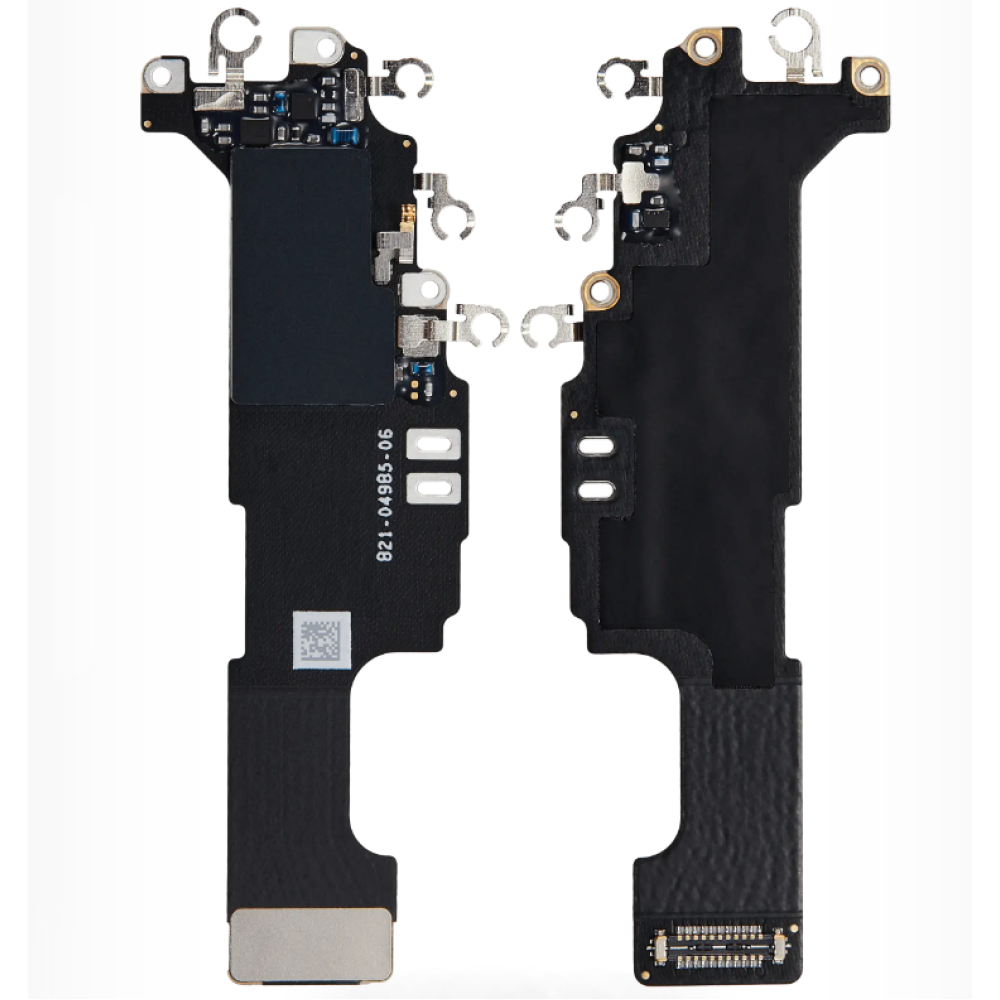
If a shop sees more than three Wi‑Fi flex replacements per month for a given generation, ordering the flex alone reduces inventory cost and lead time. Housing kits include the frame, back glass, adhesive and sometimes the flex, but they carry a higher unit cost and longer shelf life. For current‑generation iPhones (15, 16 Pro) the flex is a fast‑moving SKU; the iPhone 15 flex and the iPhone 16 Pro flex are both listed individually on the catalogue. Shops should monitor their own repair logs: a spike in “Wi‑Fi greyed out after repair” tickets for a specific model signals a flex‑stocking opportunity. Conversely, for older series such as iPhone 11 or X where housing damage is rare, a full housing kit may be more economical because the flex is seldom ordered alone. Align restock decisions with the shop’s actual repair mix rather than a generic wholesale list. The Digi4u blog on iPhone back‑glass housing parts here and the phone housing frame replacement guide here outline kit contents for reference.
Why check NFC and MagSafe coils while the housing is open?
NFC and MagSafe coils share the same upper‑right chassis area; a missed clip or damaged flex can affect both.
When the rear housing is removed for a back‑glass swap, the NFC antenna and MagSafe coil are exposed; verifying their connectors and grounding clips adds only minutes to the job. Shops that already open the device for a Wi‑Fi flex replacement should treat the NFC/MagSafe check as a standard “while‑open” step. The iPhone 16 housing guide on Digi4u’s blog iPhone 16 back‑glass housing parts UK outlines the coil locations. A quick continuity test with a multimeter on the NFC coil pads and a visual inspection of the MagSafe alignment magnets prevents a second comeback for contactless‑payment or wireless‑charging failures. No extra parts are needed unless a coil is physically damaged, in which case the shop can order the specific coil from the same supplier. Adding this check to the QC checklist raises first‑time‑fix rates without increasing parts cost. Apple’s MagSafe overview provides additional context here.
How should UK shops stock for intermittent Wi‑Fi comebacks?
Keep a minimum of two flexes per current model, plus a clip/gasket kit, and review usage quarterly.
A buffer of two units covers a typical week of repairs; the clip/gasket kit ensures grounding is never the missing link. Intermittent Wi‑Fi comebacks are costly in labour and reputation. By maintaining a small safety stock of the most‑used flexes — currently iPhone 15 and iPhone 16 Pro — and a universal grounding‑clip kit, shops can swap the flex on the same day the device returns. Digi4u offers same‑day dispatch for orders placed before 4 pm Monday‑Friday (see delivery policy), so a morning order can arrive in time for an afternoon repair. Review the shop’s repair log every quarter; if a model’s flex usage exceeds the buffer, increase the order quantity. This data‑driven approach avoids over‑stocking legacy parts while keeping the fast‑moving SKUs available. For general business guidance on electrical equipment responsibilities, the UK government provides a useful summary here.
Conclusion
Consistent first‑time fixes on post‑housing Wi‑Fi issues come down to three habits: verify the flex route and connector seating on the specific model, never skip the grounding clips and gasket, and run a dual‑band plus Bluetooth plus Continuity QC before closing the device. Keeping a lean but targeted stock of the current‑generation flexes and a universal clip kit, backed by same‑day dispatch, lets your team resolve comebacks in hours rather than days. The housing blogs and the Wi‑Fi antenna category on the Digi4u catalogue give you the exact part numbers and visual references needed to match each job.
Browse the Wi‑Fi antenna flex range
FAQ
What is the difference between an antenna flex fault and a logic‑board fault?
An antenna flex fault is often limited to Wi-Fi, Bluetooth or continuity after housing work, and it may improve when the cable, clip or gasket is reseated or replaced. A logic-board fault can remain after a known-good, model-correct flex is fitted and grounded properly. Isolate the two by confirming the exact live antenna flex, refitting grounding hardware, and repeating the same bench tests. Do not order a new board until the flex, clips and housing path have been ruled out, and record both the part used and the test result on the ticket.
Why does Wi‑Fi grey out after a back‑glass replacement?
A back-glass or housing job can leave an antenna flex unseated, pinched, or missing a grounding clip or gasket, which then shows up as dropped or greyed-out Wi-Fi. It is not automatically a failed logic board. Check the cable route, confirm the live model-correct antenna flex, and refit any clips named on the unit or the listing. Then retest 2.4 GHz and 5 GHz, Bluetooth and continuity features the shop actually uses, before the housing is closed, so a come-back is caught on the bench.
Can the iPhone 15 Wi‑Fi flex be used on an iPhone 16 Pro?
No. The live iPhone 15 Wi-Fi antenna flex and the iPhone 16 Pro flex are different listings and should be binned separately. Pro and non-Pro cables in the same year can also differ, so match the exact model on the catalogue before the order is placed. After a housing job, fit only the cable specified for that handset, then test Wi-Fi and Bluetooth before handback. If a later-series flex is not on the current listing, do not substitute another generation and hope it will seat.
Which grounding clips are most often missed?
The clips and gaskets that sit on or beside the antenna flex are the ones most often left off after a housing or back-glass job, but the exact set varies by model. Do not invent a universal clip list. Photograph the open unit before removal, refit every piece that came off, and compare the route with the live antenna-flex listing. A missing ground can mimic a failed cable. If a clip is damaged, source the correct hardware rather than leaving the new flex ungrounded.
What bench tests should a shop run after a flex swap?
After the model-correct live flex is seated and grounded, test Wi-Fi on both bands the shop can generate, then Bluetooth and any continuity or device-to-device features you actually use in QC. Keep the housing path in mind: a cable that works with the back off can fail once clips and glass are refitted, so repeat the checks after close-up. Record SSIDs or a simple pass/fail on the ticket. Do not invent a named engineering menu or a numeric pass threshold that is not on current Apple support material.