


Huawei and Oppo Charging Port Flex Parts UK: USB-C Boards for Mixed Fleets
Need this part? We stock tested replacement parts with same-day UK dispatch and a 12-month warranty.
When a repair shop evaluates huawei oppo charging port replacement uk options, the focus shifts from single‑model fixes to a mixed‑fleet strategy that covers both brands efficiently while keeping inventory lean and turnaround fast.
What are the differences between daughterboard and full lower flex designs?
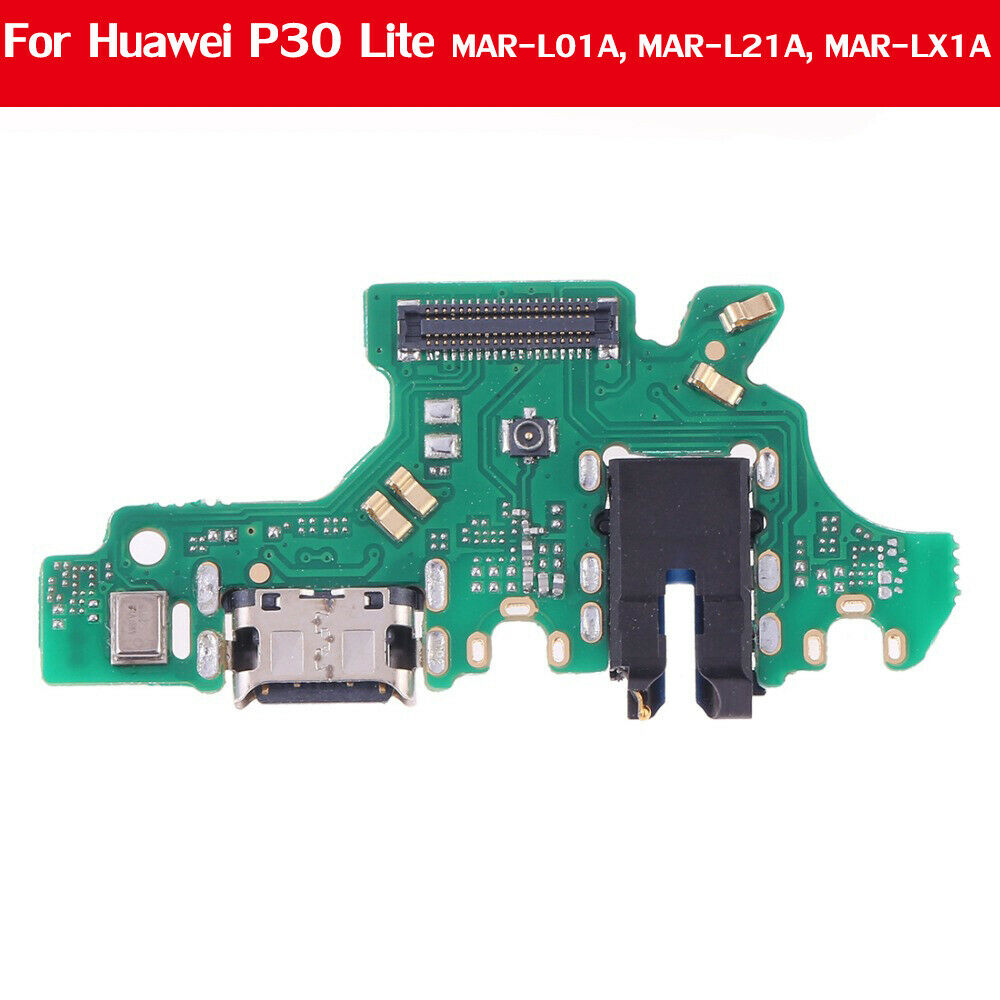
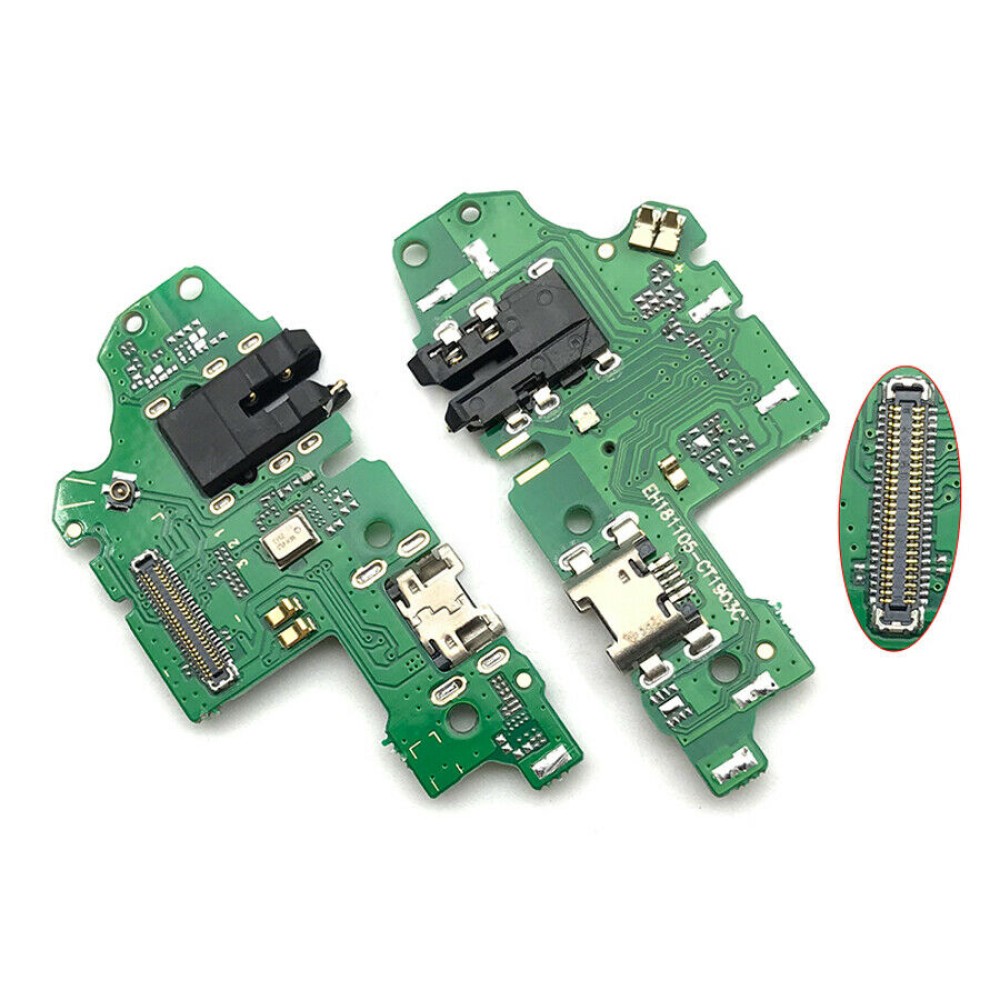
Daughterboard ports sit on a small printed circuit board that plugs into the main board; full lower flexes run the entire bottom edge of the handset and integrate several functions in one ribbon. The daughterboard approach usually means fewer components to stock because the part contains only the USB‑C connector and the primary microphone line, as described in the live listing for the Huawei P30 Lite Type‑C charging port connector and microphone flex. A full lower flex, by contrast, can carry additional microphone feeds, antenna connections and the haptic actuator, which increases the part’s footprint but lets a technician replace several failure points in one step. The Huawei P Smart 2019 (POT‑LX1) charge‑port board with microphone illustrates a full lower flex design. Shops should decide which architecture matches the devices they service most often and keep the corresponding part numbers on hand. For a deeper comparison see the charging‑port flex vs assembly guide.
Fit traps are common on daughterboard parts: the connector keying can be rotated 180° on some regional variants, and a mis‑aligned insertion often bends the delicate gold pads, creating a solder bridge that is only visible under a microscope. Full lower flexes add the risk of trapping the haptic actuator cable under the new ribbon, which can cause intermittent vibration faults after re‑assembly. Your team should verify orientation marks on the original flex before removal and use a low‑profile spudger to seat the replacement without applying lateral force.
Which microphone and antenna lines share the charging flex?
Many Huawei and Oppo handsets route the primary microphone, a secondary noise‑cancelling microphone and the LTE or GPS antenna through the same lower flex to save board space. This shared routing means a single damaged flex can affect audio quality, signal reception and charging simultaneously. Technicians should be aware that a fault reported as “no voice pickup” may actually be a fractured trace on the flex rather than a defective microphone capsule. The Huawei support site and Oppo support portal provide service manuals that show the flex pinout, allowing a shop to verify which lines are present on a particular model. When ordering a replacement, confirm that the part description matches the required microphone and antenna lines for the target handset; a mismatch will leave one or more functions non‑operational after repair.
On several Mate‑series and Reno‑series devices the secondary microphone is routed through a dedicated trace that terminates on the flex’s edge connector. If the replacement flex omits this trace, the handset will still charge but will exhibit poor call quality in noisy environments. Cross‑reference the pinout diagram with the supplier’s product photograph before committing to a bulk order.
What liquid‑damage patterns waste new ports?
Liquid ingress is the most common reason a freshly fitted charging port fails within days. Corrosion on the USB‑C receptacle pads is visible as white or green crust, but moisture often migrates beneath the flex, attacking the ground plane, microphone bias traces and antenna matching areas that are not immediately obvious. Before fitting a new part, the technician should remove the damaged flex, inspect both sides under magnification, and clean all exposed pads with a suitable solvent — following the fluid supplier’s instructions and the shop’s own wet‑bench process. The HSE electricity guidance offers general electrical‑safety context for handling powered devices. After cleaning, allow the board to dry completely; any residual electrolyte can create a parasitic path that forces the phone into a “charging paused” state. Only when the board is clean and dry should the new flex be soldered or connected.
Experience shows that a 99 % isopropyl alcohol soak for two minutes, followed by a 30‑minute air‑dry in a low‑humidity cabinet, removes most hidden residues. Re‑inspect the ground plane with a 10× loupe; any remaining greenish deposits indicate that the corrosion has penetrated the copper and the board may need a full re‑work rather than a simple flex swap.
How do you match model codes before ordering?
Marketing names such as “P30 Lite” or “P Smart 2019” are not reliable identifiers because regional variants share the same exterior while using different flex pinouts. The definitive identifier is the internal code etched on the damaged flex, typically a combination of letters and numbers (for example POT‑LX1). Before placing an order, photograph the code clearly, record it in the job sheet, and cross‑reference it with the product description on the Huawei parts hub or the Oppo parts hub. The existing Huawei charging‑port replacement blog is a DIY‑focused guide; this page serves as a mixed‑fleet commercial stocking and fit reference. If the code is illegible, request a photo from the customer and confirm with the supplier’s technical team. This discipline prevents costly returns and reduces vehicle‑down time for the shop.
Using Digi4u’s search filter with the exact model code narrows the catalogue to a single SKU in most cases. Record the version suffix (e.g. “_V2”) alongside the base code; a missing suffix is a frequent cause of mismatched microphone routing. A barcode scanner at intake can capture the code automatically and push it into your ERP, eliminating transcription errors.
What post‑install charge and OTG tests should you run?
A structured test sequence after fitting a new charging flex catches mis‑aligned connectors or damaged pads before the device leaves the bench. First, connect a known‑good USB‑C cable and power brick; verify that the handset begins charging and that the battery indicator responds. Next, plug the device into a PC and confirm that the file system mounts and data transfers without errors. If the handset supports USB‑OTG, insert a verified flash drive and check that the Android file manager recognises the storage. Finally, make a short test call or voice‑memo recording to ensure the microphone line on the flex functions. Document the outcome of each step on the job sheet. There is no single numeric current value this guide can mandate. The goal is to demonstrate that charge, data and, where the ticket needs it, OTG pathways are all operational on the bench. Do not treat a USB industry homepage or a manufacturer-equipment page as a shop test method.
For a quantitative QC step, measure VBUS voltage at the connector with a multimeter while the handset is charging; a reading within 4.9‑5.2 V confirms the power path. Check data‑line continuity (D+/D‑) with a continuity tester; an open circuit indicates a lifted pad. Record these values alongside the functional tests to build a baseline for future comeback analysis.
How should you plan a stocking mix across Huawei and Oppo?
Align the inventory with the live catalogue rather than historic assumptions. The Digi4u Huawei hub lists several USB‑C flexes beyond the two illustrated examples — wider P‑series, Mate‑series and similar models may be present. Keep the model codes that appear most often in your ticket mix, and re‑evaluate quarterly. For Oppo, the Oppo repair parts hub (titled “Oppo Repair Parts”) does not currently show dedicated charging‑port boards; treat Oppo port availability as a confirm‑before‑order item. Maintain a standing enquiry with the supplier so that when Oppo SKUs appear they can be added quickly. The delivery policy offers same‑day dispatch for orders placed before 16:00 Monday‑Friday, which helps keep lead times short once new parts are listed. Diversifying the mix across both brands reduces the risk of a single‑model stock‑out halting a high‑volume repair line.
Set minimum and maximum stock levels for each high‑turn SKU (e.g. three units minimum, ten maximum) and use your ticketing system to trigger automatic reorder alerts. Seasonal spikes — such as post‑holiday device upgrades — often increase demand for Mate‑series and Reno‑series ports; adjust safety stock accordingly. Keeping a small buffer of the most common daughterboard flexes (P30 Lite, P Smart 2019) ensures same‑day turnaround for the bulk of walk‑in repairs.
What battery corrosion checks relate to charging ports?
Battery connector corrosion is a frequent hidden cause of repeat charging‑port failures. When a handset returns with a newly fitted flex that still shows “charging paused”, remove the battery and examine the connector pins for crystalline deposits. Electrolyte leakage can wick along the same flex, re‑contaminating the fresh part. Clean the battery connector with a lint‑free swab and a solvent approved by the fluid supplier, then allow the area to dry fully before re‑assembly. The WEEE regulations require proper handling of leaking cells, but from a repair standpoint the key step is to eliminate the contamination source before the new flex is installed. Keeping a small stock of replacement battery connectors (where available) alongside charging‑port flexes enables a single‑visit fix for the combined fault.
If the battery shows swelling or a voltage drop below 3.6 V under load, replace the cell before re‑testing the charging circuit. A faulty cell can mimic a port fault by limiting current draw, leading to unnecessary flex replacements.
Comeback handling and root‑cause analysis
When a repaired handset returns with the same symptom, log the original job number, the flex SKU used, and the test results from the initial QC sheet. Compare the VBUS voltage, data‑line continuity, and microphone recordings against the baseline captured at first repair. A recurring open‑circuit on D+ often points to a lifted pad on the main board rather than a defective flex. In such cases, a board‑level re‑flow of the USB‑C connector pads resolves the issue without a second flex change. Document the root cause in your knowledge base; over time this data reveals which models are prone to board‑level failure and informs future stocking decisions.
Conclusion
Aligning part selection with exact model codes, verifying shared microphone and antenna routing, and adopting a disciplined post‑install test routine enable UK repair shops to reduce return rates and keep mixed Huawei and Oppo fleets running smoothly. The live Huawei flex catalogue provides a reliable foundation; Oppo charging‑port availability should be confirmed on the live catalogue before committing to bulk purchases.
View the Huawei parts hub for current USB‑C flex listings
FAQ
How do I match the correct charging‑port flex to a specific Huawei or Oppo model?
Read the internal model code printed on the damaged flex (for example POT‑LX1) and cross‑reference it with the product description on the Digi4u Huawei or Oppo hub. Marketing names alone are not reliable because regional variants share the same exterior but use different pinouts. Photograph the code before removal and keep the image in the job sheet for future reference. Using the supplier’s search filter with the exact code narrows the catalogue to a single SKU in most cases.
Are Oppo USB‑C charging‑port boards currently available from Digi4u?
As of the latest catalogue review no Oppo charging‑port SKUs were listed on the storefront. Shops should check the live Oppo repair parts hub or contact the sales team to confirm availability before committing to a bulk order. Treat Oppo port availability as a confirm‑before‑order item and place a standing enquiry so that new SKUs can be added to the next replenishment cycle.
Why does the microphone share the same flex as the charging port?
Many Huawei and Oppo designs route the primary microphone, a secondary noise‑cancelling microphone and the LTE or GPS antenna through the lower flex to save board space. A damaged flex therefore affects audio, signal and charging simultaneously, so replacing the whole flex restores all three functions in one step. On several Mate‑series and Reno‑series devices the secondary microphone uses a dedicated trace that must be present on the replacement part.
What liquid‑damage signs should I look for before fitting a new port?
Inspect the USB‑C receptacle for white or green crust, check the battery connector for electrolyte deposits, and examine the flex under magnification for corrosion on microphone bias traces and antenna matching areas. Clean all pads with a solvent approved by the fluid supplier and allow the board to dry completely before installing the replacement flex. A 99 % isopropyl alcohol soak followed by a 30‑minute air‑dry in a low‑humidity cabinet removes most hidden residues.
What post‑install tests confirm a successful charging‑port replacement?
Verify that the handset begins charging with a known‑good cable and brick, transfers data over USB without errors, recognises a USB‑OTG flash drive if the model supports it, and records audio through the microphone line on the flex. Failure at any stage indicates a mis‑aligned flex or damaged pad and warrants re‑inspection under a microscope. For quantitative QC, measure VBUS voltage (4.9‑5.2 V) and check D+/D‑ continuity with a multimeter.