


iPad Air and mini Battery Replacement Parts UK: Fit Mentions and Shipping
Need this part? We stock tested replacement parts with same-day UK dispatch and a 12-month warranty.

When sourcing ipad air mini battery replacement parts uk, repair shops need clear fit mentions, generation cross‑references and reliable lithium‑ion courier options to keep turnaround times short and returns low.
Which Air vs mini cell layouts do shops confuse?
Air and mini cells differ in connector placement, capacity and physical dimensions.
Air packs use a wider ribbon connector; mini packs use a narrower flex with a different pin‑out, so they are not interchangeable.
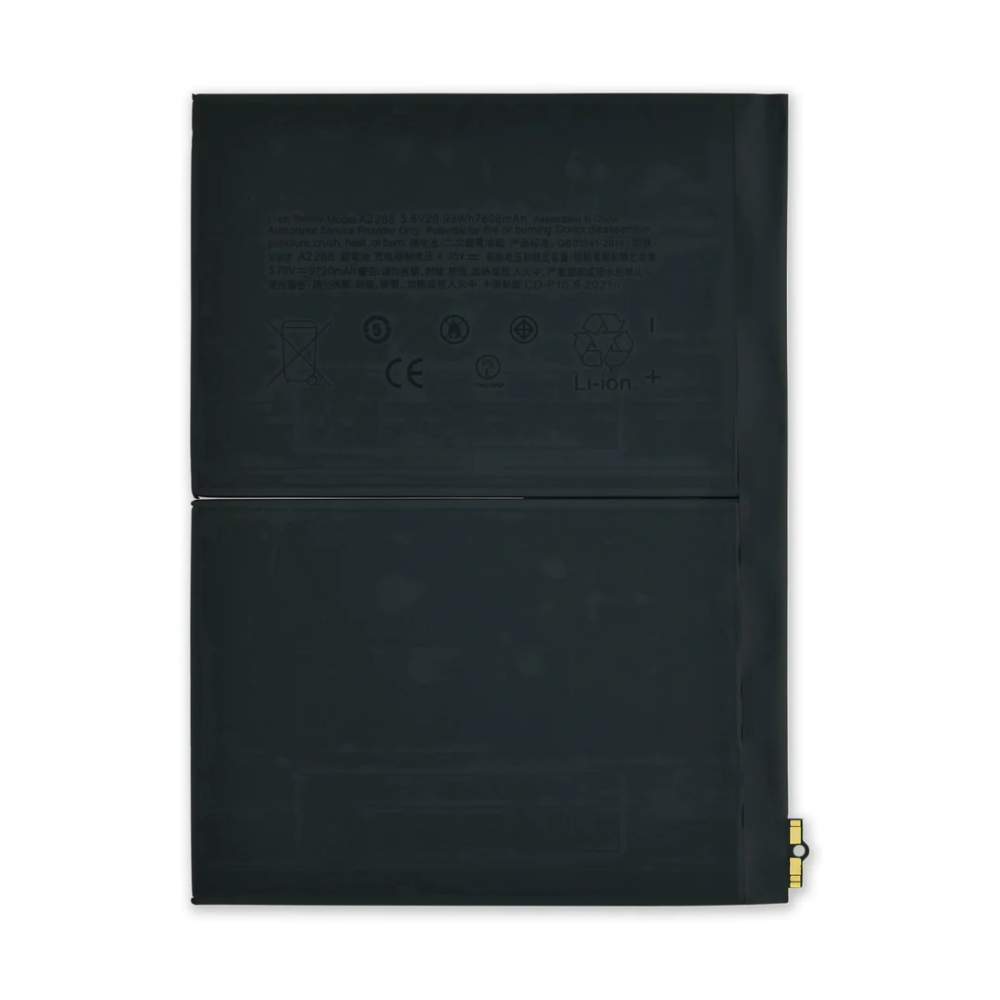
Shops often assume that any “iPad battery” fits multiple models, but the iPad Air 4/5 and iPad 10th generation share a single cell layout while the iPad mini 6 uses a distinct, smaller pack. Earlier Air 2/3 and mini 2‑5 each have unique connector orientations and adhesive patterns. Mis‑identifying the layout leads to forced fits, damaged flex cables and costly re‑work. Always verify the model number on the device’s logic board and cross‑reference the connector photo on the product page before ordering. The iPad Air 4/5/10th‑gen listing shows the shared layout, while the mini 6 page displays the narrower flex. Keeping a printed reference sheet of connector shapes in the workshop reduces errors. Technicians should also note the battery’s thickness: Air cells sit at roughly 3.5 mm, whereas the mini 6 cell is nearer 2.8 mm, affecting chassis clearance. A quick visual check against the reference sheet before unpacking prevents the most common mis‑fit scenario.
Which generation years share batteries?
iPad Air 4 (2020), Air 5 (2022) and iPad 10th generation (2022) share one battery SKU.
Only the Air 4/5/10th‑gen trio uses a common 7.6 Wh cell; all other Air and mini generations require unique parts.
This cross‑generation sharing is the only current example across the Air line. The iPad Air 2 (2014) and Air 3 (2019) each have dedicated cells that are not interchangeable with later models. On the mini side, the mini 6 (2021) stands alone; mini 2/3 (2013‑2014), mini 4 (2015) and mini 5 (2019) each require their own part numbers. A quick reference table helps purchasing teams avoid ordering the wrong SKU. When a ticket lists “iPad Air battery”, confirm the exact generation before pulling stock. The iPad battery hub lists every live SKU with model‑year tags, making verification straightforward. Adding a column for connector type to your internal parts database further reduces the chance of dispatching an incompatible cell.
| Model family | Years | Shared battery SKU |
|---|---|---|
| iPad Air 4 / Air 5 / iPad 10th gen | 2020‑2022 | Yes – single listing |
| iPad Air 2 | 2014 | No |
| iPad Air 3 | 2019 | No |
| iPad mini 6 | 2021 | No |
| iPad mini 2/3 | 2013‑2014 | No |
| iPad mini 4 | 2015 | No |
| iPad mini 5 | 2019 | No |
What are the swell and refuse criteria?
Reject any cell that shows visible bulging, electrolyte leakage or a voltage below 3.0 V per cell.
Swell, leakage or <3.0 V indicates a compromised pack that must be quarantined and returned.
On receipt, inspect each pack under good lighting. A swollen cell will not sit flat in the chassis and can pressure the display, causing cracks. Leakage leaves a sticky residue on the connector and surrounding components. Use a multimeter to measure open‑circuit voltage; a healthy iPad cell reads 3.7‑3.8 V. Anything under 3.0 V should be quarantined and returned under the supplier’s returns process. Document the condition with photos and note the batch number for traceability. This practice protects your team from fitting a compromised cell that could fail under load or, in rare cases, vent. The delivery policy outlines the return window for defective items. Keeping a log of rejected cells also helps identify any batch‑level quality trends with the supplier.
What are the UK lithium courier rules?
Standalone iPad batteries must ship via DPD; Royal Mail 48 Tracked is not permitted for lithium‑ion cells.
UN3480 classification forces DPD‑only dispatch for loose cells; non‑battery items may still use Royal Mail.
UK regulations classify loose lithium‑ion batteries as UN3480, requiring a courier authorised for dangerous goods. Digi4u’s delivery policy confirms that any order containing a standalone battery (or power bank) is dispatched exclusively with DPD. Royal Mail 48 Tracked remains available for non‑battery items such as screens, flex cables and tools. For mixed orders, the battery portion travels DPD while the remaining lines may ship Royal Mail, but the whole consignment is often consolidated to DPD to simplify tracking. Shops should factor the DPD surcharge into their cost model and inform customers that next‑day delivery is only guaranteed on mainland UK (Zone 1). The GOV.UK guidance on sending restricted goods and the BSI standards for lithium transport provide the regulatory background. Understanding these rules avoids customs delays and ensures compliance with the Carriage of Dangerous Goods regulations.
How should adhesive and soft‑cell handling be managed?
Use a low‑heat heat‑gun (≈80 °C) and a plastic opening tool; never pry with metal.
Gentle heat and plastic picks release the acrylic adhesive without puncturing the pouch.
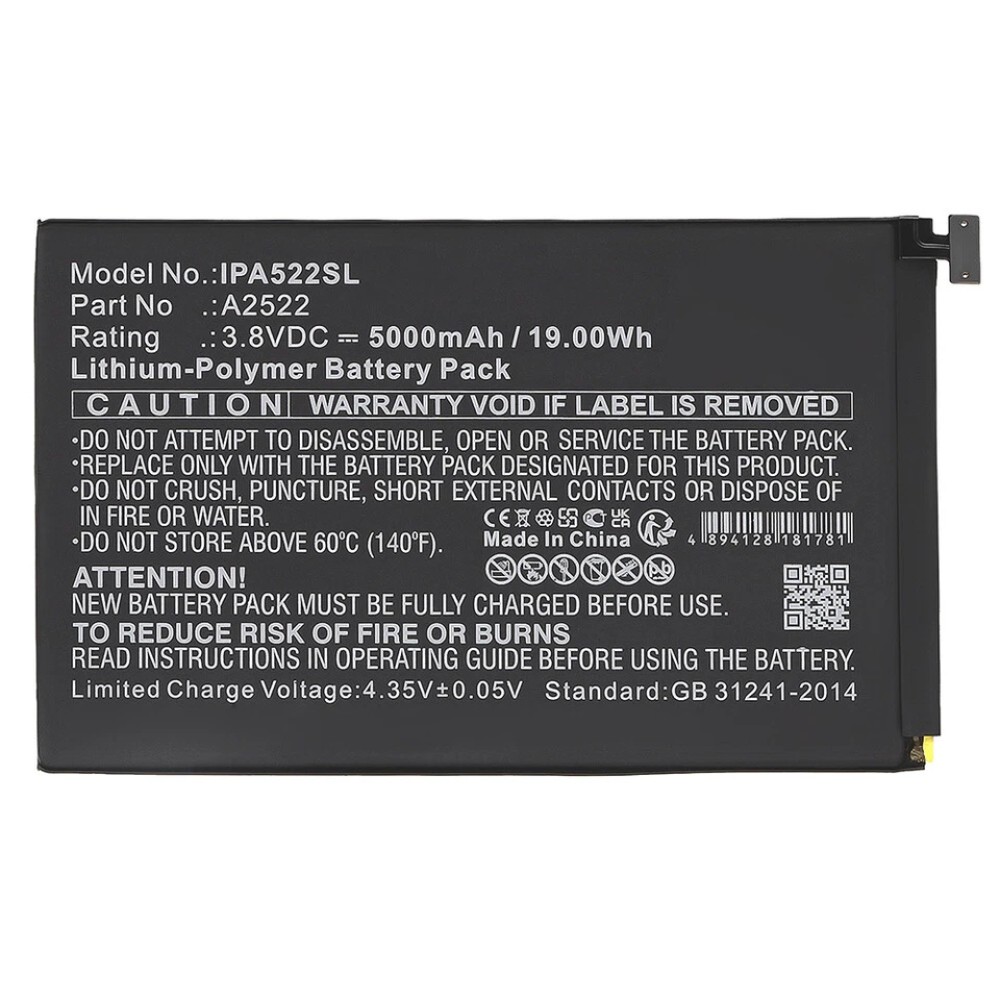
iPad batteries are secured with a thin acrylic adhesive that softens cleanly at modest temperatures. Apply heat evenly around the perimeter for 30‑45 seconds, then slide a thin plastic card or dedicated opening pick under the cell edge. Lift slowly; the adhesive releases in a single sheet. Avoid re‑using the original adhesive – it loses tack after one cycle. Instead, apply a fresh pre‑cut adhesive strip (available from the battery accessories range) to ensure a secure bond without gaps. Keep the work area free of static and debris; a punctured pouch can vent electrolyte, creating a fire hazard. The Apple battery service guide recommends similar low‑heat techniques for authorised repairs. Technicians should also wear nitrile gloves to avoid contaminating the cell surface with oils, which can degrade the new adhesive bond.
How is QC capacity verified after install?
Run a full charge‑discharge cycle and confirm the reported capacity matches the rated Wh within ±5 %.
A single calibrated cycle validates cell health, BMS calibration and adhesive integrity.
After fitting the battery, power the iPad to 100 % then run a calibrated discharge test (e.g., using a USB‑C power meter or the built‑in Battery Health menu on iOS 16+). Record the measured Wh and compare to the label (typically 7.6 Wh for Air 4/5/10th gen, 5.1 Wh for mini 6). A deviation greater than 5 % suggests a defective cell or poor contact. Log the result against the repair ticket and the battery batch number. This data supports warranty claims with the supplier and builds a quality history for your shop. The Apple repair service page outlines the official capacity‑check procedure for reference. Including a screenshot of the Battery Health screen in the job file provides an auditable record for both the customer and any future warranty discussion.
What related charging‑port jobs exist on Air models?
Air 4/5 and iPad 10th gen share a USB‑C port flex that is separate from the battery SKU.
Port replacement is a distinct repair path; stock the flex independently to avoid cross‑shipping delays.
When a device presents charging issues, verify whether the fault lies in the port flex, the charging IC or the battery. The USB‑C flex for Air 4/5/10th gen is a single part number and does not interchange with earlier Lightning‑based Air models. Keep a small inventory of the port flex alongside batteries to avoid cross‑shipping delays. The iPad screen and digitiser parts guide also lists the port flex for completeness. Treat port jobs as a separate line item on the invoice to maintain clear parts tracking. Documenting the port flex part number on the repair ticket also speeds up re‑ordering when stock runs low.
Conclusion
Accurate fit identification, generation cross‑referencing, strict swell inspection, compliant DPD shipping and disciplined adhesive handling form the backbone of a reliable iPad Air and mini battery supply chain. By embedding these checks into the workshop workflow, repair businesses reduce returns, protect technicians and keep turnaround times competitive. Consistent documentation of each step — from model verification to post‑install capacity testing — creates a traceable quality loop that benefits both the shop and its customers.
View Digi4u delivery policy for lithium‑ion shipping details
FAQ
Which iPad Air models share the same battery?
iPad Air 4 (2020), iPad Air 5 (2022) and the iPad 10th generation (2022) all use the same 7.6 Wh cell with identical connector geometry. Earlier Air 2 and Air 3 each require their own distinct battery SKU.
Can I ship a standalone iPad battery with Royal Mail 48 Tracked?
No. UK dangerous‑goods regulations classify loose lithium‑ion cells as UN3480, which requires a courier authorised for hazardous materials. Digi4u dispatches all standalone batteries exclusively via DPD.
What voltage indicates a deeply discharged iPad battery that should be rejected?
A healthy iPad cell reads 3.7‑3.8 V open‑circuit. Any cell measuring below 3.0 V per cell should be quarantined and returned as defective.
Do I need fresh adhesive when re‑installing an iPad battery?
Yes. The original acrylic adhesive loses tack after one removal. Apply a new pre‑cut adhesive strip to ensure a secure, gap‑free bond and avoid future swell or movement.
How do I verify the installed battery’s capacity?
Charge the device to 100 %, then perform a full discharge while measuring delivered Wh with a USB‑C power meter or the iOS Battery Health screen. The result should be within ±5 % of the rated capacity (e.g., 7.6 Wh for Air 4/5/10th gen).
