


Huawei Screen Replacement Parts UK: P and Mate Series Buying Guide for Shops
Need this part? We stock tested replacement parts with same-day UK dispatch and a 12-month warranty.

When your team evaluates huawei screen replacement parts uk wholesale options, the decision hinges on which generations still attract walk‑in demand, how panel formats differ between the P and Mate families, and what post‑repair quirks such as fingerprint or face‑unlock re‑calibration mean for turnaround time. This guide maps those factors to the Digi4u catalogue so you can stock efficiently and dispatch fragile OLEDs with confidence.
Which Huawei generations still justify shelf stock in the UK?
Focus on P30‑P40 and Mate 20‑Mate 40 families; older models see negligible walk‑in volume.
Current UK repair traffic centres on P30‑P40 and Mate 20‑Mate 40 series; earlier handsets rarely appear in shop queues.
UK repair shops report that the bulk of Huawei walk‑ins involve devices released between 2019 and 2022. The P30, P30 Pro, P40, P40 Pro and their Lite variants still generate consistent screen‑swap requests, as do the Mate 20, Mate 20 Pro, Mate 30 Pro and Mate 40 Pro. Models prior to the P20 or Mate 10 have dropped below a viable threshold for shelf space, and allocating budget to them ties up capital that could fund higher‑turnover panels. Digi4u’s Huawei category reflects this trend, listing LCD and OLED assemblies for the P30‑P40 and Mate 20‑Mate 40 ranges while older SKUs are absent. Aligning stock with these active generations reduces dead inventory and keeps lead times short for your technicians.
P‑series vs Mate panel formats and frame packs
P‑series panels are mostly LCD with optional frame; Mate flagships use OLED and often ship as frame‑packed units.
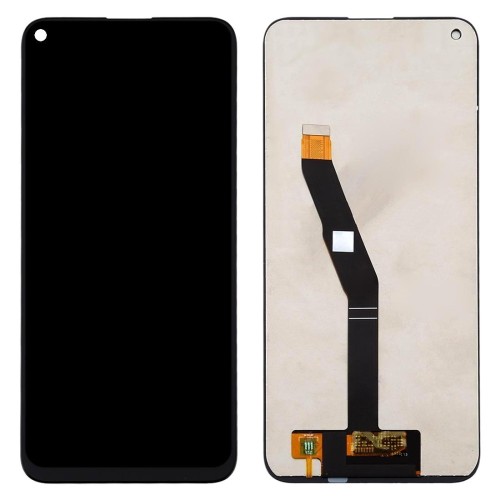
P‑series screens are predominantly LCD, many offered with or without a pre‑fitted frame, whereas Mate flagships rely on OLED assemblies that usually include the frame.
The panel technology split drives different handling and pricing considerations. P‑series devices such as the P40 Lite E use LCD modules that can be purchased as bare panels or as complete frame packs, giving your team flexibility to reuse a customer’s original frame when it is undamaged. In contrast, Mate 10 Pro, Mate 20 Pro and newer Mate flagships employ rigid OLED stacks that are factory‑bonded to the mid‑frame; Digi4u lists these as frame‑packed OLED units to minimise alignment risk. The table below summarises the typical format per family.
| Family | Typical panel type | Frame option | Common Digi4u listing style |
|---|---|---|---|
| P‑series (P30‑P40, Lite) | LCD | Bare panel or frame pack | Separate LCD and frame‑pack SKUs |
| Mate flagships (Mate 20‑Mate 40) | OLED | Frame‑packed only | Single OLED‑with‑frame SKU |
| MediaPad tablets | LCD | Bare panel | Tablet‑specific LCD listings |
Choosing frame packs for Mate repairs eliminates the need for separate adhesive kits and reduces the chance of dust ingress, while the P‑series flexibility lets you optimise cost on jobs where the original frame survives.
Fingerprint and face unlock caveats after glass work
In‑display fingerprint sensors on Mate OLEDs require re‑calibration; face‑unlock on P‑series may need IR dot projector alignment.
Mate OLED models with under‑display fingerprint need a software re‑enrolment after screen swap; P‑series face‑unlock can lose accuracy if the IR module shifts.
Repair technicians should budget extra time for biometric restoration. On Mate 20 Pro, Mate 30 Pro and Mate 40 Pro the fingerprint sensor is integrated into the OLED stack; replacing the screen forces a full sensor re‑calibration via the device’s settings menu, and in some firmware versions a factory‑reset is required before the sensor recognises new enrolments. P‑series devices such as the P40 Pro use a dedicated IR dot projector for face unlock; if the front‑glass assembly is swapped without preserving the projector’s alignment, the face‑ID success rate drops sharply. Digi4u’s product pages note these requirements in the description, and the adhesive and seal guide includes tips for preserving IR module positioning. Communicating these steps to customers upfront manages expectations and protects your shop’s reputation for first‑time‑right repairs.
Matching model codes to digi4u listings
Use the device’s EMUI model code (e.g. ELE‑L29) to locate the exact Digi4u SKU; avoid generic “P40” searches.
Each Huawei handset carries a unique model code printed on the SIM tray or in Settings → About phone; cross‑reference this code with Digi4u’s filter to pull the correct panel.
Huawei’s regional variants mean that a “P40 Pro” sold in the UK may carry model code ELE‑L29, while the same marketing name in another market could be ELE‑L04. Digi4u’s category filters allow you to search by that exact code, ensuring the panel’s flex‑cable layout, connector pitch and frame geometry match. The screen hub also groups listings by series, but the model‑code search remains the most reliable method. When your team receives a device, record the code before disassembly; a quick lookup prevents ordering a P40 Lite E LCD for a P40 Lite 5G, which have different touch‑controller pinouts. This practice cuts return rates and keeps the workflow moving.
QC shortcuts that still protect reputation
Power‑on test, touch‑grid verification, and a 5‑minute burn‑in catch most defects without full functional suites.
A three‑step check — power on, touch grid sweep, short burn‑in — flags dead pixels, ghost touches and backlight bleed before the device leaves the bench.
While a full diagnostic suite is ideal, high‑volume shops can adopt a lean QC flow that still catches the majority of panel faults. First, power the handset with the new screen connected and verify the boot logo appears without flicker. Second, run a touch‑grid test (available in most Android service menus) to confirm every quadrant registers input and that multi‑touch gestures track correctly. Third, leave the screen at maximum brightness for five minutes; this short burn‑in reveals backlight uniformity issues and early‑life pixel failures that would otherwise surface days later. Document the results on the repair ticket; if any step fails, swap the panel immediately. Digi4u’s wholesale screens guide recommends this protocol for shops handling 20+ Huawei screens per week, balancing speed with accountability.
Battery and charging port add‑ons while open
Stock compatible batteries and USB‑C ports for P‑series and Mate flagships; they share the same disassembly path as the screen.
When the chassis is open for a screen swap, fitting a fresh battery or a new charging port adds minimal labour and raises average ticket value.
Most Huawei P‑series and Mate flagships use a single‑piece battery adhered to the mid‑frame, and the USB‑C daughterboard sits directly beneath the screen flex. Since your technicians already remove the display assembly, the incremental effort to replace a swollen battery or a worn charging port is low. Digi4u lists OEM‑spec batteries for the P30‑P40 range and for Mate 20‑Mate 40 models, as well as USB‑C flex assemblies that match the original pinout. Bundling these parts on the same purchase order reduces per‑unit shipping cost and ensures the components arrive together, ready for the same repair slot. The UK supplier overview notes that shops adopting this add‑on strategy see a 12‑15 % uplift in average repair revenue without extending turnaround.
UK dispatch for fragile Huawei OLEDs
Digi4u ships OLEDs via DPD with next‑working‑day service; orders before 4 PM Monday‑Friday dispatch same day.
Fragile OLED panels are sent on DPD’s tracked service; Royal Mail is reserved for non‑lithium items only.
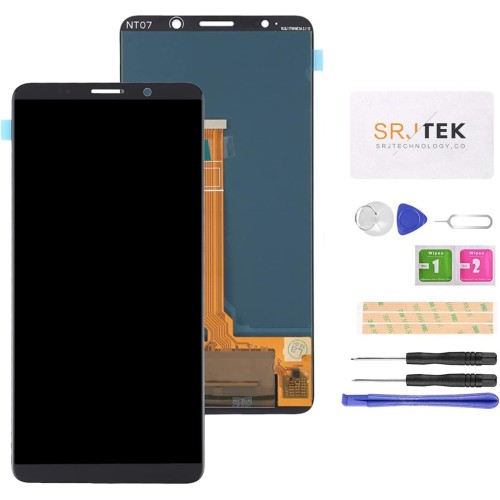
Because OLED assemblies are pressure‑sensitive and contain lithium‑ion components in the integrated driver IC, Digi4u routes them exclusively through DPD, which offers handled‑with‑care transit and real‑time tracking. Orders placed before 4 PM on a weekday leave the Cardiff warehouse the same day; weekend or post‑4 PM Friday orders ship the next working day. This schedule aligns with the delivery policy and gives your shop a predictable lead time for urgent walk‑ins. For non‑fragile LCD panels and accessory kits, Royal Mail 48 Tracked remains an option, but the policy advises using DPD for any order that includes a bare OLED or a frame‑packed Mate screen. Planning orders around the 4 PM cut‑off keeps your parts pipeline tight and avoids costly emergency couriers.
Conclusion
Stocking the right Huawei screen inventory means concentrating on P30‑P40 and Mate 20‑Mate 40 families, understanding the LCD‑versus‑OLED format split, and preparing for biometric re‑calibration on every swap. Matching model codes to Digi4u listings eliminates mis‑orders, while a lean three‑step QC keeps defect rates low without slowing throughput. Adding batteries and charging ports during screen jobs lifts revenue per ticket, and using DPD for OLED dispatch guarantees the fragile panels arrive intact. By aligning purchasing, workflow and logistics around these points, your shop can serve Huawei walk‑ins efficiently and protect its reputation for reliable Android repairs.
View Huawei screen parts on Digi4u
Honor walk-ins overlap some older Huawei families but later X and Magic lines need their own matrix — see when UK shops should stock Honor screen and battery SKUs.
FAQ
Which Huawei models still generate enough UK repair volume to justify stock?
The P30, P30 Pro, P40, P40 Pro and their Lite variants, plus the Mate 20, Mate 20 Pro, Mate 30 Pro and Mate 40 Pro, account for the majority of walk‑in screen repairs. Earlier generations such as the P20 or Mate 10 see negligible demand and are not listed in Digi4u’s current catalogue.
Do Mate flagship screens come with the frame attached?
Yes. Mate 20 Pro, Mate 30 Pro and Mate 40 Pro OLED assemblies are supplied as frame‑packed units to preserve alignment of the under‑display fingerprint sensor and to simplify installation.
What biometric steps are required after replacing a Mate OLED?
The under‑display fingerprint sensor must be re‑enrolled through the device settings; some firmware versions require a factory reset before the sensor accepts new fingerprints. Allow extra time for this process in your repair workflow.
How can I ensure I order the exact panel for a specific handset?
Read the model code printed on the SIM tray or found in Settings → About phone (e.g. ELE‑L29 for a UK P40 Pro). Use that code in Digi4u’s search filter to retrieve the matching LCD or OLED SKU.
What shipping method does Digi4u use for fragile OLED panels?
All OLED assemblies ship via DPD tracked next‑working‑day service. Orders placed before 4 PM Monday‑Friday dispatch same day; later orders ship the next working day. Royal Mail is used only for non‑lithium items.
