


iPhone Charging Port Flex Replacement Parts UK: Dock Connectors and Mic Notes
Need this part? We stock tested replacement parts with same-day UK dispatch and a 12-month warranty.

Selecting iPhone charging port replacement UK parts for the bench means matching connector era, flex map and mic path before the lower assembly is lifted. Lightning and USB-C docks, grey-screw layouts and liquid history each change whether you clean, replace the flex, or quote a battery at the same time. This guide is written for UK repair businesses and technicians who buy dock connectors as stock, quote labour separately, and need a clear parts decision when a phone will not take charge or sync data.
How do Lightning and USB-C port eras split stocking?
Split stock by connector era, not by colour alone.
Lightning covers the long 11–14 / SE lane most UK walk-ins still bring; USB-C starts with iPhone 15-series and later. Mixing eras in one bin is the fastest wrong-bag failure on the counter.
Lightning dock flexes remain high volume because many insurance and budget phones in the field still use that connector. USB-C port boards on 15/16-series devices change cable inventory, liquid-detection behaviour and data-test expectations. Apple documents debris cleaning and charge troubleshooting as first steps before assuming a failed port (Apple: if your iPhone won’t charge). Digi4u, a Cardiff-based parts supplier since 2011, lists Lightning flex cables and reclaimed USB-C charging-port boards so shops can keep both eras labelled by model family on the iPhone charging port hub.
Purchasing rule: one shelf lane per connector family, then subdivide by model. Never rely on “it looks like an 11” when the listing is a Pro Max flex with a different antenna or mic footprint. Train counter staff to ask whether the customer needs charge only or charge plus data before the quote is locked — that answer changes which QC tests you must pass before handback.
What does a charging-port flex assembly actually include?
Expect dock pins, mic and model-specific antenna paths.
Grey-screw maps and bracket shapes differ by series. Treat the flex as a lower-assembly map, not a lone connector tip.
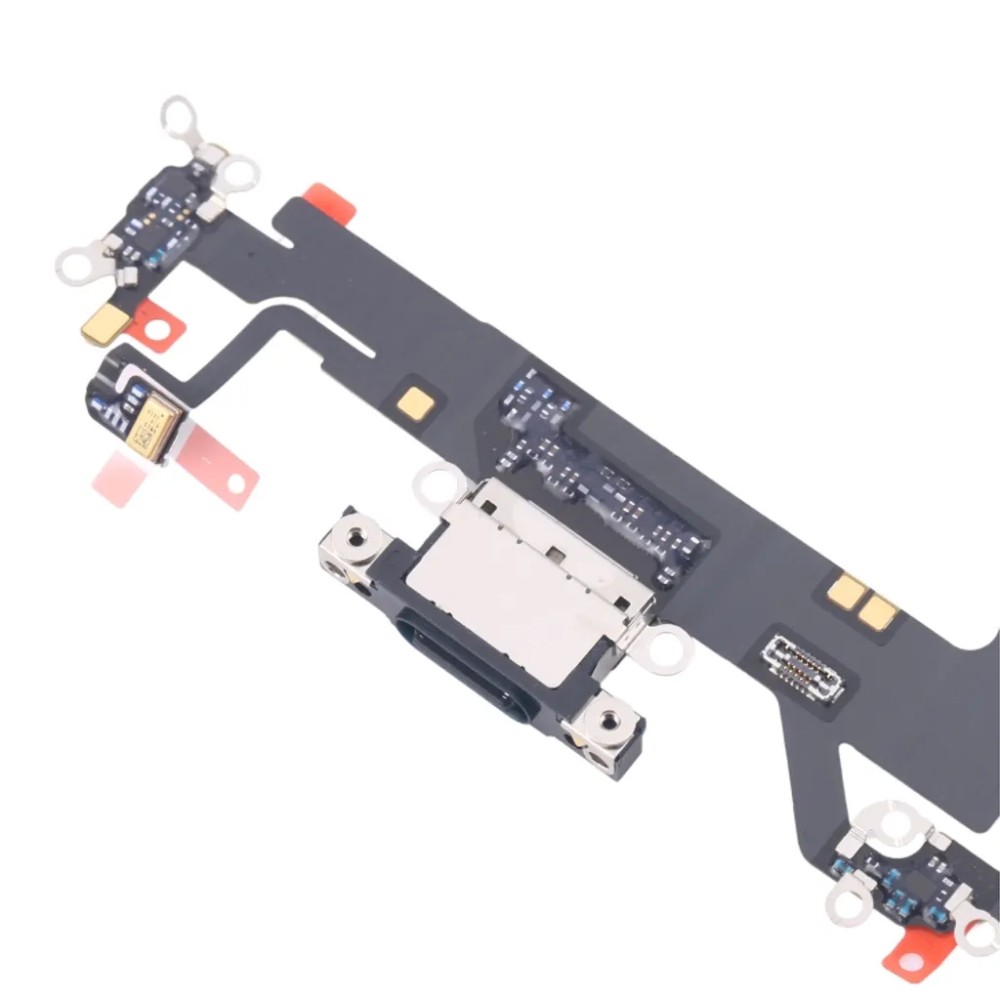
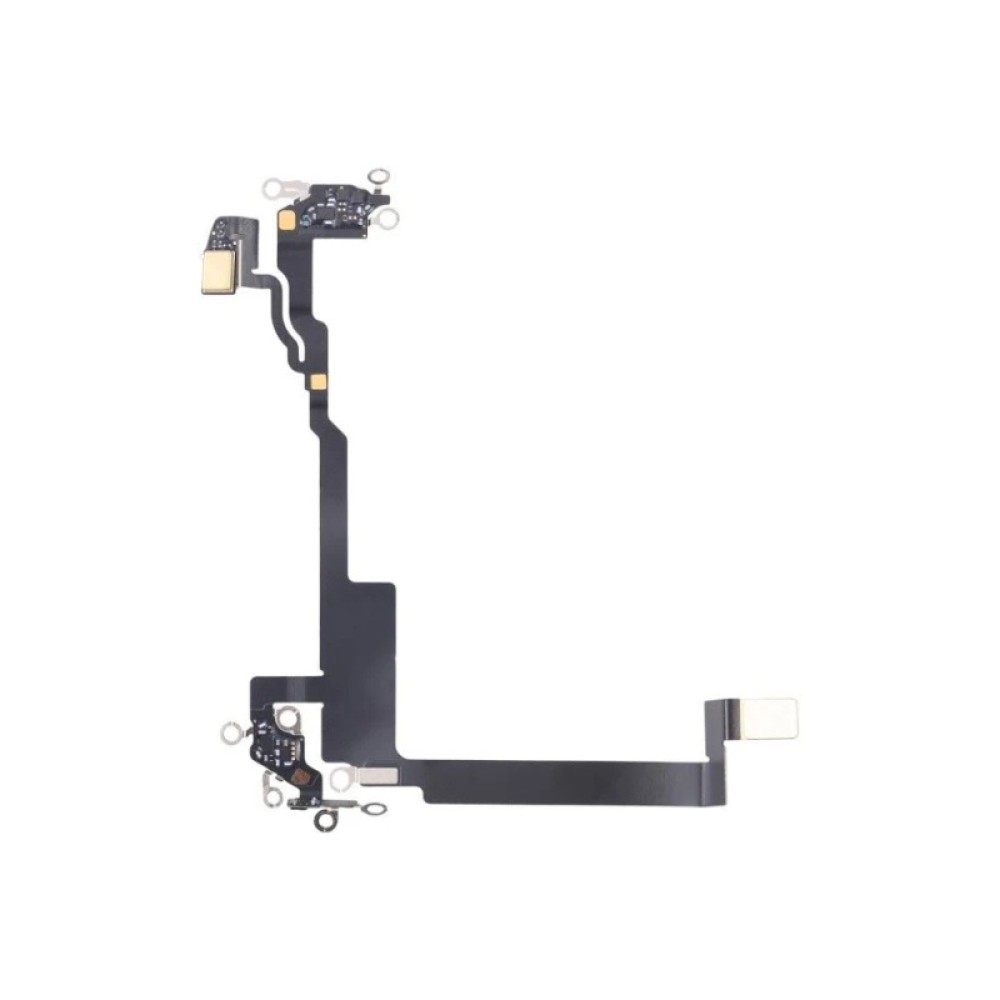
On many Lightning generations the charging-port flex carries the dock connector, one or more microphones used for voice and noise sampling, and antenna or grounding elements that sit under grey screws and brackets. USB-C era boards similarly combine the port with microphone hardware and board-level interconnects; Digi4u listings for reclaimed iPhone 16 / 16 Pro charging-port boards explicitly name the microphone in the title — use that wording on the ticket rather than inventing extra modules.
Bench implication: a “no mic on calls” complaint after a dock swap often traces to a mic port blocked by adhesive, a mis-seated flex, or the wrong flex family — not only to software. Photograph screw lengths as you remove them; mixing grey-screw lengths is a classic path to board damage on reassembly. iFixit’s device hub remains a useful third-party reference for fastener orientation when training (iFixit iPhone device hub).
How do you tell a dirty port from a failed flex?
Clean and swap known-good cables before condemning the flex.
Lint, bent pins and liquid films cause more no-charge tickets than dead docks. Apple’s own guidance starts with debris removal and firm cable seating.
Use magnification and non-metal picks or approved brushes only — never foam swabs that shed into the connector. If liquid-detection alerts appear, stop forced charging and follow drying guidance before another plug-in (Apple: liquid-detection alert on iPhone). After cleaning, test with two known-good cables and a wall adapter that has charged other devices on the bench.
Condemn the flex when charge is intermittent with every cable, data sync fails while power sometimes works, the connector shell is mechanically loose, or pins are visibly burned or missing. Document those findings on the ticket so the customer sees why cleaning was not enough. Keep customer-facing labour pricing on a separate quote sheet with parts cost itemised; this page stays on parts selection and diagnosis for the shop. Shops that publish a single all-in port price without naming Lightning versus USB-C eras usually absorb margin shocks when a Pro Max board is needed.
Which model-fit traps hit 11–16 series docks?
Confirm A-number and Pro versus base before the bag opens.
11 through 16 families look similar on the counter but take different flex lengths, bracket shapes and USB-C board revisions across base, Plus/Max and Pro lines.
Apple’s identify-your-model article is the clean pre-order check when Settings is reachable (Apple: identify your iPhone model). When the donor will not boot, read rear markings or SIM-tray codes and match them to the supplier listing. Digi4u category pages under the wider iPhone parts hub help purchasing jump to the right series once the code is known.
Particular traps: 11 Pro versus 11 Pro Max flex footprints; 12/13 mini versus standard lengths; 14 Plus versus Pro antenna layouts; 15/16 USB-C boards that are not interchangeable across Pro and non-Pro even when the connector looks identical. Reclaimed “pulled” boards must still be model-matched — original sourcing language on a listing is not a licence to guess the chassis.
| Era | Typical UK volume | Stocking note |
|---|---|---|
| Lightning (11–14 / SE) | High walk-in residual | Label Pro / Max / mini flexes separately |
| USB-C (15 / 16 series) | Rising repair share | Match board to exact model; mic named on listing |
| Pre-11 Lightning | Lower but still booked | Keep a thin spare lane; do not mix with 11+ |
Which bench charge and data tests close the job?
Prove charge, data and mic before the customer collects.
A dock that only draws power is not a finished repair if the ticket included sync or call audio.
After install, charge from a wall adapter for several minutes and confirm the battery percentage rises. Run a data check with a trusted cable to a computer or a file transfer path your shop uses. Place a phone call and a voice memo to exercise the primary mic path that often sits on the same flex. Fast-charge behaviour depends on adapter wattage and model support; Apple publishes fast-charge combinations separately from basic charge recovery (Apple: fast charge your iPhone).
If Parts and Service History surfaces a notice after certain part pathways, brief the customer using Apple’s wording rather than shop slang (Apple: Parts and Service History). For cable-side failures that are not dock faults, keep known-good Lightning and USB-C test leads labelled on the bench, rotate them out of customer loan stock, and retire any cable that fails data sync even if it still charges.
When should liquid-damaged docks trigger a battery quote?
Quote battery checks when corrosion reaches the dock.
Liquid rarely stops at the connector shell. Green or white residue under the flex is a signal to open the battery conversation on the same ticket.
Apple warns that liquid in the connector blocks charging until the port and cable ends are dry, and that forced plug-ins risk further damage. On the bench, if you see corrosion on the dock, logic-board shields nearby, or a swollen cell after liquid history, photograph the evidence and offer a battery health check before sealing the phone. Digi4u stocks replacement batteries on the iPhone battery hub; standalone lithium must ship by DPD per Digi4u’s delivery rules, never Royal Mail.
Battery performance and ageing behaviour are documented by Apple for customer conversations about capacity after liquid events (Apple: iPhone battery and performance). Photograph swelling, odour or residue before sealing, and do not invent capacity percentages the donor does not report. If Maximum Capacity is still readable, record it on the ticket as a baseline after the dock work, not as a promise that liquid damage has been cleared.
How deep should UK shops stock charging-port flexes?
Depth follows connector era and your top five models.
Most UK independent shops need a deep Lightning lane for 11–14 volume and a thinner but complete USB-C lane for 15/16, refreshed weekly rather than monthly.
Practical matrix: two units of the highest-velocity Lightning flexes (commonly 11 / 12 / 13 non-Pro and their Pro Max twins where your ticket mix shows them), one unit of slower Pro variants, and at least one matched USB-C board for each 15/16 variant you advertise same-week turnaround on. Reclaimed pulled boards and new aftermarket flexes should sit in separate labelled drawers so technicians do not mix quality promises on the same quote.
Digi4u aims for same-day dispatch on orders placed before 16:00 Monday to Friday from Cardiff, with weekend and late-Friday orders going out the next working day. Non-battery dock orders typically travel Royal Mail 48 Tracked with free shipping over £100 on that method; baskets that include standalone batteries use DPD only. Full zone detail lives on the Digi4u delivery policy. Product-safety expectations for electrical goods in the UK are summarised in government business guidance (GOV.UK product safety for businesses). Browse the live charging-port catalogue for related stocking notes rather than guessing SKU depth from memory. Review your ticket mix monthly: if USB-C jobs cross a third of dock work, deepen that lane before the next busy weekend rather than overnight-ordering every board.
Conclusion
Lightning and USB-C docks are different stocking eras; flex assemblies carry mic and antenna risks; cleaning must precede condemnation; and liquid history should open a battery conversation. Match A-numbers, run charge plus data plus mic tests, and keep Pro and non-Pro boards apart. Digi4u’s UK charging-port catalogue and same-day weekday dispatch cut-off give shops a practical way to replenish those lanes without inventing labour prices or authorised-status claims.
USB-C dock work on iPhone 16 is a model-specific flex lane — iPhone 16 charging port flex parts UK.
Dock-connector work can disturb audio paths; for dedicated earpiece and loudspeaker flex stocking, see iPhone earpiece and loudspeaker parts for UK shops.
FAQ
How much does it cost to replace an iPhone charging port in the UK?
Labour and parts pricing vary by model, Lightning versus USB-C era, and whether corrosion forces extra work. Digi4u supplies the replacement flex or board; shops set their own labour rates. Give customers a written parts-plus-labour quote after confirming the A-number, and do not treat online averages as a fixed Digi4u price.
My iPhone is not charging — is the dock always faulty?
No. Lint, damaged cables, unsupported adapters and liquid films cause many no-charge tickets. Clean the port carefully, test with two known-good cables and a wall adapter, and follow Apple’s won’t-charge steps before condemning the flex. Replace the dock when pins are damaged or every cable fails the same way.
Are iPhone 15 and 16 USB-C charging port boards interchangeable?
No. Treat each marketing model — base, Plus, Pro and Pro Max — as its own SKU. Connector shape can look similar while board outline, mic placement and antenna paths differ. Match the supplier listing to the A-number and keep Pro and non-Pro boards in separate bins.
Can Digi4u ship charging-port parts same day in the UK?
Digi4u aims for same-day dispatch on orders placed before 16:00, Monday to Friday, from its Cardiff base. Weekend or after-Friday-16:00 orders go out the next working day. Non-battery dock orders typically travel Royal Mail 48 Tracked; baskets with standalone lithium batteries use DPD only.
Should shops replace the battery when the charging port shows liquid damage?
Inspect and quote the battery whenever corrosion is visible at the dock or nearby shields. Liquid rarely stops at the connector. Photograph residue, offer a battery health check, and remember standalone lithium ships by DPD on Digi4u orders. Do not invent capacity figures the phone does not report.
