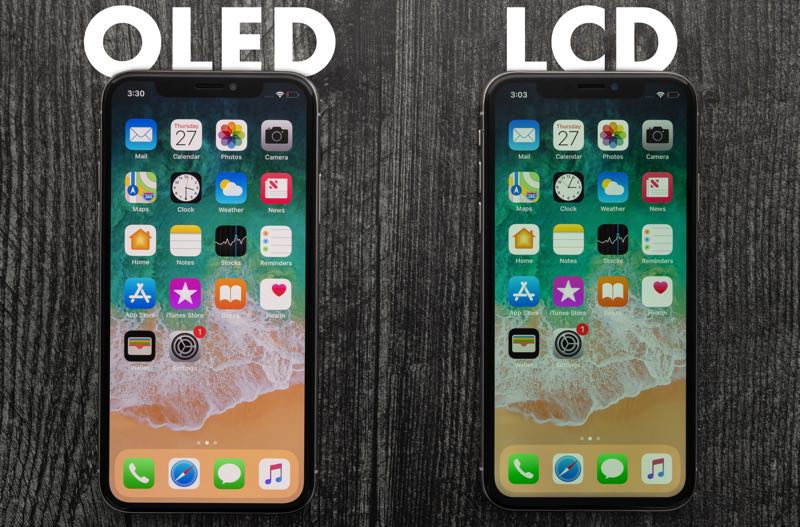


Soft OLED vs Hard OLED Screens: What’s the Difference?
Need this part? We stock tested replacement parts with same-day UK dispatch and a 12-month warranty.
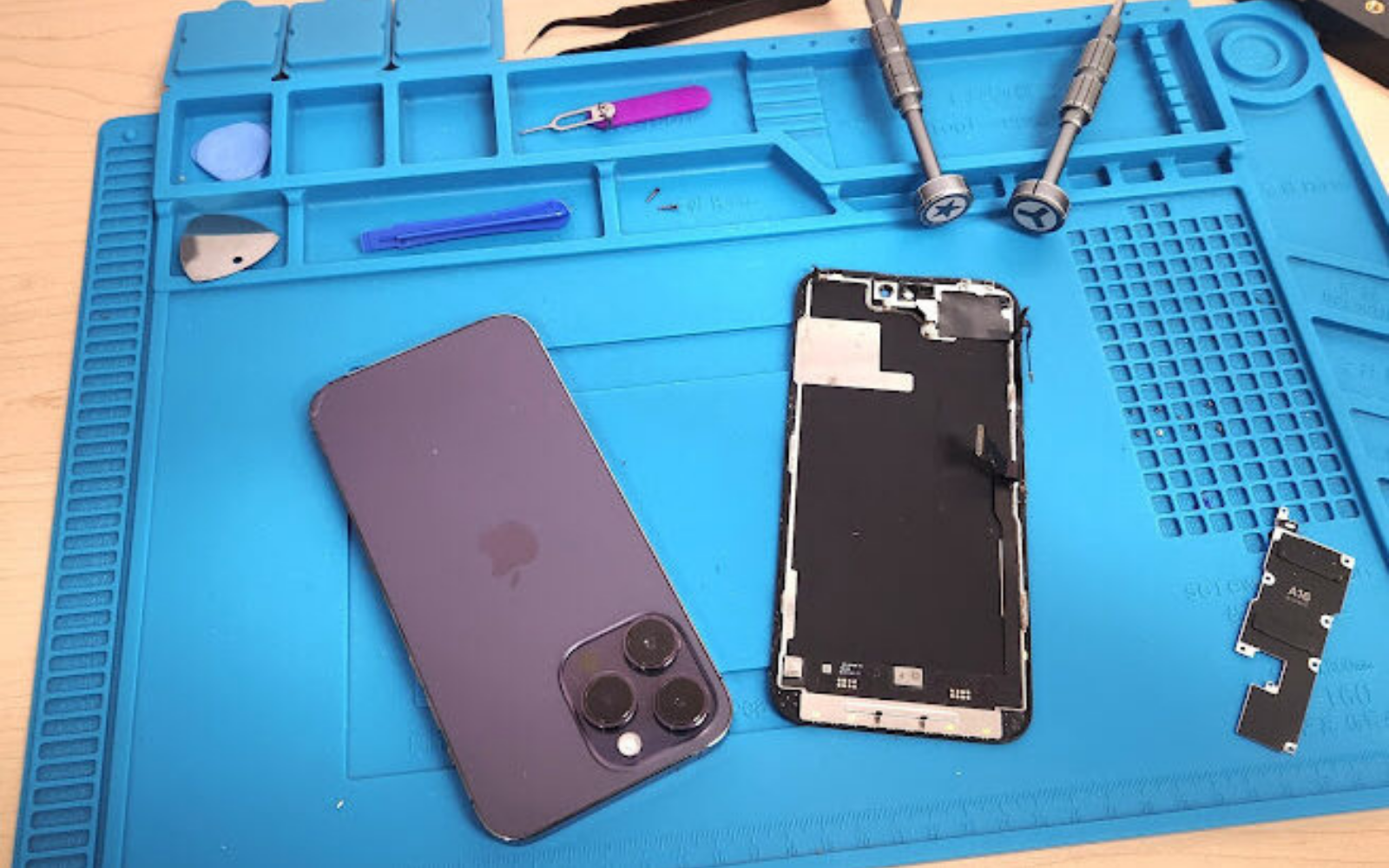
UK repair shops choosing between soft OLED and hard OLED panels need to match the substrate to the phone’s frame, because construction determines fit, thickness and flex tolerance more than any marketing grade. A well‑made hard OLED can suit a flat chassis, while a flexible soft OLED follows curved edges, so the listing’s construction detail must be verified before ordering.
Last updated:
Core difference between soft OLED and hard OLED
In the repair trade, soft OLED refers to an OLED panel built on a flexible substrate such as polyimide film, whereas hard OLED uses a rigid glass substrate. The substrate choice influences how the panel conforms to a device’s bezel, how much thickness it adds inside a tight chassis, and how much mechanical flex it can survive during installation. Neither construction is inherently superior; the correct part is the one that matches the original design of the handset being repaired.
Because the terms are trade labels rather than official Apple or Samsung specifications, a shop should never assume that “soft” automatically means higher quality or that “hard” means lower performance. A well‑manufactured hard OLED can deliver a usable picture on a compatible flat chassis on a flat‑screen model, while a poorly produced soft OLED may delaminate on a curved frame. The decision rests on the physical compatibility of substrate and frame.
When a technician receives a panel, the first visual cue is the substrate’s behaviour under gentle pressure. A flexible film will yield slightly and return to shape, while a glass base remains rigid. This simple observation helps confirm that the part matches the listing before any adhesive is applied.
Which devices need which construction
Phones with curved or tightly radiused edge‑to‑edge displays are usually stocked with a flexible‑substrate (soft OLED) replacement, because that construction can follow the frame more closely and reduce the risk of lift or pressure marks. Flat chassis can often accept a hard OLED if the listing is confirmed for that model, because the frame does not demand the same substrate bend. Do not treat a family name as proof of the original construction; confirm the replacement listing and the frame in front of you.
When a shop receives a repair request, the first step is to identify whether the original panel was built on a flexible or rigid base. This information is rarely published by the OEM, so the reliable method is to consult the replacement listing for explicit construction wording and to cross‑reference the phone’s frame profile. If the listing only states “OLED” without a substrate qualifier, the shop should request clarification from the supplier before committing stock.
In practice, many UK workshops keep a quick‑reference sheet that pairs each model series with the substrate type most commonly used in the aftermarket. Updating that sheet whenever a new listing appears prevents costly mis‑orders.
How construction affects fitting
A soft OLED’s thin, pliable film allows it to sit flush against a curved bezel, minimising the chance of a visible gap or uneven pressure on the digitiser. During installation the panel can tolerate a modest amount of flex as the technician aligns connectors, which reduces the likelihood of cracking the organic layers. Conversely, a hard OLED’s glass base adds measurable thickness; on a tight chassis this can push the display outward, creating a raised edge that may interfere with the housing seal.
Flex tolerance also matters when the technician applies heat or pressure to seat the adhesive. A rigid panel transmits force directly to the glass, increasing the risk of micro‑fractures if the frame is not perfectly flat. Shops that regularly service curved models should keep a higher proportion of soft OLED stock, while those focusing on flat‑screen repairs can maintain a larger hard OLED inventory without compromising fit quality.
Experienced fitters often run a dry‑fit before any adhesive is cured. They place the panel, check for uniform contact around the perimeter, and verify that the earpiece mesh and proximity sensor apertures line up. Any mis‑alignment at this stage is far easier to correct than after the adhesive sets.
Trade labels such as DD and JH – what they really mean
On the live Digi4u catalogue (checked 23 November 2026) the “DD Premium” label appears on both soft OLED and hard OLED listings, including some marked IC‑removable or 120 Hz. The “JH Value” lines examined on the same date are FHD LCD / in‑cell (COF LCD) assemblies, not a hard OLED construction grade. Therefore the letters are supplier or grade identifiers, not a shorthand for substrate type.
Shops must read each listing for the explicit construction field, refresh‑rate note, IC‑removable flag, model compatibility and connector layout. If any line is ambiguous, the safest approach is to confirm the details with the supplier before placing an order. Relying on a letter code alone can lead to a mismatched part and a failed repair.
When a new batch arrives, a quick visual check of the packaging label against the online listing helps catch any discrepancy early. Some suppliers use the same grade code across different substrate families, so the construction field remains the definitive reference.
Same‑generation iPhone 12 / 12 Pro example – soft versus hard
The following two listings illustrate why the construction field matters even within a single phone generation. Both are for the iPhone 12 and iPhone 12 Pro, yet one uses a flexible substrate and the other a rigid glass base.
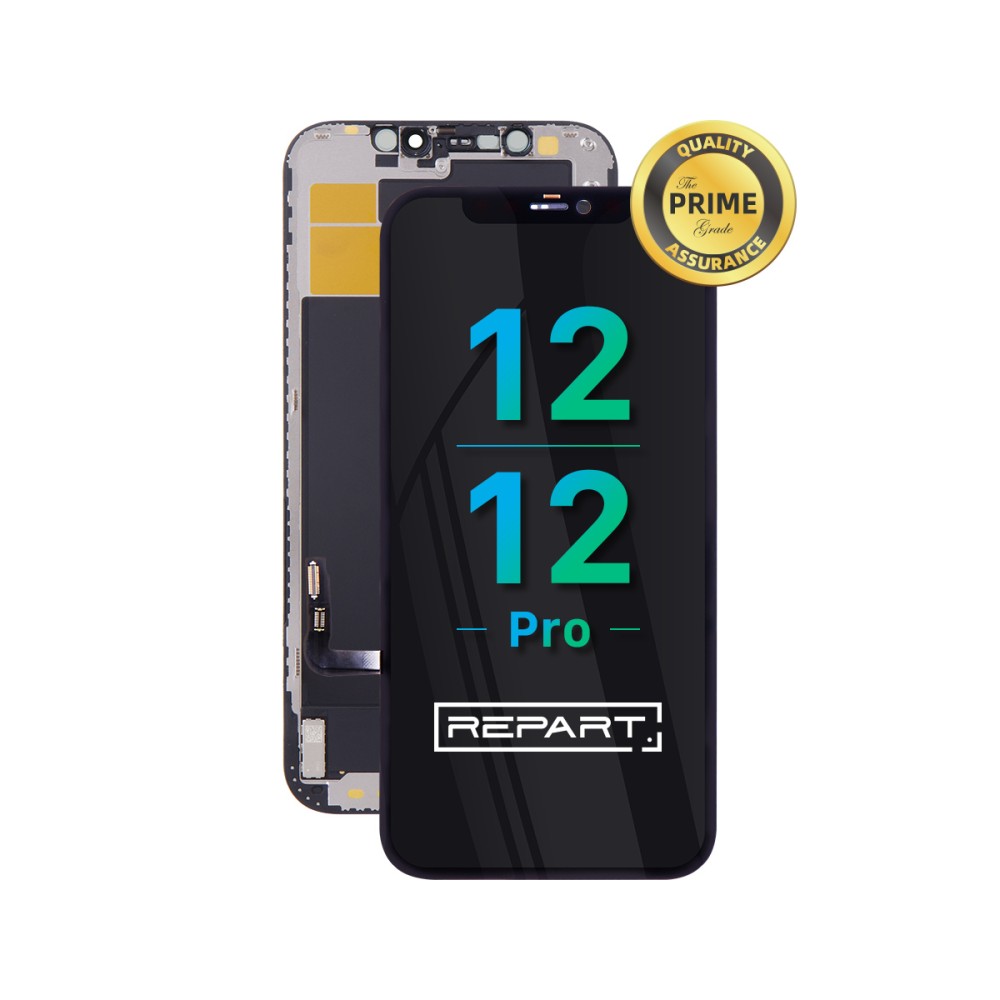
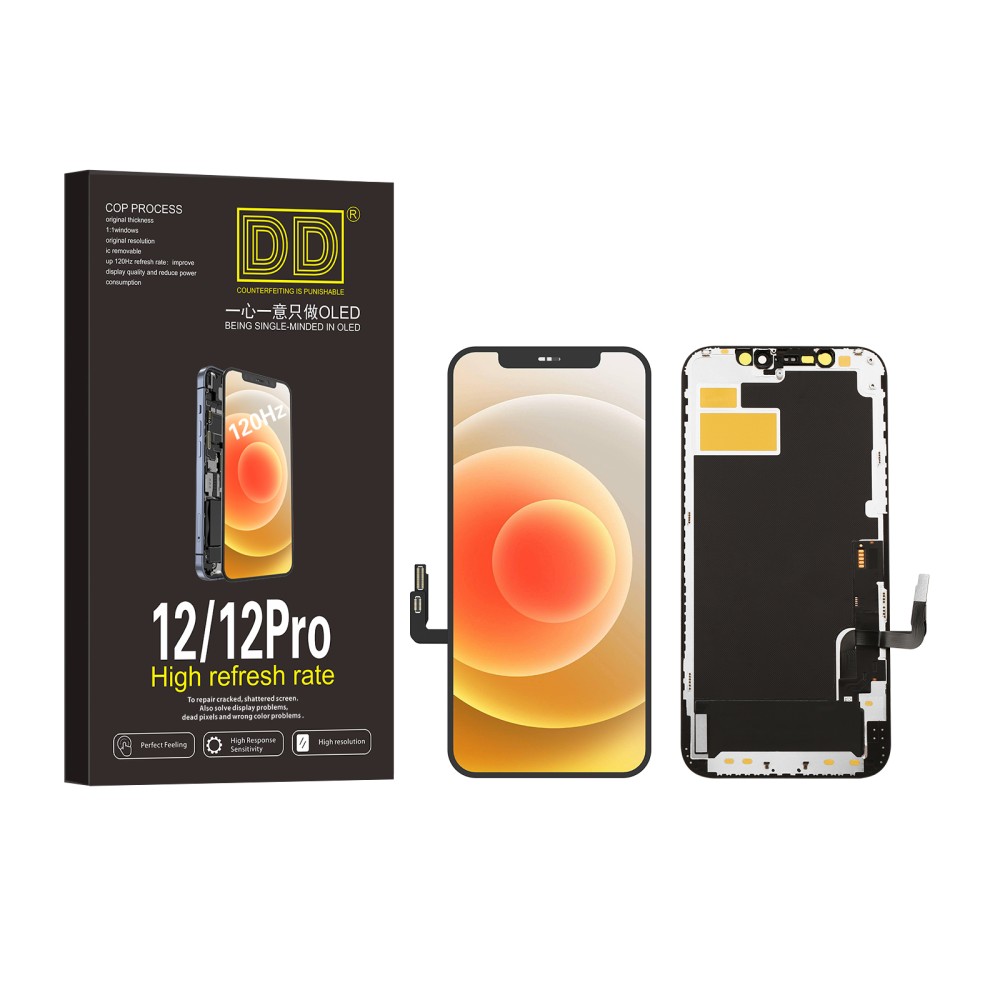
The REPART listing is a Soft OLED for iPhone 12 and iPhone 12 Pro. The DD listing is a Hard OLED for the same generation. Both are aftermarket constructions, not an official Apple grade, and they are not interchangeable just because the model name matches. Stock and order from the construction printed on the listing, then confirm the flex, connector and any IC‑removable or 120 Hz note before the panel is opened.
Three checks before placing an order
- Exact model identification – verify the precise handset (e.g. iPhone 12 Pro, not just “iPhone 12”).
- Panel construction – confirm the listing states soft OLED or hard OLED and that the construction matches the phone’s frame profile.
- Flex and connector compatibility – ensure the flex cable layout, connector type and any IC‑removable notes align with the device’s logic board.
“Compatible with” without a construction match is a failed‑fit risk. Treat every order as a specification match, not a family match.
Workshop stocking notes
Maintain a balanced inventory that reflects the repair mix of the shop. If curved‑screen repairs dominate, allocate a larger share of soft OLED stock across the relevant generations. For flat‑screen work, a deeper hard OLED range can reduce cost without sacrificing fit. Rotate stock regularly; panels that sit on the shelf for extended periods may suffer adhesive degradation, especially on flexible substrates.
Label each bin with the construction type, model range and any special flags such as 120 Hz or IC‑removable. This visual system prevents accidental cross‑picking during a busy repair session. When a new supplier batch arrives, run a quick visual inspection for substrate flexibility — gently flex a corner of a soft OLED sample to confirm it behaves as expected.
Keep a log of which constructions have been used on each model over the past quarter. That data highlights trends and helps forecast future stock needs without relying on guesswork.
Stocking matrix – construction versus frame type
| Frame profile | Preferred construction | Thickness impact | Flex tolerance | Typical risk if mismatched |
|---|---|---|---|---|
| Curved edge‑to‑edge | Soft OLED | Minimal added thickness | High – follows curve | Gap, lift, pressure marks |
| Flat with narrow bezel | Hard OLED (acceptable) | Moderate – a rigid glass base often sits thicker | Low – rigid | Raised edge, seal compromise |
| Flat with generous bezel | Hard OLED | Low impact | Low | Rare |
| Mixed fleet (both types) | Stock both | Manage per model | Match per model | Cross‑fit errors |
Post‑fit quality checks
After the adhesive has cured, run a systematic check before handing the device back to the customer. Power the screen and verify that touch response is uniform across the entire active area, paying particular attention to the edges where a mismatched substrate can create dead zones. Inspect the perimeter for any light leakage that would indicate a gap between panel and frame. Confirm that the earpiece mesh sits flush and that the proximity sensor operates correctly during a test call. Finally, run a finger along the display edge to feel for any proudness; a raised lip often signals that a hard OLED was used on a curved chassis.
Document the outcome in the job sheet. If any item fails, note the construction type used and the frame profile so the workshop can adjust future stocking decisions. This feedback loop turns each repair into a data point for better inventory planning.
Customer‑facing explanation script
When a client asks why a particular panel was chosen, keep the explanation grounded in construction rather than marketing. “We have matched the replacement construction to this frame. If the original design needs a flexible substrate, a soft OLED follows the edge more closely. A hard OLED on a curved or tight frame can sit thicker and lift at the edges. We confirmed the construction on the listing before the part was ordered.” Avoid any claim about picture superiority; the focus is on mechanical compatibility. Remind the customer that the part is an aftermarket assembly, not an original component, and that the listing’s construction field is the decisive factor.
If the customer requests a different grade, explain that the grade label (DD, JH, etc.) does not indicate substrate type. Show them the listing on the screen, point to the construction line, and confirm that the part matches the frame. This transparency builds trust and reduces comeback disputes.
Frequently asked questions
Is soft OLED better than hard OLED?
Neither construction is universally better; the right choice depends on the phone’s frame. Soft OLED suits curved or tightly‑packed chassis, while hard OLED can be a cost‑effective option for flat models.
What does DD mean on a screen listing?
DD is a supplier grade label that appears on both soft OLED and hard OLED listings. It does not indicate substrate type; always check the construction field in the product description.
What does JH mean on a Digi4u listing?
JH Value listings currently refer to FHD LCD / in‑cell (COF LCD) assemblies, not hard OLED panels. That is an LCD assembly, which is a different technology from OLED; the OLED versus LCD choice for iPhone 12 work is covered separately in iPhone 12 screen replacement: OLED vs LCD options. Treat JH as a grade for LCD technology, not an OLED construction code.
Can I fit a hard OLED screen on a curved phone?
Fitting a hard OLED on a curved handset usually results in a raised edge, poor adhesive contact and a higher chance of display lift. It is not recommended unless the specific listing states it has been tested for that curvature.
Is soft OLED the same as an original or OEM screen?
Soft OLED describes the aftermarket panel’s flexible substrate. Original iPhone OLED assemblies are widely described in the trade as using a flexible substrate, so a soft OLED is often the closer construction match, but it is not an OEM part. Construction (soft versus hard) is also not the same question as original versus aftermarket, which is covered in OEM vs aftermarket iPhone screens.