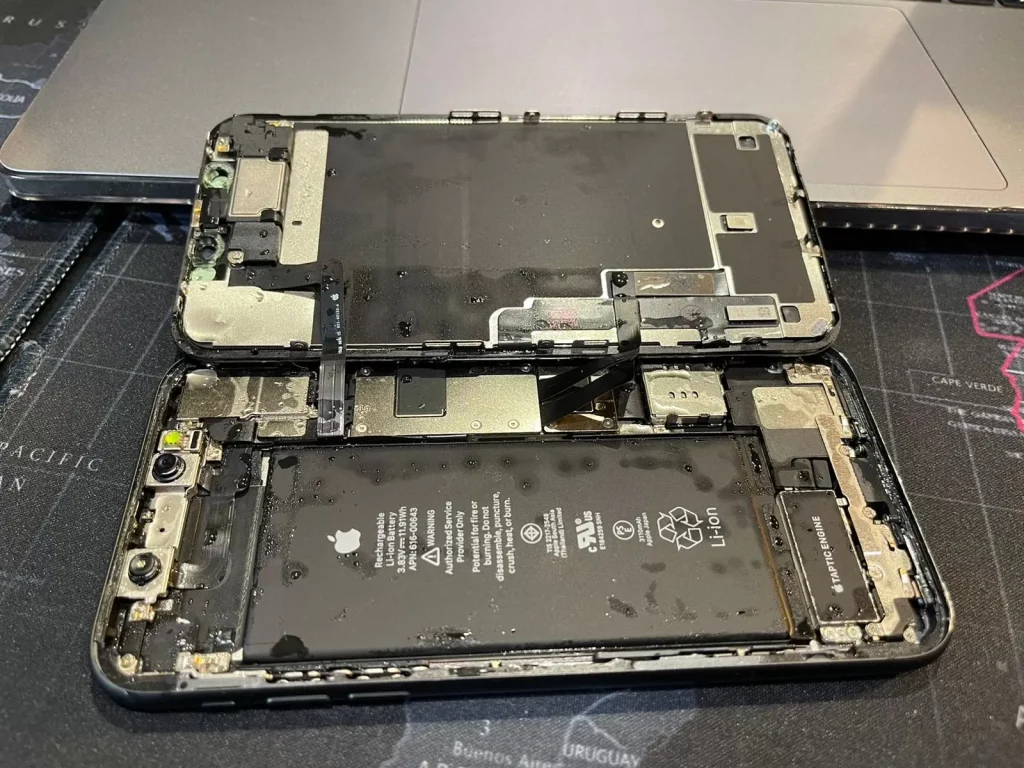
Accidentally dropping your phone in water is one of the most common smartphone accidents. Whether it falls into a sink, toilet, swimming pool, or gets caught in the rain, water can cause serious damage to internal components.
But don’t panic — acting quickly can significantly increase the chances of saving your device.
What Happens When a Phone Gets Wet?
Modern smartphones contain many sensitive electronic components. When water enters the device, it can cause:
Short circuits Water can connect electrical pathways that should never touch, potentially damaging the motherboard.
Corrosion Moisture left inside the phone can slowly corrode connectors, chips, and solder points.
Component failure Components such as the screen, battery, charging port, and cameras can malfunction due to water exposure.
Even if the phone still works immediately after being wet, damage may not appear until hours or days later.
Common Symptoms of a Water-Damaged Phone
If your phone has been exposed to water, you may notice some of these issues.
Phone Won’t Turn On
One of the most serious signs of water damage is when the phone refuses to power on.
Possible causes include:
- Motherboard short circuit
- Battery failure
- Power management chip damage
Screen Display Problems
Water often affects the display first.
Symptoms may include:
- Black screen
- Flickering display
- Ghost touch or unresponsive touch
- Lines or spots on the screen
In many cases, replacing the screen assembly can resolve the issue if the motherboard is still functioning.
Charging Issues
Water frequently enters through the charging port, causing problems such as:
- Phone not charging
- Slow charging
- Charging port not detecting cable
Sometimes the charging port simply needs cleaning, but severe corrosion may require charging port replacement.
No Sound From Speaker
Water trapped inside the speaker module can cause:
- Distorted sound
- Very low volume
- No sound at all
If the issue persists after drying, the speaker module may need replacement.
Camera Fogging or Blurry Photos
Moisture inside the camera lens can lead to:
- Foggy camera lens
- Blurry photos
- Camera failure
In severe cases, the front or rear camera module may need to be replaced.
What to Do Immediately After Your Phone Gets Wet
Taking the right steps quickly can make a big difference.
Step 1: Turn Off the Phone Immediately
If your phone is still on, power it off right away.
Keeping the phone on while wet can cause electrical short circuits.
Step 2: Remove Accessories
Take off:
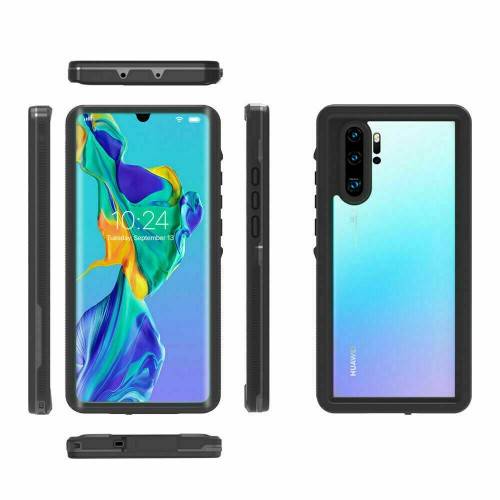
- Phone case
- SIM card
- SD card
- Stylus (if applicable)
This helps air circulate and prevents trapped moisture.
Step 3: Dry the Exterior
Use a soft cloth or paper towel to gently wipe off visible water.
Do not shake the phone aggressively, as this may push water deeper inside.
Step 4: Let the Phone Dry
Place the phone in a dry and ventilated area.
Good options include:
- Near a fan
- In a dry room
- With silica gel packets
Avoid using hair dryers or ovens, as excessive heat can damage internal components.
Step 5: Wait Before Turning It On
It’s best to wait 24–48 hours before trying to power the phone back on.
Turning it on too early could cause permanent damage.
The “Rice Trick”: Does It Actually Work?
Many people recommend putting a wet phone in rice.
Rice can absorb some moisture, but it has limitations:
Pros
- Cheap and easy
- Slightly helps remove moisture
Cons
- Not very effective for internal water
- Rice dust can enter the charging port
A better option is silica gel packets, which absorb moisture more efficiently.
Which Phone Parts Are Most Likely to Fail After Water Damage?
After water exposure, these components are most commonly affected:
- Screen assembly
- Battery
- Charging port
- Loudspeaker
- Cameras
For DIY users, replacing these parts is often more affordable than buying a new phone.
Can You Repair a Water-Damaged Phone Yourself?
If the motherboard is not severely damaged, many issues can be fixed by replacing faulty parts.
For example:
- Display problems → Replace the screen assembly
- Charging issues → Replace the charging port
- Audio issues → Replace the speaker module
High-quality replacement parts can restore your device to normal operation.
Where to Find Reliable Replacement Phone Parts
If your phone has suffered water damage, replacing damaged components may be the most cost-effective solution.
Digi4u supplies a wide range of smartphone replacement parts, including:
- Phone screens
- Replacement batteries
- Charging ports
- Cameras
- Speaker modules
Our parts are designed for repair technicians and DIY users, helping extend the life of your device and reduce electronic waste.
Final Thoughts
Dropping your phone in water doesn’t always mean the end of the device. Acting quickly and following the correct steps can greatly improve the chances of recovery.
Remember the key steps:
- Turn the phone off immediately
- Remove accessories
- Dry the device carefully
- Wait before powering it on
- Replace damaged components if necessary
With the right approach — and the right replacement parts — many water-damaged phones can be repaired successfully.