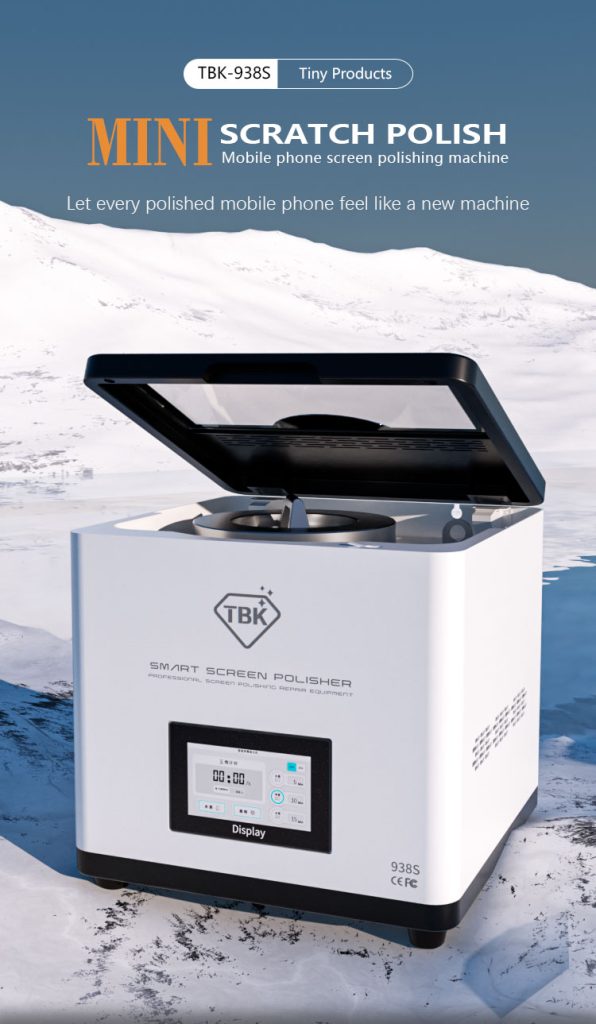
Restore Brilliance: How the TBK-938S Smart Screen Polisher Revives Scratched Phone Screens
Need this part? We stock tested replacement parts with same-day UK dispatch and a 12-month warranty.

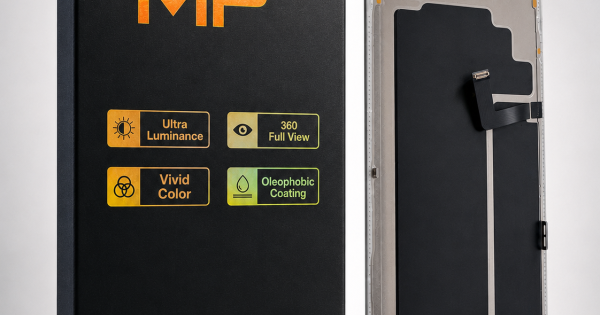
Screen polishing does not remove scratches from glass. It rebuilds the surface above them: a UV-cured layer is applied, levelled with abrasive powder and polished back to clarity, which is why the process rescues a dull, swirled panel but cannot rescue a crack or a scratch deep enough to see through. It is worth knowing before buying because the alternative it competes with is a replacement panel — a soft OLED assembly for the iPhone 17 Pro Max is £59.99, and that figure is what makes a polishing service worth pricing properly.
Last updated:
What the process actually removes, and what it only hides
Two different problems get called “scratches”, and they need different answers. Surface damage — the fine network of swirls from pockets and keys, the dull patch where a case has rubbed, the haze left by a worn oleophobic coating — sits in the top layer of the glass and in the coating above it. A cured and polished layer replaces the optical surface and the panel looks new again.
A scratch you can feel with a fingernail is through the glass, not on it. Filling it changes how it catches the light but not the void underneath, and it will show again as the phone is used. The same is true of a crack, a chip at the edge, discoloured OLED pixels or a dead region of touch: none of those are surface problems, and polishing them wastes consumables and risks a panel that was still worth something.
Which scratches to accept and which to refuse
The counter conversation is easier with a rule, and this is the one worth adopting.
| What the customer shows you | What it is | Polish or replace? |
|---|---|---|
| Swirl marks, haze, dull patches | Surface damage and a worn coating | Polish — this is the process’s best case |
| A scratch that catches a fingernail | Damage through the glass layer | Warn, then polish only if the customer accepts that it stays visible |
| Crack, chip or edge damage | Structural failure | Replace — polishing makes it worse |
| Dead pixels, lines or touch faults | Failure inside the display stack | Replace — the surface is not the problem |
The workflow that decides the result
The machine controls the mechanical part; the operator controls everything that makes the layer optically flat. In order: the device goes into a mould matched to its size so the panel is supported and level; a UV-curable liquid is applied and cured to build the new surface; the mould is loaded into the machine and the pressure module is fitted so the polishing force is even across the panel; the water suction line is connected because the process is wet; abrasive powder is added and the polishing cycle runs; and the phone is removed, cleaned and inspected under light before it goes back to the customer.
Four things go wrong repeatedly. Powder added before the layer is fully cured polishes unevenly. A suction line that is kinked or blocked lets slurry reach the inside of the phone, which is a much larger repair than the one the customer booked. Pressure that is uneven leaves the edges cloudy while the centre is perfect. And skipping the final inspection under a bright light means the customer finds the swirl the technician missed.
What a polishing job has to earn
A model with stated assumptions. The panel price is a live listing; the labour, consumable and retail figures are yours to substitute.
Take a device whose panel would otherwise be replaced at £59.99 in parts. Consumables — UV liquid, polishing powder, water and mould wear — are perhaps £2 a job, and the cycle plus preparation and inspection takes 30–40 minutes, about £25 of bench time at a £40 rate.
Cost per polish is therefore roughly £27. Invoiced at £45 the contribution is £18; at £60 it is £33. Compare that with the panel job it replaces: £59.99 of parts plus an hour of fitting has to be invoiced at £120–£140 to leave a similar margin, so the polish is cheaper for the customer and faster for the shop. The catch is that it only applies to the first row of the table above — a shop that accepts cracked panels for polishing loses more on failed jobs than it earns on good ones.
Consumables, moulds and the parts you cannot polish
Three consumable lines recur and should be stocked before the machine is used commercially: the UV-curable liquid, the polishing powder, and the moulds. The last is the one that decides which phones you can accept, because a panel with no mould for its dimensions has to go on the machine freehand or be turned away. Model coverage also changes fast — the iPhone 17, iPhone Air and 17 Pro sizes are recent enough that mould availability should be checked before the first current-generation job is quoted.
The limits are worth stating at the counter for the same reason. Apple states that the iPhone 17 and iPhone Air front is Ceramic Shield 2 with three times better scratch resistance than the previous generation — a coating designed to resist the wear that polishing removes. Restoring appearance is not the same as reinstating the manufacturer’s scratch resistance, and that distinction belongs in the conversation with the customer rather than in a later complaint.
Where the service fits in a price list
A polish is easiest to sell when it sits between two options the customer already understands: leave the phone as it is, or pay for a panel. A trade-in counter has a third use for it, and that is grading — a device with haze and swirls loses value in a quote, so a £45–£60 polish that lifts the cosmetic grade can move a handset up a band, which is often worth more than the service costs.
Two rules keep the service from generating complaints. Quote it for what it is — restoration of appearance, not repair of glass — and photograph the panel before and after, because a customer who was told a deep scratch would remain visible is satisfied by a visible improvement while a customer who expected it gone is not. And keep it away from panels with structural damage: one failed polish costs more in goodwill than a month of successful ones earns.
References
- Apple UK: iPhone 17 — the Ceramic Shield 2 front and the “3x better scratch resistance” figure.
- Apple Support: identify your iPhone model — matching a device to the correct mould and panel.
- GOV.UK: T11 waste exemption — what applies to the panels and parts a refurbisher discards.
- HSE INDG249 — the capture-at-source principle for bench processes producing vapour or particulate.
FAQ
Can a screen polisher remove deep scratches?
Not really. The process rebuilds the surface above a scratch, so fine swirls and haze disappear while a scratch deep enough to catch a fingernail stays visible under the new layer. It is a restoration of appearance, not a repair of glass.
Does polishing affect waterproofing or Face ID?
Polishing does not touch the seal or the TrueDepth assembly, because the phone is not opened. Water resistance is unaffected by the polish itself, but the finished phone is no more waterproof than it was when it arrived.
Is polishing risky for OLED displays?
The risk is slurry and pressure rather than the display technology: a blocked suction line or uneven pressure damages a panel that polishing was meant to save. Wet-process discipline and a matched mould are what control it.
How long does one polishing job take?
Thirty to forty minutes including preparation, the polishing cycle and the final inspection under light. It is a same-day service, which is the commercial advantage over ordering a replacement panel.
What is the margin on a polish?
On the model above, about £2 of consumables and £25 of bench time against an invoice of £45–£60, leaving £18–£33. The job it replaces needs a £59.99 panel, so the polish is both cheaper for the customer and quicker for the shop.
Price the polish against the panel. Replacement assemblies for current iPhone models are listed in the iPhone parts range.