Why Is My iPhone 15 Always Overheating
Need this part? We stock tested replacement parts with same-day UK dispatch and a 12-month warranty.
Posted on by digi4u
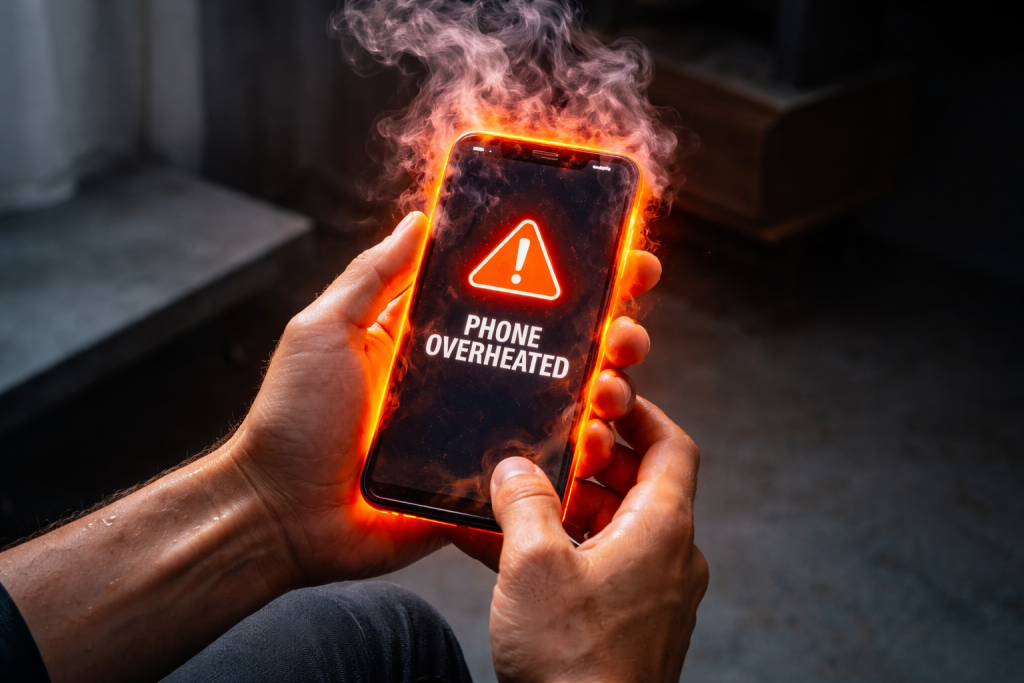
Overheating is one of the most common concerns among smartphone users, especially with newer, high-performance devices like the iPhone 15. Whether you’re gaming, charging, or just scrolling through social media, you may notice your device getting warmer than expected.
But is this normal? When should you worry? And most importantly — what can you do about it?
1. Understanding Why Smartphones Generate Heat
Before jumping into solutions, it’s important to understand why your iPhone generates heat in the first place.
Every smartphone, including the iPhone 15, contains a powerful processor (chipset), battery, and various electronic components. When these components work, they consume energy, and energy loss is released as heat.
Key Heat Sources in iPhone 15:
- A17 Pro Chip: The high-performance processor handles gaming, multitasking, and AI tasks
- Battery Activity: Charging and discharging cycles generate thermal energy
- Display (OLED Panel): High brightness levels increase power consumption
- Network Modules: 5G, Wi-Fi, and Bluetooth constantly transmit data
Simply put: The harder your phone works, the more heat it produces.
2. What Causes iPhone 15 to Overheat?
From a repair technician’s perspective, overheating is usually not caused by a single issue — but a combination of usage habits, environmental factors, and sometimes hardware problems.
2.1 Heavy Performance Usage
Activities that push the CPU and GPU will significantly increase heat:
- Gaming (especially high FPS games)
- Video editing or rendering
- Running multiple apps simultaneously
- Augmented Reality (AR) apps
Real-world insight: Many users report overheating during gaming sessions longer than 20–30 minutes.
2.2 Charging While Using the Phone
This is one of the most common causes seen in repair shops.
- Charging already generates heat
- Using the phone at the same time doubles the load
Result: Temperature rises quickly and consistently
2.3 Poor Quality Chargers or Cables
Using non-certified accessories can lead to:
- Unstable voltage
- Inefficient energy conversion
- Excess heat during charging
In our repair experience, battery-related issues are a major contributor to overheating, especially when low-quality accessories are involved.
2.4 High Ambient Temperature
External environment matters more than you think.
- Direct sunlight
- Hot cars
- Outdoor use in summer
iPhones are designed to operate best between 0°C and 35°C (32°F to 95°F).
2.5 Software Issues and Bugs
After a system update, you may notice:
- Increased background activity
- App incompatibility
- System indexing (especially right after updates)
These processes temporarily push the CPU, causing heat.
2.6 Battery Health Degradation
A worn-out battery is one of the hidden causes of overheating.
Signs include:
- Fast battery drain
- Sudden shutdowns
- Device heating even during light use
From a technician’s perspective: Battery failure is often the root cause of abnormal heating problems.
2.7 Poor Signal / Network Strain
When your iPhone struggles to find a signal:
- It increases transmission power
- Constantly searches for towers
This leads to:
- Higher battery usage
- More heat generation
3. Is Overheating Dangerous?
Occasional warmth is normal. But persistent overheating is not.
Potential Risks:
- Reduced battery lifespan
- Performance throttling (slower phone)
- Screen or component damage
- Sudden shutdowns
In extreme cases, overheating can lead to:
- Battery swelling
- Internal component degradation
4. What to Do When Your iPhone 15 Gets Hot
If your device is already overheating, here are immediate actions you should take:
4.1 Stop Heavy Usage
- Close all running apps
- Avoid gaming or video streaming
Let the device cool naturally.
4.2 Remove the Phone Case
Especially if it’s:
- Thick
- Non-breathable material
This helps dissipate heat faster.
4.3 Move to a Cooler Environment
- Avoid direct sunlight
- Place the phone in a shaded or indoor area
Important:
Do NOT put your phone in the fridge — rapid temperature changes can cause condensation damage.
4.4 Pause Charging
If your phone is hot while charging:
- Unplug it immediately
- Let it cool before resuming
4.5 Enable Low Power Mode
This reduces:
- Background activity
- CPU usage
Helping the device cool down.
4.6 Turn Off Unused Features
Disable temporarily:
- Bluetooth
- GPS
- Background app refresh
5. Long-Term Solutions to Prevent Overheating
5.1 Use Certified Charging Accessories
Always use:
- Original Apple chargers
- MFi-certified cables
This ensures stable power delivery and reduces heat risk.
5.2 Monitor Battery Health
Go to: Settings → Battery → Battery Health
If battery capacity is below 80%, consider replacement.
For repair shops and wholesalers:
High-quality replacement batteries are critical to solving overheating complaints.
5.3 Keep Software Updated
New updates often include:
- Performance optimization
- Bug fixes
- Thermal management improvements
5.4 Avoid Extreme Usage Habits
- Don’t game while charging
- Limit long high-performance sessions
- Take breaks during heavy usage
5.5 Manage Background Apps
Too many apps running = more CPU load.
- Regularly clear unused apps
- Disable unnecessary background processes
5.6 Improve Storage Management
Low storage can:
- Slow down the system
- Increase processing load
Keep at least 10–20% free space.
6. When Should You Seek Professional Repair?
If your iPhone 15 shows these symptoms, it’s time for a check-up:
- Overheating during light use
- Heating even when idle
- The battery is draining abnormally fast
- Phone shutting down due to temperature
Possible Hardware Issues:
- Faulty battery
- Damaged charging IC
- Logic board issues
From real repair experience: Most persistent overheating issues are linked to battery or power management components.
7. Technician Insight: What We See in Real Repairs
From a repair business perspective, overheating cases usually fall into three categories:
User Behavior Issues (Most Common)
- Gaming + charging
- Poor charging habits
Battery Degradation
- Aging batteries
- Low-quality replacements
Hardware Failures (Less Common but Critical)
- Power IC damage
- Short circuits
Key takeaway: A proper diagnosis is more important than blindly replacing parts.
8. Final Thoughts
The iPhone 15 is a powerful device, but with great performance comes increased thermal output. Occasional warmth is completely normal — but excessive or persistent overheating should never be ignored.
Remember:
- Heat is a byproduct of performance
- Usage habits play a huge role
- Battery health is critical
- Proper diagnosis saves time and money
Whether you’re a user or a repair professional, understanding the root causes of overheating will help you extend device lifespan and improve performance.
Bonus Tip for Repair Shops & Wholesalers
If you’re dealing with frequent overheating complaints from customers:
- Stock high-quality batteries
- Offer diagnostic services
- Educate customers on proper usage
If you are a mobile repair shop owner or a phone parts wholesaler seeking a reliable, consistent supply chain, visit the official website of DIGI4U—https://www.digi4u.co.uk/ — to explore our full range of products and partnership opportunities.
This not only reduces return rates but also builds trust and long-term customer relationships.