


How to Find a Samsung Model Number and Match the Correct Part
Need this part? We stock tested replacement parts with same-day UK dispatch and a 12-month warranty.

Samsung names can be similar across regions and generations. Match a replacement part to the exact model code and the specific part configuration before ordering.
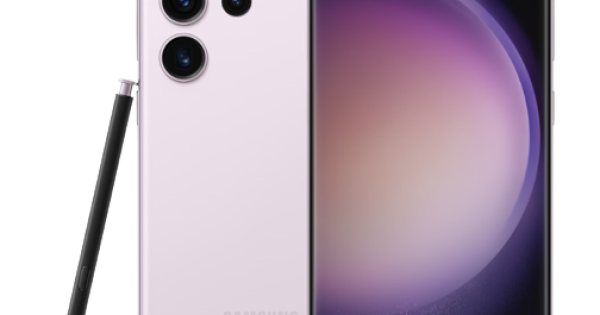
Where is the full Samsung model code?
Find the full model code in the device settings, on the original packaging or on the device where applicable. Record every character, including regional suffixes.
For locating a Samsung product identifier, use Samsung Support: find model and serial numbers.
Why is “Galaxy A” or “Galaxy S” not enough?
“Galaxy A” or “Galaxy S” identifies a family, not a replacement-part specification. The same family can contain different sizes, LTE/5G versions and regional variants.
For repair availability and official service routes, see Samsung UK Repair Support.
How do regional suffixes affect part selection?
After confirming the device, check whether the listing is a screen with frame, screen without frame, battery, charging assembly or another component. Each can have different transfer and tool requirements.
Where self-repair is supported, consult Samsung UK Self Repair.
Screen with frame, without frame or service assembly?
Use the listing’s compatible models, photographs, connector description and frame colour as a combined check. If a listing gives only a nickname, ask for a model-code confirmation.
For a device-level repair reference, see iFixit: Samsung phone repair references.
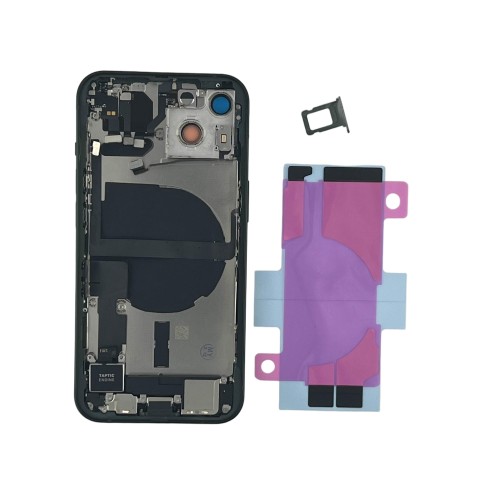
Which connector and bracket details should match?
Compare connector arrangement, flex routing, brackets and housing features carefully. Do not force a near match; this can damage the new part and obscure the diagnosis.
For current Samsung UK support options, see Samsung UK Support.
What are the most common Samsung ordering mistakes?
Read the model-specific procedure before ordering consumables. Adhesive, frame condition, sensor transfers and water-resistance steps can change the true repair cost.
Which functions must be tested before sealing?
Use a controlled test for the function being repaired—image and touch for a screen, charging for a port, stability for a battery—before adhesive and closure.
What information should be sent to the supplier?
Browse Digi4u Samsung parts after confirming the model code, then contact Digi4u if the SKU does not list that code explicitly.
Record more than one identifier
For a Samsung repair ticket, record the marketing name, full model code and the selected part SKU. If the back cover or Settings data conflicts with the customer’s description, pause before ordering. This three-way record is far safer than relying on a handwritten “A-series screen” label.
Screen, battery and charge-port listings are not interchangeable
A model may need a screen with frame rather than a bare panel, or a charging assembly with a particular flex configuration. Confirm the repair objective before comparing price. The cheapest component is not economical if it adds an unplanned transfer, tool requirement or return risk.
Part-match table
| Evidence | What it confirms |
|---|---|
| Full model code | Device variant |
| SKU compatibility list | Supplier’s intended fit |
| Removed-part comparison | Connector and construction check |
Model-code collection needs a fallback plan
A cracked display or non-booting phone may prevent Settings access. In that case, use the physical label, original packaging, a verified service record or the removed part only as appropriate evidence. If the model cannot be confirmed, quote the diagnosis step rather than ordering a speculative part. A repair shop loses less time by pausing early than by processing an avoidable return.
Match the repair path to the part level
A “screen replacement” can mean a bare panel, a display with frame or a service assembly with transferred components. The selected level affects labour, risk and pricing. Spell it out on the job card: which parts are supplied, which parts are transferred, and which original functions need testing after reassembly.
Use compatibility language carefully
“Fits Galaxy A” is too broad to be meaningful. A reliable description repeats the full model code and the exact part type, then names any uncertainty that requires confirmation. That language is better for search visibility as well as operational accuracy because it answers the buyer’s real question.
Completion standard
Once the correct Samsung part has been selected, keep the confirmed code and SKU attached to the ticket through fitting and test. This small practice avoids a common repair-shop failure: the correct research is done initially but the wrong component is picked from a nearby bin. Identity control has to continue from catalogue search to bench, not stop at checkout.
For “How to Find a Samsung Model Number and Match the Correct Part”, the repair record should link the confirmed device identifier, selected SKU and result of the first controlled check. That record gives a later technician a defined baseline, supports a supplier query when appropriate and prevents a broad conclusion from being drawn from one symptom. It also makes the customer conversation precise: the shop can distinguish what was verified during this repair from what requires a separate diagnosis.
Frequently asked questions
How do I identify a Samsung part number?
Start with the full device model code, then confirm the supplier SKU and part configuration; a family name alone is insufficient.
Where can I find Samsung replacement parts?
Use a supplier category filtered by the confirmed model code and verify the exact listing before ordering.
Can I buy replacement parts from Samsung?
Availability and service routes vary by model and region; check Samsung’s current UK repair and self-repair information.
For How to Find a Samsung Model Number and Match the Correct Part, confirm the exact device and fitted SKU with Digi4u before ordering.
