


Motorola Charging Port Flex Parts UK: USB-C Boards for G and Edge Fleets
Need this part? We stock tested replacement parts with same-day UK dispatch and a 12-month warranty.
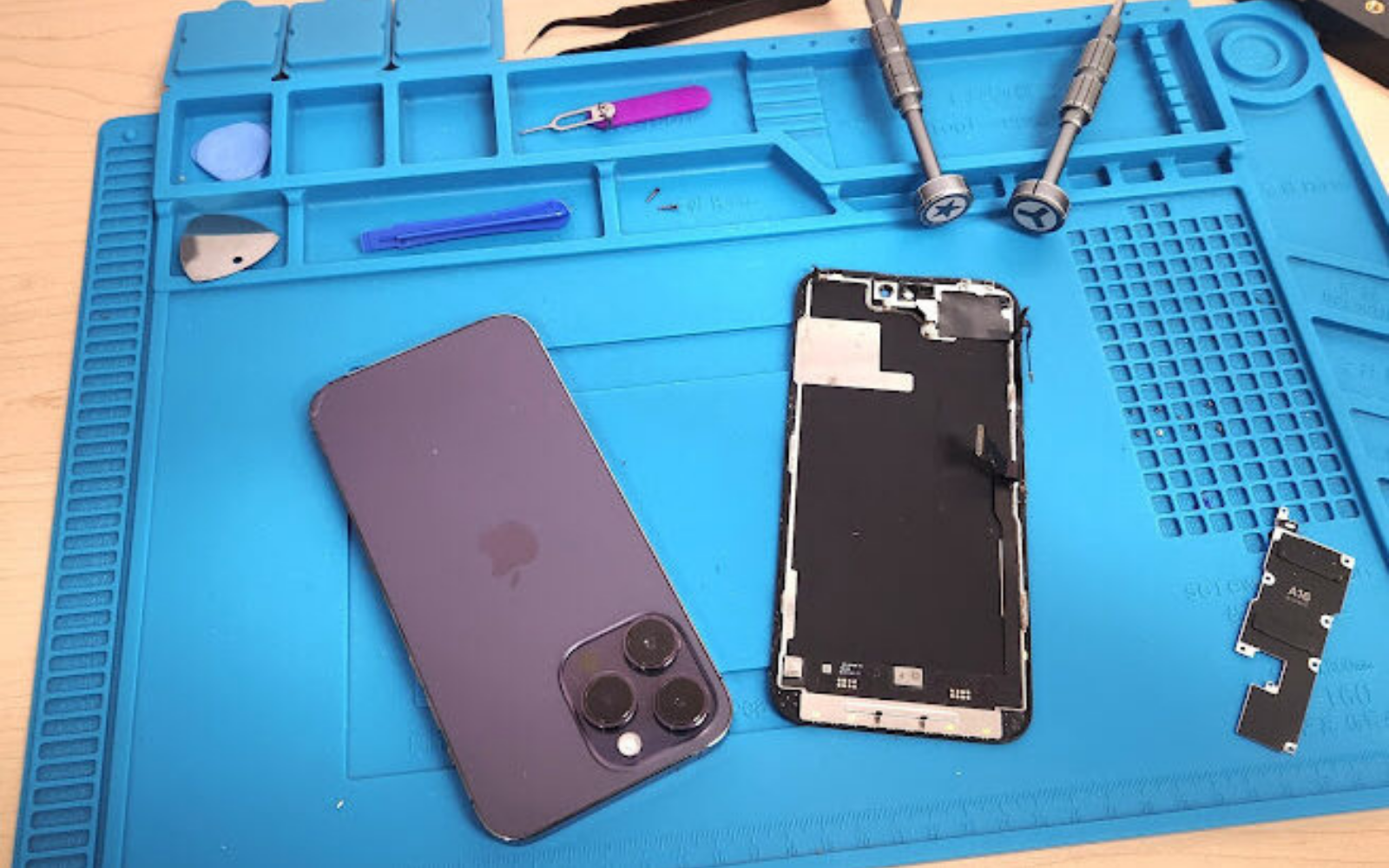
Motorola charging port flex parts UK buyers need a clear map of which USB‑C dock boards fit the G‑series and which belong to the Edge family, because the two ranges share only the connector shape and nothing else. A mixed fleet of Moto G22, G31, G41, G62, G82, Edge 20 and Edge 20 Pro devices will land on the bench weekly, and the cost of a mis‑pick is a wasted hour, a damaged FPC connector and a comeback that erodes margin.
Why G‑series and Edge charging boards are not interchangeable
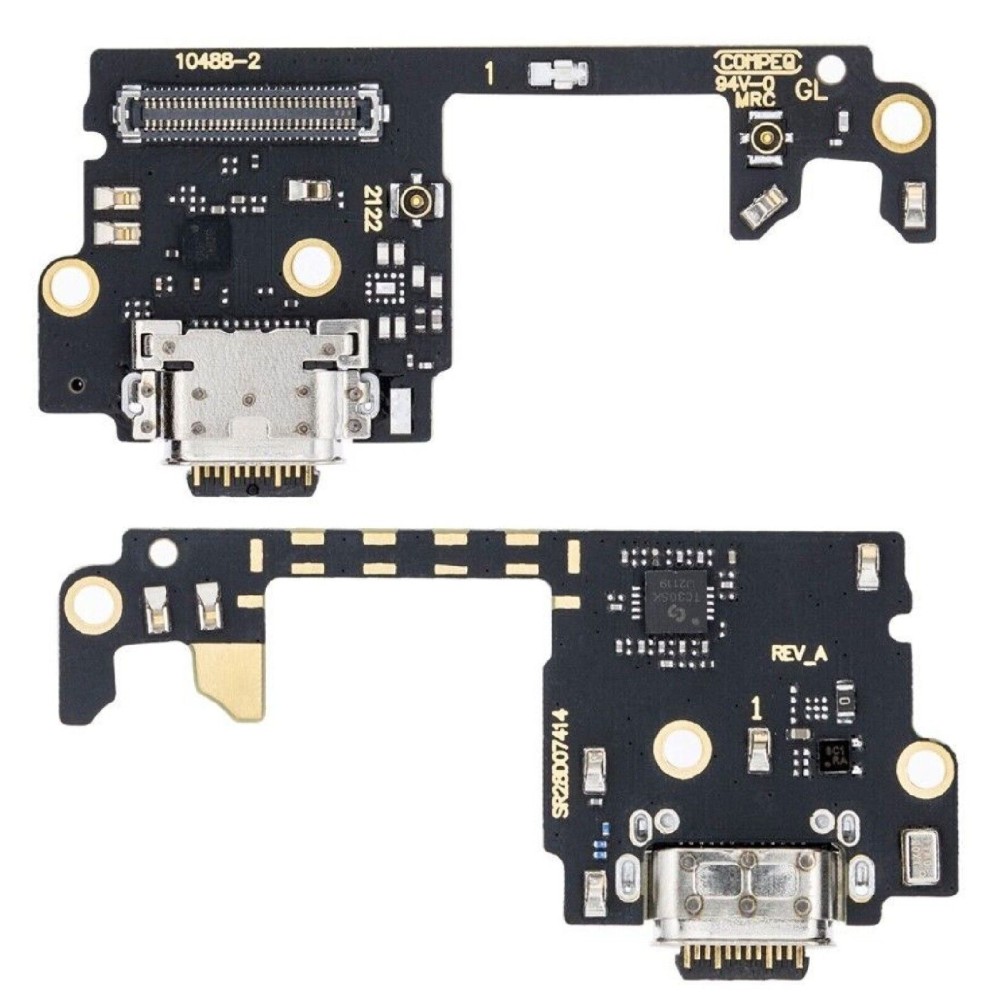
G‑series and Edge dock flexes use different pinouts and microphone routing. The two families differ in connector shape, microphone placement and antenna lines, so a G‑series board will not fit an Edge model. The Motorola G‑series (Moto G22, G31, G41, G62, G82 and others) and the Edge line (Edge 20, Edge 20 Pro) each have a dedicated dock‑flex design. The G‑series boards route the primary microphone through the mainboard, while several Edge boards carry an additional low‑band antenna feed on the flex itself. Connector keying, screw‑hole positions and the length of the flex tail also vary. Treating them as interchangeable leads to mis‑picks, damaged FPC connectors and wasted labour. The live Digi4u catalogue lists each part under its exact model name; the Motorola hub shows the full range, and the flex‑vs‑assembly guide explains why a full assembly is sometimes a safer choice.
Which microphone or antenna lines share the dock flex
Only the Moto G8 Plus flex lists a microphone; other models keep mic on the main board. Live listings show the G8 Plus dock includes a mic line, while G‑series and Edge boards typically route audio through the mainboard. Among the current Digi4u listings the Moto G8 Plus charging‑port flex is explicitly titled with a microphone. The G‑series parts such as the G22, G31, G41, G62 and G82 do not mention a mic on the flex; their audio path remains on the main PCB. Edge 20 and Edge 20 Pro flexes carry a low‑band antenna trace that is absent from the G‑series. When a shop orders a replacement, the product title and description are the authoritative source for which auxiliary lines are present. Do not assume a microphone or antenna line exists on a flex unless the listing states it.
Intake identifiers: model name, XT code, connector shape
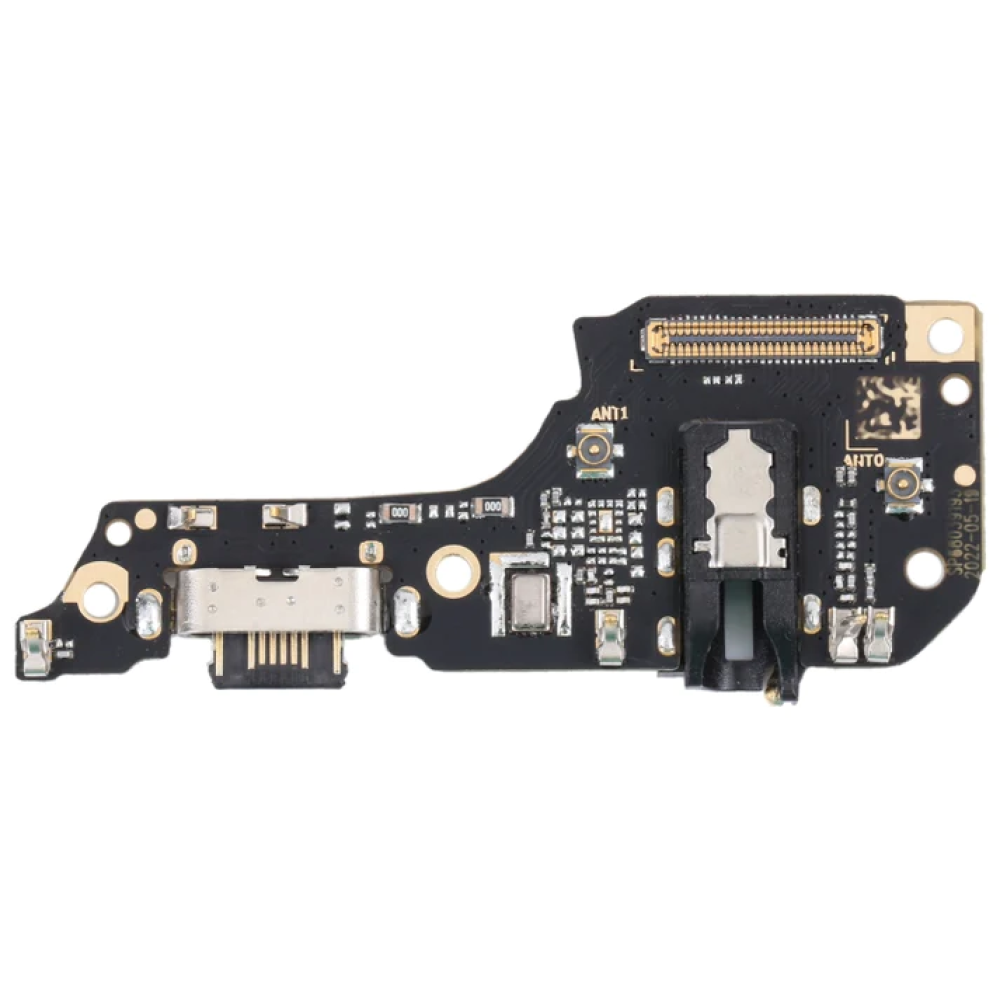
Check the model number on the device label and cross‑reference the Digi4u catalogue. Use the Settings → About phone screen or the printed label to read the exact model (e.g. XT2125‑1) and select the matching flex from the Motorola hub. Motorola devices often share marketing names (Moto G62, Moto G82) but have distinct internal model codes that determine the dock‑flex part number. The model code is printed on the regulatory label under the battery compartment or visible in Settings → About phone → Model. Once you have the code, search the Motorola hub or use the site search with the code to land on the correct product page. The live catalogue includes entries such as moto‑g22‑replacement‑chargering‑port‑flex, moto‑g62‑replacement‑chargering‑port‑flex and moto‑edge20‑replacement‑chargering‑port‑flex; each slug reflects the exact board. Ordering by marketing name alone risks receiving a flex that will not seat correctly. A quick visual check of the connector keying — whether the USB‑C tongue has a centre notch or side tabs — confirms the family before you even open the packet.
When a dirty port is not a failed board
Debris or lint can mimic a dead port; clean before replacing. A blocked USB‑C opening often shows no charge or data, yet the flex itself is intact; a careful clean restores function. Before condemning a dock flex, inspect the port with a magnifier. Pocket lint, dust and oxidation on the contacts are common causes of intermittent charging or missing data enumeration. Use a dry, anti‑static brush or a short burst of compressed air to clear the cavity. Avoid metal picks, cotton buds soaked in solvent, or any liquid that can seep under the flex and cause corrosion. If the phone still fails to negotiate power after a thorough clean, then the flex is the likely culprit. The GOV.UK consumer‑rights overview reminds traders that a fault must be diagnosed before a replacement is supplied. A shop‑floor rule of thumb: if the port clicks home but the battery icon never appears, clean first; if the port feels loose or the tongue is bent, swap the flex.
Dirty‑port versus failed‑board decision flow
Start with a visual inspection under 10× magnification. Look for bent pins, carbon tracking or corrosion on the flex pads. Next, connect a USB‑C power meter with a known‑good cable. If the meter shows 0 A and the port is clean, the flex is open‑circuit. If the meter shows a brief current spike then drops to zero, suspect a data‑line short on the flex. If the meter reads a steady 5 V / 2 A but the handset never enumerates, the data pair is likely damaged on the flex. Only after these three checks should you order a replacement. This flow cuts unnecessary returns and keeps the workshop’s parts‑per‑job ratio low.
Post‑install charge, data and microphone tests
Verify 5 V charge current, data enumeration, fast‑charge negotiation and, where applicable, microphone continuity. After fitting, confirm the phone draws the expected current, appears as a media device on a PC and triggers the manufacturer’s rapid‑charge handshake. Once the new flex is seated, connect the handset to a calibrated USB‑C power meter. A healthy G‑series board should show a steady 5 V / 2 A (or 3 A for models supporting 15 W) without voltage sag. Next, plug the phone into a Windows or Linux machine and verify that the device enumerates as an MTP or PTP device; missing data lines indicate a mis‑aligned flex or a damaged data pair. For the Moto G8 Plus, make a test call or record a voice memo to confirm the microphone line on the flex is live. For Edge 20 and Edge 20 Pro, check signal strength in a low‑band area to ensure the antenna trace is functional. Finally, attach the original OEM charger and watch for the rapid‑charge indicator (usually a lightning bolt or “TurboPower” text). If the handset falls back to standard charging, re‑inspect the flex for bent pins or solder bridges. The Motorola support site provides model‑specific charge specifications for reference.
Stocking a mixed Motorola fleet: bin separation, QC on receipt, comeback prevention
Keep G‑series and Edge flexes in separate bins labelled by model family. Separate storage prevents mis‑picks; a simple spreadsheet linking model, part SKU and bin location speeds up fulfilment for a mixed Android fleet. A practical stock system uses two high‑level categories: “Moto G‑series dock flex” and “Motorola Edge dock flex”. Within each category, create a row for every live SKU (e.g. G22, G31, G41, G62, G82, Edge 20, Edge 20 Pro). Record the Digi4u product URL, the internal model code, and the physical bin label. When a repair ticket arrives, the technician scans the model code, the spreadsheet returns the exact bin, and the part is pulled without guesswork. On receipt, perform a quick QC: verify the connector keying matches the bin label, check the flex tail length against a reference board, and confirm any auxiliary lines (mic on G8 Plus, antenna on Edge) are present. This incoming check catches the rare packing error before it reaches the bench. The delivery policy shows same‑day dispatch for orders placed before 16:00, so a well‑organised bin system keeps turnaround tight. A comeback log — noting model, symptom, flex batch and resolution — reveals patterns; if a particular SKU shows repeat failures, you can quarantine the batch and contact the supplier with evidence.
How this differs from the Motorola screen and battery parts blog
Screen and battery replacements often accompany dock‑flex work on the same handset, but the procurement logic is distinct. When a charging board fails, the display or cell may also need attention; the Motorola screen‑and‑battery guide covers those combined repairs. A cracked display or a swollen cell can stress the dock‑flex connector during removal, leading to latent failures. Shops that regularly replace charging ports on the G‑series or Edge line should also keep a stock of compatible screen assemblies and battery packs. The Motorola screen and battery parts guide lists the live screen‑assembly and battery SKUs for the same model range, allowing a single order to cover the full repair. However, dock flexes are far more model‑specific than screens — many G‑series screens share a common frame, but each dock flex has a unique pinout. Stocking logic therefore demands finer granularity for flexes. Coordinating these parts reduces the chance of a second visit and keeps the workshop’s parts‑per‑job ratio low.
| Family | Typical auxiliary lines on flex | Common models (live listings) |
|---|---|---|
| Moto G‑series | Microphone on mainboard; no antenna trace | G22, G31, G41, G62, G82 |
| Motorola Edge | Low‑band antenna trace; microphone on mainboard | Edge 20, Edge 20 Pro |
| Special case | Microphone integrated on flex | Moto G8 Plus (listed with microphone) |
Accurate model identification, clean‑first diagnostics and segregated bin storage form the backbone of a reliable Motorola charging‑port programme. By following the test sequence and using the live catalogue as the single source of truth, repair shops can keep mixed Android fleets running with minimal returns.
View the current delivery policy for dispatch times and free‑shipping thresholds.
FAQ
Can I use a Moto G62 charging flex on a Moto G82?
No. The live Moto G62 charging-port flex is a different listing from a G82 board, even if both use USB-C. G-series models must be matched by the exact name, and Edge boards are a different family again, as with the live Edge 20 flex in this guide. Do not share bins by connector shape alone. Confirm the model and any XT code on the handset and the live Motorola catalogue, including the exact live slug spelling, before the order is placed, then test charge and data after the fit.
Does the Edge 20 dock flex include an antenna line?
Do not assume that it does. Only describe a microphone or antenna line when the live listing for that exact board mentions it. The Edge 20 and G62 images in this guide are model-specific dock flexes; some other live Motorola boards, such as a G8 Plus listing that names a microphone, are written that way on the catalogue. If the listing is silent, test charge and data, and check the microphone only if the board clearly carries it. Record what was tested on the ticket.
What cleaning method is safe for a USB‑C port?
Start with a visual check and gentle mechanical removal of lint or debris before condemning the board, using tools that will not break the USB-C tongue. A dirty port can mimic a failed flex. If you use a solvent, follow the datasheet for that product and keep fluid out of the board until you have decided the port is truly failed. This is not a reason to skip model-correct board matching. After cleaning or a flex swap, test charge and data, and the microphone if the live listing includes it.
How do I verify fast‑charge after a flex replacement?
Use a known-good cable and a charger the shop already trusts, then confirm the handset actually takes a charge and, where the customer needs it, transfers data. Do not invent a wattage readout or a secret engineering menu. Some Motorola models only show a generic charging indicator, so a practical bench test plus a short use test is more honest than a promised PD figure. If fast-charge is part of the ticket, say what you were able to observe, not a number the listing does not support.
Where can I find the current Digi4u delivery terms?
The live delivery policy lists same-day dispatch cut-offs, couriers and zone rates. Orders placed before 4:00 PM Monday to Friday are eligible for same-day dispatch for items actually ordered from the live catalogue; later or weekend orders go out the next working day. Royal Mail 48 Tracked covers typical non-battery baskets; standalone lithium batteries and power banks ship by DPD only. Prefer that page rather than freezing every figure, and do not promise a Motorola flex that is not on the current listing.