


Diagnostic iPhone Batteries and Test Displays: Advantages and Limits for UK Shops
Need this part? We stock tested replacement parts with same-day UK dispatch and a 12-month warranty.
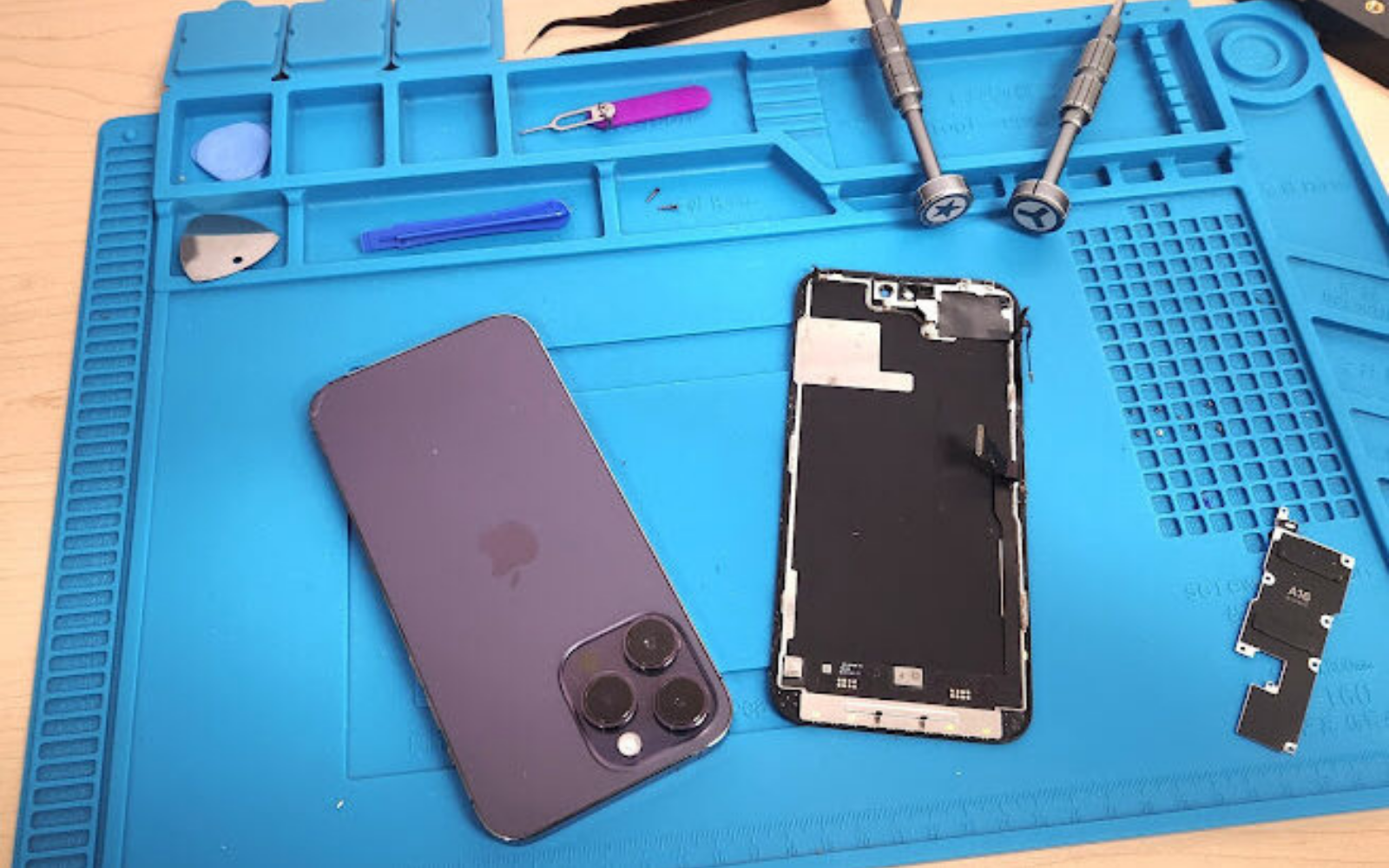
Diagnostic iPhone batteries and test displays give UK repair shops a reliable way to verify handset function before committing a customer‑grade part, reducing wrong‑part orders and bench time.
Why do diagnostic cells and test displays save wrong‑part orders?
They let technicians confirm the fault without using the final retail component.
A diagnostic pack powers the board or shows an image long enough to prove the logic board, flexes or connectors are healthy, so the shop only orders the exact customer part once the fault is proven.
When a handset arrives with a vague symptom — no power, dim screen, intermittent charging — the technician can swap in a diagnostic battery or a soft‑OLED test display that is marked for professional use only. The diagnostic battery supplies a known‑good voltage and communicates with the iOS fuel‑gauge, while the test display drives the panel at the correct timing without the cost of a full‑spec replacement. Because the diagnostic units are not intended to leave the shop, the technician can run a full functional check — boot, charge cycle, display brightness, touch response — and then decide whether the logic board, the charging IC, or the display assembly is at fault. This step eliminates the common scenario where a shop fits a brand‑new retail battery only to discover the real issue was a damaged Tristar chip, resulting in a wasted part and an unhappy customer. The diagnostic approach also protects the shop’s margin: the cost of a diagnostic pack is typically lower than a retail unit, and it can be reused across multiple jobs for the same model generation.
Fit traps to watch on the bench
Even a known‑good diagnostic cell can mislead if the connector is not fully seated, if the battery adhesive pulls the flex during removal, or if the test display’s flex cable is creased. A loose battery connector will show a voltage drop under load that mimics a faulty Tristar, while a poorly seated display flex can produce ghost touches that disappear once the retail panel is fitted. Technicians should verify connector click‑feel, run a quick visual inspection of the flex for kinks, and record the torque applied to the battery screw (if applicable) before declaring the board healthy.
What are the limits of third‑party diagnostic packs?
They are not certified for customer use and must not be sold as a permanent fix.
Diagnostic packs are labelled “professional use”. Shops must not promise a particular iOS warning or battery-health result after a diagnostic pack is fitted; test the unit, read the live listing, and only leave a retail-grade part in the handset at handback.
The live StellarXcell listings on Digi4u describe the units as diagnostic or professional‑use only. They are built to give the bench a stable power source or a functional panel for testing, but they do not carry the same firmware signing or calibration data that Apple’s genuine service parts provide. Consequently, an iPhone fitted with a diagnostic battery may still show a service‑battery message, and a diagnostic display may not report the correct serial number to the OS. Shops should read the current product page for each SKU, test the unit on the bench, and record the exact behaviour they observe. Any claim that a diagnostic pack “clears” or “hides” a warning permanently is unsupported by the supplier and could expose the shop to liability if the customer later experiences reduced functionality. The safe practice is to treat the diagnostic pack as a test fixture: use it, verify the fault, then replace it with the customer‑grade part that the shop will warranty.
Firmware and calibration reality
Because the diagnostic cells lack Apple’s signed firmware, the fuel‑gauge may report a generic cycle count and maximum capacity that does not match the cell’s true chemistry. Likewise, a professional-use test display should not be assumed to match a customer-grade panel in brightness or colour. That limit is why the pack stays on the bench, and it reinforces the rule that the diagnostic unit never leaves the bench.

How should the bench workflow use diagnostic packs?
Test the handset with the diagnostic unit, confirm the fault, then order or fit the retail part.
A repeatable bench flow — receive, diagnose with diagnostic pack, document result, swap to customer part, final QC — cuts cycle time and prevents mis‑orders.
Start by logging the device model and symptom in the shop’s ticket system. Pull the correct diagnostic battery or test display from the labelled “Diagnostic” bin; the two StellarXcell packs for iPhone 15 Pro and iPhone 14 Pro Max are distinct SKUs, so verify the model match before connecting. Power the handset, run a charge‑cycle test (if using a battery) or display a full‑screen white pattern (if using a soft‑OLED test display) and record voltage, current draw, temperature, and any iOS alerts. If the handset boots and charges normally, the fault is likely downstream — perhaps a damaged display flex or a faulty charging IC. If the handset still fails, the logic board is the probable cause. Once the root cause is identified, order the appropriate retail battery or screen from the main catalogue (see the iPhone battery category) and fit that part for the customer. Document the diagnostic outcome and the final part fitted; this record supports warranty claims and helps the shop refine its stock levels over time.
Step‑by‑step test log template
Ticket ID • Model • Symptom • Diagnostic SKU used • Voltage (V) • Current (A) • Temp (°C) • iOS alerts • Pass/Fail • Decision (board / flex / IC) • Retail SKU ordered. Keeping this sheet in the ticket eliminates “he‑said‑she‑said” disputes and gives a data trail for comeback analysis.
How should diagnostic packs be labelled and isolated from customer stock?
Store them in a clearly marked “Diagnostic – Professional Use Only” area, separate from retail inventory.
Physical separation and explicit labelling prevent accidental sale or fitting of a diagnostic unit to a customer device.
Use coloured bins or shelf tags (for example, red for diagnostic, green for retail) and add a printed label that repeats the supplier’s wording: “Diagnostic / Professional Use”. Keep a simple spreadsheet or inventory note that lists each diagnostic SKU, the model it serves, and the date it was last verified on the bench. When a new diagnostic pack arrives, log it immediately and place it in the diagnostic zone. Train every technician that these units are not for customer handover; the shop’s standard operating procedure should state that any diagnostic pack leaving the bench must be returned to the diagnostic bin before the job is closed. This discipline also satisfies the carrier rules for lithium cells: standalone replacement batteries ship from Digi4u by DPD only, as outlined in the delivery policy, but the shop’s own outbound shipments to customers follow the shop’s carrier agreements, not the supplier’s.
Fire‑safety and shelf‑life notes
Lithium diagnostic cells should be stored in a metal‑cabinet with a Class D extinguisher nearby, away from direct sunlight and heat sources. Rotate stock so the oldest pack is used first; most suppliers quote a 12‑month shelf life from manufacture, after which internal resistance can rise enough to give false‑negative test results.
How this differs from the existing diagnostic‑battery explainer
The earlier article treats diagnostic batteries mainly as modified customer cells and discusses warning behaviour. This page focuses on bench test fixtures, stock control and the hand‑off to a customer‑grade part.
The older explainer (using diagnostic iPhone batteries – advantages and limitations) is a shorter overview that describes diagnostic batteries as “modified customer cells” and centres on the iOS warning messages a shop might see. The current guide is written for the shop floor: it defines a repeatable test‑first workflow, explains how to keep diagnostic packs out of the retail stream, and gives concrete stocking pointers drawn from live Digi4u listings. Cross‑linking the older piece once is useful for background, but the two pages serve different purposes — one is a conceptual overview, the other a practical process document.
UK stocking suggestions from live listings
Keep at least one diagnostic battery and one test display per active iPhone generation in the shop’s diagnostic bin.
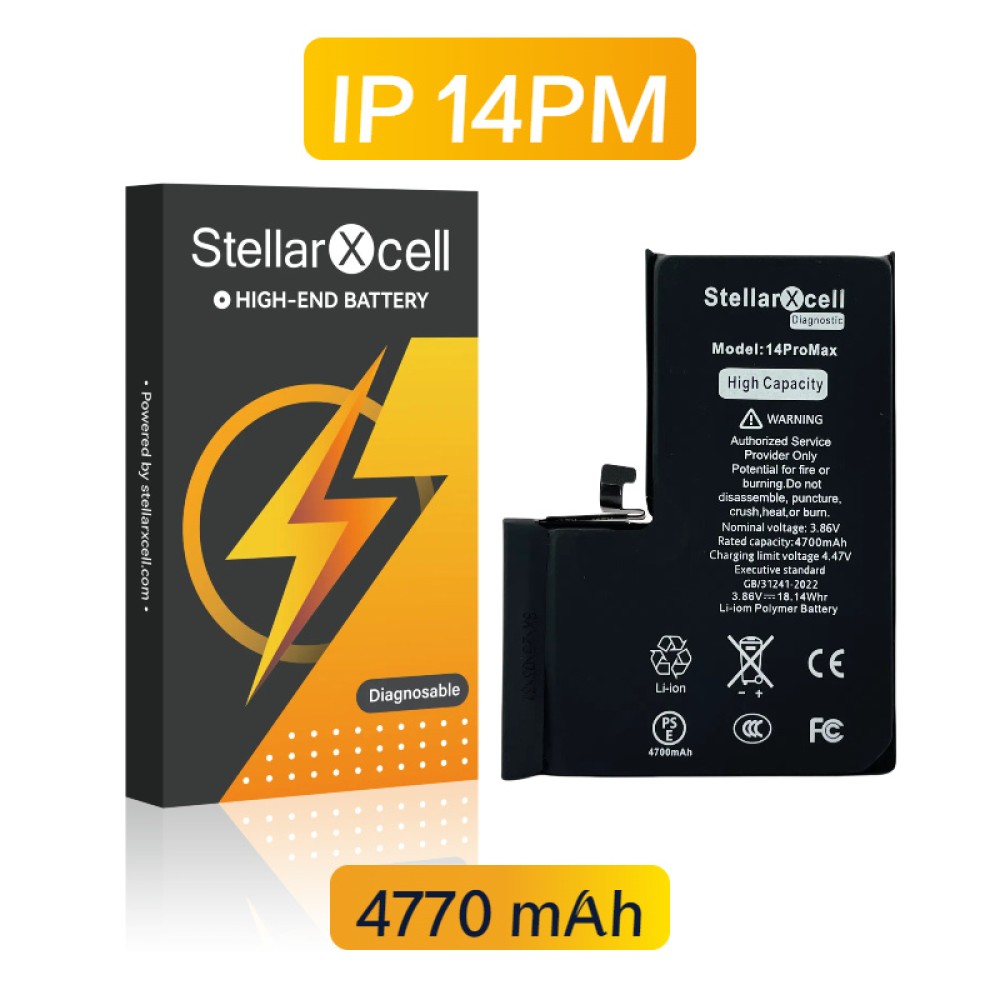
Current live Digi4u listings include StellarXcell diagnostic batteries for iPhone 15 Pro and iPhone 14 Pro Max, plus a soft‑OLED diagnostic display for iPhone 15 Pro. Shops should verify availability on the day of ordering.
The table below summarises the diagnostic SKUs that are live as of the last catalogue check. It is not a price list; shops must read the current product page for each item before purchasing.
| Model | Diagnostic battery (StellarXcell) | Diagnostic soft‑OLED test display |
|---|---|---|
| iPhone 15 Pro | Live listing | Live listing |
| iPhone 14 Pro Max | Live listing | — |
| iPhone 13 Pro (120 Hz) | — | — |
For generations not shown, check the broader iPhone battery category; confirm current listings on the live catalogue rather than assuming a pack remains available. Stock the generations the shop actually diagnoses, and retire packs that are damaged, unlabelled or no longer needed.
What QC steps follow the swap to the customer part?
Run a full functional test with the retail part installed, then record battery health, display calibration and any iOS alerts.
After fitting the customer‑grade battery or screen, repeat the charge‑cycle or display‑pattern test, verify that battery‑health data populates correctly, and confirm no “Unknown Part” warning remains before handing the device back.
The final quality‑control pass is the shop’s evidence that the repair meets the terms it will quote to the customer. Power the handset through at least one full charge‑discharge cycle (or a 30‑minute charge‑hold for a screen repair) while monitoring voltage, temperature and iOS battery‑health reporting. For displays, run a colour‑uniformity pattern and a touch‑grid test to catch dead zones or ghost touches. Log the results in the ticket: battery‑health percentage, maximum capacity, cycle count, and any service‑battery messages. If a warning persists, note it and discuss with the customer — do not assume the diagnostic pack’s behaviour will carry over. The shop should also retain the diagnostic pack for the next job; it remains a reusable bench asset, not a consumable.
Thermal and calibration sign‑off
Record the peak cell temperature during the charge cycle; anything above 40 °C flags a potential BMS issue. For screens, capture a 100 % white frame and a 100 % black frame to verify backlight bleed and contrast ratios against the shop’s acceptance criteria. Only when both thermal and visual checks pass should the device be cleared for collection.
Using diagnostic packs as test fixtures keeps the bench efficient, protects margins and ensures the customer receives a part the shop can stand behind. The key is strict separation, clear labelling, and a documented hand‑off from diagnostic unit to retail component.
View Digi4u delivery policy for lithium‑cell shipping details
FAQ
Can a diagnostic battery be sold to a customer as a cheaper replacement?
No. The live StellarXcell listings used in this guide are described as diagnostic or professional-use packs, not as the cell that should leave with the customer. Keep those packs on the bench, finish the job with the retail-grade battery the shop has agreed to supply, and do not promise a particular iOS warning behaviour. Read the current product listing and apply the shop’s own part and labour terms; do not invent a supplier warranty or a cheaper-customer-cell pitch.
Do diagnostic soft-OLED displays show the same brightness and colour as retail screens?
Do not assume that. A diagnostic or professional-use panel is there to show whether the board can drive a display, not to stand in for the customer-grade screen on handback. Appearance, brightness and touch behaviour can differ from the panel the shop will finally fit, so record the bench result and then install the retail-grade display chosen for that model. Compare the live listing wording rather than treating every diagnostic screen as equivalent.
How often should the diagnostic bin be audited?
Audit often enough that a technician can trust the pack on the bench. Check labelling, keep diagnostic cells and test displays separate from customer stock, and retire any pack that is swollen, damaged, or no longer clearly identified. Record what was tested and when, using the shop’s own log rather than an invented interval or voltage limit. Replace or reorder only from the live catalogue when a pack is no longer fit for diagnosis.
What carrier rules apply when the shop ships a repaired iPhone with a retail battery to the customer?
The shop follows its own carrier rules for that outbound parcel. Digi4u’s delivery policy, including DPD for standalone lithium cells, covers Cardiff-to-shop dispatches only and does not govern how the shop sends a repaired handset to a customer. A phone with a fitted internal battery is also treated differently from a loose cell under Digi4u’s policy, so the shop should check the courier terms that apply to its own shipment rather than copying the supplier page as a packing list.
Where can I find the latest diagnostic-pack listings?
Start with the live Digi4u catalogue. The provided StellarXcell battery listings and the professional-use test-display pages show current wording and compatibility; the iPhone battery and screen hubs are the place to browse other generations. Confirm the exact model and the professional-use label on the day you order, and do not assume a pack is available just because it was listed on a previous job.